MXC 0.7.0-alpha unifies backends without equal guarantees
MXC's 0.7.0-alpha schema puts filesystem, network, UI, process, and timeout policy into one JSON document. The TypeScript SDK can spawn a one-shot sandbox or manage provision, start, execute, stop, and deprovision steps for a longer session. Backends include Windows ProcessContainer and Windows Sandbox, Linux Bubblewrap and LXC, macOS Seatbelt, plus experimental WSLC, MicroVM, Hyperlight, and IsolationSession paths. An application can keep one broad API while the native wrapper selects a host-specific mechanism.
The common schema is useful, but enforcement is not identical. Windows does not yet support denied filesystem paths. Linux and macOS proxy controls may rely on cooperation from the child. Some backends are marked stable for one-shot use, while others require an experimental flag. Windows ProcessContainer needs Windows 11 24H2 or newer, with individual controls varying across OS builds. Linux hosts must install the corresponding Bubblewrap or LXC runtime. Every threat model has to name the backend and host version, not simply say MXC.
What happened when we ran it
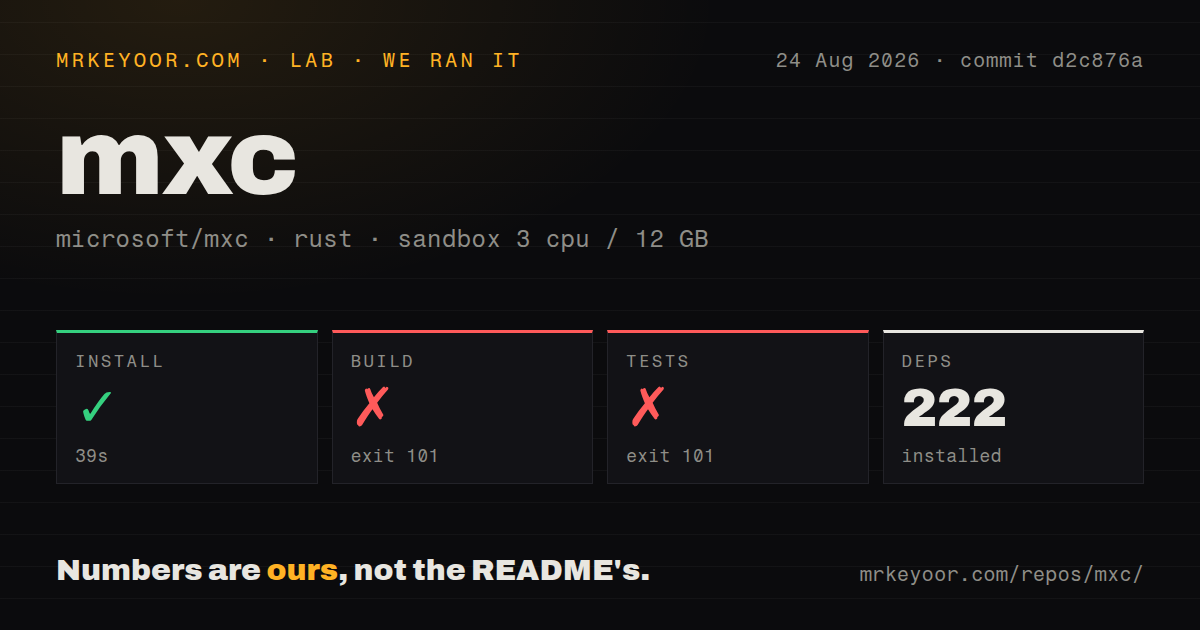
Our Rust sandbox run at commit d2c876a installed 222 packages in 39 seconds. The checkout contained 1,661 files, about 223,551 lines of source, and occupied 14.7 MB. We provided 3 CPUs and 12 GB of memory. The repository has 19 CI workflow files, a tests directory, and no Dockerfile according to our scan.
The build failed after 45 seconds with exit 101. Crate windows-future 0.3.2 called windows_threading::submit, but that function was not found. Cargo reported 16 previous errors and could not compile the library. The log identifies the dependency and missing symbol; it does not establish why the resolved crates disagreed or which change would be correct, so we will not prescribe a version pin from the tail alone.
Tests failed after 28 seconds with the same exit code and dependency compile error. The final output again names windows-future 0.3.2, the missing windows_threading::submit calls, and 16 previous errors. No test count or test-case outcome appears in the supplied log. That means our source checkout never reached an evidenced passing test phase, even though dependency installation itself completed.
The 0.7.0-alpha README rejects security-boundary use
MXC's 0.7.0-alpha documentation opens with an unusually important warning: this is an early preview, the underlying sandboxes are expected to change, generated policies have known overly permissive cases, and no profile should currently be treated as a security boundary. That is the adoption decision. A team can test the API inside another trusted VM or disposable host, but it cannot cite Microsoft's name or the word sandbox as proof that secrets are contained.
Current issues make the warning concrete. Bubblewrap issue #980 and LXC issue #1000 say protocol: any combined with a port narrows a deny rule to TCP and UDP, allowing other protocols. LXC issue #998 reports container-to-host traffic bypassing an egress chain while capabilities advertise the relevant controls. SDK issue #901 says types and schema surfaces disagree with what the engine accepts and enforces. These are policy interpretation and fail-open reports, not cosmetic defects.
Cross-platform parity is still under review too. Seatbelt issue #1021 carries Priority1 and asks for bidirectional host-loopback semantics plus deterministic network coverage. WSLC issue #824 reports one-shot and state-aware network-policy differences, including dropped port mappings. Issue #1039 shows the latest WSL runtime reporting an unavailable WSLC component, with four comments on 2026-08-25. An evaluator should build denial tests per backend and rerun them on every OS or schema upgrade.
Audit mode deliberately allows denied operations
Windows audit mode injects permissive learning behavior so denied actions can proceed while MXC records what the program attempted. Successful non-dry runs retain denial metadata and ETL traces, then can produce an adjusted policy. This is useful while authoring a ProcessContainer profile. It is unsafe as a containment mode, and the README says AppContainer restrictions are not enforced during the run. The CLI rejects audit mode for backends that cannot provide that behavior.
Telemetry has several gates. It is off by default, requires an enabled configuration, Windows user consent, and any applicable administrative permission. On non-Windows platforms, telemetry functions do nothing. Public local builds lack Microsoft's provider-group identifier, so events remain in local ETW instead of being routed to Microsoft. Official builds can route bounded execution fields when all gates are open. Embedders still owe their users notices when their own application enables collection.
The state-aware API adds another operational surface. Long-lived sandboxes need authorization around each exec, reliable stop and deprovision behavior, and cleanup after crashes. Experimental Windows backends expand that surface further. A one-shot Bubblewrap process on Linux may be easier to reason about than a cross-platform session abstraction, especially when the application can accept platform-specific code. MXC earns its complexity only when one SDK across hosts is a real requirement.
1,251 stars and same-day issue replies show an active preview
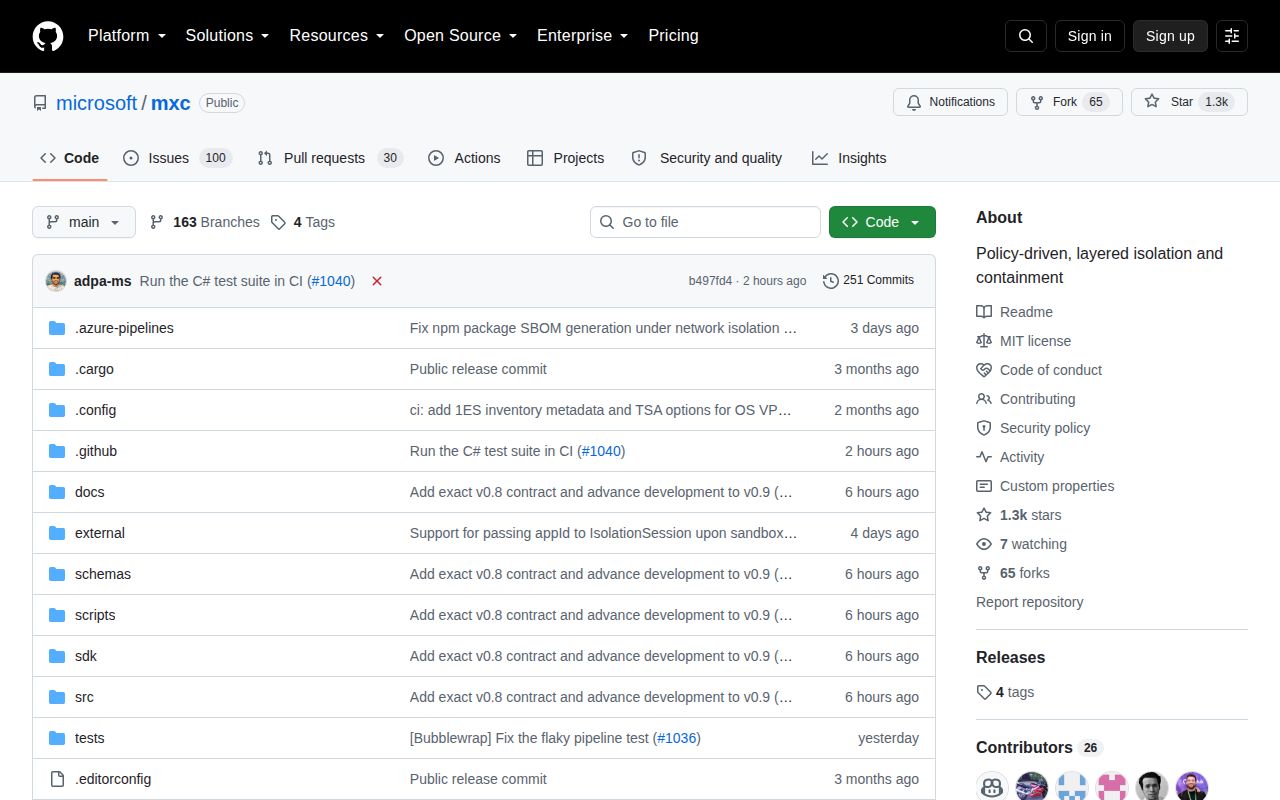
MXC had 1,251 stars, 130 open issues and pull requests combined, and a last push on 2026-08-25. Several policy and runtime issues received maintainer comments that same day. GitHub returned no latest release, which matches the early-preview label and alpha schema names. The project is active; it is not stable. Those are separate facts, and a security-sensitive buyer must weight the second more heavily.
Documentation is MXC's best current feature. The README lists backend limits, minimum host versions, experimental flags, audit-mode danger, telemetry behavior, build commands, and separate schema references. The repository also carries backend guides and test collateral. MXC is worth a contained evaluation for teams trying to sandbox agent output on three operating systems. Until its own warning changes and hostile tests pass per backend, place it behind a boundary you already trust or choose a narrower established Linux runtime.