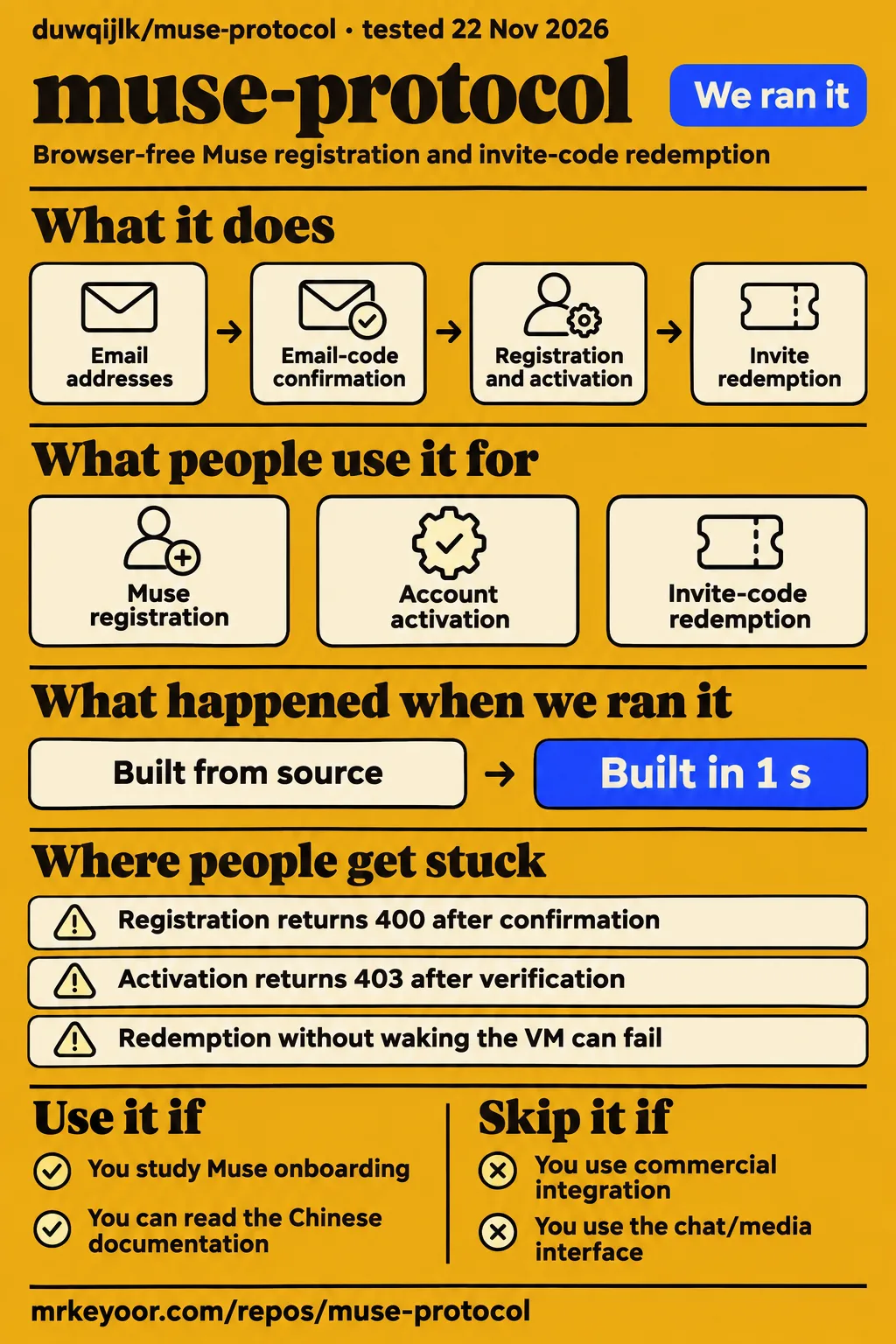
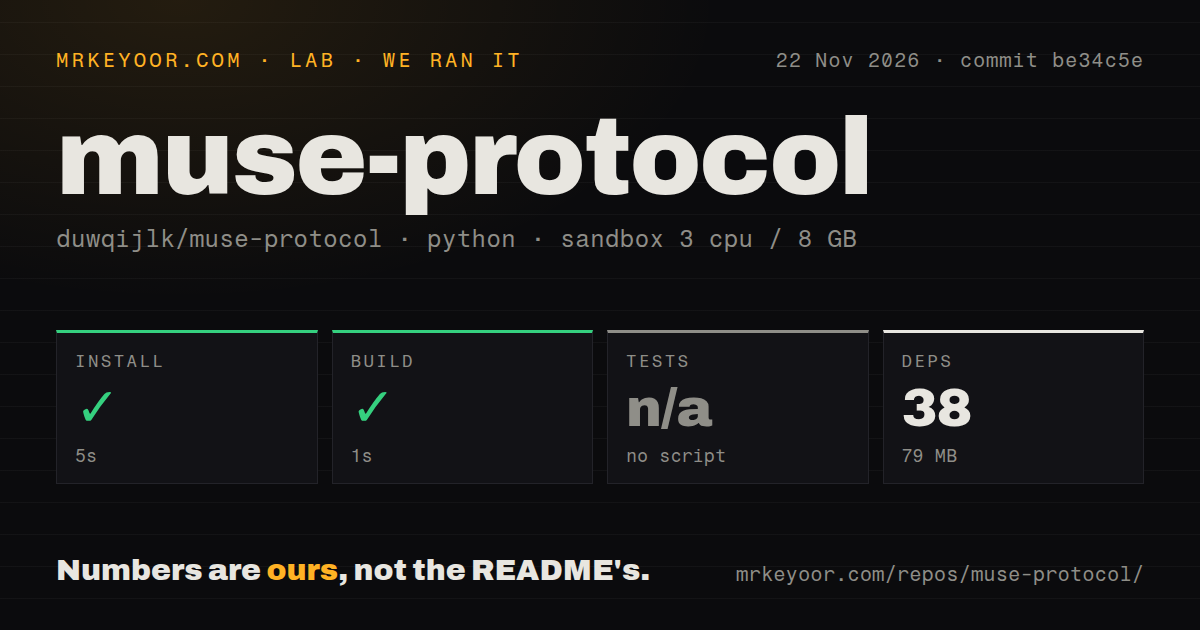
Our run installed duwqijlk/muse-protocol in 5 seconds and built it in 1 second at commit be34c5e. Those November 22 sandbox results describe local setup. Issue #3 reports registration-completion 400, while issue #2 reports activation 403 after earlier steps succeeded. This review answers whether the Python registration client fits personal protocol research, with the README's non-commercial restriction determining who can consider using it.
What people use muse-protocol for
The README describes browser-free Muse registration and invite redemption through a Python HTTP client. Its protocol sequence and quick start cover email-code confirmation, registration completion, session bootstrap, activation and redemption. An OTP is the one-time code sent to an email address. These are separate stages: receiving an email code, creating an account and obtaining usable access can produce different outcomes in the same attempt. That distinction explains the registration and activation reports below.
| Who tried it | What they attempted | What happened |
|---|---|---|
| The reporter of issue #3 | Registration through a Japanese proxy | Reached register-completion, then received HTTP 400. Direct website registration reportedly worked, followed by a card-verification barrier. Issue #3 registration report. |
| jinjemorasi, commenting on issue #3 | Registration through a Japanese VPN | Reported the same HTTP 400 response. Issue #3 VPN comment. |
| The reporter of issue #2 | Activation after email verification and account selection | Email verification succeeded and account selection returned HTTP 200, but activation returned HTTP 403. Issue #2 activation report. |
Torin-2003 claims successful registrations, while hiboydidi reports being unable to register one account with a dynamic IP in issue #5. The thread asks whether anyone has actually registered successfully, and its two replies give opposing accounts. Neither reply includes a complete endpoint trace. The more detailed reports in issues #2 and #3 identify the operation that failed and the HTTP response it returned.
What happened when we ran it
Our November 22 install took 5 seconds, and the November 23 hands-on route failed its Compose-file safety requirement. The failed safety step names all four missing files: compose.yaml, compose.yml, docker-compose.yaml and docker-compose.yml. Compose defines containers for Docker to start together. The lab selected a route requiring such a file; the README's quick start instead uses requirements.txt, config.json and example_register.py.
The November 23 summary claims deployment with every port bound to 127.0.0.1, but its safety step reports a missing Compose file. The deployment summary therefore conflicts with the concrete prerequisite failure. The route's reported outcome is the failed safety step. The teardown record says "teardown: ok", recording cleanup after that attempt. The table preserves the summary as a claim rather than treating it as an application-startup result.
| Recorded check | Answer | Verdict | Why |
|---|---|---|---|
| Did the November 23 container route proceed? | No. The required Compose file was missing. | Failed safety step | None of the four recognized Compose filenames existed. |
| What did the November 23 setup summary claim? | Deployment with the repository's own Compose and every port bound to 127.0.0.1. | Contradictory summary | The concrete safety step reports the prerequisite missing. |
| Did teardown finish? | The record says teardown: ok. | Cleanup recorded | The teardown result concerns cleanup. |
| Did the November 22 dependency install finish? | Yes, in 5 seconds; 38 dependencies recorded and 79 MB on disk. | Succeeded | The installation result records success. |
| Did the November 22 build finish? | Yes, in 1 second. | Succeeded | The build result records success. |
| Did the November 22 test suite pass? | Tests were skipped because there was no tests script/target. | Skipped | No test target was available to the harness. |
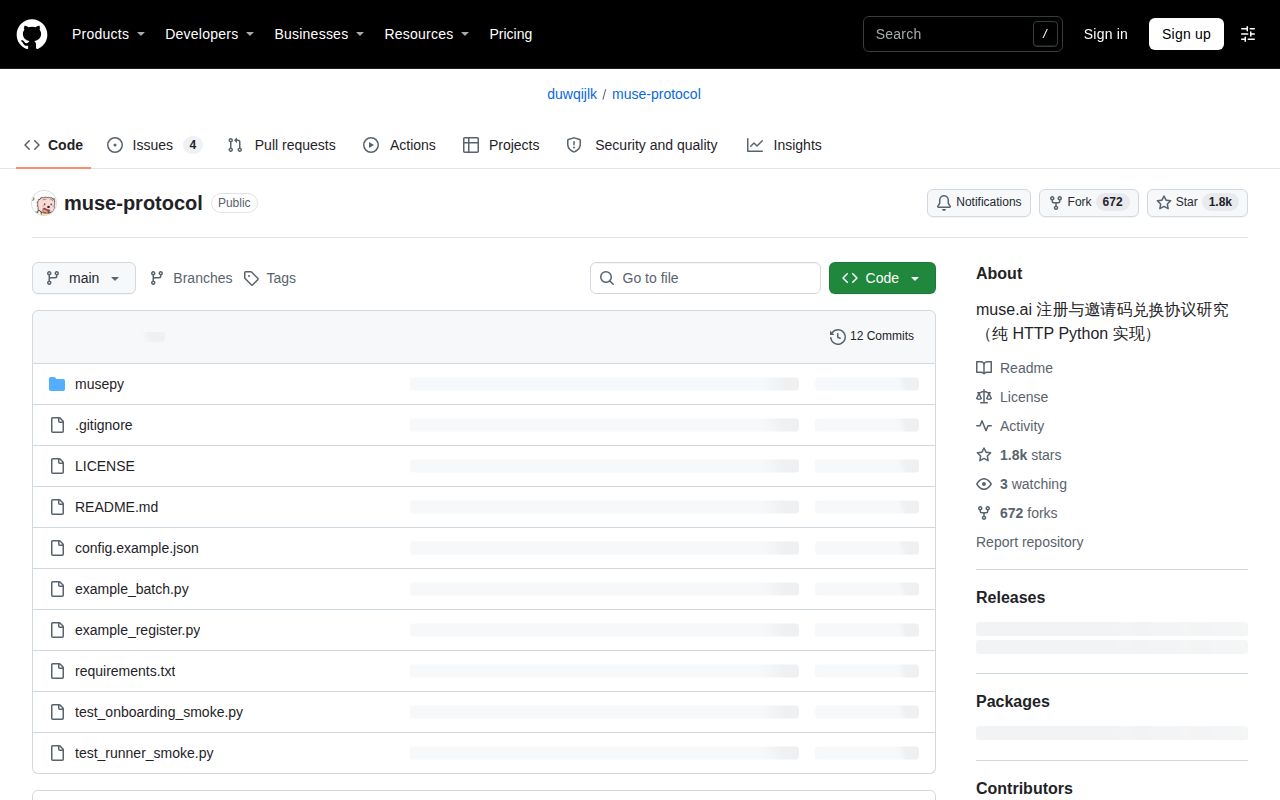
| What did the checkout scan find? | 14 files, approximately 1,865 source lines and 0.1 MB checked out. | Inventory recorded | These figures describe the scanned checkout. |
| What automation paths did the scan find? | 0 CI workflow files, no Dockerfile and no tests directory. | Paths absent | These are the recorded scan results. |
The November 22 measurement records commit be34c5e, 3 CPUs, 8 GB RAM and image label ghcr.io/astral-sh/uv:python3.12-bookworm. The scan found no tests directory, and the harness skipped tests because it found no tests script or target. The later README lists test_onboarding_smoke.py and test_runner_smoke.py as individual files: the former concerns disclosure parsing, while the latter describes batch scheduling with mocked networking.
Where people get stuck: registration and activation fail separately
Issue #3 reports register-completion 400 after email-code confirmation. The registration report reaches homepage loading, registration restart, email-code sending and confirmation before the completion request fails. Its response contains invalidRequest and "Check the account details and try again." The reporter suspects an upstream change; jinjemorasi reports the same 400 using a Japanese VPN, and lyyilin also reports encountering the problem in that thread.
Issue #2 reports activation 403 after email verification succeeds and account selection returns 200. The page reaches /access/verification before that failure. Maintainer duwqijlk attributes low success rates to dynamic-node IP addresses in the activation discussion. Lfglfg11 reports trying many approaches and still receiving 403, while hiboydidi asks whether a static IP is required. The thread records that proposed IP explanation alongside the unsuccessful attempts.
| Symptom | What the source says | Stage-specific guidance |
|---|---|---|
| register-completion 400 | Issue #3 returns invalidRequest and asks the user to check account details. | Record the completion endpoint and redacted response. |
| Activation 403 | Issue #2 reports successful email verification and account selection first. | Record the activation response with the preceding successful steps. |
| Invite redemption returns invalid | README says omitting vm/wake can produce this response for a valid code. | The documented sequence wakes the VM before redemption. |
| Registered account reaches regional restriction | README describes waitlist and isGeoGated state. | The batch runner records registered_waitlist and stops. |
The README's redemption sequence places session bootstrap and acceptance of dynamic disclosure before invite operations. It then calls vm/wake before redemption, with wake_trigger set to mount, a new open_id and away_ms set to 0. For activation, it describes using disclosure text and version returned by the server, with the disclosure-page URL as Referer, and a single accept-tos call without retrying it.
Batch controls describe stopping behavior
The README documents a default of 5 workers and a max_per_ip setting of 6 verification successes per proxy. Its batch-runner description says each worker claims a sticky proxy exclusively until release, with sharing after the pool is exhausted. When a proxy reaches the configured verification-success budget, the runner releases that proxy, selects another and avoids the original row for the rest of that round.
The README allows up to 3 retries through another proxy for network failures before an OTP is sent. It says the runner reuses the same email during those retries and marks it tried if they still fail. Business rejection, pending status or failure after sending an OTP stops the entire batch. Regional waitlisting also stops the batch, records registered_waitlist and retains the registered account, according to the documented scheduling rules.
Spacex-3 reports registration stopping after 3 accounts on one IP and continuing to fail after half an hour of changing IPs in issue #2. The README defines its batch budget as the number of distinct email addresses claimed, says failed attempts are not replaced, and lists batch_summary fields including started, pending, server_rejected, transport_error and stop_reason. Those fields describe how the runner accounts for an interrupted batch.
Credentials and usage restrictions
The README restricts the project to personal, non-commercial study and research and prohibits commercial use or redistribution. Its usage declaration also says it does not use MIT or similar open-source licences and asks users to follow the target service's terms and local law. That restriction excludes commercial integration and redistribution from the uses considered here, even though the repository is publicly readable on GitHub.
The README says frl_access_token and hatch_sess stay in memory rather than being written to disk. It separately lists per-account output fields including email, status, stage, IP and last_error. Batch configuration pairs email addresses with OTP-source URLs; the documented OTP response uses otp and time fields. The configuration and credential descriptions also specify a proxy-file format and an optional invite-code file, so configuration contains more than an email address alone.
Reading the Chinese documentation
The README uses Chinese prose alongside endpoint names, status codes and JSON fields. Its directory listing identifies client.py as the registration-and-redemption client, runner.py as the batch scheduler and otp.py as the polling implementation. It lists falco.py and caa.py as optional telemetry modules. The explanatory prose contains the stopping rules, regional-restriction behavior and credential-storage description that give those filenames and configuration fields their operational meaning.
The README describes OTP polling as selecting the latest six-digit code after the send operation's start time. Its polling description specifies a 45-second timeout, a 0.6-second interval and a 15-second timeout for an individual request. It also describes two telemetry routes, /api/falco and /api/auth/caa-events, and says their implementations can be disabled through configuration. These are documented behavior and defaults, rather than timings from our installation run.
muse-protocol vs official access and adjacent clients
The issue #3 reporter says direct website registration through a proxy succeeded and then encountered credit-card verification. For ordinary onboarding, choose the official interface; for Python onboarding research, consider duwqijlk/muse-protocol under its usage restriction. The Go and proxy references below address integration interfaces. The website-registration report gives a concrete reason to distinguish creating an account from clearing the next access step.
| Choice | Documented or reported purpose | Choose it for |
|---|---|---|
| Official Muse website registration | Issue #3 reports successful direct registration followed by card verification. | Using the official onboarding interface. Issue #3 website-registration account. |
| duwqijlk/muse-protocol | Python HTTP registration and invite redemption. | Personal, non-commercial study of the onboarding sequence. Registration-client README. |
| CoolkHz/muse-protocol-go | HTTPS bootstrap and browser-free chat/media protocol over a multiplexed Noise/Hatch connection. | Examining the documented Go integration. Go package overview. |
| uezo/muse-proxy | OpenAI-compatible API with session selection, progress, replies and cancellation. | Examining that API interface. Proxy technical reference. |
FAQ
Issue #3 records invalidRequest at register-completion, with a response asking the user to check account details. Its reporter used a Japanese proxy; another commenter reports the same error with a Japanese VPN. The registration discussion is the source for the first answer below. The remaining questions cover the IP stopping report, card verification and the security and support expectations raised by the repository overview.
Why does register-completion return HTTP 400 when using a Japanese proxy or VPN?
Issue #3 records HTTP 400 with invalidRequest after email-code confirmation; it does not identify a confirmed cause. The reporter used a Japanese proxy, and jinjemorasi reports the same error with a Japanese VPN in the same thread. The server response says "Check the account details and try again." The reporter's suggestion that the service changed is presented as a guess in the issue.
Why does registration stop after a few accounts on one IP, even after changing IP addresses?
Spacex-3 reports 3 registrations on one IP followed by continued failure after half an hour of changing IPs. Maintainer duwqijlk attributes low success rates to dynamic-node IP quality in issue #2. The README's default max_per_ip value is 6 verification successes per proxy, a local scheduling setting. Its documented stop conditions also include business rejection, pending status and failures after an OTP has been sent.
Can I create a Muse AI account without credit-card verification?
The issue #3 reporter says direct registration succeeded but credit-card verification blocked further progress. The README's opening note claims a Japanese node avoids card binding. The reporter's account describes a Japanese-region account registered directly through a proxy, followed by an inability to pass credit-card verification. That report gives a specific counterexample to treating the README's regional advice as an assured outcome for every account.
Does Meta endorse muse-protocol?
Explainx.ai says no public Meta endorsement appears in its repository overview. That is the overview's endorsement assessment, rather than a statement from Meta. The project's own README describes protocol analysis and a Python implementation, with a personal, non-commercial usage declaration. Its documented registration flow includes requests to auth.meta.com and muse.ai; those endpoint names describe the flow the author analyzed.
Will upstream API changes break muse-protocol?
Explainx.ai says changes to server fields such as disclosureVersion can break reverse-engineered clients. Its API-change answer names that field specifically. The README describes extracting disclosureText and disclosureVersion from the session-bootstrap landing document and using the returned disclosure for accept-tos. It also documents a dynamic TOS content version returned during confirm-otp, rather than describing those values as permanent constants.
Is muse-protocol malware?
Explainx.ai describes muse-protocol as source code plus documentation and recommends isolated environments in its security FAQ. That is the secondary overview's characterization. The README lists remote OTP sources, proxy configuration and optional telemetry modules, along with account-related output fields. Those concrete components define relevant inspection areas; the audit status and this review's answer about the malware label are stated in the testing section below.
What we have not tested yet
We have not audited the code or dependencies, so this review cannot determine whether it is malware. The evidence reviewed here does not establish Meta endorsement. Our work records installation and build results at be34c5e, followed by a separate container route that stopped before registration. It contains no completed registration, activation, invite redemption or subsequent-access result, no known-answer application tasks and no screenshots. The sampled 400/403 threads contain no confirmed fix.
Registration success rates, concurrency, proxy-provider differences, a working replacement IP configuration and recovery after upstream changes remain untested. The README's vm/wake guidance has no independent reproduction in our run. We have not audited credential handling, optional telemetry or OTP services, or compared alternatives on the same account. Broader Muse app demonstrations and token-redemption videos contain no completed run of this registration client, so they add no application outcome to our measurements.
The sandbox image label does not establish the actual Python or operating-system version, and the later README was not pinned to the measured checkout. Release status is unknown because the latest-release value is null and may reflect a failed lookup. Rendered-page QA, related links, recommendation modules and template content were not inspected. A next measurement could follow one authorized account through each endpoint at a pinned commit, recording redacted responses and subsequent access.