Twenty-three agent CLIs share one issue board
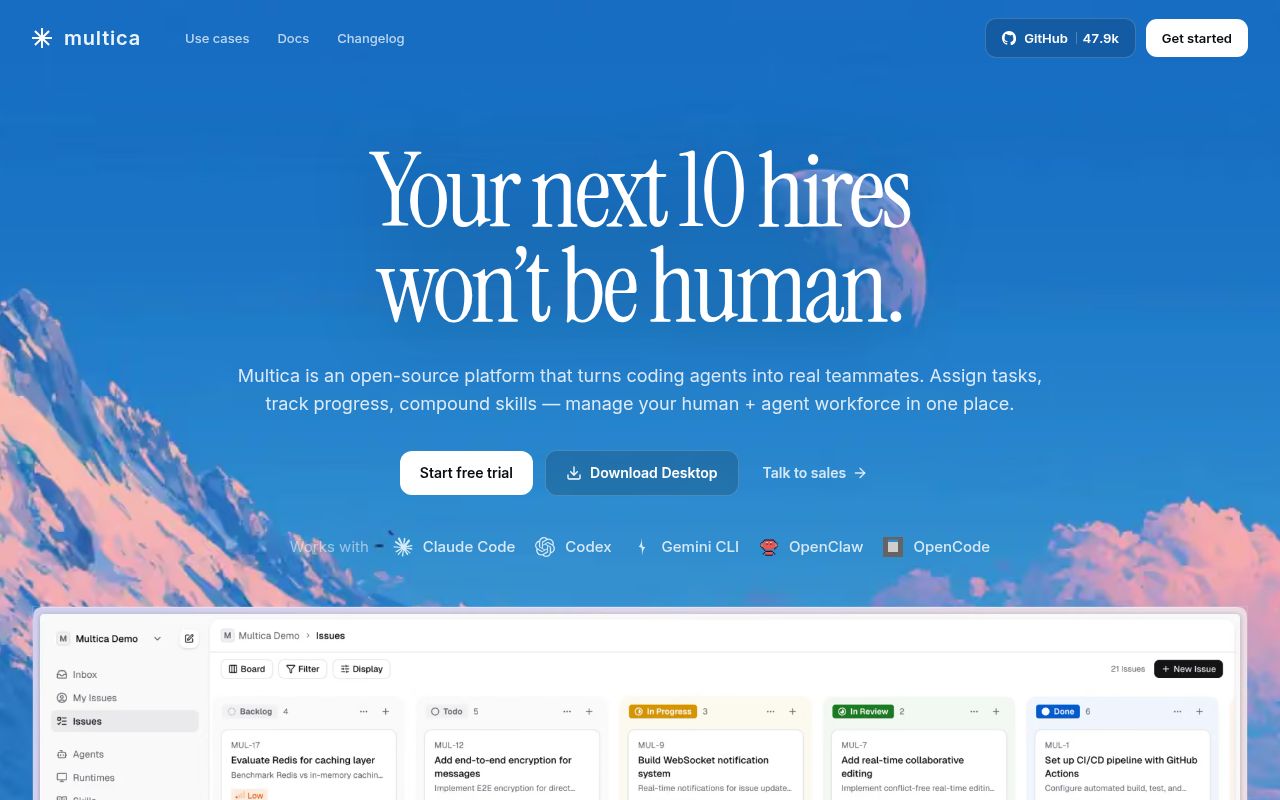
Multica treats Claude Code, Codex, Cursor, Copilot, Kimi, OpenCode, and 17 other command-line agents as workers on the same board. Assign an issue and the chosen agent claims it, runs on a registered machine, comments on progress, and returns the issue for review. The execution log keeps commands, errors, timestamps, and token use with the task. That solves a specific management problem: terminal sessions stop being the only record of what an agent attempted.
The board also includes squads, scheduled autopilots, chat, projects, inbox notifications, roles, and reusable skills. Release v0.4.35 shipped on August 26, 2026, with fixes for Codex turn completion, runtime access, private agents, and autopilot assignment. Multica is broad enough to become an operating layer for agent work. A developer using one agent interactively will spend more time configuring the layer than recovering lost context.
The daemon keeps code local while the server keeps control state
A Go backend and Next.js 16 frontend store workspace state in PostgreSQL 17. The separate daemon runs on a developer laptop or cloud machine beside the repository and launches the chosen agent CLI. Multica does not include the models or agent subscriptions. Every runtime must already be installed, authenticated, and able to reach its provider. Code execution stays on the runtime you select, while task state and logs go to the Multica server.
That split is useful for private repositories, but it creates 2 security boundaries. Server roles decide who may invoke a runtime, and the local daemon holds the practical ability to run commands near source code. Issue 7579 describes a gap when a public runtime becomes private: teammate agents can remain bound even though a claim guard blocks new work. Review runtime visibility, queued tasks, environment injection, and cancellation behavior with the exact agent CLIs your team permits.
What happened when we ran it
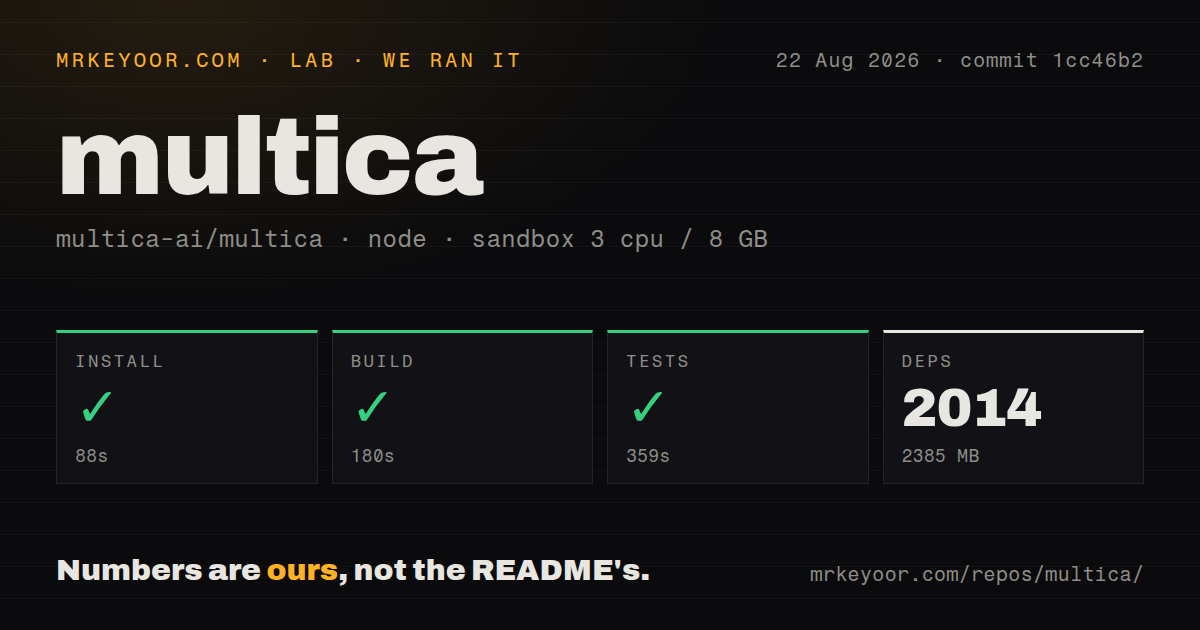
Our sandbox installed 2,014 pnpm packages in 88 seconds and consumed 2,385 MB on disk. commit 1cc46b2 contained 5,134 files, roughly 1,031,677 source lines, and a 50.7 MB checkout. The build succeeded in 180 seconds. This is a large monorepo spanning web, desktop, mobile, backend, daemon, shared packages, and documentation, so the dependency size matches the product's surface even if it remains costly for contributors.
Tests succeeded in 359 seconds in the same unprivileged container with 3 CPUs, 8 GB of RAM, Node 22, and no secrets. The repository had 4 CI workflow files, a Dockerfile, a compose file, and workspace configuration, though our scan found no top-level tests directory. The measured success covers the commands run at commit 1cc46b2. It does not prove a provider login, a live daemon connection, or successful task execution through any of the 23 adapters.
Docker starts three services, then every runner needs a daemon
The self-host quick path installs the CLI, pulls server images, creates configuration, and starts the stack. Underneath, the deployment has a Go API with WebSockets, a Next.js frontend, and PostgreSQL 17. Each person who wants local agent execution then installs the multica CLI, at least 1 supported agent CLI, and a background daemon. Login can use Resend email codes; a private trial may read generated codes from backend logs.
Kubernetes users get a Helm chart with 2 ingress routes, a PostgreSQL volume, and a separate uploads volume unless S3 is configured. The chart expects operators to create the secrets object themselves. Contributors face another stack: Node.js 22, pnpm 10.28.2, Go 1.26.6, and Docker. make dev automates much of the setup, but the successful 539 seconds of build and tests in our run should set expectations for change feedback.
Current permission and secret gaps matter for shared teams
Issue 6064 says members can see projects and issues outside their assignments and asks for project and issue visibility controls. The README documents owner, admin, and member roles plus runtime access scopes, so this is a narrower gap than having no authorization. It is still important for agencies, internal divisions, or any workspace where issue text contains customer information. Verify visibility with two ordinary member accounts before importing sensitive work.
Issue 7595 says custom agent environment values are stored as plaintext JSONB, although API reads redact them and agent tokens cannot retrieve them. Database backups and read-only database access therefore deserve the same protection as live provider credentials. Other August reports are adapter-specific: Windows token injection blocks DeepSeek Harness, an executable check rejects Windows path overrides, and OpenClaw configuration preparation can fail before a task reaches the model.
The license allows internal use but restricts outside hosting
GitHub could not map the repository to a standard SPDX license because Multica reproduces Apache 2.0 with added conditions. Internal use within one organization is allowed. Without a commercial license, the terms prohibit using the source to provide a hosted service to third parties or embedding it in a commercially distributed product. The interface branding also cannot be removed without a separate waiver, and non-interface uses retain attribution duties. Legal review is appropriate before customer-facing deployment.
The project itself is moving quickly. GitHub showed 47,880 stars, 1,331 combined open issues and pull requests, and a last push on August 27, 2026. The v0.4.35 release arrived the previous day, and the README says releases happen most weekdays. That activity improves the chance of fixes while increasing upgrade churn. Multica earns a pilot for a team already coordinating several agents, provided the pilot tests access, secrets, cancellation, and every chosen runtime on its real operating system.