Short answer: try SFT when the words are part of the picture
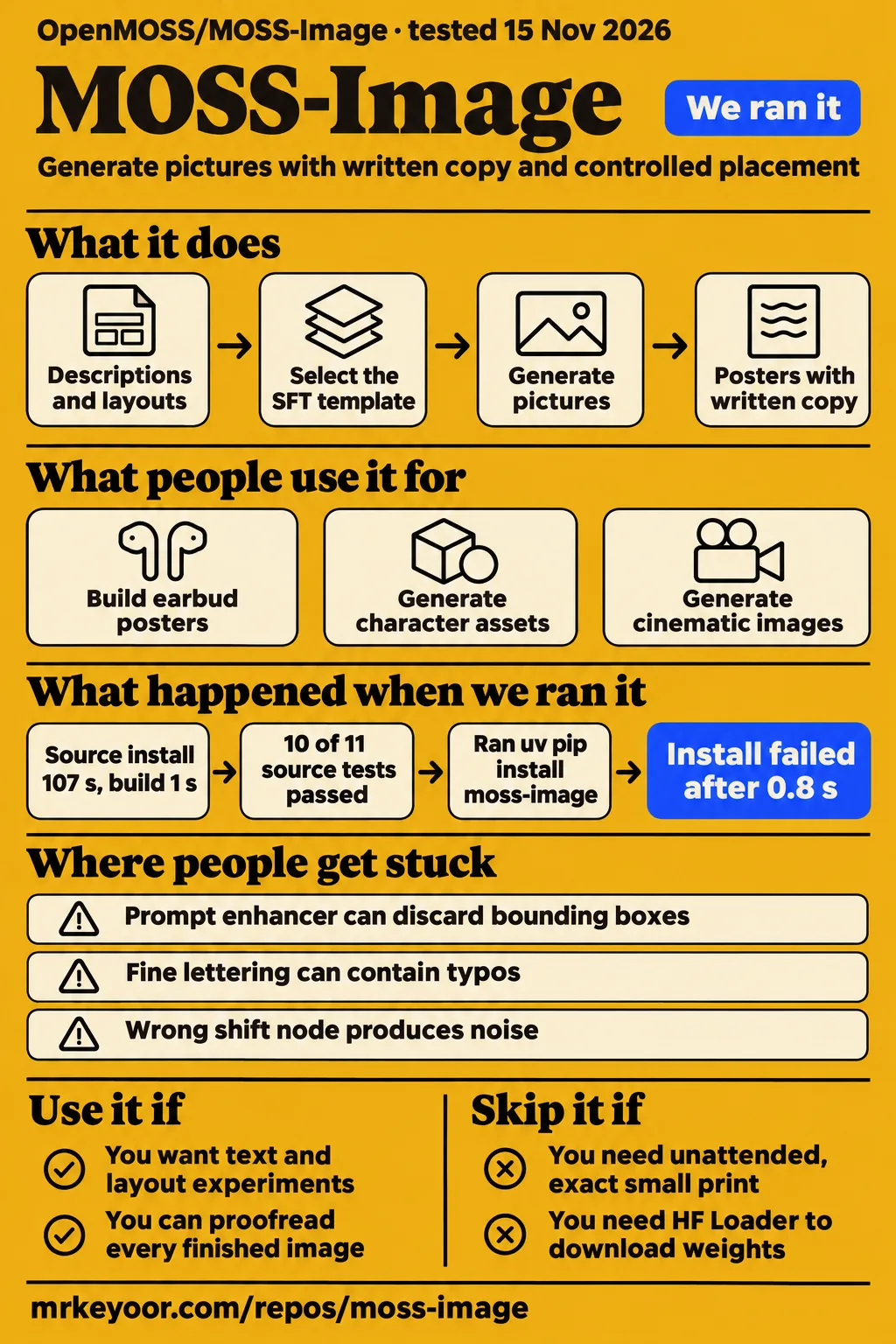
Our sandbox installed MOSS-Image in 107 seconds, but its test command failed on a missing Gradio import after 10 tests passed. Use it if you want to experiment with generated posters, menus or layouts and can inspect the result yourself. Skip it if every price and small-print character must be right without human review. The most useful evidence for that decision is the hosted studio author's knight poster: large and medium lettering worked, but a small word became "EVERYTHIG". Studio author's example.
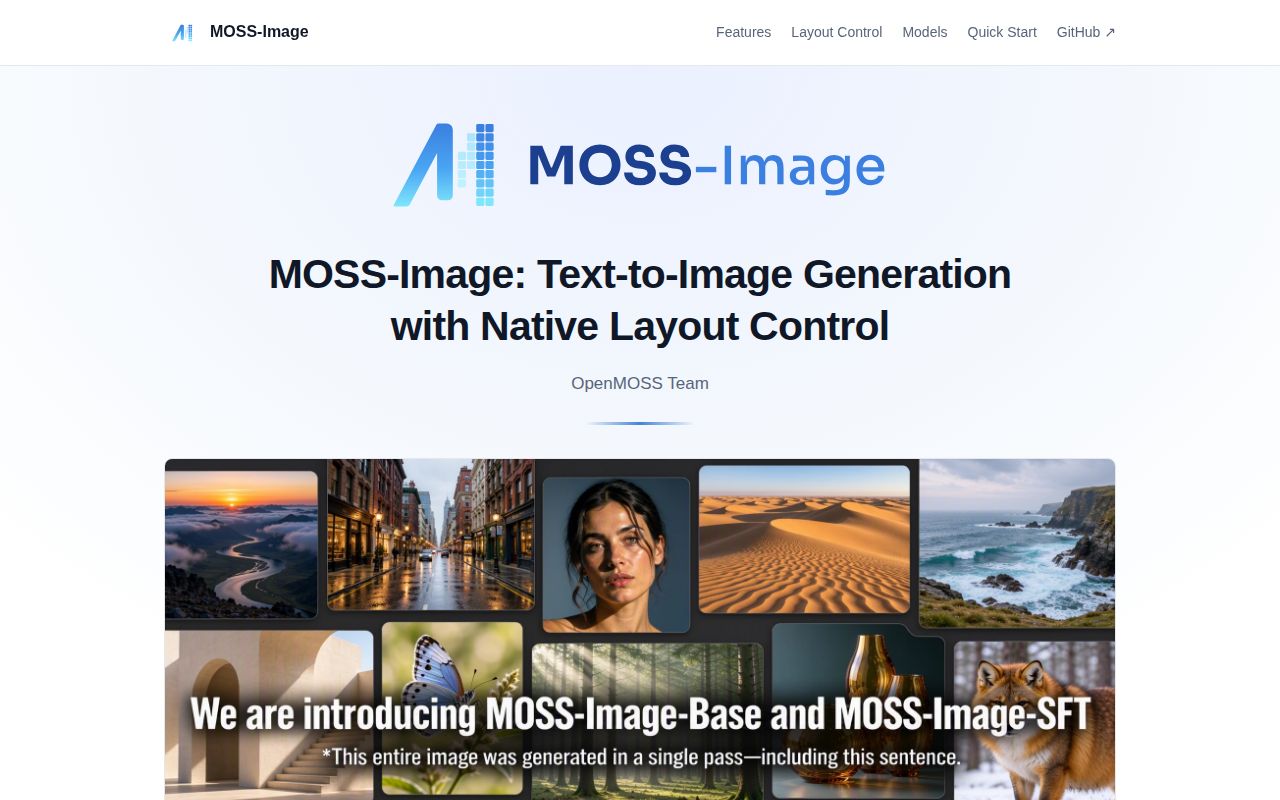
MOSS-Image AI is OpenMOSS's open-weights text-to-image model family, with Base and SFT checkpoints. Its appeal is explicit placement: describe a scene, then give text and objects their own boxes. Start with SFT for lettering and layout experiments. Keep Base-derived photography checkpoints in a separate comparison, because a tuned model with several adapters answers a different question from stock SFT. ComfyUI's model and checkpoint explanation.
What people use MOSS-Image for
People use it for controlled promotional layouts and character assets, while the photography reports often involve considerable workflow tuning.
| Who used it | What they did | What came out |
|---|---|---|
| ImoleayomideAI on X | Built wireless-earbud posters with JSON boxes, then changed visual treatments | Reported that the product stayed in the left third and English text kept its hierarchy on the right, with imperfect small details. Process and results |
| CreateSun, author of mossimage.dev | Built an editable visual layout studio using hosted SFT generation | Reported correct large and medium text in a knight layout, one small typo, and a figure covering the headline as the template specified. Issue #27 |
| No_Cow26 on r/comfyui | Used image-to-text prompts and two workflows for cinematic compositions | Said the gallery contained selected favorites from roughly 20 to 30 generations. Gallery discussion |
| WPBaka on r/LocalLLaMA | Created H3 character references and assets | Praised distinctive faces and natural photography, while reporting malformed hands and occasional anomalies. User's account |
The earbud example is a useful reason to try layout guidance. A product on the left and copy on the right is a brief a designer can judge. ImoleayomideAI describes adjusting boxes and wording, checking spacing, and generating again. That is closer to an iterative design process than typing one sentence and accepting whatever arrives. It also suggests a sensible first task: reproduce a layout whose success you can describe before opening the application.
In pixaroma's "MOSS Image in ComfyUI" video, the creator runs a café scene in which one hand pours milk and another holds a cup, then reports that the wall lettering is correct. The video uses SFT and a workflow with separate model, encoder and VAE files. It is evidence of a specific successful scene, with visible workflow context, rather than a general accuracy score. Video and transcript.
What happened when we ran it
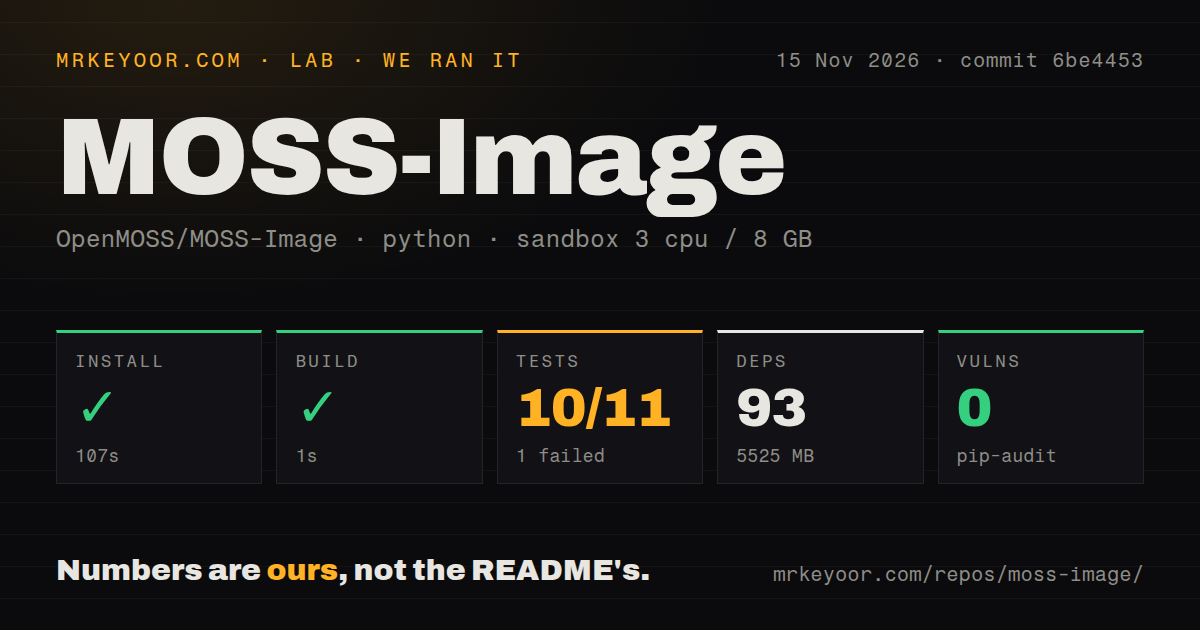
Our November 15, 2026 sandbox run at commit 6be4453 installed successfully in 107 seconds and built successfully in 1 second, then failed its test command in 32 seconds.
| Recorded step or observation | Our result |
|---|---|
| Dependency installation | Succeeded in 107 seconds; 93 dependencies recorded |
| Installed disk footprint | 5,525 MB |
| Build step | Succeeded in 1 second |
| Test command | Exit 1 in 32 seconds; pytest reported 10 passed and 1 failed of 11 |
| Dependency audit | pip-audit reported 0 known vulnerabilities |
| Repository scan | 132 files, about 2,697 source lines, 130.9 MB checked out |
| Automation and packaging signals | 2 CI workflow files, a tests directory, no Dockerfile detected |
The failing case was tests/test_mps_runtime.py::IntegrationTests::test_gradio_ui_builds_for_mac_without_loading_weights. It reached import gradio as gr in gradio_app.py:389 and raised ModuleNotFoundError: No module named 'gradio'. The test name matters: it was trying to build the Mac UI without loading weights. This failure gives us a concrete UI setup finding, rather than an image-quality result. The tail reports pytest's own duration as 25.80 seconds; the outer test step recorded 32 seconds.
The recorded configuration was 3 CPUs, 8 GB RAM and image ghcr.io/astral-sh/uv:python3.12-bookworm. That label identifies the configured image. Actual runtime and operating-system versions require the raw toolchain logs. The dependency footprint is the measured environment on disk, not a model-weight download total or a GPU-memory requirement.
A separate pack record preserves an earlier attempt to install moss-image from the package registry. That attempt stopped because the resolver said the package was not found in the registry and the requirements were unsatisfiable. It was a different recipe from the successful source setup above. The current README starts with cloning the repository and installing its requirements; its Gradio instructions separately specify pip install -e '.[ui]'. This is a documented UI route, not a diagnosis of why our recorded environment lacked Gradio. current quick start.
Where people get stuck: loaders and files must belong to the same route
Native ComfyUI uses component files, while the OpenMOSS HF-directory plugin expects a local Diffusers model folder. Mixing those routes can fail before sampling starts. The repository's own ComfyUI guide recommends native support and warns that changing only the loader in an old plugin graph is insufficient. OpenMOSS's ComfyUI guide.
For a new MOSS-Image ComfyUI setup, use the documented native template first. ComfyUI's guide requires 0.42.0 or later for text-to-image templates and 0.43.0 or later for editing and color/depth templates. Put the diffusion model, text encoder and VAE in their matching model folders, then select the SFT template. Keep the supplied graph intact until it produces a baseline image. Version requirements and workflow steps.
| Symptom | What the evidence says | Useful next action |
|---|---|---|
Missing moss_image CLIP type |
Hugging Face commenter chaindrop reported resolving it with the portable nightly updater | Update ComfyUI and load the native template. Discussion |
Missing MOSSImageHFLoader |
Issue #9 contains that missing-node report, without a confirmed resolution | Use the matching plugin workflow and local folder, or start with a complete native graph. Issue #9 |
'NoneType' object has no attribute 'dtype' |
Issue #10 describes fused checkpoint keys meeting a plugin loader expecting split keys | Use native Load Diffusion Model for Comfy-Org files. A contributor proposed PR #11. Issue #10, reported workaround |
| Noise after adapting an old workflow | OpenMOSS warns that native and plugin routes use different timestep multipliers | For native shift adjustment use ModelSamplingAuraFlow, rather than carrying over ModelSamplingSD3. Official guide |
| Layout boxes disappear | ComfyUI documents that prompt enhancement can rewrite layout JSON | Keep enhancement off for the layout template and match the canvas dimensions. Layout instructions |
| Desaturated images with curly artifacts | tensorbanana reported this with Sage attention on a Windows 11 RTX 3090 setup | Remove --use-sage-attention and compare again. User-confirmed change |
| Vertical stripes in smooth SFT backgrounds | The troubleshooting guide describes community Destripe and DeBand adapters | Compare the adapter against the original, or compare Base. These are workarounds. Artifact guide |
Issue #10 deserves careful reading. Its title calls the problem a native single-file loader failure, but the environment lists the OpenMOSS custom node on ComfyUI 0.39.0. A contributor's proposed normalization fix is useful engineering evidence. The supplied thread records a proposal, not confirmation that it shipped. Calling all current native loading broken would send readers toward the wrong repair.
Memory reports depend on the runtime, checkpoint and adapters
A universal 28 GB VRAM minimum is contradicted by reported smaller-memory configurations. Diffusion Doodles' author says MOSS ran in BF16 on an RTX 4060 Ti with 16 GB VRAM and 64 GB system memory. That is a reported configuration to investigate, with both kinds of memory specified. Author's hardware account.
Mac owners have two quite different community routes in issue #16. gwenn-ha-dev describes Siliconed, a Swift and Metal app that streams weights from disk, and reports approximately 108 seconds for a square 1024-pixel image on a 16 GB M1 Pro using a community eight-step DMD LoRA. Gladess1102 describes a scriptable Python and MLX route on a 16 GB M1 Mac mini, using staged loading to release the text encoder before loading the diffusion transformer. These are contributor reports, and they describe different software and generation settings.
The strongest photography report also uses a different recipe. AI_Enhancer names Kromoss, a Base-derived fine-tune, a Base DMD adapter, and several style LoRAs. The author reports under 10 seconds for 2 MP images on an RTX 3090. That is a result attributed to that entire workflow. For your own comparison, record checkpoint, adapters and strengths, sampler, resolution and seed alongside the image. Otherwise, "MOSS was better" tells the next person very little. Workflow and discussion.
Local execution still loads code and downloaded weights
The official Python example enables trust_remote_code=True, so reviewing the pipeline code is part of choosing that execution route. The README documents local inference, while ComfyUI's guide says local generation requires no API key or per-image credits. Hosted generation is a separate service choice with its own account and data handling. Python example, local workflow documentation.
Our pip-audit result was 0 known vulnerabilities. Use that as a dependency-advisory observation within the recorded run. For a local evaluation, pin the code and weights you reviewed and keep private product briefs on a machine whose access you control. CreateSun explicitly calls mossimage.dev an independent paid service, not an OpenMOSS service. Its convenient visual editor changes who receives your prompt, even when the generator underneath is SFT. Service disclosure.
English documentation exists; bilingual rendering still needs proofreading
OpenMOSS provides an English README and user guide alongside Chinese versions, and ComfyUI documents English and Chinese typography. There is an English entry point for setup. That matters for a reader trying to distinguish a model error from a configuration mistake: the loader names, file locations and layout fields have documented English instructions. Project documentation, ComfyUI guide.
Text support is still a reason to inspect actual words. In the studio author's knight example, an intentionally overlapping figure and a misspelled small word are different findings. Moving a box can address the overlap if the design calls for it. A convincing visual hierarchy does not fix the typo. For a poster you intend to distribute, compare the finished raster against the requested copy, including prices, punctuation and dates. Knight layout result.
MOSS-Image vs FLUX.1 dev, Qwen Image and community fine-tunes
A hosted three-prompt comparison favored MOSS for literal text, while community photography preferences vary by scene and workflow. Choose the comparison that resembles your work, rather than treating these records as one model league table.
| Choice | What the cited comparison reports | When it helps your decision |
|---|---|---|
| MOSS SFT vs FLUX.1 dev | mossimage.run's café menu, honey label and bilingual poster kept the requested MOSS wording while FLUX changed or garbled some text | Try the same literal copy in both before choosing a generator for menus or labels. Three-prompt comparison |
| MOSS vs Krea 2 | Ok-Option-6683 preferred Krea for a wide-angle beach scene, but found other MOSS outputs competitive or more realistic | Include your difficult scene in the comparison, not just portraits. Reddit discussion |
| MOSS vs Qwen Image 2.1 | Diffusion Doodles describes Qwen as a generalist with native editing, while MOSS uses an additional edit LoRA | Compare the actual editing workflow if changing existing photos is your main job. Author's comparison |
| SFT vs Base-derived Kromoss | ComfyUI uses SFT for cleaner text grouping; AI_Enhancer's photography recipe uses Kromoss and adapters | Keep lettering and photography evaluations separate. Checkpoint roles, photography recipe |
The café menu gives the comparison a practical consequence. Its author reports that FLUX changed a croissant price while MOSS kept the requested price. A polished menu with the wrong price is unusable until corrected. The page explicitly limits its conclusion to those examples. Black Forest Labs' own repository provides FLUX generation and editing code, and Qwen's repository documents its generation and editing family; both are real alternatives to evaluate, rather than shorthand for a single fixed configuration. FLUX repository, Qwen-Image repository.
What the other reviews get wrong
MindStudio's encoder description conflicts with the technical report: the report specifies a frozen Qwen3.5-9B encoder, alongside the 5B diffusion backbone. Treating the backbone count as the entire pipeline obscures what needs to fit in memory. MindStudio's approximate 28 GB local requirement also needs its configuration attached, given the smaller-memory reports above. MindStudio review, technical report.
The project homepage's statement that ComfyUI integration is still in progress is stale beside the current native documentation. Likewise, the October Studio guide and October troubleshooting page's editing descriptions predate ComfyUI's documented 0.43.0 edit and color/depth templates. Editing comes through additional LoRAs; it should not be presented as a native property of the original text-to-image backbone. Project homepage, older Studio guide, older troubleshooting guide, current ComfyUI documentation.
Two other corrections change a purchasing or setup decision. The troubleshooting guide's claim that no 16 GB Mac working report exists is overtaken by the contributor accounts in issue #16. Diffusion Doodles' statement that MOSS lacks prompt enhancement misses the enhancer in ComfyUI's text-to-image templates. A particular app may expose fewer controls than the documented template. Check the runtime being discussed before carrying a feature claim across to another one. Mac reports, Diffusion Doodles, template enhancer.
Questions people ask
MOSS-Image AI is the OpenMOSS model family; a similarly named website is not proof of an official service or a particular checkpoint. Start from the upstream repository's weight and demo links. Official project.
What is MOSS-Image AI, and which similarly named websites actually run the OpenMOSS model?
CreateSun says mossimage.dev uses SFT through the official MOSS API and discloses that it is independent. MossImage.ai separately reports a live MOSS output and discloses other gallery material generated with GPT Image. Read the model disclosure for the actual output, rather than identifying a service by its domain name. Studio disclosure, MossImage.ai disclosure.
How do I install MOSS-Image in ComfyUI and load a working SFT workflow?
Use ComfyUI 0.42.0 or later, select the MOSS-Image Text to Image template, and download its listed components. The documented MOSS-Image-SFT workflow loads the SFT diffusion checkpoint, Qwen encoder and small FLUX.2 VAE. Use the layout variant when you need boxes. Template instructions.
Does the MOSS-Image HF Loader need a local model folder rather than a Hugging Face ID?
Yes. The plugin reads a local Diffusers directory and does not download from a Hub ID. Its guide names the transformer, text encoder, tokenizer and VAE subdirectories. The search phrase "moss-image hd loader" should not be confused with the documented HF Loader node. HF-directory plugin guide.
Where can I find MOSS-Image weights and workflows on Hugging Face?
The MOSS-Image Hugging Face links in the README point to OpenMOSS-Team/MOSS-Image-Base, OpenMOSS-Team/MOSS-Image-SFT and Comfy-Org/MOSS-Image. Use OpenMOSS's Diffusers directories for that loader route and Comfy-Org component files for native ComfyUI. Official weight links, component downloads.
Should I use MOSS-Image Base or SFT?
MOSS-Image SFT is the documented starting point for cleaner text grouping and layouts. Base is the adaptation starting point. Comparing their output in the same graph is more informative than comparing stock SFT with an unrelated gallery containing tuned checkpoints. Checkpoint guidance.
Which MOSS-Image LoRAs should I use, and how do I train my own?
MOSS-Image LoRAs serve different jobs: editing, color/depth control, acceleration and artifact reduction. Match the adapter to the checkpoint and task. For MOSS-Image LoRA training, the README links KohakuMossTrainer and DiffSynth-Studio. Zealousideal_Roof_96 calls training easy and responsive, but supplies no recipe in that comment. Official training links, community training comment.
What do Reddit users report about MOSS-Image quality and workflow tuning?
MOSS-Image Reddit reports include both tuned photography successes and complaints about plastic texture. AI_Enhancer recommends reducing the nicegirls adapter strength when it changes requested facial features or ethnicity; Version-Strong describes using Chroma for a second texture pass. Those accounts describe separate workflows. Users' discussion.
How can I fix a missing moss_image CLIP type or a model-loading error?
Update ComfyUI first, then match the workflow's loaders to its files. chaindrop resolved the missing type with the nightly updater. Issue #10 concerns a different plugin/key-layout mismatch, so an update alone is not the same repair for every loading error. CLIP discussion, loader issue.
Do I need a separate ComfyUI extension, or can I use native nodes?
Native nodes are the current recommended route and require no repository plugin. Keep the plugin for a local HF-directory workflow if that is specifically what you need. Import a complete native graph when switching routes. Official ComfyUI guide.
Should skip-layer guidance run from 0 to 1 or from 0 to 0.5?
The Hugging Face discussion asks this question without resolving the comparison. The plugin guide gives start 0.01 and end 1 for standard SLG and explains its sigma-based intervals. Keep the settings belonging to the graph you use. Question, plugin SLG guidance.
Does MOSS-Image require denoise 1.0?
The supplied Hugging Face discussion contains the question without an answer. It supplies no comparison supporting a universal denoise requirement. Use the documented complete template as your baseline rather than turning an unanswered comment into a rule. Discussion.
Why does MOSS-Image SFT produce vertical stripes?
The troubleshooting guide documents the SFT artifact but leaves the underlying cause unconfirmed. It describes Destripe and DeBand LoRAs or switching to Base as workarounds. The current README also links DeBand and its detail-change trade-offs. Artifact discussion, community adapters.
What we have not tested yet
Our run checks source setup and the recorded suite, not generated-image quality, GPU inference, editing or real Mac operation. We did not generate the community images described here, reproduce their memory or speed reports, or measure how many attempts a finished poster takes. The failed UI test does not establish that MOSS's image generator is broken. The earlier registry attempt used a separate recipe, and its summary's claim to have installed from PyPI contradicts its recorded resolver failure; the failed step governs that account.
There is no controlled comparison here isolating Kromoss, resolution, sampler and style adapters. We have not tested whether the reported identity or ethnicity changes persist across a fixed portrait set. Nor does the selected gallery establish a first-attempt success rate. A useful next evaluation would retain every image from a fixed set of poster and portrait prompts, compare stock SFT and Base before adding adapters, and count lettering and layout errors separately.
Independent benchmark reproduction also needs more evidence. In issue #13, zty624 says LLTB and RLA are being prepared for release; the supplied thread does not confirm dataset availability. Issue #28's maintainer says no Base-versus-Instruct text-encoder ablation was run. Issue #31 reports numerical prediction differences, and the maintainer replies that BF16 residuals match training. None of that gives us a measured perceptual improvement from changing precision. Dataset request, encoder question, precision investigation.
We have not audited remote code, hosted-service privacy, model licensing across all components, or a public deployment's access controls. Zero known dependency advisories is not a security guarantee. The pack contains no run screenshots to illustrate our own result, and no production reliability measurement. Before choosing MOSS for a real menu or campaign, give it the copy you actually need to ship and keep every output, including the one with the wrong price.