Five Mac jobs sit behind one mo command
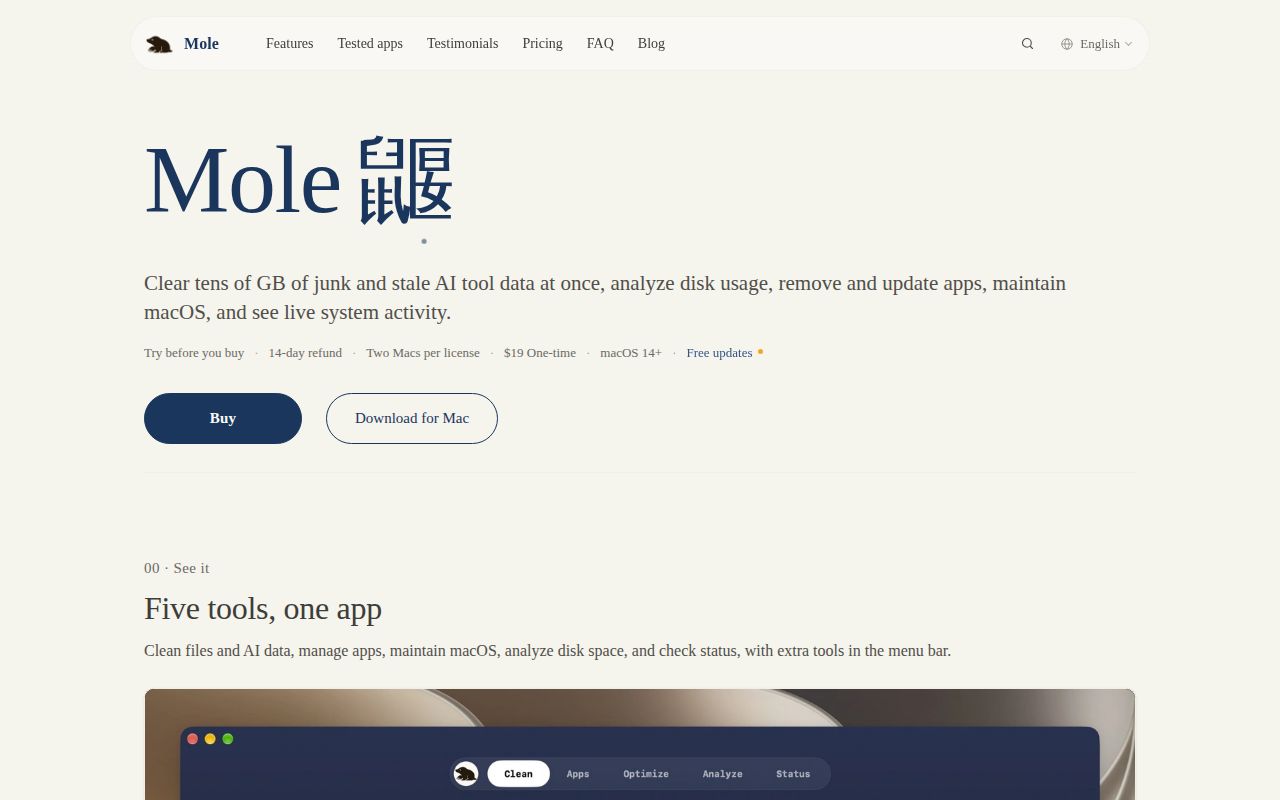
Mole combines cleanup, app removal, disk analysis, maintenance, and live monitoring in one terminal menu. You can also call each job directly: mo clean, mo uninstall, mo analyze, mo optimize, and mo status. That breadth is the reason to consider it. A developer can clear rebuildable project artifacts, inspect a full disk, and check resource pressure without installing a different utility for each task.
The implementation is broader than the GitHub language label suggests. Much of the cleanup and uninstall logic is shell code, while Go binaries power the disk analyzer and status dashboard. At commit b8180ab, the checkout held 263 files and about 81,523 lines of source. It occupied 13.4 MB before dependencies, which is modest for a tool covering this many system operations.
Dry runs and guarded paths reduce the deletion risk
Mole can permanently remove caches, logs, installer files, app leftovers, and project artifacts. Its README tells you to preview clean, uninstall, optimize, purge, and installer with --dry-run. It also records operations in ~/Library/Logs/mole/operations.log, exposed through mo history. Those controls give you a chance to catch a bad target and later see what happened.
The public security audit goes deeper than a warning banner. Destructive helpers reject relative paths, traversal components, control characters, and protected roots such as /System, /usr, and /private. Sudo does not bypass those blocked paths. The uninstall flow checks shared bundle identifiers before removing leftovers, and the analyzer sends confirmed deletions to Trash. These are sensible controls for code that operates near user data.
There is still a hard boundary: the audit says most cleanup flows have no undo after confirmation. Some decisions also rely on heuristics, including a 30-day wait for generic orphan data and a 7-day window for Claude VM cleanup. Mole prefers skipping uncertain targets, but a cleaner cannot make deletion harmless. Read the dry run, keep current backups, and start with one command rather than selecting everything.
What happened when we ran it
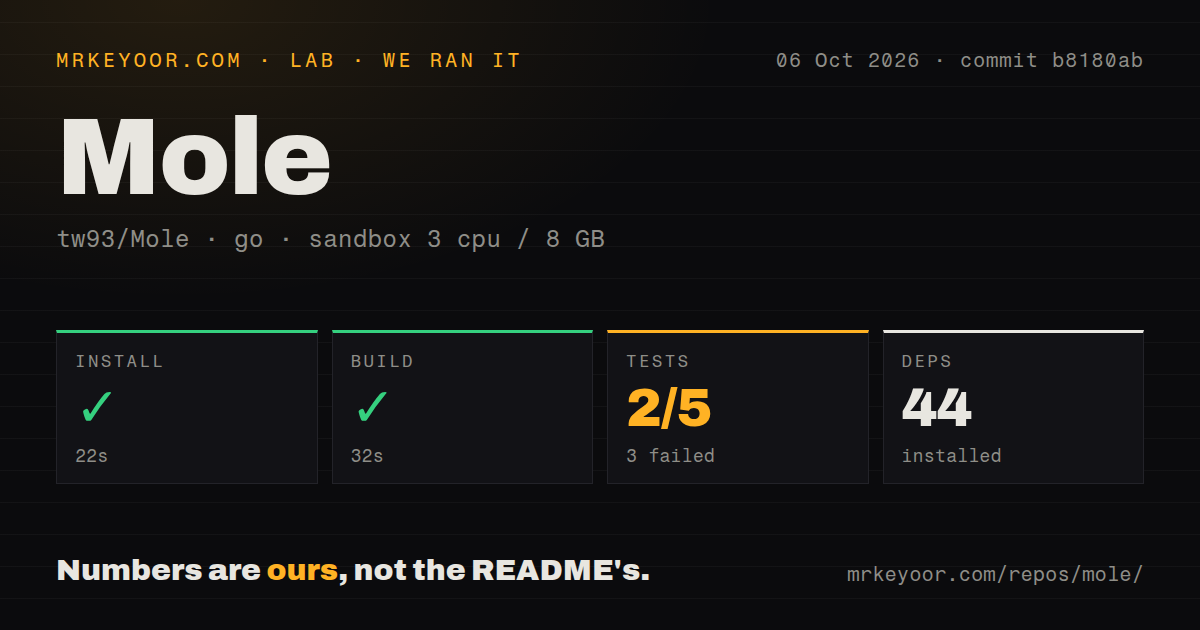
Our sandbox installed commit b8180ab in 22 seconds, adding 44 packages. The build finished successfully in 32 seconds. We ran those steps in an unprivileged Debian container with 3 CPUs, 8 GB of RAM, no secrets, and the golang:1.24-bookworm image. The repository had 6 CI workflow files and a tests directory, but no Dockerfile.
The test step failed after 34 seconds. The Go summary reported 2 packages passed and 3 failed out of 5. This was a real failure, even though the build produced its binaries. We did not run Mole's destructive macOS commands in that Linux sandbox, so these results say nothing about how much space it will recover or whether a cleanup plan is correct on your Mac.
The failing check came from process attribution
The log tail names TestCollectProcessesMarksFallbackParentAttributionIncomplete in cmd/status/process_watch_test.go. It expected a fallback process sample and instead received []main.ProcessInfo(nil). The cmd/status package then failed after 7.536 seconds, while internal/units passed in 0.003 seconds. The supplied summary does not show enough evidence to assign a cause, so blaming Linux, permissions, or the test itself would be guesswork.
That distinction matters because mo status promises process and zombie information alongside CPU, memory, disk, network, and power data. Its JSON contract marks parent attribution as incomplete when Mole cannot identify every owner. The failed check covers that fallback path. Cleanup code may be the headline feature, but a red status-package test should count against shipping this exact commit without another platform-specific verification.
macOS 12 is the actual runtime boundary
The supported release needs macOS 12 or newer and runs on Intel and Apple Silicon. brew install mole installs the CLI. The shell installer can place it in /usr/local/bin or a user-owned prefix such as ~/.local/bin; the latter keeps routine updates from needing an administrator password. No hosted service, account, or API key is part of the basic setup.
Mole should be launched as your normal user. It requests elevated access only for bounded operations that need it, and the docs say unavailable sudo work is skipped rather than forced. Disk scans can be partial when macOS denies access, so JSON consumers must inspect scan_status instead of treating a zero size as an empty folder. External drives are also excluded from the default overview unless you name /Volumes or a specific mount.
V1.58.0 and an October 7 push show active maintenance
GitHub recorded 69,557 stars, 2,467 forks, and a push on October 7, 2026. The combined open count was 9, made up of 8 issues and 1 pull request. Release V1.58.0 arrived on October 5 with faster scanning, clearer partial-size reporting, terminal restoration fixes, and a correction for uninstall leftovers when a disconnected network share is mounted. That is current maintenance, not a project coasting on an old tag.
The open queue also shows the limits of a broad utility. Issue 1694 reports a terminal process remaining after cleanup or optimization, while issue 1679 describes repeated working-directory errors in fish on version 1.57.0. The release notes address inaccessible-directory handling, but the latter report remains open. Mole is a strong choice for a careful Mac user who wants one terminal toolbox. Its permanent actions and our failed 34-second test step rule out blind trust.