Screenshot targeting reaches canvas and native controls
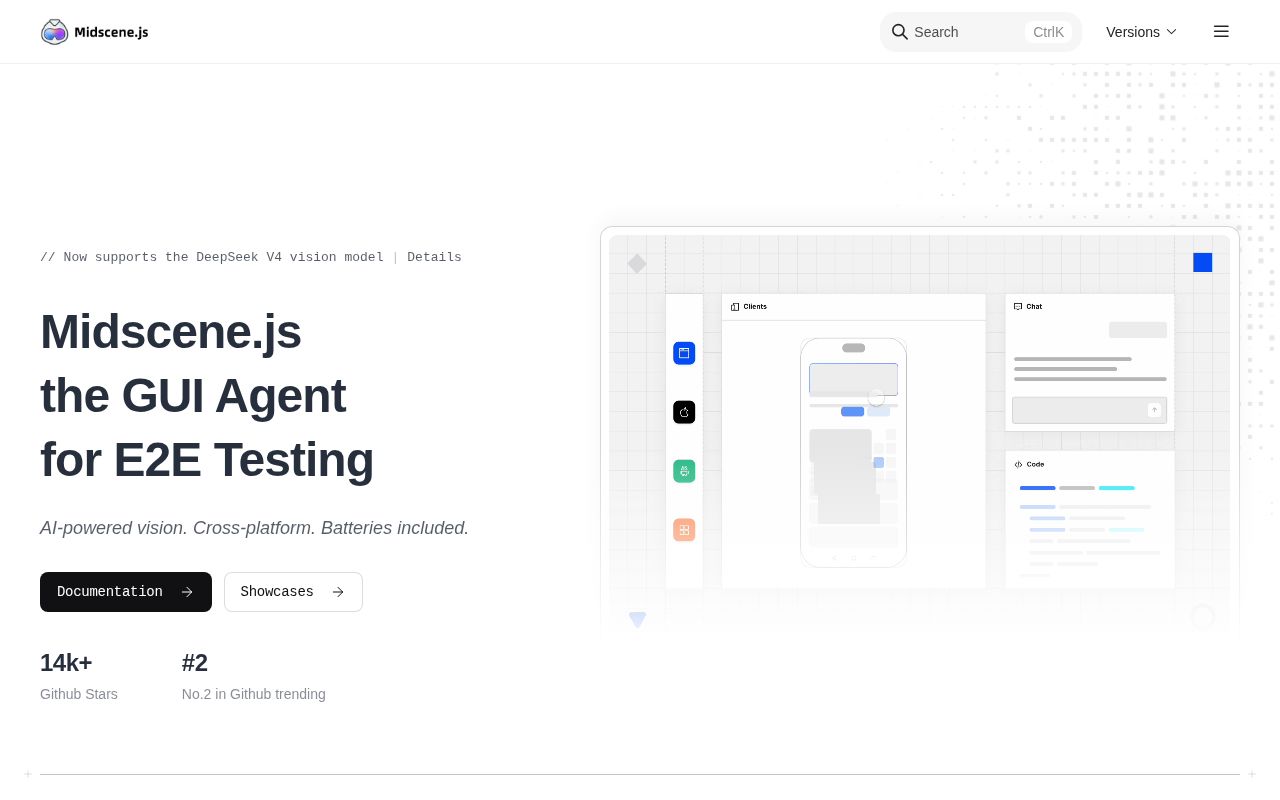
Midscene's central bet is that pixels are a more universal interface than the DOM. A multimodal model looks at a screenshot, finds the requested target, and decides how to act. That can reach canvas content, icon-only controls, cross-origin frames, native mobile screens, and desktop applications. The same API exposes natural-language actions, queries, and visual assertions, either from JavaScript or YAML.
The project still fits beside conventional tools. Playwright and Puppeteer integrations let a test use explicit browser code for navigation or cleanup, then call Midscene for a visually obvious step that has no durable selector. The README lists browser, Android, iOS, HarmonyOS, desktop, and custom interfaces. This is broader than a web testing helper, though each platform brings a different capture and input mechanism beneath the shared agent API.
Pure vision trades selector maintenance for model uncertainty
Selectors can break after markup refactors, and semantic trees cannot describe every rendered surface. Screenshots solve those coverage gaps. They also remove useful certainty: a model must interpret what it sees, locate the intended control, and produce an action. The README names several multimodal model families and allows open models to be self-hosted, but it does not claim that every model behaves the same.
A practical suite should divide work by risk. Use visual instructions where UI structure is unavailable or changes often. Keep explicit locators for payments, destructive buttons, authorization boundaries, and other steps where the exact target must be reviewable in code. Midscene can include DOM information for extraction and page understanding, yet its action localization is presented as screenshot-only. That is reach, not a guarantee of accessibility semantics or repeatable intent resolution.
What happened when we ran it
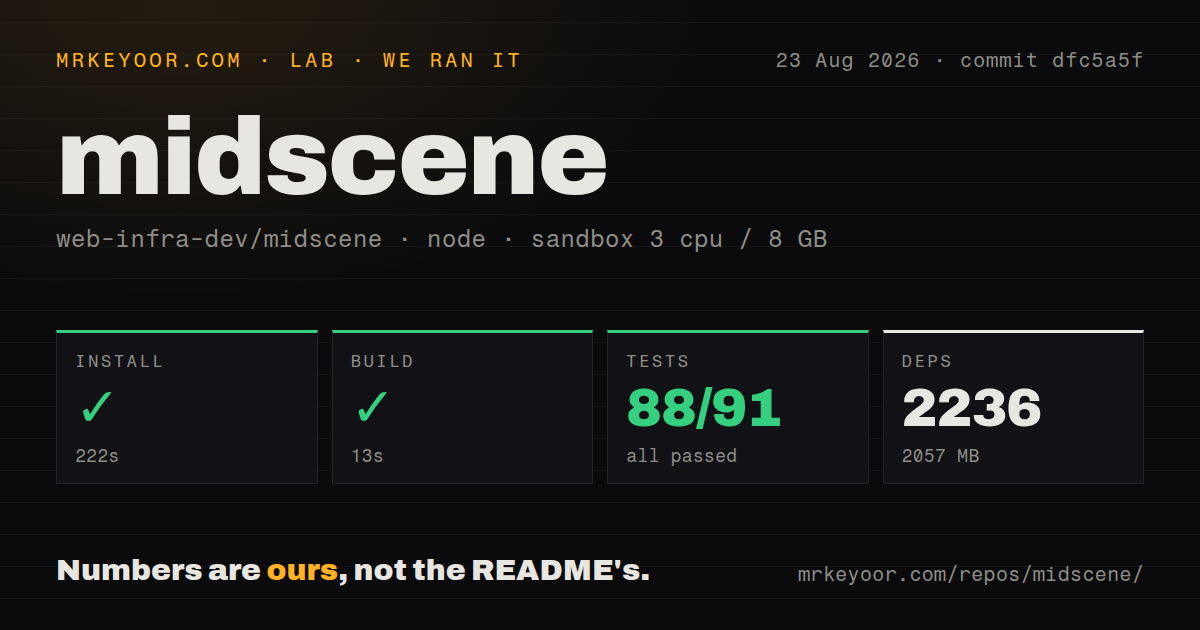
Our sandbox installed commit dfc5a5f in 222 seconds. Pnpm added 2,236 packages and the dependency tree occupied 2,057 MB. The build then completed successfully in 13 seconds. The checkout already contained 2,154 files, about 302,770 lines of source, and 95.7 MB, which matches the project's wide platform and reporting surface.
The test command exited 1 after 156 seconds. Our harness summary recorded 88 passed, 0 failed, and 3 skipped out of 91. The log tail showed green Vitest output, then Nx reported that the test target for 19 projects failed and named @midscene/web:test as the failed task. The visible tail does not show a failed assertion, so assigning a deeper cause would be guesswork.
The run used a Node 22 container with 3 CPUs, 8 GB of RAM, and no secrets. It did not configure a vision model or operate a browser or device. The result therefore measures repository setup and its available build and test commands, not action accuracy or speed. Any claim about reliability needs a screen set, a pinned model, and repeated runs on the application being tested.
The model is part of the test environment
Midscene lists Qwen, Doubao, GLM, Gemini, and UI-TARS families as examples of models with UI localization ability. Some can be self-hosted. That flexibility prevents one provider from becoming the whole architecture, but it makes the model as important as the browser version. A prompt that works with one image format, screen scale, or model release may behave differently after a provider change.
Version those choices alongside the test. Record the model identifier, endpoint settings, image format, viewport, device scale, and locale. Release v1.12.0 added model-call timing summaries and support for another vision model, while current pull requests are working on WebP screenshot input with a JPEG fallback. Those changes are useful, and they show why a Midscene test result cannot be reproduced from test code alone.
v1.12.0 has a report-data bug under investigation
Issue 3041 reports that actions and an aiAssert ran against the correct page on Midscene 1.12.0, but the generated HTML report displayed SauceDemo sample content instead of the captured UI. The reporter says the runtime screenshot was taken and the model's analysis matched the real page. That makes the report itself the disputed component, which matters when an HTML artifact is used to explain a failure or prove a visual assertion.
The same release shipped changes to test running, report timing, Android binary paths, and screenshot persistence. GitHub showed a last push on August 26, 2026, 14,714 stars, and 73 open issues and pull requests combined. Same-day fixes cover Android device IDs, a scrcpy upload memory leak, YAML assertion reporting, and machine-readable CLI output. This is active maintenance, but the volume also calls for pinning versions rather than following main in CI.
Use it where selectors genuinely fail
Midscene earns a trial when the target is visible to a person but absent from a useful automation tree. Canvas editors, remote desktops, mobile apps, and cross-origin content are credible cases. A small pilot should include repeated actions, ambiguous labels, loading states, visual assertions, and failure reports. Compare every case with the simplest deterministic route before expanding the suite.
Our 13-second build shows the repository can compile cleanly in a fresh container, while the 2,057 MB install and unresolved test-target exit make contribution heavier than the concise README suggests. Midscene is best treated as a visual layer inside a testing strategy. If ordinary locators already describe the interface, Playwright or Appium will usually be easier to reason about, cheaper to run, and clearer when a test fails.