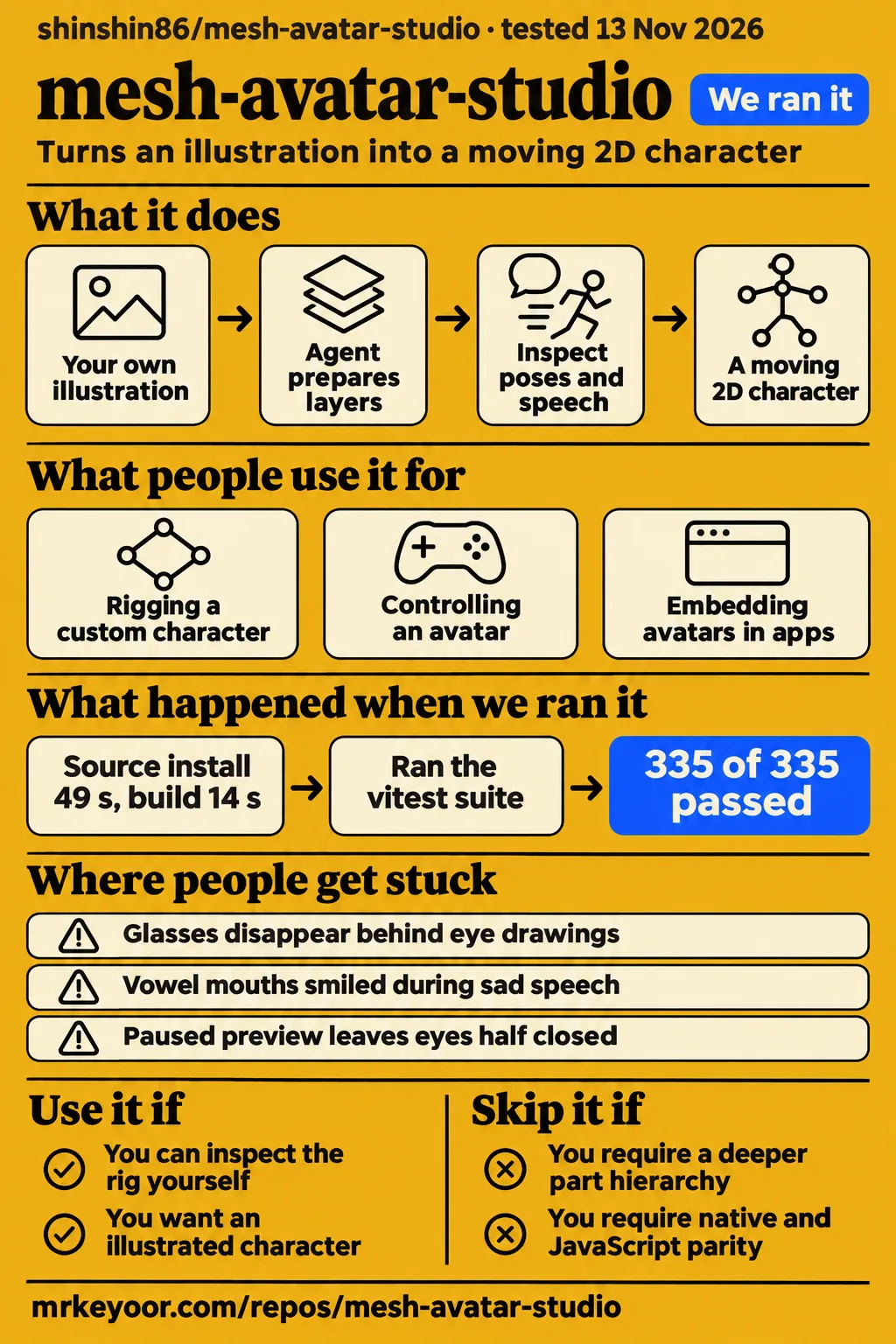
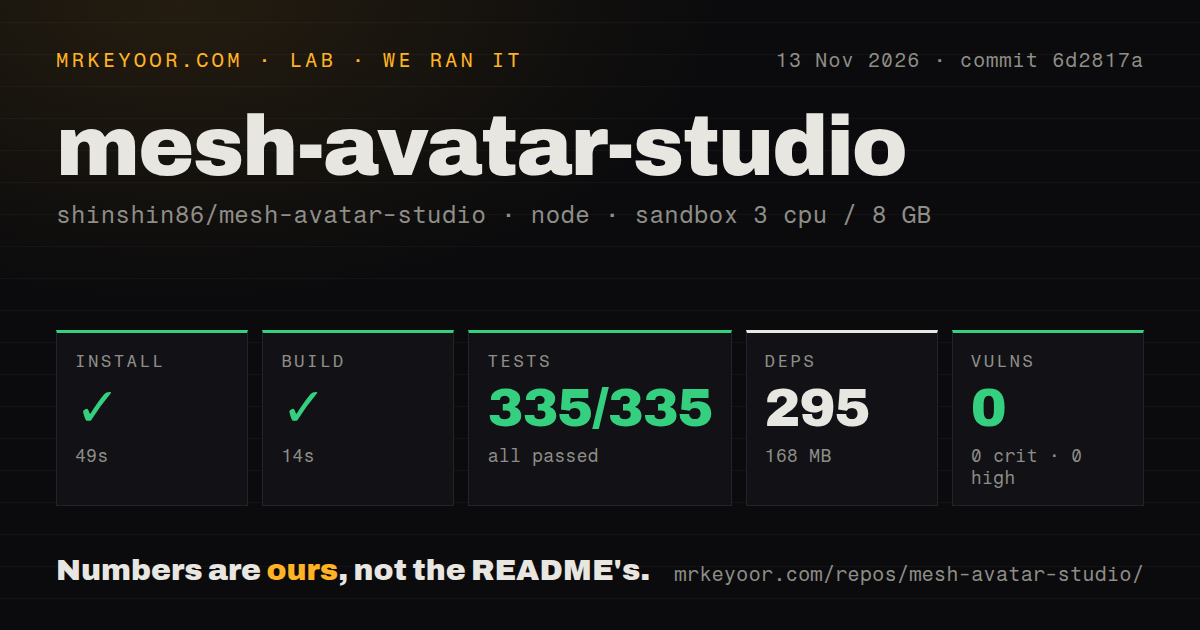
Our sandbox installed Mesh Avatar Studio in 49 seconds, built it in 14 seconds and passed all 335 recorded Vitest tests. Run it if you want an illustrated character for an app and can inspect the rig yourself. Choose a different workflow if your artwork needs a hand-separated Live2D-style hierarchy: the maintainer explicitly declined that scope.
Mesh Avatar Studio uses a coding agent to prepare an illustration, then gives you a local editor for correcting the result. The decision is whether that editable starting point suits your character. Reports from app developers are more useful here than launch clips: glasses, a surprised mouth and a sad speaking expression each exposed a different integration problem.
Launch attention is easier to count than adoption
The supplied X snapshot records 412,552 views on shinshin86's October 4 announcement, while the issue reports name specific rigs and app integrations.
Those are different kinds of evidence. A viewed announcement establishes attention, whereas Stella and the schedule-reading app establish particular uses described by their developers. Neither provides an installed-user count or a production reliability record. For this decision, the app team's report about smiling vowels during sad speech tells you more than another launch clip: it identifies work you may need to do after getting a character moving. Announcement snapshot, schedule-reading app
What people use mesh-avatar-studio for
Users report rigging a named custom character, controlling it externally and embedding avatars in apps, including a schedule-reading assistant.
| Who used it | What they did | What came out |
|---|---|---|
| Znegil and collaborator Sascha, who had built a VTuber | Rigged Stella and tried deeper layer separation | Shared layering feedback; the maintainer declined a full hand-separated hierarchy as outside scope. Stella report, issue #26 |
| Znegil | Drove an avatar through the live WebSocket channel | Reported working external control with the required subprotocol, then documented a connection crash. Controller report, issue #22 |
| wtc-toshiaki's app team | Embedded runtime 0.3.0 and tried switchable glasses | Proposed overlays after accessories swung and source-image glasses disappeared behind eye drawings. Glasses report, issue #61 |
| wtc-toshiaki's schedule-reading app team | Adjusted mouths during sad and surprised speech | Used a local patch and requested supported expression settings. Expression report, issue #81 |
These are specific reports of use, rather than a count of customers. The app team's complaint is particularly helpful: its drawn vowel mouths smiled during sad speech. The artwork existed and the runtime played it, yet the combination conveyed the wrong emotion. For an assistant character reading a schedule, selecting the appropriate drawing matters as much as making the mouth move.
What happened when we ran it
Our November 13, 2026 sandbox run at commit 6d2817a completed installation in 49 seconds and the build in 14 seconds.
| Recorded step or resource | Our result |
|---|---|
| npm install | Succeeded in 49 seconds |
| Recorded dependencies | 295, occupying 168 MB on disk |
| Build | Succeeded in 14 seconds |
| Vitest | Succeeded in 38 seconds, 335 passed and 0 failed of 335 |
| npm audit | 0 known vulnerabilities: 0 critical, 0 high, 0 moderate, 0 low |
| Sandbox configuration | 3 CPUs, 8 GB RAM, image label lab-node:22 |
| Checkout | 446 files, approximately 43,478 source lines, 33.9 MB |
| Repository signals | 3 CI workflow files, a tests directory, monorepo workspaces, no Dockerfile |
The dependency footprint makes trying the source a reasonable first step for a developer. Passing the recorded suite supports working on this checkout. The image label identifies the configured sandbox image; actual runtime and operating-system versions require the raw toolchain logs. None of these durations measures the time needed to make a finished avatar.
The separate hands-on deployment attempt stopped at the safety step because no Compose file existed. The runner required one of compose.yaml, compose.yml, docker-compose.yaml or docker-compose.yml and labelled the repository unsafe. That is a mismatch with the runner's deployment rule, rather than evidence of dangerous project code. The project documents a local Node editor, so absence of a Compose recipe is unsurprising.
The run summary says it deployed with its own Docker Compose on the lab server, with ports bound to 127.0.0.1. That summary conflicts with the failed safety step and supplies no successful deployment or task record. We therefore treat this as a blocked deployment attempt. Teardown reported success. The successful npm measurements above remain a separate source run.
Creating an avatar requires local tools and a human check
The current README requires Node.js 22.17+ and Git for Studio, with uv and Python for rebuilding layers and Playwright Chromium for agent motion review.
The documented starter is npx create-mesh-avatar-studio, followed by opening the new folder and running npm run dev. If you clone it yourself, the README recommends npm run doctor after installing packages. Its checks distinguish the editor from the extra tools used during creation. Getting the bundled sample on screen is a smaller task than preparing your own character.
For custom work, a coding agent follows the agent guide, places rig controls and prepares layers. You then inspect poses and speech in the editor and drag misplaced handles. Changes to outlines can require a layer rebuild. The README recommends a front-facing, head-and-shoulders PNG with transparency. That is a useful selection rule for your first illustration: start with the intended input before trying to rescue an awkward composition.
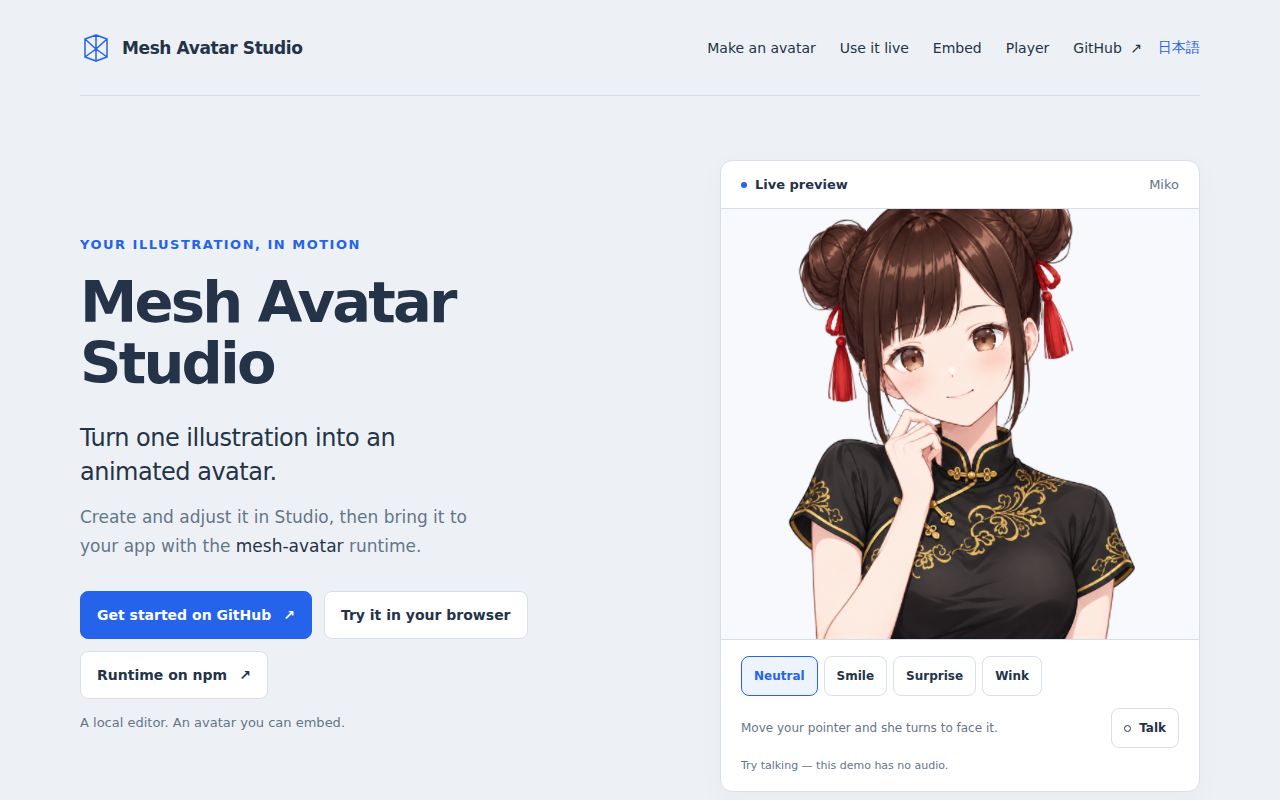
Browser playback needs no installation; creating and editing avatars uses Studio's separate local workflow. The Player accepts the sample or a .mavatar file. According to the current README, it has no stream URL. Studio's Live page provides the OBS Browser Source route and transparency, while the Player uses a separate avatar window and window capture. Pick the entry point for your task before following a setup guide.
Where people get stuck: rebuilds and expression selection
Issue #30 traced Windows rebuild failures to watcher-held directory handles, and the maintainer merged retry and copy/remove fallback handling with rollback.
| Symptom and source | What the report identified | Recorded resolution |
|---|---|---|
| Save and rebuild layers returns EPERM on Windows, #30 | The Vite watcher held directories needed for replacement | Retry and copy/remove fallback with rollback merged in #41 |
| Python layer tool tries a failing OpenCV source build, #30 | Interpreter selection picked freethreaded Python 3.14 without a prebuilt OpenCV wheel | Tool runner constrained to >=3.10,<3.14 in #40 |
| Windows permission assertions and copy filters fail, #30 | POSIX-specific mode expectations and path separators | Platform-aware assertions and separator-independent filters merged in #48 |
| Paused preview leaves drawn eyes half closed, #12 | A time-based transition stopped when preview redraws used zero elapsed time | Maintainer changed those redraws to switch drawings immediately in #13 |
| Surprise selects an a-shaped mouth, #67 | The live overlay carried mouthOpen but dropped mouthForm | Maintainer confirmed the cause; #81 later identifies #80 as the fix |
The Windows report contains an unusually clear reproduction: renaming the built directory failed while the development server ran, then succeeded after it stopped. That ties this particular EPERM to watched-directory replacement. It does not make every permission error a watcher bug. Today's README separately warns about folders created under another Windows account or by a sandboxed agent and explains checking inherited permissions.
The contributor's fully green local pipeline also used timeout changes the maintainer excluded. The merged fixes and that local result are different evidence. Reporting the former as proof that the exact merged tree completed the contributor's full Windows procedure would erase a useful distinction. Our sandbox result is reported above, without borrowing any counts or durations from that contributor.
Security and privacy depend on which workflow you use
The README says camera and microphone data stay on your machine, while Codex-generated variants send the image and masks to OpenAI after consent.
That distinction changes the privacy decision for unreleased character art. Local face tracking describes the playback path. Image generation describes a creation path involving an external service. The current README offers --no-variants to keep that command's work on your machine and says the default generation command asks before sending images. Assess the coding agent and its configured services separately. A browser-based editor alone cannot establish where an agent sends its inputs. Current creation and Live documentation
For external expression controls, the reference documents a local HTTP POST endpoint protected by a token. Issue #22 distinguishes that interface from the internal live WebSocket channel. Its reporter successfully used the required vite-hmr subprotocol, but a connection without it could terminate the development server with ECONNRESET. The maintainer reproduced the problem and the reporter filed it upstream with Vite. The record closes the local issue after that referral, rather than documenting a shipped upstream correction.
Use the documented HTTP expression interface for buttons or shortcut integrations. Keep Studio's local-server boundary in mind when planning deployment. Our zero-advisory npm audit is a dependency finding for the recorded run, not an examination of endpoint authorization, archive handling or the agent's tool permissions.
English instructions exist, alongside Japanese issue reports
The repository's default README is English and links to Japanese and Simplified Chinese versions.
You can follow the documented editor, creation and streaming workflow in English. Some useful support evidence is Japanese, including naoto-mori's paused-eye report. In that thread, the maintainer explains the zero-elapsed-time redraw problem and its correction. An English search for a visual symptom can therefore miss a relevant discussion even when the main documentation is accessible. README language links, paused-eye discussion
Mesh Avatar Studio vs Live2D-style rigging and still2rig-psd
The maintainer places a hand-separated Live2D-style hierarchy outside Mesh Avatar Studio's scope and points users needing finer source separation to still2rig-psd.
| Route | What the evidence supports | Pick it when |
|---|---|---|
| Mesh Avatar Studio | Automatic preparation from one illustration, followed by editor adjustments | You want an editable character starting point and an app playback path |
| Manual Live2D-style rigging | Stella's team requested finer independent part control associated with this workflow | Control over the part hierarchy is a requirement worth manual work |
| still2rig-psd | The maintainer recommends this separate project for more finely separated source artwork | Preparing separated source art is the immediate job |
This comparison comes from the Stella discussion, rather than a speed or visual-quality contest. The maintainer also corrects a detail in the proposal: iris and eye-white layers already exist separately from lashes and lids. The scope decision concerns the deeper requested hierarchy. Saying Studio has no independent eye layers would misrepresent the response.
Live2D Cubism is the named product to investigate for a manual Live2D workflow. still2rig-psd is a separate source-preparation project by the same maintainer. Neither alternative earns a performance recommendation from this review. Decide first whether you need a runtime-ready interactive character or more control over the source artwork, then compare the corresponding workflow.
What the other reviews get wrong
The single-image pitch leaves out the editor checks and artwork decisions described in the project's own workflow.
The October 6 guide describes moving from one illustration to an interactive avatar. Read its instant-result framing alongside the official sequence: agent preparation, pose and speech checks, handle corrections and drawn variants. A prepared PNG is the input. Our successful build is also no evidence that a particular PNG becomes a finished character without corrections. October guide, official workflow
Broad local-privacy language in the Instagram coverage goes beyond the distinction in current docs. Camera and microphone processing stay local, while the documented variant-generation path can send artwork to OpenAI. That is a specific disclosure a creator can act on. Calling the whole process private because the editor runs locally hides the decision that matters. Social coverage, creation consent
Drawn variants also don't settle expression behavior. The schedule-reading app's smiling vowels and the confirmed surprise-mouth selection bug show why better drawings still need correct selection logic. Finally, searches for AvatarStudio can surface a separate 3D research project. This review concerns shinshin86's 2D illustration editor, not that research system or unrelated Unity and Roblox avatar problems.
Questions people ask
The current docs answer the entry-point and customization questions more precisely than older overview posts.
Where can I find the Mesh Avatar Studio link?
The official project is shinshin86/mesh-avatar-studio on GitHub, with a landing page and a separate browser Player. Use GitHub for creation instructions. Use the Player to move an existing avatar with your face and voice without installing Studio.
Why does Save and rebuild layers fail with EPERM on Windows?
Issue #30 identified Vite watcher handles blocking directory replacement on Windows. Retry and copy/remove fallback handling merged in #41. Use a revision containing that correction for this failure, and distinguish it from the account-ownership problem described in today's Windows instructions. Windows report
Why do drawn eyes stay half closed when I pause idle motion and set eye openness to zero?
Issue #12 identified a crossfade that stopped during zero-elapsed-time redraws. The maintainer fixed paused-preview drawing switches in #13. That report concerns imported eye variants during a paused pose check, which is a more specific symptom than generally incorrect eye placement. Paused-eye report
Can I toggle glasses on an embedded avatar without making them swing or disappear during blinks?
The current README documents optional glasses overlays and switches in Studio preview and Live. Issue #61 explains why ordinary accessories and glasses painted into the source were poor substitutes. For an embedded app, check the overlay interface of the runtime version you ship, rather than copying the old proposal as an API contract. Current overlay documentation, original proposal
Can my app customize the mouth opening for individual expressions?
The current reference documents per-expression resting mouth opening through avatar.json.expressions or the expressions option when creating an avatar. That advances beyond #81's request for an optional setting. Its distinction still matters: selecting a vowel drawing and setting resting mouth opening are separate controls. Expression mouth documentation
Does Mesh Avatar Studio support a deeper Live2D-style layer hierarchy?
The maintainer declined the requested hand-separated hierarchy as outside scope in #26. Existing eye-white and iris separation should not be confused with accepting the full proposal. If that hierarchy is a requirement, evaluate a manual rigging workflow or the suggested source-separation project before adopting Studio. Maintainer's scope decision
Does Mesh Avatar Studio work with pixel art?
The supplied social discussion raises pixel art as a question without demonstrating a result. The README recommends a front-facing transparent head-and-shoulders PNG, which describes composition rather than proving pixel-art fidelity. Pixel art belongs in the untested scope below. Discussion record
Has the license become more restrictive?
The current LICENSE grants MIT permissions for the code; the README gives Miko sample assets separate terms. A comment alleging restrictions is insufficient to establish a code-license change. For redistribution, distinguish your own character, the software and the bundled Miko images. The README says Miko images may accompany your works but cannot be redistributed alone or as an asset collection. Code license, asset distinction
The scores describe source setup and documentation
Setup earns 3/5 for the successful source run, and documentation earns 4/5 for explicit editor, creation, playback and privacy instructions.
These are editorial ratings: 1 means a documented blocking obstacle, 2 means substantial friction, 3 means a usable path with meaningful boundaries, 4 means detailed support across the assessed tasks, and 5 requires broad corroboration through those tasks. Setup covers the recorded npm route. Documentation covers the instructions read for this review. Community and maturity are unassessed: issue activity provides useful examples, but it is too narrow to score support capacity or long-term runtime reliability.
What we have not tested yet
Our evidence covers the source harness and attributed user reports, not a completed avatar-creation or playback trial.
We did not measure creation time, frame rate, camera accuracy, lip-sync quality, OBS behavior, concurrent avatars, memory during playback or the cost of agent and image-generation services. The blocked Compose attempt produced no task answers or screenshots. The sandbox's configured 8 GB RAM is not a measured operating footprint or a minimum requirement.
Native JavaScript parity also needs a separate examination. Issue #87 reports comparison failures with locally generated reference data and says CI skipped those comparisons when the data was absent. Its closed label supplies no resolution in the record. The passing Vitest result above must not become a native-parity claim. We have not reproduced the report or examined a later native correction.
The current documentation's overlays and expression-opening settings have not been exercised here, nor have pixel art, Windows rebuilding or a complete Miko asset-permissions review. The exact runtime versions need the raw logs. For your next evaluation, use your own illustration and check the poses that expose its weaknesses: closed eyes, a head turn and a sad sentence spoken with the intended mouth drawings. Those results would decide whether this workflow saves you useful work.