Closing Kero's window and restarting its daemon have different consequences. The README says sessions survive the first. The remote guide says a host update restarts the daemon and ends the programs running in those sessions. If you leave a coding agent working while you move between machines, that distinction belongs in your adoption decision.
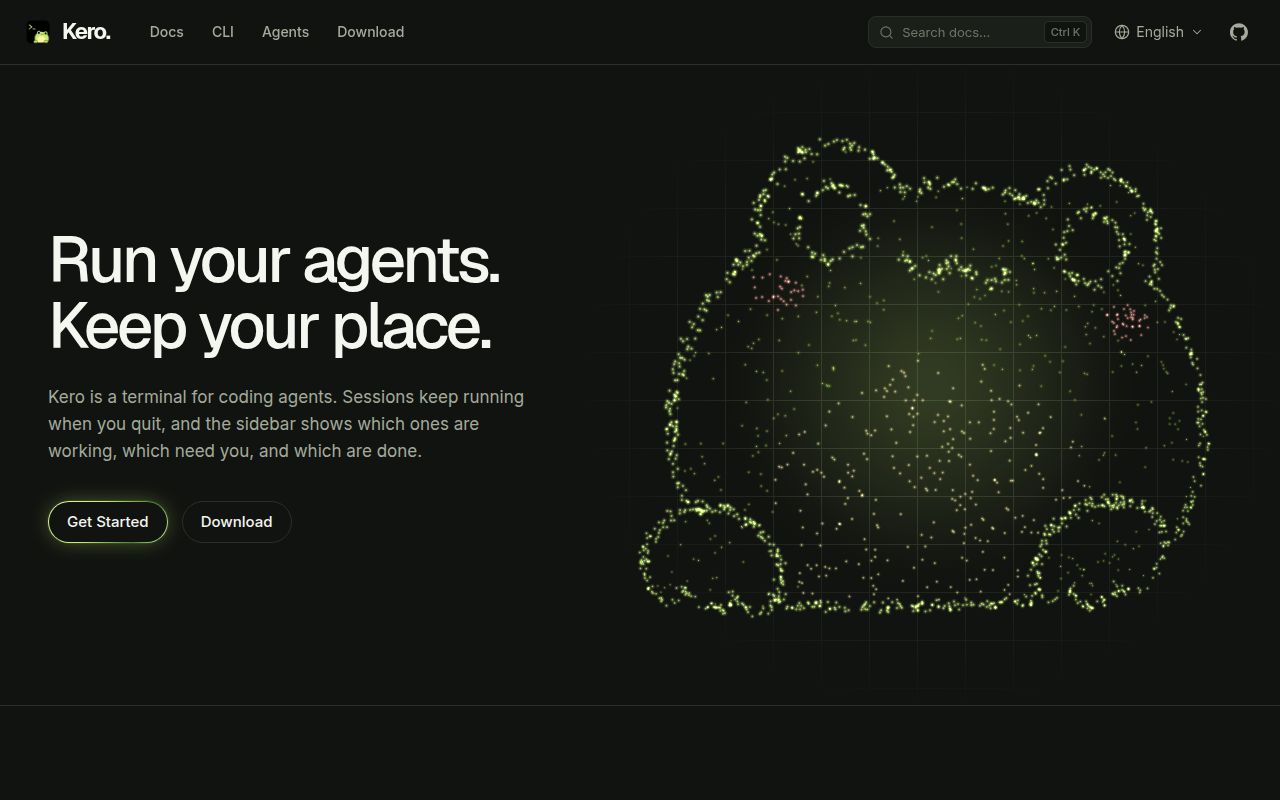
Kero is a desktop terminal for macOS, Windows and Linux. It groups sessions by project and reports whether panes are working, waiting, idle, in error or exited. You can run Claude Code or Codex alongside a development server. The practical attraction is seeing which job needs you without opening every terminal and reading its last screen.
What happened when we ran it
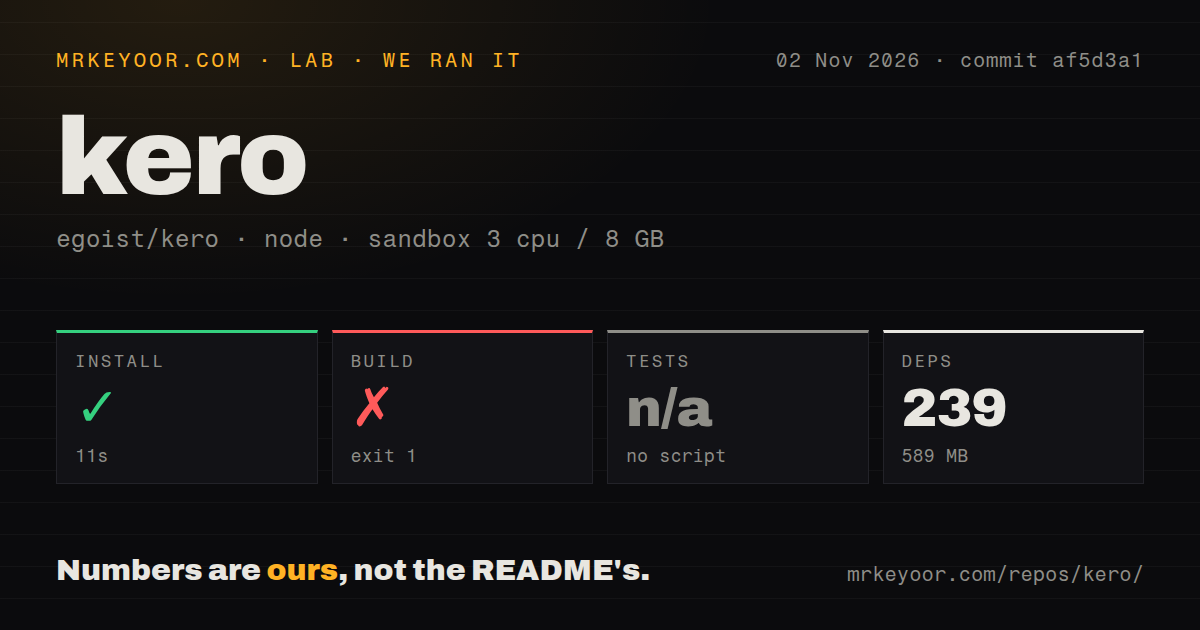
Our November 2, 2026 run at commit af5d3a1 installed dependencies in 11 seconds, recording 239 dependencies and 589 MB on disk, then failed the build after 13 seconds with exit 1. Tests were skipped because no test script or target was found. Those are repository-workspace results, not a desktop application trial.
The failing output is from the website build. It records ECONNREFUSED for a connection to 127.0.0.1 on port 36599, then exits with code 1. The tail does not identify the expected listener or explain why it was unavailable. Blaming a missing service, a package or the sandbox would go beyond the supplied log.
The tail explicitly reports Node.js v22.23.2. Separately, the recorded sandbox configuration lists 3 CPUs, 8 GB RAM and image lab-node:22. The runtime version comes from the log, rather than an inference from that image label.
The scan recorded 508 files, about 56,381 source lines and a 27.1 MB checkout, with monorepo workspaces and 4 CI workflow files. It found no Dockerfile or tests directory. That directory observation does not establish the absence of test files elsewhere, and workflow files do not establish passing CI. No agent throughput, terminal latency or remote-reconnection benchmark was supplied.
A background daemon owns the sessions
The README says sessions run in kerod, a daemon separate from the window. Quitting the app leaves them running, and reopening restores panes and scrollback. That documented separation is useful when an agent is still busy after you finish looking at it. We did not reproduce the lifecycle behavior in the sandbox.
The CLI can start sessions, split panes, type into them and read their screens. This gives an agent a way to coordinate terminal work through Kero. It also makes access consequential: a tool that can type into sessions can affect the commands running there. Review that access as part of adopting the workflow.
Kero uses libghostty for terminal rendering and accepts Ghostty themes, fonts and configuration keys, according to the README. That is relevant if you already have a preferred terminal appearance. It supplies no evidence here about rendering speed or compatibility with every existing configuration.
Remote access requires account-level trust
The remote-host guide describes SSH and Tailscale connections. Each machine runs its own daemon, so a sleeping laptop need not stop work on a separate host. The machine actually running the command still needs to remain available.
SSH password logins are unsupported. Passphrase-protected keys need an SSH agent, and a new host's key must be trusted through an initial terminal connection. These are concrete reasons to check your workstation policy before choosing Kero for remote work. A working interactive SSH login with a password is insufficient for this documented path.
The guide says a connection can do anything its account can, including starting programs. Its Tailscale listener limits access to the machine owner by default, with configuration for other permitted identities. Keep that distinction clear when sharing access: granting a connection is granting command authority under the host account. We did not audit the implementation or network traffic.
The documented host model uses one account per host. Multi-account login servers appear as planned support. If your team needs separate personal accounts on a shared machine through that model today, ask for evidence of a supported path before adopting it.
Host updates interrupt running programs
The remote guide says host updates happen when requested, rather than automatically on reconnect. Updating restarts kerod, restores sessions with their history and ends the programs previously running in them. Preserved scrollback is useful context, but it cannot finish an interrupted command for you.
For a trial, use a disposable task to check window closure, reconnection and a deliberate daemon restart separately. Decide how agents resume and how partially completed commands are handled. These are proposed acceptance checks, not tests we ran. Schedule host updates after active jobs finish.
Recent development does not settle desktop reliability
The repository metadata reports a last push on November 2, 2026. Recent pull request #304 discusses Windows shell handling for Codex hooks. That activity supports a narrow conclusion: development and integration work are continuing. It does not establish reliability across the supported platforms.
Documentation earns 4 on an editorial scale where 1 means missing essentials, 3 means a usable route with material gaps and 5 requires detailed guidance corroborated across the evaluated paths. The remote guide earns credit for spelling out authentication and update consequences. Setup, support capacity and operational maturity remain unassessed because the run did not establish them.
herdr and tmux suit terminal-first workflows
herdr runs inside an existing terminal and documents background sessions, agent status and remote machines. Evaluate it if you want similar coordination without adopting a separate desktop terminal. This review contains no comparative reliability result.
tmux creates multiple terminals on one screen and lets sessions detach and continue in the background. Choose it when pane management and reattachment answer your need. For Kero, start with a release download and a disposable agent job, then verify the lifecycle boundaries before moving work you cannot afford to interrupt.