Package success leaves serving unverified
FreeToken installed and built in our sandbox, but its test command failed and no model-serving result was recorded. That makes this a review of package setup and documented deployment decisions, with inference correctness and performance still unassessed.
FreeToken describes itself as a serving engine for open-weight mixture-of-experts models on personal hardware. Its model guide describes keeping experts in host RAM, caching some on the GPU, and either transferring cache misses or computing them on the CPU. The practical question is whether a particular checkpoint works correctly on your machine before you connect an existing coding-agent workflow.
What happened when we ran it
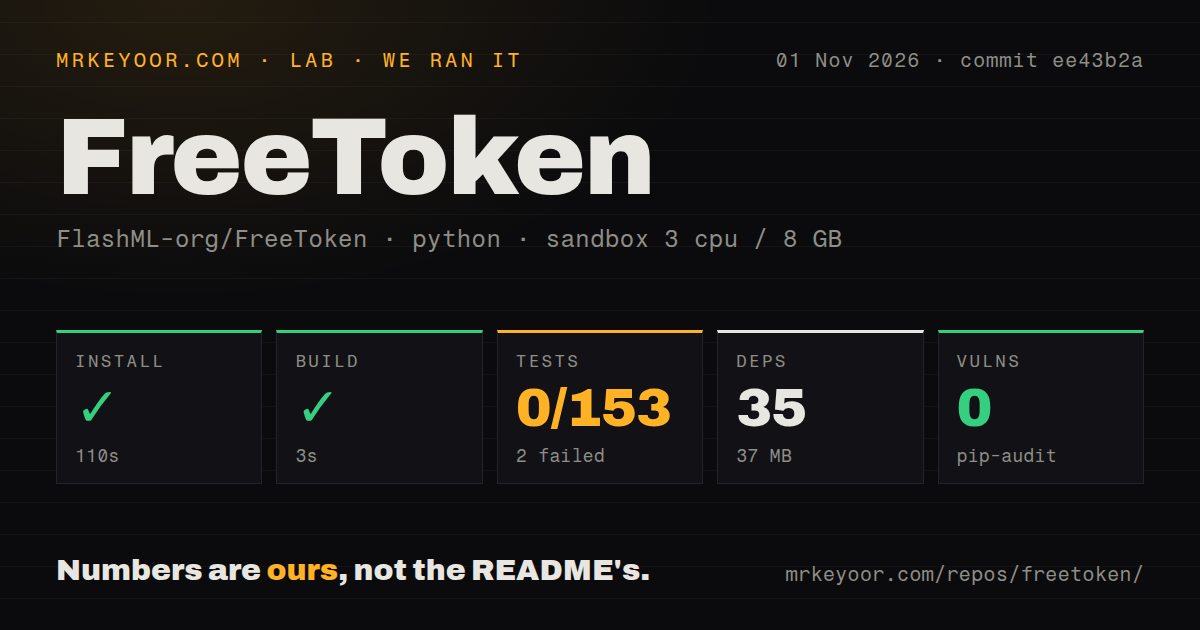
Our November 1, 2026 sandbox run of FreeToken commit ee43b2a installed successfully in 110 seconds and built successfully in 3 seconds. It recorded 35 dependencies and 37 MB on disk. Tests exited 1 after 6 seconds: pytest recorded 0 passed, 2 failed, 2 skipped and 151 collection/setup errors, with a reported total of 153. These are the recorded categories; they do not establish a different total by addition.
The log tail names ModuleNotFoundError: No module named 'torch' in the daemon import-safety and model-registry checks. It also records an assertion that the daemon import-safety child exited 1. The remaining lines do not explain every error. Installing torch cannot be assumed to resolve the whole suite, and these results do not establish that the serving engine is broken.
The checkout contained 858 files, about 195,105 source lines and 9.9 MB. The scan recorded four CI workflows, a tests directory and no Dockerfile. The sandbox configuration specified 3 CPUs, 8 GB RAM and image label ghcr.io/astral-sh/uv:python3.12-bookworm. That label does not establish the actual Python or operating-system version. Pip-audit reported 0 known vulnerabilities. The package footprint and audit result do not show whether a model fits or serves correctly.
Check the documented hardware route
The supplied installation guide lists Linux x86_64, an NVIDIA GPU, driver r580+ with CUDA 13, and Python 3.10 or newer. It says first-use CUDA kernel compilation requires a CUDA 13 toolkit with nvcc on PATH.
The README also advertises a Windows or Linux desktop app. The installation guide links an AMD ROCm guide marked work in progress. Neither the desktop app nor the AMD route was assessed in this run.
The guide offers nightly runtime and kernel-cache wheels, warns that the nightly tag moves, and recommends pinning a wheel URL. Record the exact artifact and checkpoint revision when planning a reproducible trial.
These are statements from the supplied main-branch documentation. The evidence does not establish that those documentation snapshots describe commit ee43b2a exactly.
Check checkpoint correctness before agent integration
The model guide describes offloading experts to host RAM and streaming cache misses over PCIe. Its hybrid strategy transfers some misses and computes the rest on the CPU. Our run supplies no measured model-memory requirement or transfer-speed result, so the 37 MB package installation cannot answer whether your checkpoint will fit.
The guide also identifies compatibility problems in older FTW conversions. For Qwen3.5, Qwen3.6 and Qwen3.8-27B, older conversions that already added 1 to the norm weights can load without an error but produce wrong output. The guide recommends reconversion. Other older FTW formats are refused at load. Check the notes for your checkpoint rather than treating a successful server start as proof of correct output.
Preview changes to your coding agent
The supplied quick start documents OpenAI and Anthropic API routes and a launcher for coding agents. The launcher writes the agent's provider configuration, installs its CLI if missing, and starts it against the server. Its dry-run option previews those changes.
For a first trial, choose one pinned checkpoint, check an ordinary chat response, then try a representative tool call from your chosen client. These are recommended evaluation steps, not tests completed for this review. Our run did not establish API compatibility, coding quality or savings on hosted usage. Keep the previous provider configuration available until the local model handles the requests you depend on.
Alternatives for different deployment needs
llama.cpp documents a C/C++ implementation, Apple Silicon support and CPU/GPU hybrid inference. Evaluate it when those hardware paths or native C/C++ integration matter to your deployment.
vLLM documents continuous batching and distributed inference. Evaluate it when batching incoming requests or distributing inference is a deployment requirement. This review contains no comparative performance measurements for either alternative.
What the evidence supports
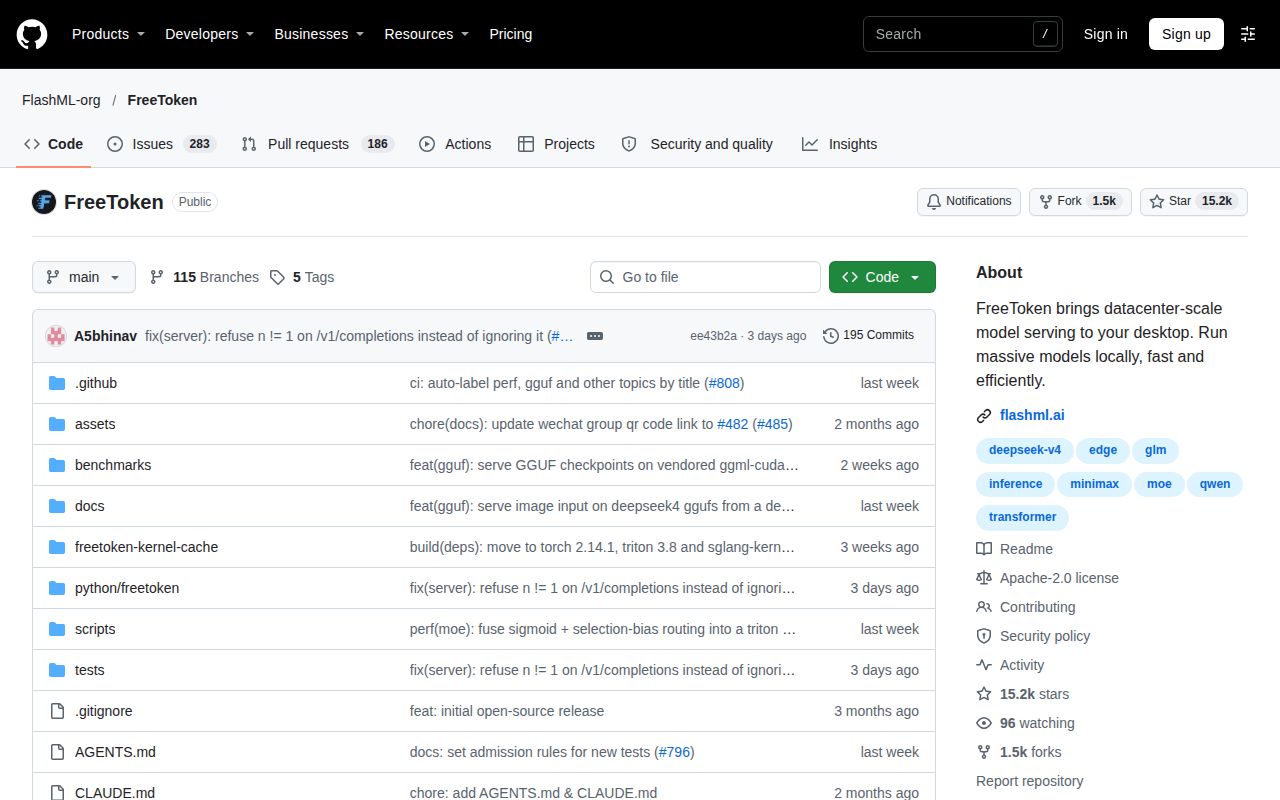
The supplied GitHub metadata records FreeToken's last push as October 30, 2026. That timestamp does not establish support turnaround or compatibility with a particular machine.
Setup ease, community support and runtime maturity remain unassessed. Documentation receives 4/5 for coverage under this rubric: 1 means essential instructions are absent; 2 means major gaps; 3 means usable guidance with omissions; 4 means detailed guidance; 5 requires verification through the relevant workflows. The supplied hardware requirements, checkpoint warnings and launcher instructions support the coverage judgment. Those workflows were not verified in our run.
FreeToken is a candidate for a controlled trial when its documented hardware route matches your machine. Choose the checkpoint, validate its output, and then evaluate agent integration.