Our sandbox installed mcd-calendar-buddy in 6 seconds and passed all 8 tests, but source inspection gives us reasons to check its reminders before trusting them. Use it if you want McDonald's China campaign dates in a personal Mac calendar and can inspect the results. Skip it if a missed launch alert matters more than the convenience of automatic date entry.
The project, also called McD Activity Calendar Buddy, has a Chinese README and Chinese command output. It queries a McDonald's MCP service, turns campaign text into events, and offers Calendar.app writes or an iCalendar file. The narrow purpose is appealing: stop copying promotional dates by hand. Our recommendation turns on whether those dates and alerts survive the trip into your calendar.
What you can do with mcd-calendar-buddy
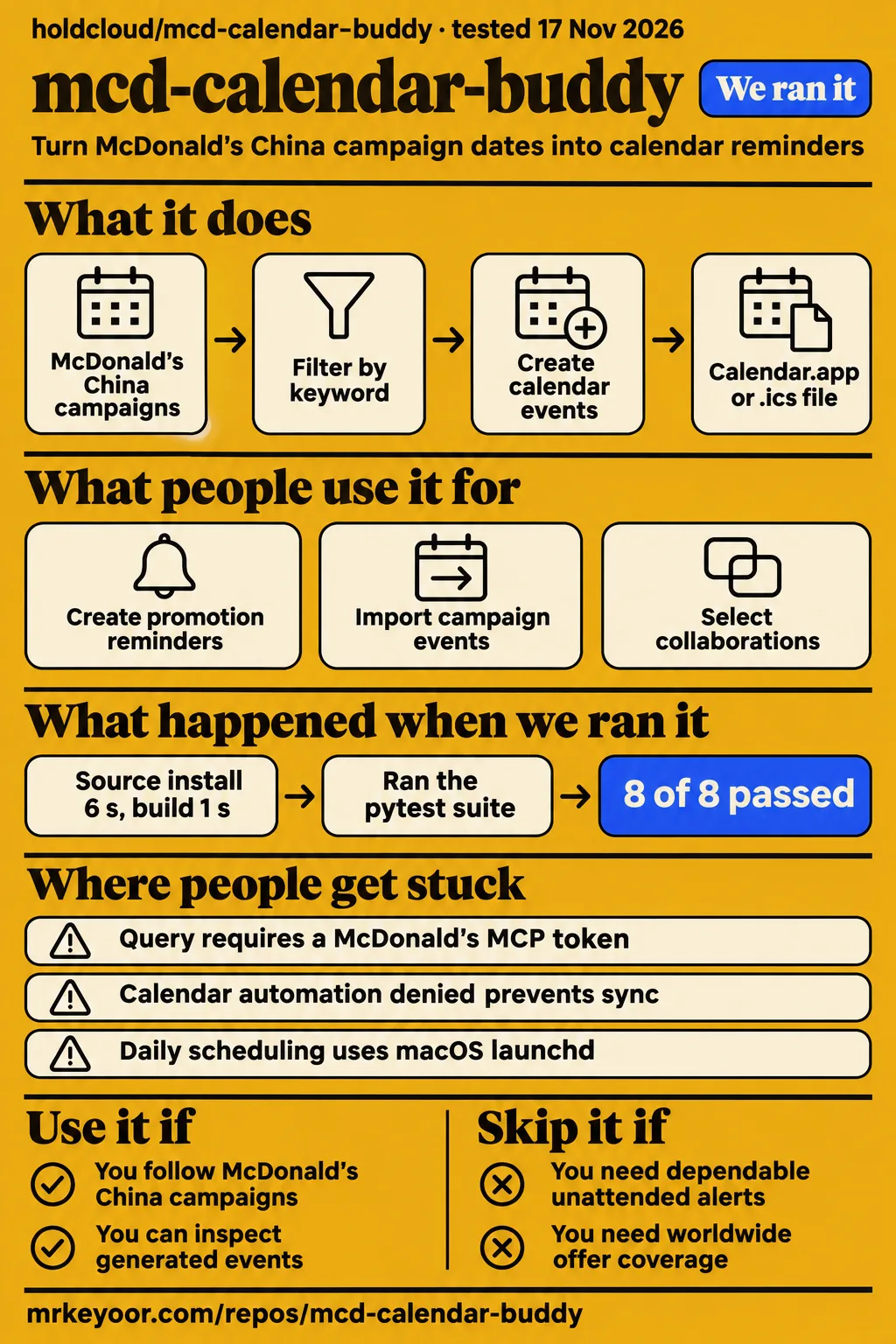
The documented workflow fetches McDonald's campaigns, filters them by keyword, and turns them into calendar events with alerts. The project README presents it as a programming-contest entry and explicitly says it is not an official McDonald's product. HotRepo identifies the campaign feed as McDonald's China. For readers elsewhere, that country boundary matters more than the English repository name: this is a tool for a particular promotional service, rather than a worldwide restaurant-offer aggregator.
The CLI separates looking from writing. python src/cli.py query lists activities, while query --filter 联名,新品 narrows them to collaboration and new-product keywords. sync writes to Calendar.app on macOS. export -o mc.ics creates a file for import into another calendar. Start with the query because it exposes the interpreted dates before they become entries in a calendar you already use. These commands describe the upstream workflow.
The README describes different alerts for precise sale times and all-day campaigns, plus a --remind-days option. It also lists UID-based duplicate prevention. Those details make this more purposeful than a generic text-to-calendar converter, but they deserve closer inspection than the feature checklist gives them. In particular, the code findings below change how confidently we would use the default reminder settings.
What people use mcd-calendar-buddy for
GitNova describes promotion reminders, portable calendar export, and keyword filtering as intended uses; its record is an automated README summary rather than a user account. The supplied research contains no named person's completed campaign-to-notification workflow. The distinction matters when choosing what to try: the sources describe jobs the tool is designed to do, while our own completed checks cover installation, build, and tests.
| Who describes the use | Intended task | What the source actually supplies |
|---|---|---|
| GitNova's project summary | Put this month's McDonald's promotions in macOS Calendar | A capability summary, not a calendar capture from a user |
| GitNova's project summary | Import campaign events on Windows or Linux | An .ics export route, not a recurring subscription demonstration |
| GitNova's project summary | Select new products or collaborations before syncing | Keyword filtering described from the README |
For someone who follows frequent collaborations, the filter is the reason to consider this instead of entering dates manually. For an occasional promotion, manual entry may be less work than obtaining a service token and maintaining a scheduled command. That is an effort judgment. The project saves date transcription only after the upstream account, parser, calendar destination, and alert settings all match what you need.
What happened when we ran it
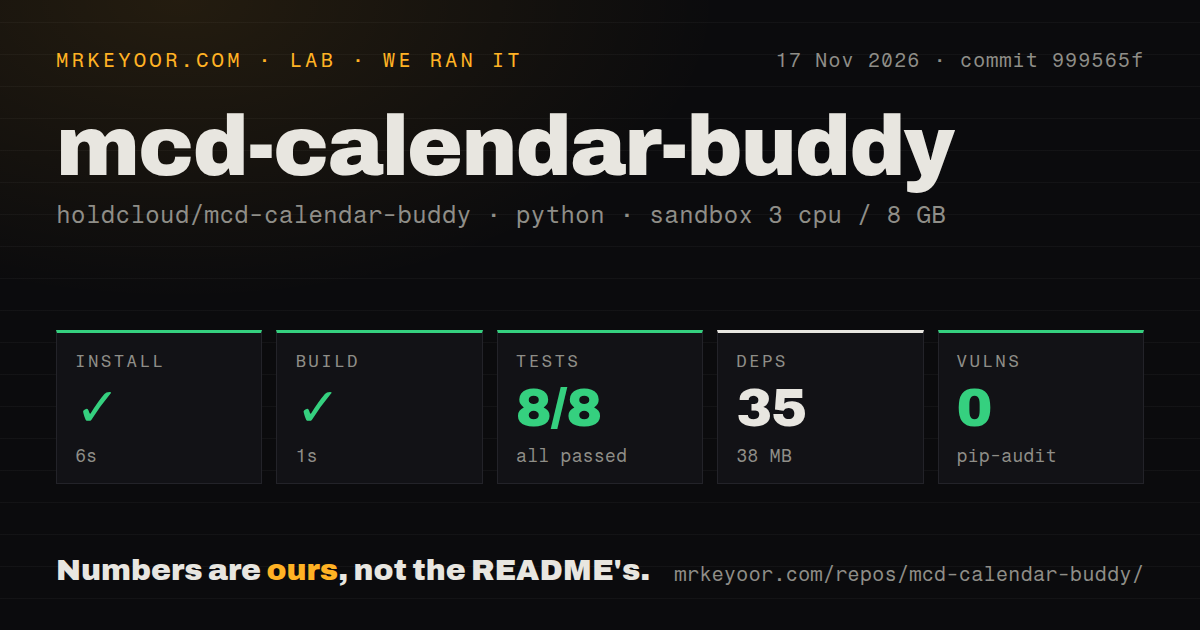
Our harness completed installation, build, and tests at commit 999565f on November 17, 2026, with all 8 pytest cases passing. The recorded configuration was 3 CPUs, 8 GB RAM, and image ghcr.io/astral-sh/uv:python3.12-bookworm. This was a source-checking run, separate from the attempted hands-on deployment described below. Keeping the two records separate explains why a successful test result and a failed deployment admission step appear in the same review.
| Check | Our recorded result |
|---|---|
| Install | Succeeded in 6 seconds |
| Recorded dependencies | 35 |
| Installed footprint | 38 MB |
| Build | Succeeded in 1 second |
| Tests | Succeeded in 2 seconds; pytest reported 8 passed, 0 failed of 8 |
| Dependency audit | pip-audit reported 0 known vulnerabilities |
| Checkout | 17 files, approximately 855 source lines, 0.5 MB |
| Repository signals | 1 CI workflow, a tests directory, no Dockerfile |
The successful checks make this a small codebase to investigate. Installation took 6 seconds, and the test step took 2 seconds; those timings describe the recorded sandbox tasks. The dependency audit reported zero known vulnerabilities in that environment. Together, these results give a concrete starting point for source inspection, including the reminder calculation and calendar destination paths discussed below.
The separate hands-on safety record stopped because none of the recognized Compose filenames existed. Its wording calls the repository unsafe under a rule requiring Compose. That is a harness admission rule, rather than evidence that this Python CLI is malicious or defective. The README documents a Python command-line workflow, while this particular deployment route required a Compose file.
The run-summary record says it deployed with its own Docker Compose on the lab server, with every port bound to 127.0.0.1. That conflicts with the missing-file safety result. We give the explicit blocker priority and record the deployment attempt as blocked. The cleanup record says teardown succeeded. These are the three supplied hands-on records: the failed safety step, conflicting deployment summary, and successful teardown.
Where people get stuck
The documented setup requires a service token, macOS automation permission, and platform-specific scheduling. HotRepo describes these requirements, and the README gives the corresponding commands and permission guidance. Work through them in that order: obtain service access, inspect the query output, choose direct writes or file export, and then configure scheduling if daily updates are useful to you.
| Obstacle | Supported route forward | Boundary |
|---|---|---|
| No McDonald's MCP token | The README directs users to log into the official MCP site and activate a token in its console | Installing the source does not grant service access |
| Calendar automation denied | Allow the terminal or Python to control Calendar in macOS System Settings | File export is the separate alternative |
| Windows or Linux | Export an .ics file and import it |
The documented daily scheduling path uses macOS launchd |
| Query returns nothing after filtering | The CLI message suggests broadening keywords | An empty filtered result can follow keyword selection |
Scheduling adds a less obvious requirement. The CLI source generates a launchd property list and prints an instruction to load it. It also warns that the task fails when launchd lacks MCD_MCP_TOKEN. A token available in your interactive terminal therefore does not finish the scheduler configuration. Treat the generated job and its credential environment as separate setup work, and inspect the scheduled output before relying on daily updates.
Two source findings to check before daily sync
For a midnight all-day start, the default alarm calculation returns [-60] at commit 999565f, contrary to the documented previous-day 09:00 reminder. The calendar writer source shows where the discrepancy starts. This is a static reading of the supplied implementation, and it gives a specific reason to inspect the reminder settings rather than treating the Compose admission failure as a product diagnosis.
For all-day events, smart_alarms sets a target at 09:00 on the start date and subtracts remind_days_before - 1 days. With the default value of one and a midnight start, that target is later than the start. The calculated minute count is negative, so the function returns [-60]. The default branch therefore supplies a one-hour-before alarm interval instead of the README's previous-day 09:00 promise.
The custom-calendar option has another trap. sync_to_macos_calendar creates the requested calendar if necessary, then _event_applescript addresses DEFAULT_CALENDAR_NAME when building each event. The custom name is not passed into that helper. The implementation therefore uses the requested name for calendar creation and the default name for event creation. That distinction matters if you intend --calendar to keep campaign events in a separate destination.
Duplicate tracking also deserves care during troubleshooting. The source saves processed UIDs in ~/.mcd-calendar-buddy/synced_uids.json; loading an unreadable or malformed state file returns an empty set. Keep that behavior in mind before deleting state to force a retry, especially if events already exist in Calendar.app. Local bookkeeping controls which events enter the fresh and skipped groups during the next sync.
mcd-calendar-buddy vs CalBuddy and vdirsyncer
Choose mcd-calendar-buddy for campaign-to-event conversion, CalBuddy for reading an existing Mac calendar, or vdirsyncer for synchronizing calendar stores. These are adjacent projects that solve different jobs. Start with the input you have: promotional text, events already configured on a Mac, or calendar data held on servers and local files. Their documented scopes make that distinction more useful than a single ranking.
| Project | Documented job | Choose it when |
|---|---|---|
| mcd-calendar-buddy | Fetch campaign text and create events or an .ics file |
McDonald's China promotions are the input you want to automate |
| CalBuddy | Read configured macOS calendar accounts from the terminal | Events already exist and you want a terminal view or JSON output |
| vdirsyncer | Synchronize calendars and address books between servers and local files | Moving or synchronizing existing calendar data is the task |
CalBuddy reads events from configured macOS calendar accounts and displays them in the terminal. CalBuddy's README describes Swift and EventKit, calendar permissions, and structured output through --format json. That makes it relevant if a search for a calendar buddy means getting your existing schedule into a script. Its documented examples cover viewing dates, listing calendars, and filtering the displayed events.
Vdirsyncer synchronizes calendars and address books between servers and the local filesystem. Vdirsyncer's README also describes synchronization between two servers and sending local changes back to a server. Consider it when the job starts with calendar data you already have. A reader seeking campaign extraction still needs that conversion step. For a single sale, entering the official date directly in your existing calendar is also a reasonable choice.
English documentation and service access
The reviewed README is Chinese, and that file contains no English setup guide. Its English command names and Python source help a developer navigate it, but the CLI's help and status messages are also Chinese. An English-speaking reader should expect to translate the permission guidance and service-token instructions. An English repository name alone is a poor guide to how much of the setup can be followed unaided.
The documented campaign-query workflow requires a McDonald's MCP token. The README instructs you to provide it through MCD_MCP_TOKEN, and its agent-install prompts still require the user to obtain that token. Asking a coding assistant to install the project does not remove the account step. Keep credentials out of shared command transcripts and support screenshots. The official promotional channel should remain your reference for the offer itself, as the project declaration asks.
What the other reviews get wrong
HotRepo's reminder description repeats the README's previous-day 09:00 promise, while the reviewed implementation takes a different default branch for midnight all-day events. That is the concrete correction our source inspection supports. HotRepo also flags parser dependence on Markdown. Read its reminder description alongside the implementation rather than treating the directory's feature summary as a separate confirmation of how that branch behaves.
GitNova and HotRepo both disclose that their summaries were generated by AI. GitNova also separates star-growth heuristics from safety. These disclosures help explain what the directory pages contribute: project discovery and a summary of the documented workflow. The alarm calculation, hardcoded calendar destination, and launchd token warning are more specific evidence for deciding which parts of setup deserve attention.
The dependency wording needs equal care. Upstream calls the runtime free of third-party dependencies; our sandbox recorded 35 dependencies and 38 MB. Those statements cover different scopes. The README distinguishes runtime requirements from development and test requirements, while our measurement reports the installed environment as a whole. The useful figure here is the measured sandbox footprint, rather than an assertion that every installation route has the same dependency count.
Questions people ask
You need a working McDonald's MCP token for the documented campaign-query workflow. The README names MCD_MCP_TOKEN and directs users to the official service console. The questions below address first-use decisions from that documentation: whether your platform fits, what account access setup requires, and whether the project is an official McDonald's product.
Can I use it on Windows or Linux?
Yes, through the documented .ics export route. The README's platform instructions describe file export for other platforms and direct Calendar.app writes for macOS. Import the exported file into your calendar application. For a Mac using direct sync, the first write requests Calendar automation permission in System Settings. The built-in daily scheduling command generates a macOS launchd job.
Does it need an MCP token?
Yes. The README's installation instructions require a McDonald's MCP token and describe obtaining it through login and activation in the official service console. Put it in MCD_MCP_TOKEN for the query workflow. The CLI's scheduling instructions also call out that variable, because the launchd task needs its own access to the credential when it runs.
Is it an official McDonald's product?
No. The README's contest declaration explicitly identifies it as an unofficial contest entry and directs readers to official channels for current activity information. Its role is to turn campaign information into personal calendar reminders. When deciding whether to use an offer, follow the official campaign's eligibility, availability, and local terms rather than relying on the calendar entry alone.
What we have not tested yet
Our completed run covers source installation, build, and tests; live MCP queries, macOS calendar writes, and notification delivery remain untested. The all-day alarm and custom-destination findings come from source inspection, without execution of those paths. The configured image label also leaves the actual runtime and operating-system versions unresolved without raw toolchain logs. A full device check would connect an official campaign, its parsed output, the destination event, and the delivered alert.
Feed-format changes, scheduled credential access, repeated imports into other calendar clients, and behavior when campaign details change after the first sync also remain outside the completed checks. The reviewed writer uses local UIDs to skip processed events; update reconciliation needs a separate check. Time-zone handling and alert behavior across calendar clients remain untested. The supplied comparison sources describe project scope rather than comparative speed or reliability.
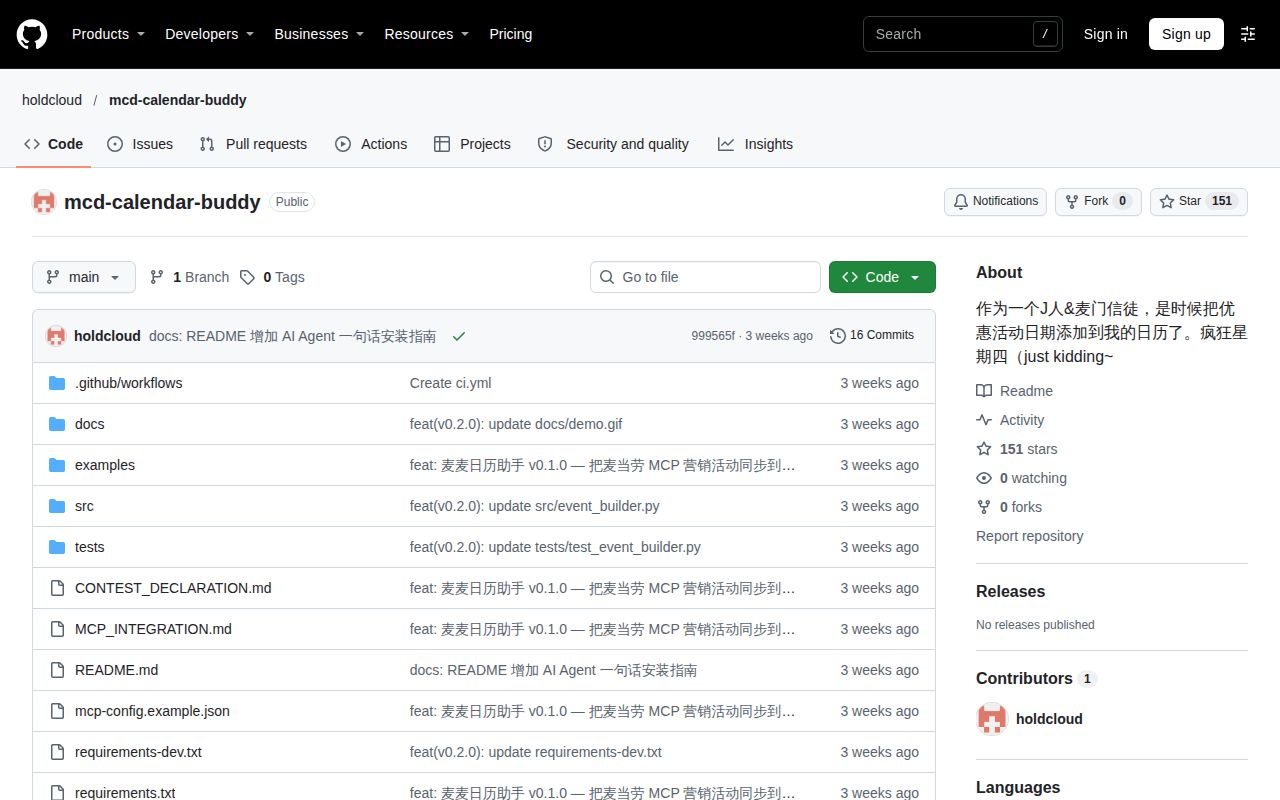
The README ends with an MIT declaration, while HotRepo reports conflicting license metadata. The supplied evidence contains no standalone license grant, leaving redistribution rights unresolved here. The supplied repository snapshot records 151 stars, zero open issues and pull requests combined, and an October 25, 2026 last push, observed November 17. It does not establish support responsiveness or sustained activity; release status remains unverified.
The supplied X search is empty, and the supplied video material concerns other subjects or has no usable transcript. Search demand, sustained adoption, and a community reliability assessment therefore have no supporting measurement in this review. Before trusting a limited-release reminder, compare one official campaign with its query output, destination event, and actual alert on your device, especially for the all-day default.