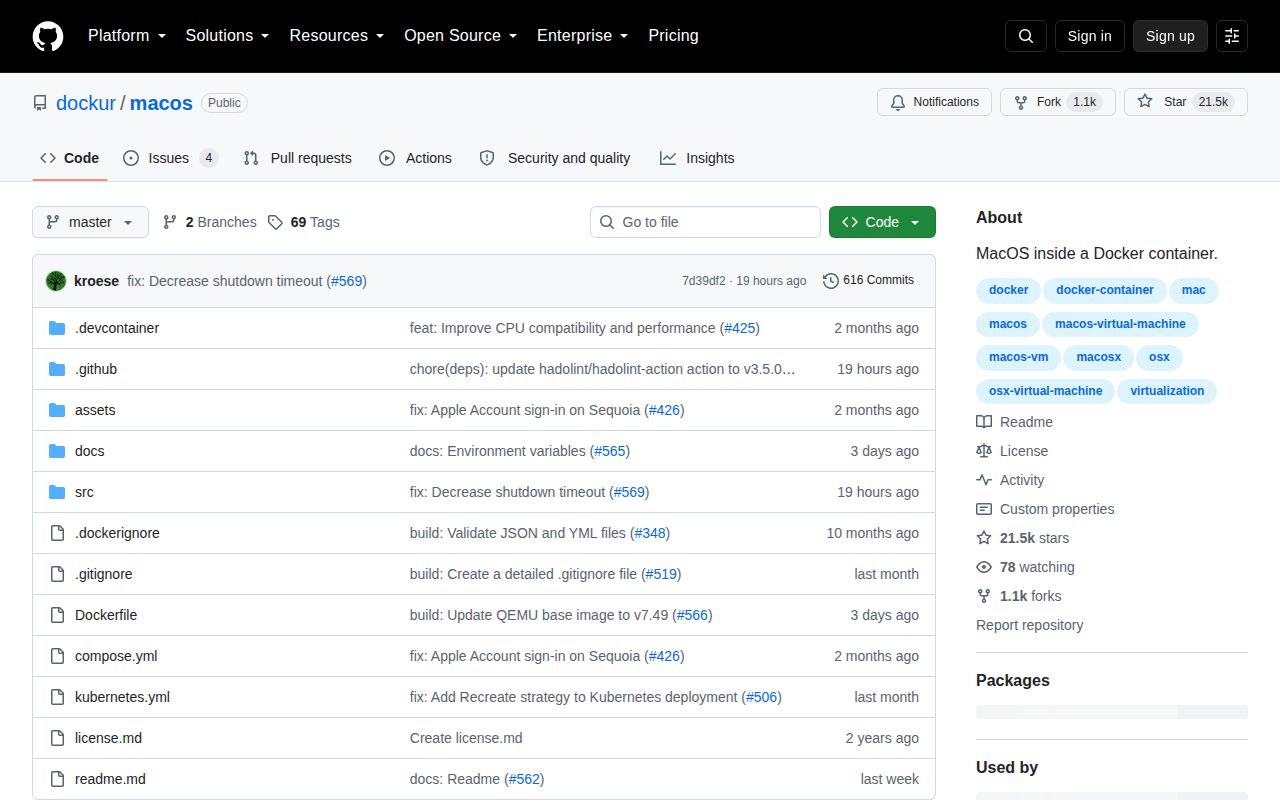
It wraps a macOS VM in a container, but the VM is still the product
dockur/macos gives Docker and Podman users a compact way to define a macOS virtual machine. The container handles recovery-file download, QEMU configuration, persistent storage, and a browser viewer on port 8006. It can expose VNC on port 5900, share a host folder through 9p, pass through USB devices, and use several network modes.
The abstraction stops at the macOS installer. The documented first boot asks you to open Disk Utility, erase the largest virtual disk as APFS, run Reinstall macOS, choose region and keyboard settings, skip or complete Apple ID setup, and create a local account. Kubernetes can start the workload, but it does not turn those guest steps into an unattended image build.
The minimum host is AVX2, KVM, 4 GB of RAM, and 32 GB of disk
The requirements are stricter than the familiar docker compose up shape suggests. The host needs an AVX2-capable Intel or AMD processor, hardware virtualization exposed through /dev/kvm, at least 4 GB of available memory, and 32 GB of free storage. Networking in the sample also passes /dev/net/tun and grants NET_ADMIN. A virtual private server must offer nested virtualization.
Docker Desktop on Linux, macOS, and Windows 10 is explicitly unsupported because it does not provide container access to KVM. Windows 11 can work only with nested virtualization enabled. The default guest receives 1 CPU core and 4 GB of RAM, while its virtual disk starts at 64 GB. Increasing a disk also requires repair and APFS resize commands inside macOS before the guest uses the added capacity.
What happened when we ran it
We did not run dockur/macos in our sandbox. Our automated harness has no supported ecosystem for this Shell repository, although the checkout does contain a Dockerfile. That means we did not install dependencies, build an image, boot recovery, or run tests, and we will not turn the presence of a container recipe into a passing result.
Our unprivileged container has 3 CPUs and 8 GB of RAM, but this project also needs KVM and network-device access, followed by Apple's recovery and installation flow. A useful trial must reach the browser console, create the 64 GB guest disk, finish macOS setup, reboot cleanly, and preserve state. None of those outcomes came from our run.
Apple hardware is a deployment condition, not a footnote
The repository contains open-source code and says it does not distribute macOS or bypass copyright protection. Its legal section then draws the line that matters to buyers: Apple's end-user license does not permit installing macOS on non-Apple hardware, so the project tells users to run the container only on hardware sold by Apple. A generic Linux server may meet every technical requirement and still fail that stated condition.
This narrows the sensible audience. An Apple machine running a Linux host with KVM access is a less common setup than an ordinary workstation or cloud instance. Buying commodity AMD servers for a macOS farm would conflict with the project's own warning. Before evaluating networking or storage, decide whether your organization can supply and manage eligible hosts.
AMD tuning and shared folders still need host-specific testing
The README advises AMD users to begin conservatively. Assigning multiple CPU cores may reduce performance or cause instability on some models, and more than 8 GB of RAM may freeze installation at country selection. It recommends increasing memory only after installation and adding cores only after macOS has run reliably for several hours. Intel processors are described as more compatible.
Open issue 530 gives another concrete edge: on Fedora 43, a reporter could read a mounted shared directory and copy from Linux to macOS, but copying a 22 MB item back produced an insufficient-space message despite free host capacity. Issue 381 records QEMU rejecting a custom boot DMG on Windows 11 with AMD hardware. Both concern advertised setup paths and deserve reproduction on the exact host you plan to use.
Networking is flexible enough to create new operational work
Bridge mode shares the host address and relies on mapped ports. A macvlan can give the container its own address, but the README warns that the Docker host cannot reach that address without a second macvlan. DHCP mode can put the macOS guest itself on the home network, requiring /dev/vhost-net and broad device cgroup access. USB passthrough exposes /dev/bus/usb, while direct-disk passthrough maps host block devices into the guest.
Those options widen the failure and security surface. Direct disks can expose valuable data to guest actions. USB and network privileges need review on shared hosts. NAT is the safer first trial, with a disposable storage directory and no extra host devices. Add passthrough after the base guest survives installation and restart.
Recent releases support a trial, not a universal recommendation
GitHub showed 21,465 stars, 4 combined open issues and pull requests, and a last push on August 26, 2026. Release v3.12 was published five days earlier with a QEMU base-image update, a status-message fix, and documentation work. The dated push and small active queue point to maintained code, while the open reports remain tied to different CPUs, hypervisors, images, and filesystems.
For eligible Apple hardware, dockur/macos is one of the clearer ways to package a persistent macOS VM behind familiar container controls. The README is candid about unsupported Docker Desktop combinations, AMD limits, macvlan behavior, and licensing. If any one of those constraints hits your environment, choose a different virtualization path rather than expecting a Compose file to erase it.