Six effects make the desktop follow the lid
Mac Duo v0.1.15 maps MacBook lid movement to six Metal effects: Duo, Ghost, Roll, Shutter, Flex, and Iris. Duo expands and softens the desktop around the hinge, while the others treat it like glass, a flexible sheet, sliding panels, or closing blades. Hold the lid still and the screen clears after 1 to 5 seconds, with 2 seconds as the default. A replay mode lets you see the motion without granting capture permission.
The app is unusually focused. It has no accounts, analytics, cloud renderer, or third-party runtime dependency. ScreenCaptureKit keeps desktop frames in bounded memory, excludes Mac Duo's own window, and disables audio capture. Metal draws the transition locally. Reduce Motion swaps the physical effect for a fade, and capture stops after the effect clears or when the user session locks. Update checks only contact GitHub when the user asks.
What happened when we ran it
Our lab produced no install, build, or test result for commit f6862c8. The harness does not support Swift projects, and the repository has no Dockerfile that could provide a supported execution path. That limitation belongs to our lab setup rather than the app. It also means this review cannot confirm build reproducibility, test status, rendering behavior, battery impact, or compatibility through first-party execution.
The source path requires Xcode 16 or newer and Swift 6 on a supported Mac. build.sh creates a native ARM64 app by default, while an explicit environment setting builds the separate x86_64 package. The development guide also lists Swift package checks and a generated-artwork render check. Those are project instructions, not results from our sandbox, so buyers should run them on the same model and macOS version they plan to use.
macOS 13 support still depends on the exact MacBook
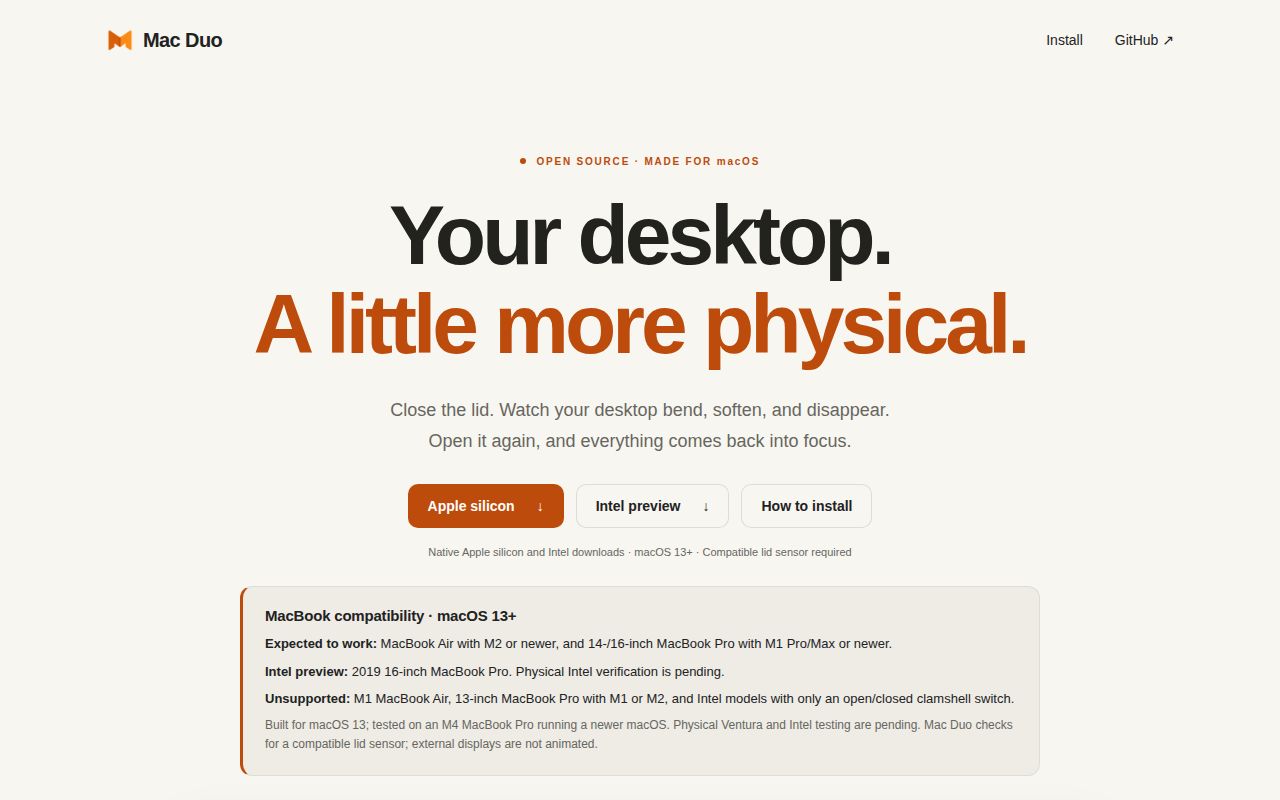
Mac Duo targets macOS 13 Ventura or newer, but the operating-system number is only half the requirement. Automatic following needs a continuous lid-angle sensor. The README expects M2-or-newer MacBook Air models and 14- or 16-inch MacBook Pro models with M1 Pro/Max or newer. It explicitly excludes the M1 Air, 13-inch M1/M2 Pro, and older Intel models that expose only a binary open-or-closed switch.
The Intel download in v0.1.15 is a preview aimed at the 2019 16-inch MacBook Pro. It compiles natively and does not need Rosetta, yet physical Intel verification is still pending. The release also says physical Ventura and clamshell or mirroring confirmation remain pending. Mac Duo detects a missing compatible sensor and declines automatic following, which is better than pretending every laptop with a hinge supplies the same data.
Screen Recording stays local, but the permission is powerful
The live effect needs macOS Screen Recording because it redraws the desktop during lid motion. Mac Duo says frames remain in memory and are neither saved nor uploaded. Audio capture is off, lock-screen capture stops, and sensor or stream failures restore a clear desktop. Those design choices reduce exposure, but users still grant a sensitive operating-system permission to code distributed outside Apple's notarization path.
Version 0.1.15 is ad-hoc signed and not notarized. First launch may require trying the app, opening System Settings, choosing Privacy & Security, and approving Open Anyway. Screen Recording may need approval again after an update because the development identity can change. Open issue 6 reports a user who still saw a non-responsive launch after approval, so the documented bypass does not resolve every machine-specific failure.
Update checks prove integrity, not publisher identity
Mac Duo downloads its archive and SHA-256 manifest from the same GitHub release, then checks the archive and the bundle's internal code-signature consistency. Version 0.1.15 changed its wording to state the limit plainly: those checks detect corruption or mismatch, but an ad-hoc signature does not authenticate the publisher. The updater keeps the previous app for rollback and does not bypass Gatekeeper.
Open issue 10 explains the remaining threat: someone able to publish a malicious GitHub release could replace both the archive and its checksum. That matters because the installed app holds Screen Recording permission. The issue proposes signing the manifest with an embedded public key. It describes a design gap, not a discovered compromise, but managed environments should wait for notarization or an independent release-signing chain before trusting automatic replacement.
External displays do not receive the effect
Mac Duo only animates the built-in panel. Its README says external displays are not animated, and the release includes special handling for a built-in display that disappears or becomes mirrored. In those cases v0.1.15 clears safely, preserves the enabled state, and waits for an active unmirrored built-in display before resuming. That behavior avoids leaving a stale captured frame over the desktop.
Issue 13 reports a narrower problem on an M4 MacBook Air with an external monitor: closing showed the effect, reopening did not, while both directions worked after disconnecting the monitor. The report used a macOS 27.2 beta, so it does not establish the same failure on a stable release. It does establish that external-display workflows deserve a direct check before enabling Mac Duo at a permanent desk.
September activity is current, though the project is young
GitHub showed 224 stars, 23 forks, and five open issues on October 2, 2026. All five open items were issues rather than pull requests. The repository was created on September 10, last pushed on September 21, and v0.1.15 shipped the same day. Issue discussion continued through September 29, so maintenance cannot be judged from the release date alone. Both code and reports were active within the previous two weeks.
Mac Duo is easiest to recommend as a personal visual toy for supported Apple-silicon hardware. Its privacy boundaries are explained better than those of many tiny capture utilities, and the MIT license is simple. The lack of notarization, preview-grade Intel support, external-display limits, and unverified publisher identity in updates keep it off managed Macs. On the right laptop, the six effects are the whole point, and that narrow promise is enough.