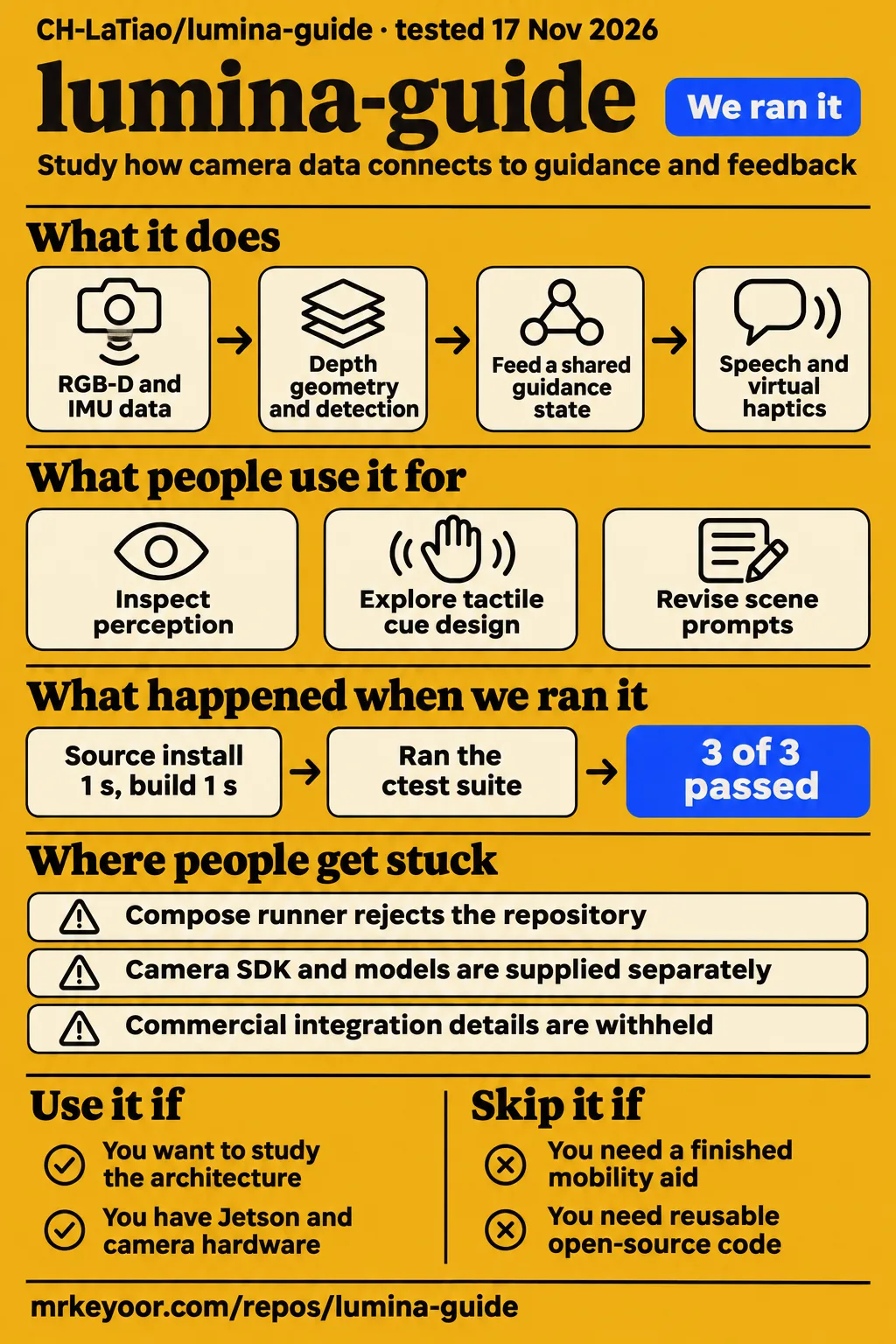
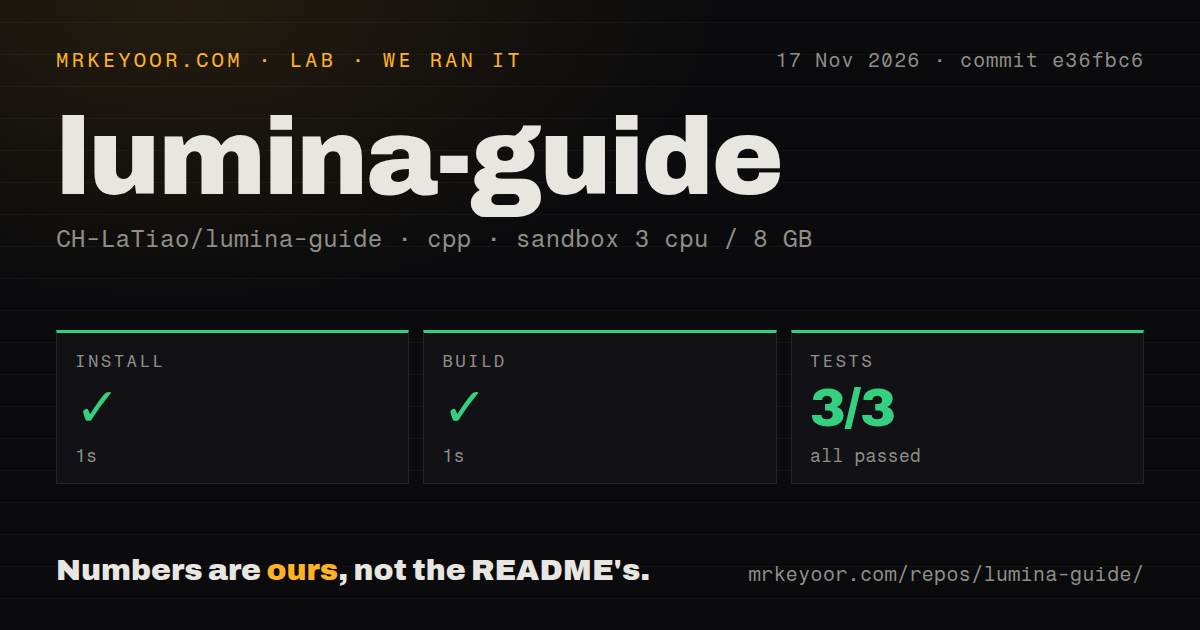
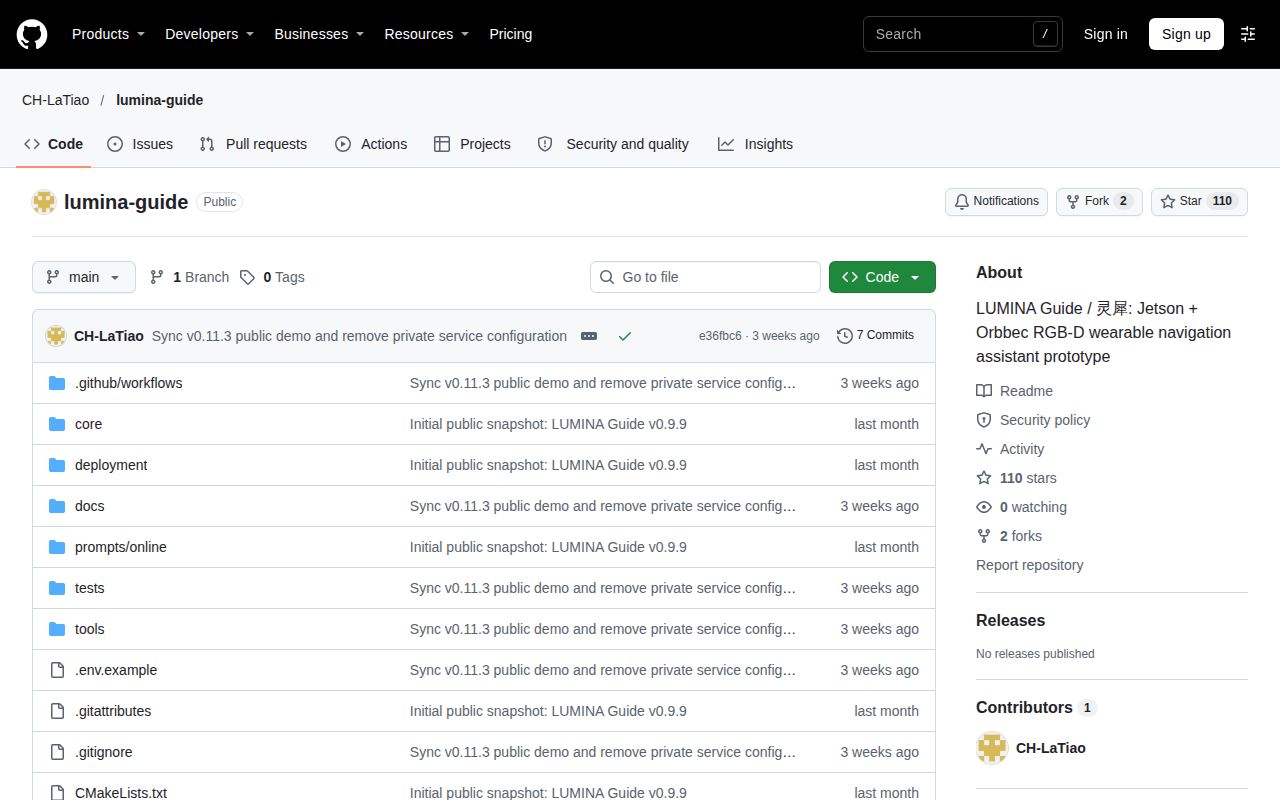
Our sandbox run of LUMINA Guide completed installation, build and tests in 1 second each, with 3 CTest passes and 0 failures. Use it as an engineering reference for a wearable perception system that connects camera data to guidance and feedback. People choosing a finished mobility aid or requiring freely reusable open-source code should choose another starting point. The repository presents a public research prototype with a closed commercial core and no declared open-source license.
What you can do with LUMINA Guide
LUMINA Guide documents a wearable RGB-D scene-understanding and navigation-cue prototype built around Jetson hardware and an Orbbec Gemini 336L camera. Its English README describes capture, perception, guidance and feedback as connected responsibilities. Depth geometry supplies spatial evidence, object detection supplies category information, and IMU measurements inform motion state. That division gives an engineer a concrete way to read the system: trace what each input contributes to the resulting cue.
The documented acquisition path starts with a C++ frame server that exclusively owns the camera. It publishes RGB-D and IMU data through shared memory for Python consumers. Frame identity and timestamps connect results to their source measurements. The README also describes frame-associated detections and freshness checks. For someone studying this architecture, camera ownership and evidence association are useful starting points because they explain how independently running components exchange data.
Standing mode supplies scene summaries, while walking mode emits a concise action cue. Local speech uses Piper with an eSpeak fallback. Six-channel virtual haptics and the dashboard present feedback alongside the perception state. The engineering question is how these outputs stay consistent: the README describes speech and virtual haptics reading a shared guidance state, with priority handling for urgent prompts. That shared state is more useful to inspect than a feature list considered one module at a time.
What people use lumina-guide for
The README describes research workflows for inspecting perception, exploring speech and virtual haptics, reviewing authorized snapshots, and iterating on scene prompts. These are the maintainers' documented activities. The following table connects each activity to the public description, so readers can choose the part of the architecture that matches their engineering question before working through the equipment and configuration requirements.
| Documented workflow | What to inspect | Source |
|---|---|---|
| Inspect perception and guidance together | Unified perception dashboard and shared guidance state | LUMINA Guide modules |
| Explore speech and tactile cue design | Local Piper speech and six-channel virtual haptic simulation | LUMINA Guide feedback |
| Review a scene on request | Optional cloud review of an explicitly authorized snapshot | LUMINA Guide cloud review |
| Revise scene prompts after human feedback | CSV review, trial answers, activation and rollback | LUMINA Guide prompt iteration |
Prompt iteration changes versioned configuration rather than retraining model weights. The maintainers describe exporting and reviewing CSV material, creating candidates, assessing trial answers, and activating or rolling back a configuration. This gives prompt work a concrete artifact and review process. An engineer interested in scene questions can therefore focus on how human assessments become configuration decisions and how a previous configuration is restored when a candidate is unsuitable.
What happened when we ran it
Our November 17, 2026 sandbox run at commit e36fbc6 recorded installation, build and tests succeeding in 1 second each. CTest reported 3 passed, 0 failed of 3. The recorded sandbox configuration was 3 CPUs, 8 GB RAM and image label lab-cpp:1. The results below belong to that checkout and configuration; the separate deployment attempt has its own records and outcome.
| Recorded check | Outcome | Duration |
|---|---|---|
| Installation | Succeeded | 1 second |
| Build | Succeeded | 1 second |
| Tests | Succeeded, CTest: 3 passed, 0 failed of 3 | 1 second |
The checkout contained 165 files, approximately 12,233 source lines and 1 MB of files. The scan found 1 CI workflow, a tests directory and no Dockerfile. These measurements describe the source checkout. For planning a hardware session, the README supplies a different inventory: Jetson hardware, the Gemini 336L, GPU software, an SDK environment and model assets. Keeping those inventories separate makes the small checkout size useful without turning it into an equipment estimate.
The separate deployment attempt failed at its Compose safety preflight. The record says none of compose.yaml, compose.yml, docker-compose.yaml or docker-compose.yml exists. Its rule required a Compose file and reported “unsafe repo” when that prerequisite failed. The actionable finding is the missing runner prerequisite: this attempt stopped before a Compose-based service could be demonstrated by the step record.
The deployment summary nevertheless says the November 17, 2026 run deployed the project's own Compose configuration with every port bound to 127.0.0.1. That conflicts with the failed preflight. The teardown record reports success. Both outcomes belong on the page: the harness completed its repository checks, while the deployment record contains a failed prerequisite and a contradictory summary.
Where people get stuck: hardware and omitted components
The documented setup requires a Jetson Orin Nano Super, Gemini 336L over USB 3.0, GPU software and separately supplied models. The README requirements name Ubuntu 22.04 / L4T 36.x, CUDA, ONNX Runtime GPU, Python 3.10 and CMake 3.16+. They also include OpenCV, NumPy, SciPy, jsonschema, a separate pyorbbecsdk environment, a Piper Chinese model and eSpeak NG.
| Obstacle visible in the evidence | Preparation step | Supporting evidence |
|---|---|---|
| Compose runner rejects the repository | Plan around the documented Jetson setup | Failed Compose preflight and README quick start |
| Camera SDK and models are distributed separately | Gather the required assets before the device session | README requirements |
| Startup configuration uses device and asset paths | Prepare the camera serial, model path, SDK Python and extension location | README quick start |
| Commercial integration details are withheld | Establish the required public or commercial scope with the maintainer | README public-demo notice |
The quick start configures a device serial, a YOLO model path, an SDK Python executable, shared-memory frame input and an Orbbec extensions location. It then configures and builds the C++ component before starting the preview. This ordering gives a new reader a practical preparation sequence: identify the device and assets, establish the SDK environment, build the frame service, and then approach the preview. The one-second sandbox installation is a recorded check duration, not a hardware setup estimate.
Cloud review requires explicit authorization
The README describes optional cloud review of an explicitly authorized snapshot and says cloud results never directly control motors or movement. Local guidance and cloud questions follow separate paths in the documented architecture. Scene prompts and the user's question form the cloud request, while structured output checks and review rules handle the returned candidate. This makes the request and review process a distinct part of the system to inspect.
The credential instruction is specific: inject the optional cloud API key through standard input, and never store it in .env, SQLite, logs or Git. The quick start also opens the dashboard at the Jetson's LAN address on port 8765. A demonstration plan therefore needs both the documented credential route and a deliberate choice of network access. The README's startup instructions are the source for these details; the supplied run records cover the checks listed above.
English documentation exists, with Chinese references
LUMINA Guide provides an English README alongside Simplified and Traditional Chinese documentation. The English page covers architecture, requirements, public scope, quick start, tests and licensing. An English-speaking engineer can use it to establish the system's components and identify the next document to read. Its module descriptions are particularly useful for deciding whether the investigation concerns acquisition, perception, guidance, feedback or prompt review.
The English README links to a Chinese update and validation record, and its requirements name a Piper Chinese speech model. Documentation language and speech assets are separate setup choices. A reader preparing an English-language demonstration should begin with that asset list and the speech configuration needed for the intended session. This is a more concrete preparation task than assuming the language of the README determines the language of the installed voice.
Publicly viewable code has a narrow reuse boundary
The English README says the public demo does not currently declare an open-source license. It states that, until a license is added, public visibility grants no right to copy, modify, redistribute or use the code commercially. That is a consequential distinction for anyone selecting a base for a product. Read the LUMINA Guide license statement before treating repository access as permission to reuse its contents.
The commercial core is closed source; key algorithms, parameters, model integration, deployment configuration and field adaptation are withheld. The public repository exposes architecture, interfaces, selected tools and tests. Those boundaries make architectural study a clearer fit than planning around a complete commercial implementation. The README provides a licensing contact for commercial inquiries, while third-party models and SDKs retain their own upstream terms. Permission for this repository and permission for those dependencies are separate matters.
LUMINA Guide vs Orbbec SDK and RealSense SDK
Orbbec SDK v2 interfaces with Orbbec RGB-D cameras, while RealSense SDK 2.0 supplies depth/color streaming and calibration information for RealSense cameras. LUMINA Guide documents the broader connection between acquisition, perception, guidance and feedback. The useful choice here starts with the engineering task: study that assembled architecture, or work directly on the camera interface for the hardware in your project.
| Project | Documented responsibility | Choose it when |
|---|---|---|
| LUMINA Guide | Wearable perception, guidance, speech and virtual haptic architecture | You want to study how those responsibilities connect |
| Orbbec SDK v2 | A cross-platform library for interfacing with Orbbec RGB-D cameras | Your immediate job is integrating an Orbbec camera |
| RealSense SDK 2.0 | Depth and color streaming with calibration information for RealSense cameras | Your project uses RealSense hardware and needs its camera interface |
Orbbec's README describes C/C++ APIs and wrappers for other languages and frameworks. RealSense's README describes depth and color streaming plus intrinsic and extrinsic calibration information. These primary descriptions support a comparison of responsibilities. For an engineer already committed to a particular camera, the corresponding SDK is the direct place to investigate acquisition and camera integration; LUMINA Guide supplies the wearable-system context.
Which Lumina search results refer to different projects
The supplied use-lumina quick start concerns AI observability, and the LinuxReviews article concerns a desktop environment. Neither identifies CH-LaTiao/lumina-guide. The use-lumina quick start describes an OpenTelemetry-native platform for AI systems; LinuxReviews' Lumina article describes a C++ and Qt5 desktop environment. Their installation advice and product assessments concern those respective projects. For this review, the owner/repository name and LUMINA Guide README establish which software is being discussed.
Questions people ask
LUMINA Guide requires Jetson and Gemini 336L hardware, declares no open-source license, and makes cloud review optional. These entry questions draw their answers from the project's README. They help a first-time reader decide whether to continue with equipment preparation, permission questions or the optional cloud path before beginning a device session. The requirements and public-demo terms are the relevant starting points for that decision.
Is LUMINA Guide open source?
The README says LUMINA Guide is a public demo without a declared open-source license. Its license statement also says public visibility grants no right to copy, modify, redistribute or use the code commercially until a license is added. Developers considering reuse should start with those terms and the listed licensing contact. Read the public-demo and license statements.
What hardware does LUMINA Guide require?
The documented environment uses a Jetson Orin Nano Super and an Orbbec Gemini 336L over USB 3.0. Its software requirements include CUDA, ONNX Runtime GPU, a separate camera SDK environment and speech assets. Models and the camera SDK are distributed separately. Use this equipment and dependency list when planning the device session. Read the LUMINA Guide requirements.
Does LUMINA Guide need a cloud API key?
Cloud review is optional, and its snapshot submission requires explicit authorization. The documented local path includes camera capture, perception, guidance and speech. Enabling the cloud path adds scene questions and candidate-answer review; the README directs users to supply its key through standard input. Start with that separation when deciding which path a demonstration needs. Read the architecture and cloud credential instructions.
What we have not tested yet
Our evidence covers the C++ sandbox checks at e36fbc6 and a deployment attempt with a failed Compose preflight, not an operating wearable evaluation. The contradictory deployment summary does not establish a running dashboard or service. No screenshots or known-answer task results accompany that attempt. The image label lab-cpp:1 also leaves actual compiler and operating-system versions unresolved without raw toolchain logs. The README labels its public update v0.11.3 (2026-10-27); the measured checkout is identified by commit e36fbc6, without a supplied tag-equivalence check.
The documented capabilities throughout this review are upstream descriptions. Our run did not test Jetson and camera operation together, CUDA inference, distance accuracy, cue timing, English speech, dashboard access controls, cloud authorization behavior or failure recovery. The supplied records also leave hardware installation effort, deployment-documentation adequacy, relevant outside user outcomes, support responsiveness and matched performance against another assistive system unassessed. The null ratings reflect those specific evidence gaps rather than numerical product judgments.
The maintainers separately identify incomplete field acceptance for real wearing and walking, physical haptics, distance ground truth, endurance and user studies. Glass, mirrors, thin poles, suspended objects and stairs require dedicated validation. They say the prototype does not replace a white cane, guide dog, human assistant or traffic judgment, and physical movement permission defaults to false. Cloud output may time out or be wrong. A next evaluation should begin with permission and public-version scope, then a supervised bench task connecting a particular cue to its sensor evidence.