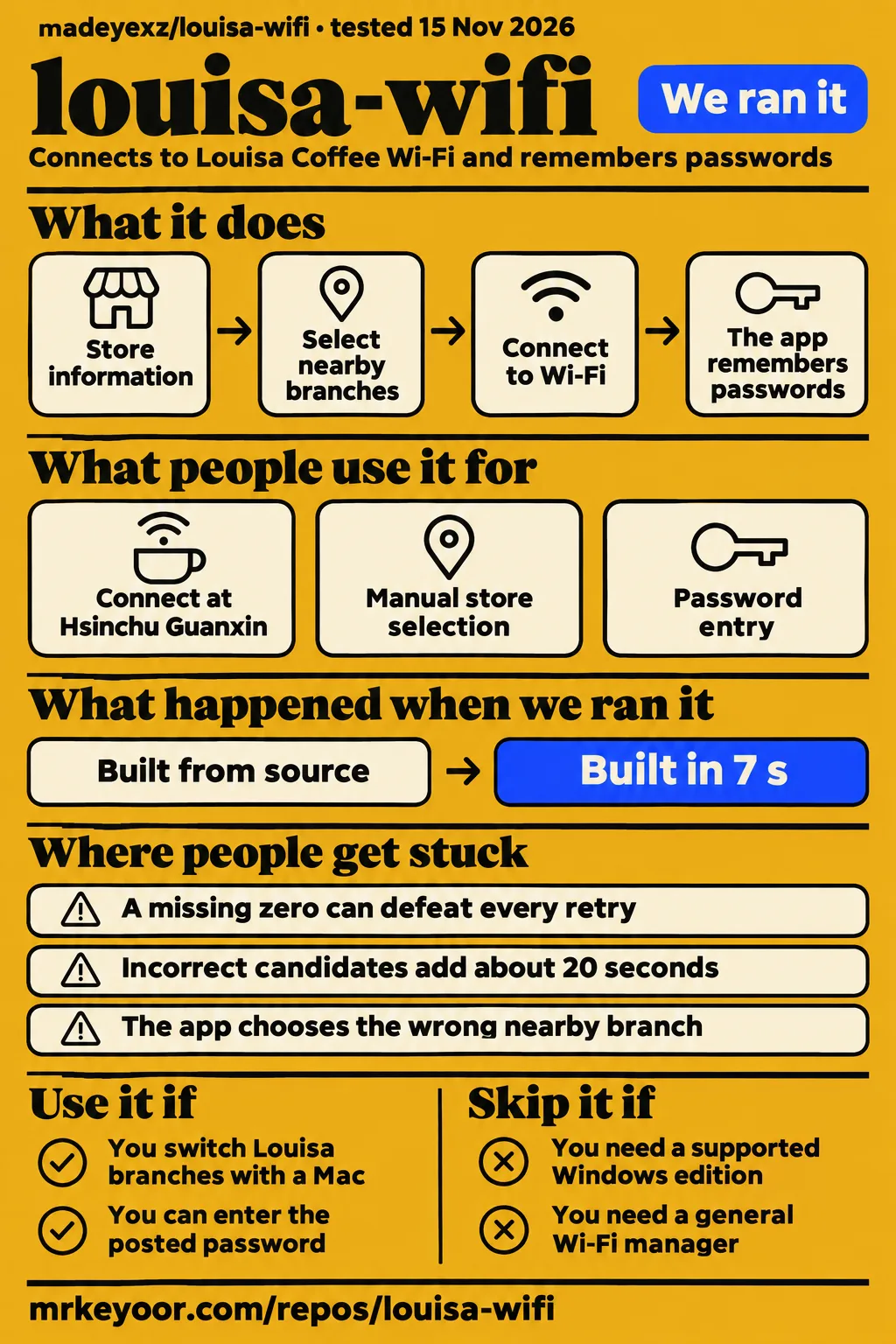
Louisa Wi-Fi is worth trying if you regularly take a Mac between Louisa Coffee stores in Taiwan. Skip it if you need a supported Windows app or a general Wi-Fi manager for other chains. Our sandbox completed its recorded install and build steps, while the most useful connection evidence comes from a customer who fixed a missing leading zero in a store password.
What you can do with louisa-wifi
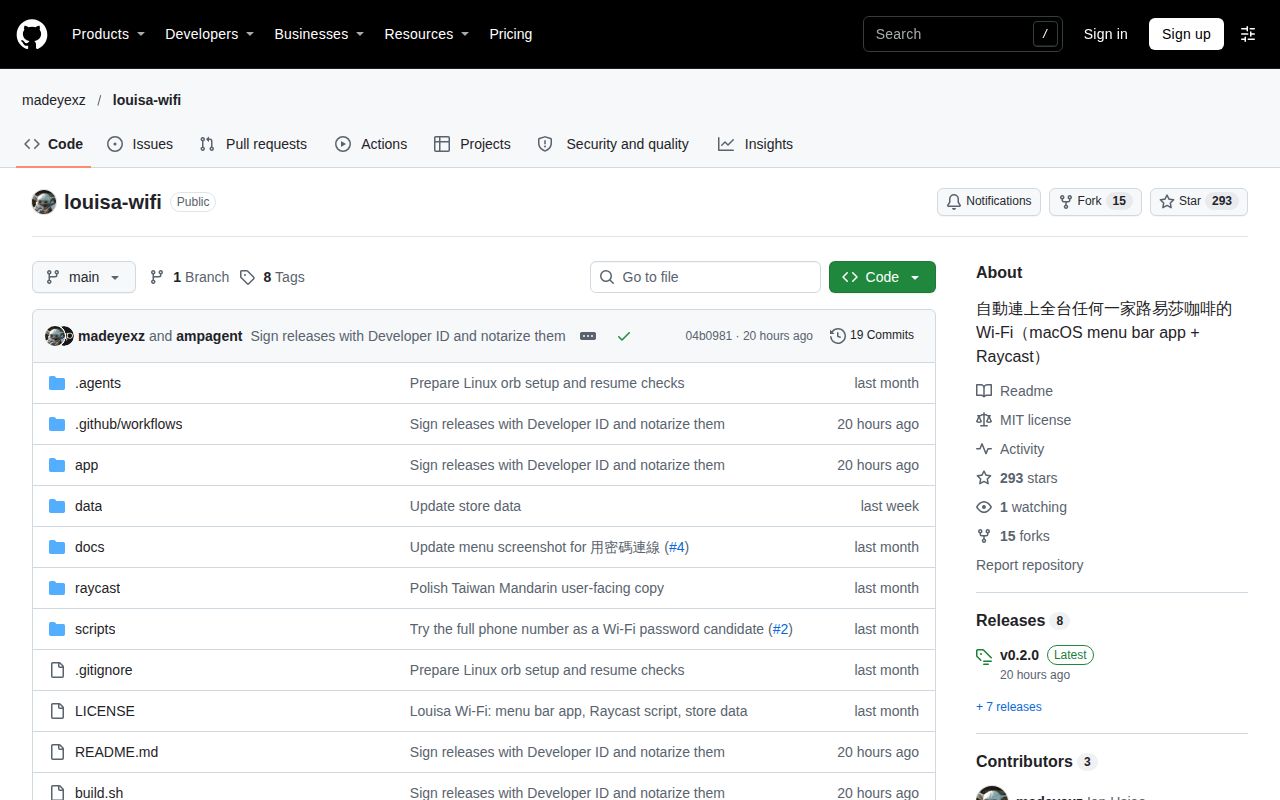
Louisa Wi-Fi automates connections to Louisa Coffee's Wi-Fi on macOS, using store information and remembered router passwords. The README describes a specific annoyance: stores share the network name LouisaCoffee but use different passwords, so a password remembered for one branch can fail at another. This is a tool for that repeated inconvenience. It does not require you to become a network administrator just to change cafés.
The documented menu lets you choose a nearby store, browse stores by city or enter the password posted in the shop. Automatic attempts use location to select nearby branches; after a successful connection, the app remembers the router and password. The README also describes connection statistics, including time spent at stores and a calendar-style view. Those are useful extras for a regular visitor, though successful access to the network is the reason to install it.
Raycast users have a separate script command in the same repository. According to the README, it searches by store name or address and connects through the app when installed. Without the app, it uses macOS's networksetup command. Choose the interface you already use: the menu bar for automatic background behavior, or the script for an explicit search. Neither route makes a wrong store password correct.
What people use louisa-wifi for
The strongest field report is a successful connection at Hsinchu Guanxin after correcting the password candidates; the Windows contribution describes a simulation rather than a store visit.
| Who used it | What they did | Outcome |
|---|---|---|
| The reporter of GitHub issue #1 | Added the full store phone number, including its leading zero, and put it first | Their log records a connection in 0.5 seconds at Hsinchu Guanxin directly operated store. Issue #1 |
| The contributor proposing Windows support in GitHub issue #5 | Wrote a C# port and simulated store behavior with a phone hotspot | Reported automatic connection, stopping attempts after leaving, manual store selection and password entry; actual store testing was still pending. Issue #5 |
The first report gives you something a feature list cannot: a before-and-after example with the store identified. The reporter's original candidate was 35770157. The password that worked was 035770157. That extra character explains the failure far better than advice to restart the router. The maintainer replied that the suggestion had been adopted. The issue itself does not name the release that carried it.
The Windows contributor was doing different work: translating the connection logic into a system-tray application. They described matching the Mac version's statistics format and interrupting automatic attempts when the user selects an action. That is a useful contribution proposal, but its hotspot results belong to the contributor. They are not our lab results or evidence of a released Windows edition.
What happened when we ran it
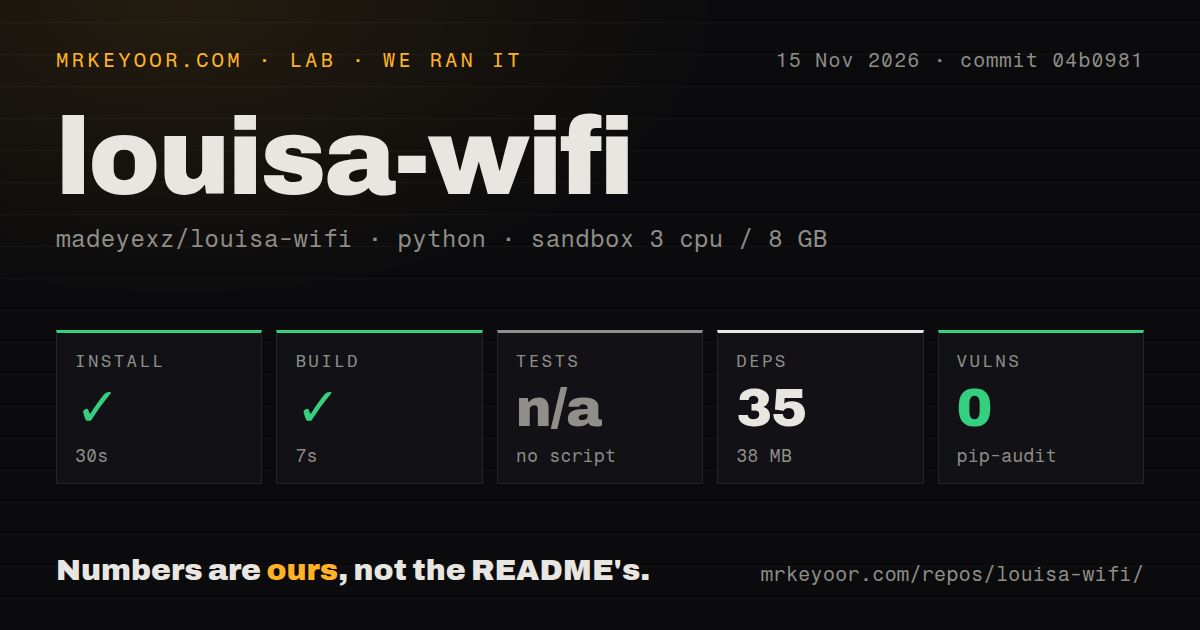
Our sandbox install succeeded in 30 seconds and its build step succeeded in 7 seconds at commit 04b0981 on 15 November 2026. A separate hands-on attempt stopped at a safety rule requiring a Compose file. These records describe two different checks: the repository harness completed its setup steps, while the deployment workflow encountered a prerequisite it could not satisfy.
| Repository harness observation | Recorded result |
|---|---|
| Install | Succeeded in 30 seconds; 35 dependencies recorded |
| Installed footprint | 38 MB on disk |
| Build | Succeeded in 7 seconds |
| Tests | No tests script or target; skipped |
| Dependency audit | pip-audit reported 0 known vulnerabilities |
| Checkout | 31 files, approximately 1,699 source lines, 1.7 MB |
| Repository signals | 3 CI workflow files, no Dockerfile, no tests directory |
The configured sandbox had 3 CPUs and 8 GB of RAM, with image label ghcr.io/astral-sh/uv:python3.12-bookworm. The harness classified the ecosystem as Python. GitHub identifies the project as Swift, and the README describes a native Mac application with a Python store-data script. Treat the harness classification as metadata about that run. It is a poor basis for describing the product as a Python Wi-Fi app.
The hands-on safety step says none of compose.yaml, compose.yml, docker-compose.yaml or docker-compose.yml existed, so its Compose-required rule failed. That is a workflow mismatch worth recording, rather than a reason to condemn a desktop utility. The failed safety step stopped this route before it could provide an app-level result. The teardown record says cleanup was okay.
There is also a contradiction in the supplied records: the generic run summary says the project deployed with its own Docker Compose, while the detailed safety result says the required file was absent. We give the specific failed step precedence and do not claim a successful deployment. For a reader deciding whether to run the Mac app, the honest result is a completed repository setup check and a blocked deployment workflow.
Where people get stuck: a missing zero can defeat every retry
Issue #1 reports that the original password candidates omitted the full phone number, making the Hsinchu Guanxin store fail until the reporter added 035770157. The thread includes an Apple Wi-Fi error, -3912, on the failed attempt. The reporter then logged a successful join after changing the candidates. Keep the diagnosis attached to that evidence: an Apple error code by itself would not identify a missing zero.
| Symptom | Evidence-backed next step | Why it helps |
|---|---|---|
| The store uses its full phone number | Include the leading zero or enter the posted password | The issue #1 reporter connected with 035770157 after 35770157 failed |
| The app chooses the wrong nearby branch | Select the actual store from the menu | The README says location can be inaccurate without a network connection |
| Automatic password attempts are taking too long | Select the posted password or enter it manually | The README says this interrupts the current attempts and uses your choice |
| A store is absent or cannot be located | Search by name or select manually where available | The README says some official entries lack phone numbers or coordinates |
The current README includes full phone numbers among the candidates. It normally tries the shortened form first, with a special rule for Taipei's 02 prefix, then the full number. The issue reporter preferred full-number-first locally, but explicitly confirmed only one store. That distinction matters if you are considering changing the order: one successful branch is a reason to include a candidate, not a nationwide survey of which candidate should lead.
Broader password coverage also costs time. The issue reporter says each incorrect candidate can add about 20 seconds, and learned.json remembers a successful access point password for later visits. That makes the first successful connection especially useful. If the shop has posted the password, enter it rather than waiting through guesses you already know are wrong. This advice follows the documented manual path, without assuming that every failure has the same cause.
Security and privacy: passwords and visit records stay on the Mac, says the README
The README says router passwords live in learned.json and visit-time records in usage.json under the app's local support directory. It also says no account is required and data is not uploaded. These are the project's privacy statements. They make the utility easier to consider for someone who wants to avoid creating another account for a café connection. Project documentation
The same documentation names captive.apple.com for connectivity checks and GitHub for updates. Local records still deserve attention: visit history can describe where you spend time, and the saved router file contains passwords. The README's removal instructions let you delete the support directory as an optional cleanup step. Decide whether you want to retain those records when removing the app, rather than assuming dragging the application to the trash also removes its history.
The dependency audit's zero known vulnerabilities is a narrow finding from our Python-classified harness. It is not a review of Wi-Fi trust or the Mac app's handling of credentials. For the downloaded app, the README says the published application is signed and notarized; it distinguishes that from locally compiled builds, which use an ad-hoc signature. Those are different distribution paths and should be evaluated separately.
Chinese documentation is part of the setup
The main README is in Traditional Chinese, and it contains no linked English edition. That matters for readers outside Taiwan who can install a Mac utility but cannot easily interpret the store names or troubleshooting menu labels. The installation sequence is concrete: download the archive, move the application into Applications, open it and allow location access. The documented minimum is macOS 13. README
Location permission has two documented jobs: finding nearby stores and allowing macOS to expose Wi-Fi network and router information to the app. If you declined it, the README points to System Settings, Privacy & Security, Location Services. Its troubleshooting instructions also explain manual store selection. Keep a translated copy of those instructions available before relying on the app during a visit where your Mac is already offline.
The Windows discussion contains an English maintainer reply, but most of the detailed proposal and the leading-zero investigation are in Chinese. That is where the useful operational detail lives. English project summaries can explain the idea, yet the original threads are the better source when a store fails. A reader comfortable using translation has a clearer route through this project than someone requiring fully documented English support.
louisa-wifi vs LouisaInternetSwitch, Hammerspoon and manual connection
LouisaInternetSwitch is the closest named alternative: its README describes a Raycast command that searches stores, connects and generates a QR code for a phone. Hammerspoon is a broader Mac automation project that requires your own Lua configuration. Manual connection remains the sensible choice if this is an occasional visit rather than a recurring nuisance.
| Choice | Documented approach | Choose it when |
|---|---|---|
| louisa-wifi | Menu-bar automation, remembered routers, manual override and a Raycast script | You regularly move between Louisa branches with a Mac |
| LouisaInternetSwitch | Raycast store search, connection and mobile QR code | You want an explicit Raycast action and a QR code for a phone |
| Hammerspoon | Lua scripting bridge to Mac system functions | You already write Mac automation and want to maintain your own behavior |
| Device Wi-Fi settings | Select the store's network and enter its current password | You visit occasionally or prefer to ask staff and connect yourself |
LouisaInternetSwitch's README lists macOS, Homebrew and Raycast as requirements. Its mobile QR feature is a concrete reason to consider it, rather than choosing by star counts. Louisa Wi-Fi already has its own Raycast route, so using Raycast alone does not settle the choice. Compare the actions you need, especially background reconnection versus explicitly selecting a store and displaying connection details for another device.
Hammerspoon's README says it does nothing out of the box until you create a configuration. It belongs here as an option for an automation author, rather than as a ready-made Louisa replacement. If your goal is simply to get online before ordering coffee, writing a Lua configuration is more work than this task deserves. The built-in Wi-Fi settings avoid adding either project's ongoing behavior to your Mac.
What the other reviews get wrong
OpenDMG lists version 0.2.0 released on 14 November 2026, while Mid or Real and GitNova retain older release information. Mid or Real's supplied facts say v0.1.6 from 9 November, despite a 15 November check date. GitNova lists v0.1.5 with October-era information. The OpenDMG record, Mid or Real record and GitNova record show the disagreement; GitHub's latest release confirms v0.2.0.
GitHub records a last push on 14 November 2026. Read alongside the maintainer's adoption of the password correction and the invitation to contribute Windows support, that is evidence of maintenance activity. Closing the Windows discussion for inactivity still leaves that contribution unfinished. A release date or an empty issue count would tell you less about support than these specific exchanges.
GitNova also describes automatic connection at any Louisa Coffee store in Taiwan. Issue #1 supplies a counterexample to that blanket phrasing: the original candidates failed at a named store. The maintainer adopted the correction, and the present README includes the missing candidate. Neither fact turns the directory's hundreds of entries into hundreds of demonstrated connections. Store coverage and successful field connections answer different questions.
OOBE's supplied X post shares the repository and expresses interest in it; it does not describe a store test. That social mention is attention evidence. It should carry less weight in a run-or-skip decision than the issue reporter's before-and-after log. The useful question is whether the app solves your repeated connection problem, not whether someone found the idea amusing enough to share.
Questions people ask
A missing full-number candidate caused the documented Hsinchu Guanxin failure, and adding the leading zero produced the reporter's successful connection. That is the clearest troubleshooting answer in issue #1.
Why does louisa-wifi fail at stores whose Wi-Fi password is the full phone number, including the leading zero?
The original generation rule omitted the full number, according to issue #1. At the reported store, 35770157 failed and 035770157 worked. The maintainer adopted the suggestion, and the current README includes full numbers among the candidates. Use the shop's posted password through the manual entry option if automatic attempts fail. Issue #1; README.
Should the full phone number or the number without its leading zero be tried first?
Use the posted password when you know it. The issue reporter put the full number first for the confirmed Hsinchu store, while the current README lists shortened-number-first rules. The reporter explicitly said the relative prevalence of the two forms was unknown. That evidence supports including both forms, rather than declaring a universal best order. Issue #1; README.
Should the Windows version live in the existing repository or a separate repository?
The maintainer invited a pull request into the project and later closed the discussion for inactivity. Issue #5 therefore records a welcoming response to the proposal, rather than a completed repository arrangement. The contributor's intention to use it at stores before submitting a PR is part of that distinction. Windows discussion.
Can a Windows port use a windows/ folder and share data/stores.json?
The contributor proposed exactly that structure in issue #5. They said their port downloaded data/stores.json weekly, that path or format changes could affect it, and that invalid downloaded data would leave the previous data in use. The maintainer requested documentation of file-path dependencies when proposing the contribution. Shared data would therefore need coordination between the two implementations. Issue #5.
How do I connect to Louisa Coffee Wi-Fi manually?
Open your device's Wi-Fi settings, select the network confirmed by the store and enter its posted password. The project's README calls the shared network LouisaCoffee. GetWiFi's community listing instead names Louisa and shows masked passwords, so ask staff when the names disagree. In the app, the documented password-entry action lets you bypass automatic guesses. README.
What should I do if a Louisa Coffee Wi-Fi password does not work?
Ask staff for the current password, then enter that password through the app or your device settings. The README recommends the posted password when candidates fail or attempts are slow. GetWiFi also advises asking staff if its listing fails. The leading-zero remedy applies to the documented phone-number case; it should not replace checking what this store actually uses. README.
What we have not tested yet
Our 15 November sandbox checked recorded repository steps, not a supported macOS installation or an actual Louisa Coffee connection. The successful build step is not proof that a native Mac binary was produced. Actual runtime and operating-system versions require the raw toolchain logs; the configured image name alone cannot supply them. The skipped test step supplies no passing-test count. The Compose safety failure supplies no café workload, screenshots or application result.
We have not tested automatic reconnection, location accuracy, update behavior, signed downloads, battery use, privacy traffic or the statistics interface on a Mac. We also have no side-by-side run of the alternatives. The issue reporter confirmed one store, and the Windows contributor reported hotspot simulations with store testing pending. The closed Windows discussion supplies no completed integration. Store-data coverage, GitHub attention and a recent release are not substitutes for those missing field results.
All four score cards are N/A. Setup on the supported platform was unassessed, and the evidence is too narrow to assign numerical judgments of documentation usability, support quality or operational maturity. For your first visit, keep the posted password available and make one successful connection at the actual branch before depending on automatic reconnection there.