Konnect turns AI instructions into KiCAD work
Konnect sits between an AI assistant and KiCAD 10, translating Model Context Protocol calls into schematic edits, PCB operations, checks, and exports. That is more useful than a chat window that merely suggests where to place a capacitor: the assistant can add parts, connect pins, move footprints, route tracks, run ERC or DRC, and prepare production files. The project exposes 221 tools across 20 toolsets, but loads a smaller starter selection so every session does not spend roughly 23K tokens just describing commands.
This is the Rust successor to mixelpixx/KiCAD-MCP-Server, whose TypeScript, Python, JSON, and SWIG path accumulated several boundaries and failure modes. Konnect reduces that path to a single native process and talks to KiCAD 10 through its official IPC API for live PCB changes with undo and redo support. Schematics use a separate S-expression engine with UUID preservation and atomic write, fsync, and rename behavior. That architecture does not prove every generated board is correct, but it is a sensible foundation for controlled editing.
Our run built cleanly and passed every test
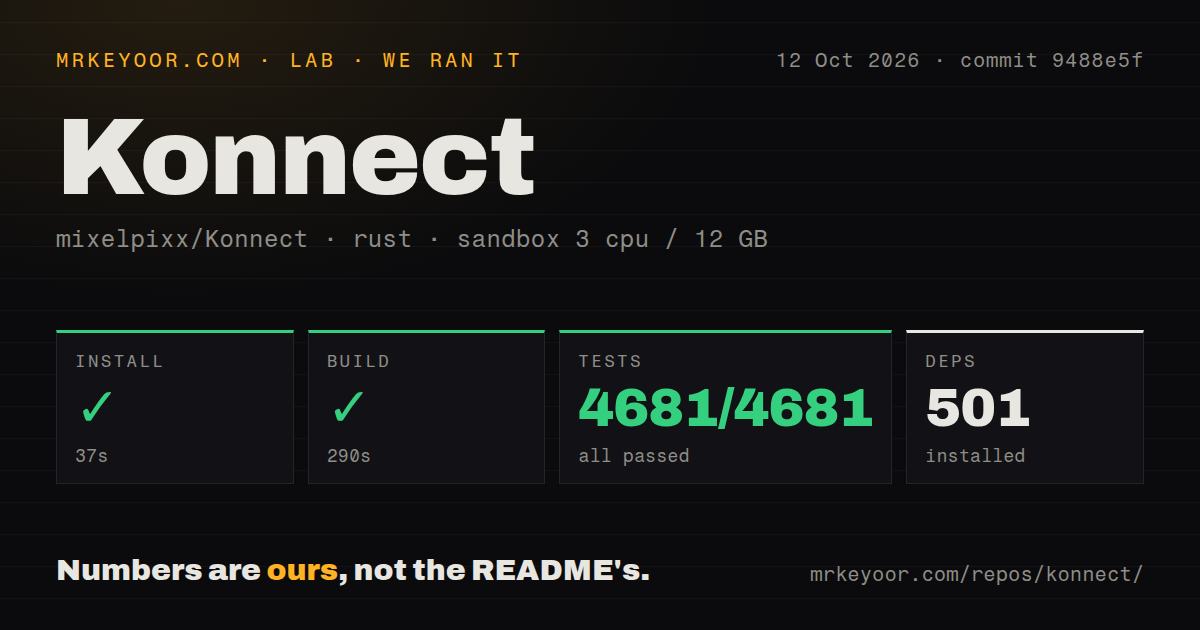
We cloned commit 1401e9a into an unprivileged Debian sandbox with 3 CPUs and 12 GB of RAM. Installation succeeded in 44 seconds and brought in 459 packages. The build then succeeded in 273 seconds. Cargo's test run finished in 305 seconds with 3,042 passed and 0 failed, which is an unusually reassuring result for software that describes itself as beta. These are build and test results, not evidence that an AI designed a manufacturable board in our container.
The measured source path took 622 seconds across install, build, and tests. The checkout contained 314 files, about 114,903 lines of source, and occupied 8.7 MB. We found 3 CI workflow files, no Dockerfile, and no separate tests directory. None of those last details is automatically good or bad: Rust projects commonly keep unit tests beside implementation code, while the absence of a Dockerfile matters mainly to teams that standardize local tools as containers.
The strongest parts are scope control and recoverability
Konnect's most thoughtful design choice is not its 221-tool headline, but how it manages that breadth. On-demand toolsets reduce context overhead, while get_recent_calls, server_stats, and JSONL call logs give an assistant and its operator evidence when a call fails. Direct schematic editing uses atomic writes, which lowers the chance that an interrupted change leaves a half-written .kicad_sch file. Live PCB edits use KiCAD's own undo and redo model, an essential escape hatch when generated placement is poor.
The practical coverage is also broad. It includes JLCPCB search against a local 2.5-million-part catalog, reference circuits for common blocks such as USB-C and STM32, design-review audits, 3D models, Gerbers, drill files, BOMs, PDFs, and pick-and-place output. The Specctra workflow binds DSN export to a board revision and applies SES results as one strict transaction. Its optional KiCAD 10 native bridge is local-only, authenticated, and disabled by default, while the Rust exporter remains the standard path.
Beta status still has operational consequences
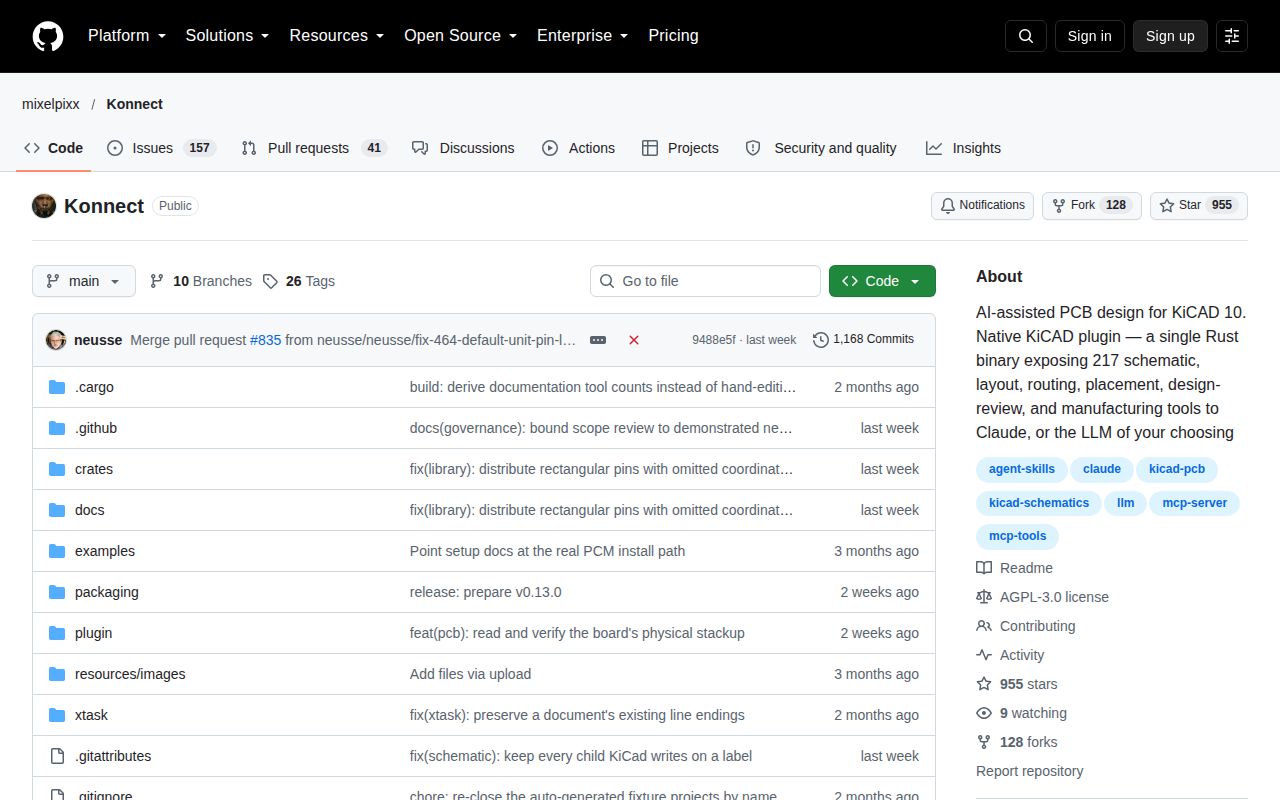
The README is direct about beta status, and users should take it literally. Sixty-three open issues is meaningful for a project with 460 stars, even though issue count alone cannot tell us whether reports are bugs, requests, or support questions. The repository was pushed on September 6, 2026, the day of this review, and v0.11.0 shipped on August 29, 2026. Those dates show active work and recent packaging, but rapid movement can also mean interfaces and workflows have not settled.
There are environmental edges beneath the single-binary pitch. Building needs protoc and CMake because protobuf code is generated and the NNG C library is compiled. Production exports and electrical checks depend on kicad-cli, live editing targets KiCAD 10, and end-to-end autorouting adds a local Freerouting MCP process. The first supported routing profile rejects unlocked routing, arcs, zones, and unsupported geometry before mutation. That refusal is safer than guessing, but it narrows which existing boards can use the complete automated loop.
Licensing deserves an early decision, not a late legal surprise. Konnect uses AGPL-3.0, which can be an excellent fit for open hardware workflows and internal experimentation but may conflict with how some companies distribute or offer modified software. The bundled skills and agents teach KiCAD conventions to Claude, yet no instruction set removes the need to understand grounding, clearances, current paths, component ratings, fabrication constraints, or electromagnetic behavior. A passing DRC result is not a safety certification.
It belongs beside an engineer, not in an unattended factory
In a real stack, Konnect should control a versioned KiCAD 10 project while a human reviews diffs, visual output, ERC and DRC findings, and every manufacturing artifact. Keep board files in Git, work on branches, and treat generated Gerbers, BOMs, and placement files as review candidates. Its logs can feed local diagnostics, while part research can happen through the advertised Nimrod pairing or another deliberately chosen process. Provider credentials and manufacturing accounts should remain outside the board-editing loop.
Choose Konnect over its predecessor when you want the official IPC direction, one Rust binary, and tighter transactional safeguards. Choose Freerouting when you only need autorouting, or plain KiCAD when manual control is the priority. The evidence from our run says the codebase is serious: 3,042 tests passed without a failure. The product decision is still about risk tolerance, because a healthy test suite and an active September 2026 repository cannot substitute for expert review of a physical circuit.