JevChat fills a draft and leaves sending to you
Clicking Fill puts a suggested reply into your chat's input box, then stops. JevChat-Windows uses a captured window and local text recognition to read the conversation, asks Jev to judge it, and asks a language model to draft replies. The Chinese README makes manual sending a firm rule. That suits someone who wants phrasing help and the chance to reject it.
Our checkout was small: 53 files, about 5,979 source lines, and 0.9 MB. The documented chat profiles cover WeChat and KakaoTalk on Windows, with recognition rules tied to their window layouts and bubble colors. You're adopting a companion for those clients. Someone expecting it to read whichever messaging app happens to be open would need to write and maintain another profile.
Chinese documentation and Korean support limit the audience
The main setup and usage instructions are in Chinese, and the interface offers Simplified Chinese and Korean. English documentation exists for the KakaoTalk recognition path, but that guide doesn't replace the main manual. It explains the switch from RapidOCR to Windows' Korean recognizer and the need for a Korean language pack. If the recognizer is missing, the documented fallback leaves Korean unreadable.
The 35 packages installed in our run don't establish that an English-speaking Windows user can follow the whole workflow unaided. You'll need to understand the relationship settings, recognition output, and provider errors, all of which affect the reply. The project is a reasonable trial for someone comfortable with its languages. For an English-only desktop, I'd begin with a general chat client and supply the conversation text deliberately.
What happened when we ran it
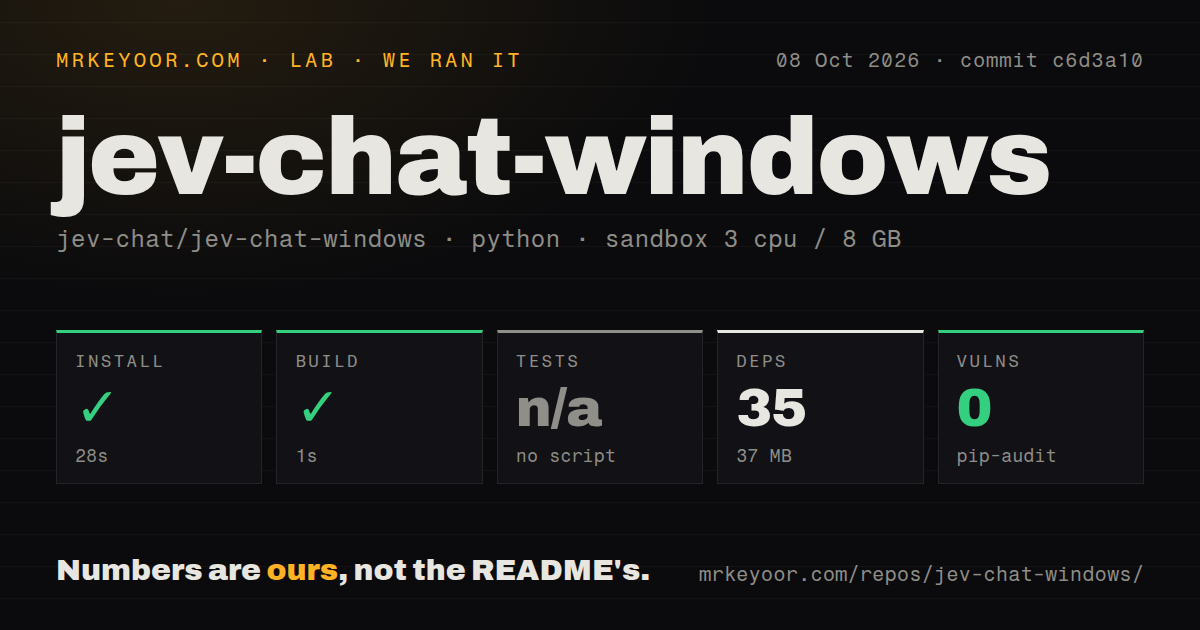
Our sandbox installed commit c6d3a10 in 28 seconds on October 8, 2026, adding 35 packages and using 37 MB on disk. The build step succeeded in 1 second. The fresh Debian container used Python 3.12, 3 CPUs, and 8 GB of RAM, without secrets or elevated privileges. They do not demonstrate a functioning Windows overlay or a completed reply through a configured provider.
Tests were skipped because the run found no test script or target. The scan found 1 CI workflow file, no Dockerfile, and no tests directory. Pip-audit reported 0 known vulnerabilities. That last result is a dependency finding for the measured environment, not a check of chat privacy, recognition accuracy, or whether the downloaded executable behaves correctly. There is no passing automated suite in this lab report to support those claims.
Local recognition still sends conversation text to providers
Screenshots and text recognition stay local according to the README, which says captured frames remain in memory. Model requests are a separate path: recent dialogue, relationship settings, and short samples of your own messages go to the configured providers. Jev judgment defaults to OpenRouter, with a TypeSafe direct option. Drafting defaults to DeepSeek's official endpoint and can use other supported providers. Keeping pictures off the network doesn't keep their extracted words there.
A 37 MB installed environment is modest, but it doesn't make the workflow offline. You need JEV_API_KEY and LLM_API_KEY; the application stores them in the Windows user's registry-backed environment, while ordinary settings live in config.json. This is convenient for a personal desktop. An organization that prohibits sending customer conversations to external models should reject the default workflow before evaluating whether its suggested replies sound good.
Window layout errors can attach words to the wrong person
The README names several failures that matter more than a polished overlay. If recognition misses a group-chat speaker name, a message can attach to the previous speaker. Similar conversation titles can merge, and consecutive identical messages can be deduplicated. Enlarging the input box too far can confuse message-area detection. Filling also relies on input-box coordinates, so a chat-client layout change can require a corresponding adjustment.
Our 1-second build says nothing about those live desktop behaviors. The expandable transcript and debug view are useful because they let you inspect what recognition actually saw before trusting a suggestion. Keep the chat window available for capture and compare the transcript against the conversation when a reply feels wrong. The displayed ranking probabilities come from Jev; our run provides no calibration evidence that would justify reading them as reliable measures of social correctness.
Unsigned downloads and provider errors complicate ordinary use
The README recommends downloading the packaged executable for ordinary use and warns that it is unsigned, so Windows SmartScreen may intervene. Source users have a supported Python range ending at 3.12. Windows Graphics Capture sets the platform floor, and KakaoTalk adds the system language-pack requirement. These are concrete adoption costs for a managed desktop, even when the underlying Python project is compact.
The Debian install's 28 seconds don't include configuring a Windows client or getting working provider credentials. Issue 51 reports a rejected Jev key despite model-list access, while issue 49 reports a generation error involving a string without a choices attribute. These are user reports, unverified by our sandbox. They justify trying the exact provider combination you intend to use before relying on the overlay during real conversations.
September maintenance doesn't settle October reports
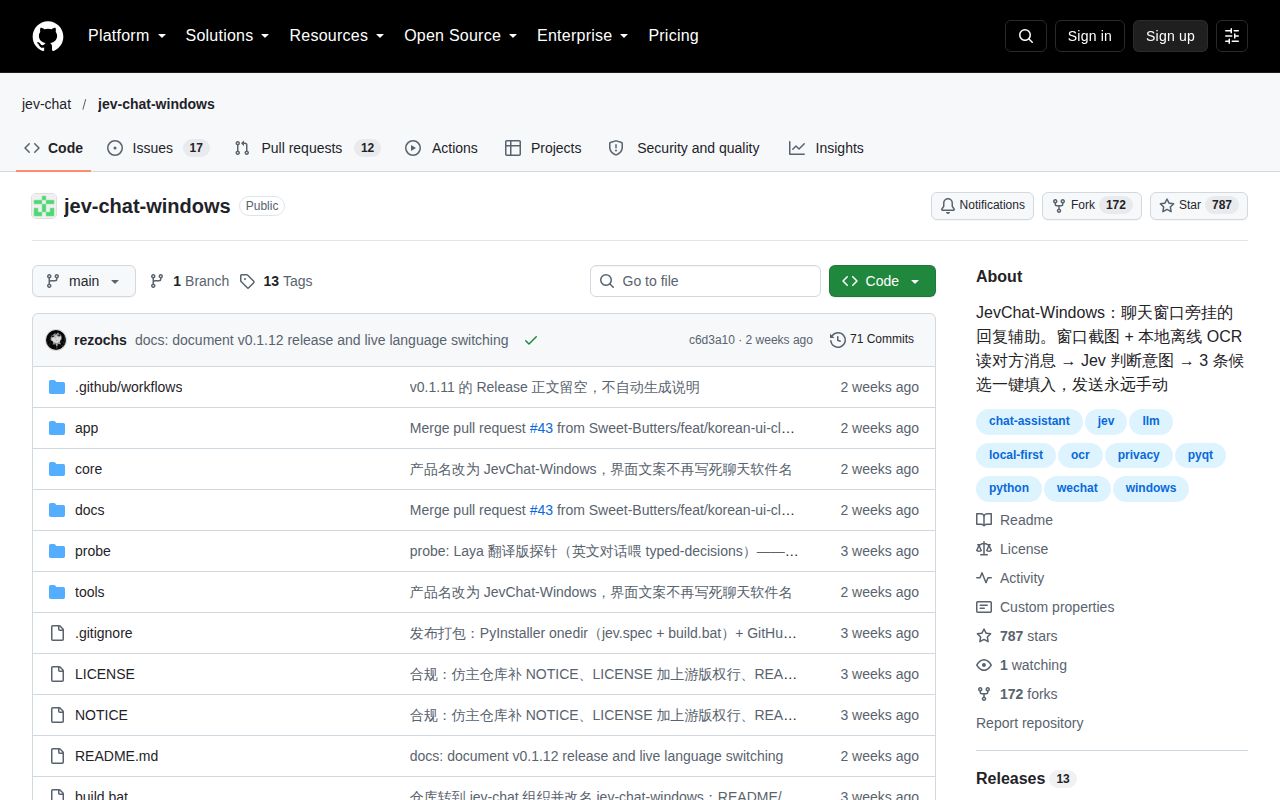
The last push was September 28, 2026, when v0.1.12 added language selection and initial KakaoTalk support. GitHub listed 29 open issues and PRs, with reports continuing into October. That shows current user activity around a recent release, while leaving provider and recognition complaints unresolved in the evidence reviewed. Issue 48 asks for a business knowledge base, so customer-support factual grounding shouldn't be assumed to exist.
Use JevChat when WeChat or KakaoTalk, its interface languages, and external model calls fit your personal workflow. Chatbox or Noi is a better starting point for a general AI desktop where you choose the text to submit. Our run's 0 known vulnerabilities is welcome, but the skipped tests leave desktop reliability open. Before sending any suggested reply, check that the transcript names the right speaker and contains the words you actually meant to answer.