Keep the TV app, add a service to control it
iSponsorBlockTV connects to the YouTube app you already use on a television and asks it to skip sponsor segments. That makes it worth considering on devices where replacing the player is inconvenient. The README lists Samsung Tizen, LG webOS and Apple TV alongside Android TV and several consoles. Those are upstream compatibility claims, not devices exercised in our sandbox.
Sponsor segments and YouTube ads need different expectations. The application uses SponsorBlock's API to skip marked sections inside videos. For YouTube ads, it can mute audio and press Skip Ad when that button becomes available. You still have to wait for the button. Anyone expecting every advertisement to disappear before playback should choose a different approach.
What happened when we ran it
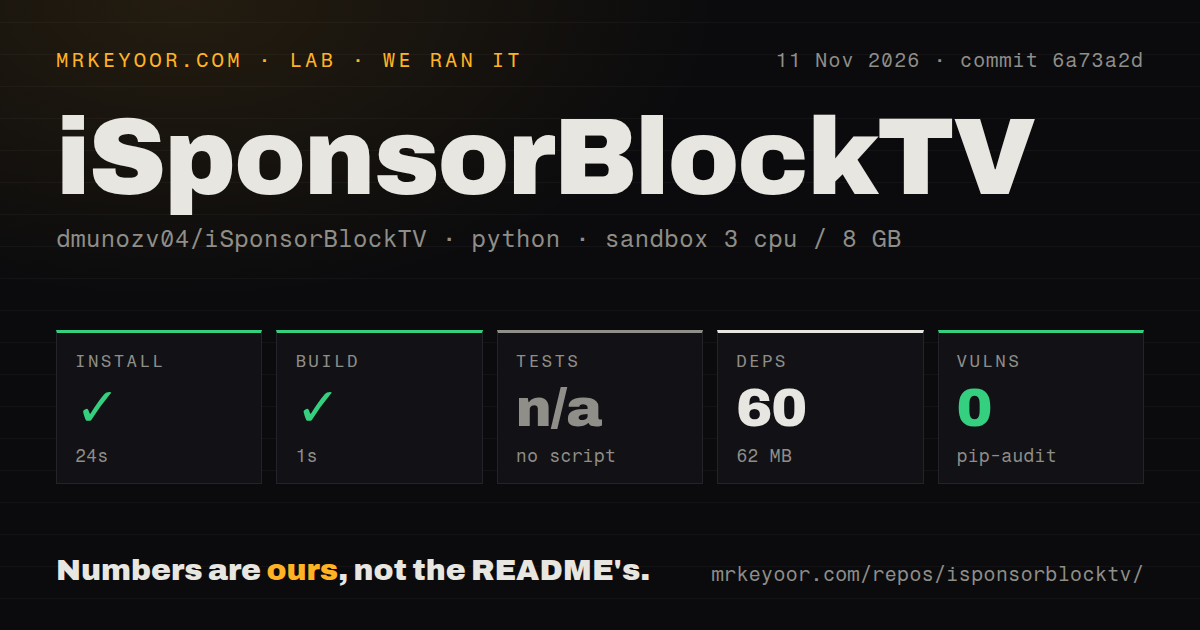
Our November 11, 2026 sandbox run installed iSponsorBlockTV in 24 seconds and completed the build step in 1 second at commit 6a73a2d. The record lists 60 dependencies and 62 MB on disk. No tests script or target was found, so tests were skipped. A successful build cannot establish sponsor-skipping behavior without a playback trial.
The checkout contained 34 files, approximately 3,260 source lines and 0.2 MB. The scan found three CI workflow files, a Dockerfile and a Compose file, with no tests directory. Pip-audit reported zero known vulnerabilities. That result concerns the recorded audit; it neither verifies TV control nor rules out defects in the application's own discovery code.
The recorded sandbox configuration was 3 CPUs, 8 GB RAM and image ghcr.io/astral-sh/uv:python3.12-bookworm. The image label does not establish the actual runtime or operating-system version. Our run provides no paired-TV result, ad-muting check or long-running service observation. Installation looks manageable on this evidence. Whether the television responds correctly remains the adoption question.
Pairing and background operation are separate jobs
The installation wiki splits Docker setup into creating config.json and starting the service. The configurator writes device settings into a data directory, which the running container must mount at the same path. Treat that directory as part of the installation you keep, rather than a disposable setup artifact.
Automatic discovery needs the host on the same network as the television during setup. The wiki's discovery instructions use host networking and say that route only works on Linux. Manual pairing uses the Link with TV code option in the television's YouTube settings. The README says ongoing operation needs network access to youtube.com and does not require the service to remain on the television's local network.
That distinction helps if your server and television live on different networks, or discovery fails. Use the documented code-pairing path before treating discovery trouble as proof of incompatibility. The wiki also offers a text configurator when the graphical configurator causes trouble. None of these routes was separately exercised in our recorded run.
Docker, packaged executables and Python installation routes are documented. The Python route still needs a background service, and the wiki recommends a service manager. Choose the deployment you can maintain after a host reboot. The sandbox's quick build says nothing about service recovery or whether your saved pairing survives an update.
Shorts and AirPlay audio have documented limits
The README says Shorts are not fully supported because of limitations on YouTube's side. It describes opening a single Short through disconnect or thumbnail-menu workarounds. That is a poor fit for someone whose normal viewing session is continuous Shorts browsing.
Apple TV has a narrower exception: ad muting does not work when AirPlay sends audio to another speaker. If that is your living-room arrangement, the compatibility checkmark alone gives the wrong expectation. Decide which behavior you need before pairing, then check sponsor skipping and ad muting separately on the actual audio route.
A discovery fix and recent reports both matter
Release v2.11.0, published August 21, 2026, fixes blind SSRF in DIAL auto discovery. The release says an attacker-controlled device on the same LAN could induce requests to an arbitrary URL, and recommends updating. A zero-advisory dependency scan cannot substitute for reading this application security notice.
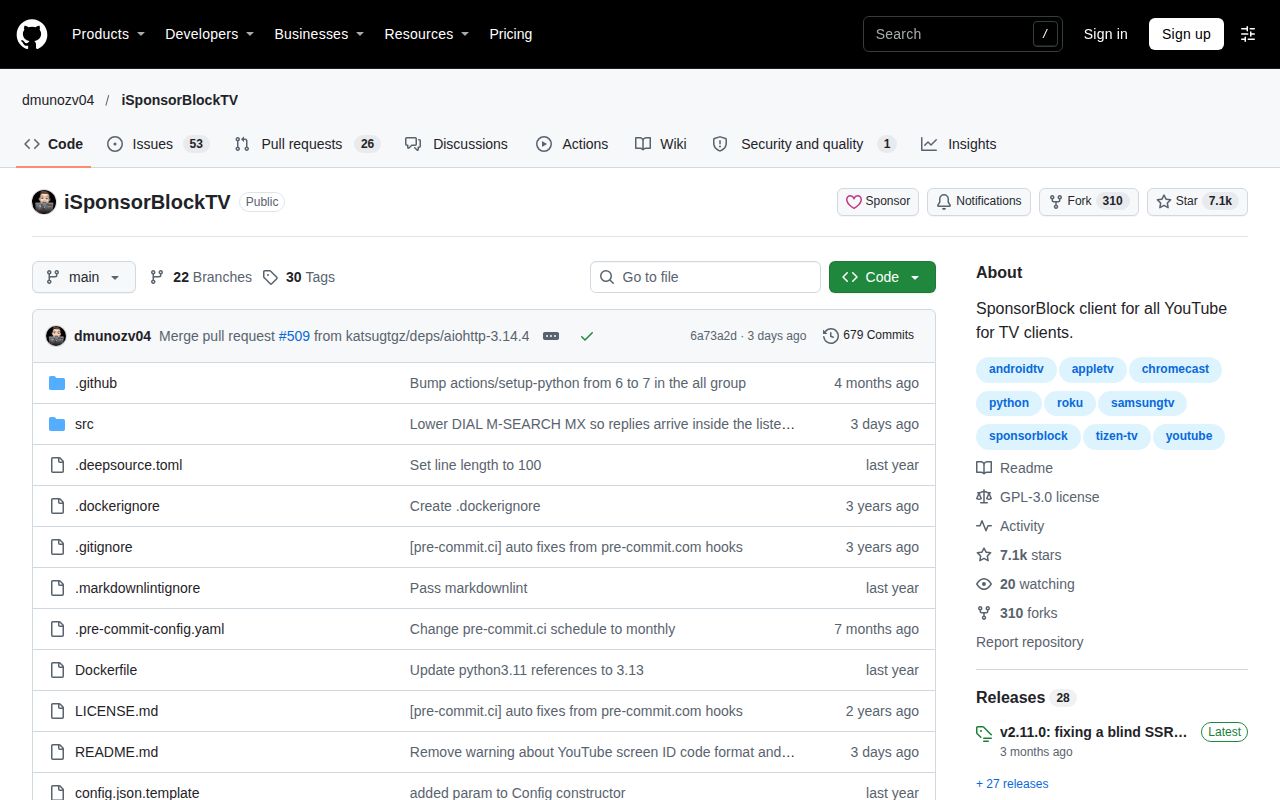
The last push was November 10, 2026. Recent issue activity includes issue 515, which reports a crash involving ad-end handling, a Samsung Tizen TV and a Python 3.14 Home Assistant addon environment. That is a user report in a specific configuration. Our sandbox did not reproduce it or establish its proposed cause. Recent activity supports checking the project further; it does not establish reliability on your TV.
The alternatives change where skipping happens
SmartTube is an Android TV media client with SponsorBlock integration. Consider it if you can replace the player on a supported Android device. Its README excludes non-Android platforms such as Tizen, webOS and Apple TV, and discloses a compromised development environment with potentially affected builds. Read that notice before choosing a download.
SponsorBlock is a crowdsourced browser extension that skips sponsor segments. Pick it when you watch in a supported browser. It addresses that viewing environment directly; it does not provide the same arrangement of a separate service controlling the television app.
Documentation earns 4/5 here: on a scale where 1 means no usable operating instructions, 3 means one documented deployment path and 5 means instructions verified across target devices, the wiki covers several routes and pairing fallbacks without our device verification. Setup ease, support quality and operating maturity remain unassessed. Pair one television, check a known marked segment and the audio route you actually use, then restart the service before committing the household to it.