SmartTube is a free and open-source YouTube client for Android TVs and TV boxes. It exists because the official YouTube experience on TV hardware is ad-heavy and tied to Google account requirements, while SmartTube gives a TV-friendly interface with SponsorBlock, playback controls, and no Google Services. The project was created on 2020-07-28 and now has 32,608 GitHub stars. Its latest stable release, 32.38s, landed on 2026-09-01, and the repository was pushed to on 2026-09-04, one day before this review. The README is in English and unusually detailed for a sideload-only Android app.
Background and threat model
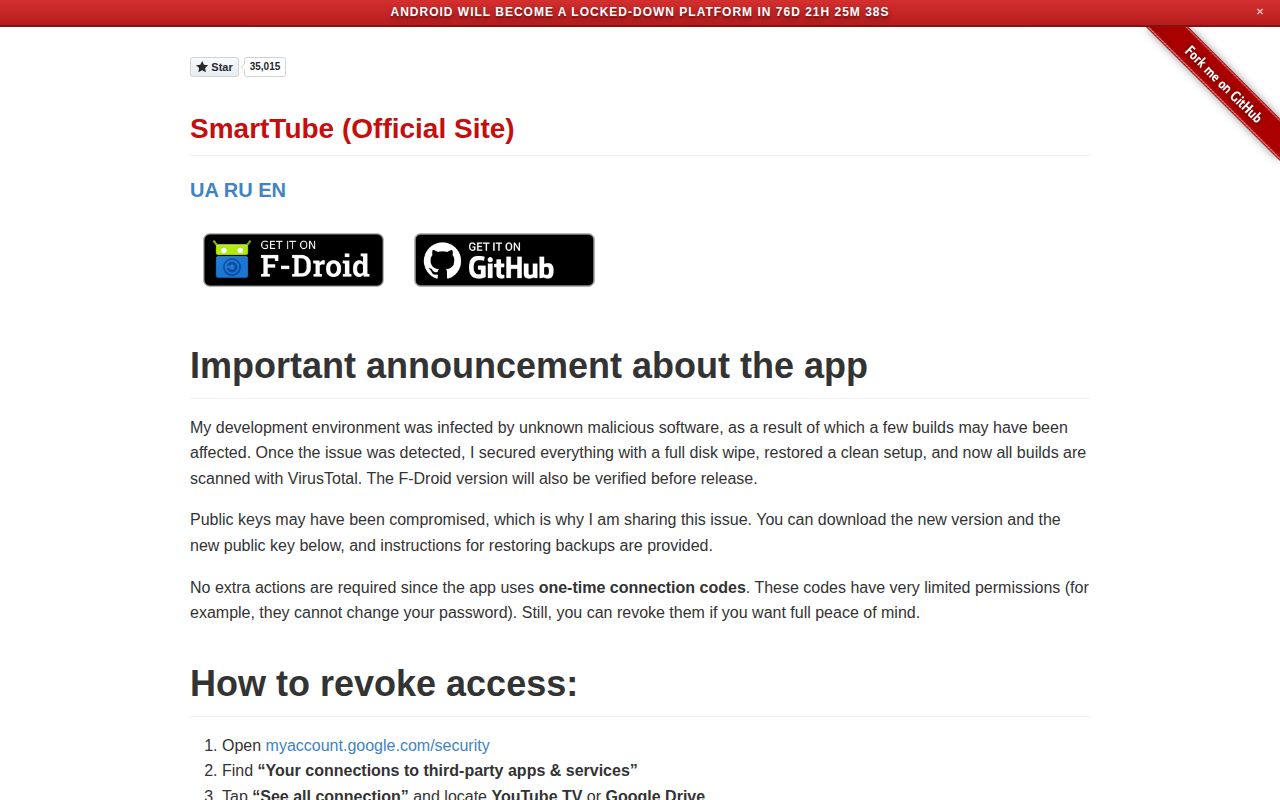
The first thing in the README is not a feature list but a security notice. The maintainer writes that their development environment was infected by unknown malicious software, a few builds may have been affected, and public keys may have been compromised. They wiped disks, restored a clean setup, scan all builds with VirusTotal, and verify the F-Droid version before release. That is candid and useful. They also explain that the app uses one-time connection codes with limited permissions, so a compromised build should not be able to change your Google password, and they provide revoke instructions. This disclosure changes the risk calculation: you are not just sideloading a random APK, you are sideloading an APK from a project that has publicly disclosed a supply-chain incident. I would still use it on a TV only after revoking old connections and installing the current release, but I would not treat it as set-and-forget.
What happened when we ran it
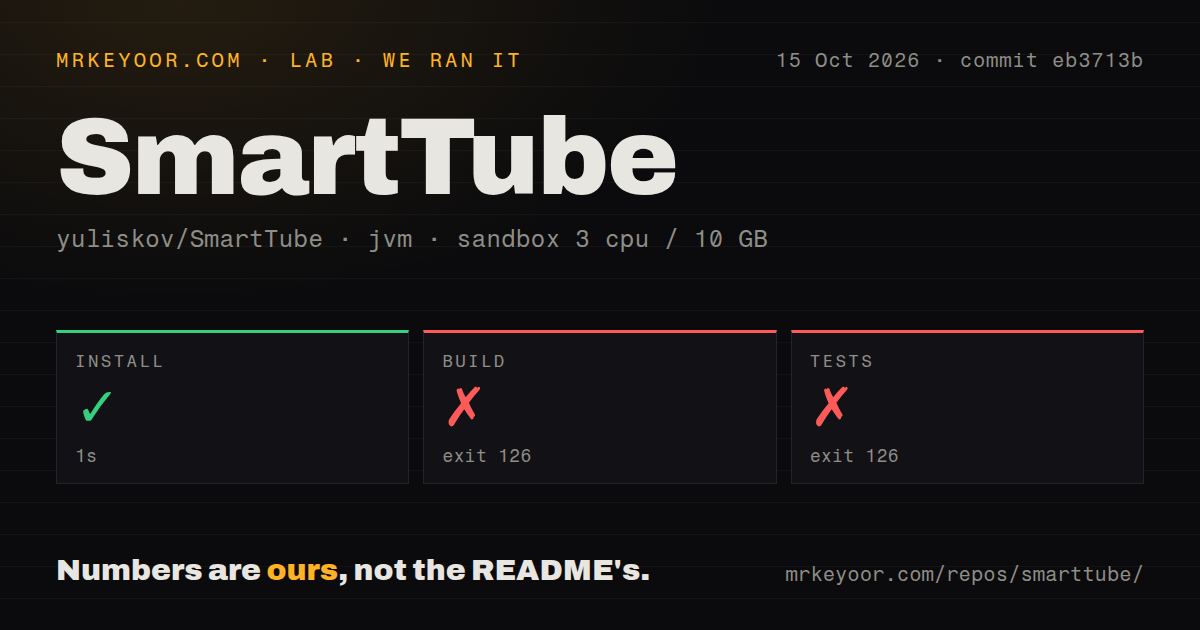
We cloned commit 25b7def and ran it in an unprivileged Debian container with 3 CPUs, 10 GB RAM, and Java 21 on 2026-09-04. The install step succeeded in 7 seconds. The build then failed in 8 seconds with exit 126, and the last log line was bash: line 1: ./gradlew: Permission denied. The test command failed in 6 seconds with the same permission error. The repository has no tests directory and no Dockerfile, and 4 CI workflow files are present. In plain words, a straight clone followed by ./gradlew does not run on a fresh Linux box because the Gradle wrapper is not executable as checked out. You would need to chmod it or invoke Gradle another way. That does not tell us whether SmartTube compiles or passes tests, only that the source build path is not turnkey. For end users this matters less, because the README's supported installation path is downloading a prebuilt APK through Downloader by AFTVnews or transferring an APK, not building from source. Still, our measured result is a real friction point for anyone who wants to verify or patch the code.
Strengths that make it worth the sideload
The feature set is concrete and well targeted. SponsorBlock integration skips sponsored segments and self-promotions, adjustable playback speed helps on long videos, and 8K/60fps/HDR support covers high-end TVs. The interface is clean and customizable, and live chat is available. The README claims compatibility all the way back to Android 4.3 KitKat, which matters for old TV boxes, and support for NVIDIA Shield, Chromecast with Google TV, and Fire TV devices released before October 2025. Installation instructions are unusually specific: use Downloader code 79015 for beta or 28544 for stable, avoid app stores and APK blogs, install to internal storage, and handle Chromecast unknown sources or Xiaomi Chinese firmware. There is also a built-in updater with changelog, so once installed you do not repeat the sideload dance. The beta/stable split gives a fast updates channel and a conservative one.
Rough edges and honest limitations
The README itself says the app is not supported on phones or tablets, comments are unstable, and voice search and casting may be inferior depending on device. Those are real compromises if your household relies on voice search or casting through the official YouTube app. The new VegaOS Fire TV devices are explicitly incompatible starting October 2025, so buying a Fire Stick 4k Select locks you out. The security disclosure, while transparent, is also a weakness: a compromised build layer means you need to trust the maintainer's recovery and VirusTotal scans, and the current public keys have changed, so old backups and connections may no longer work. Our source run failing with a permission error adds another rough edge for developers, though it is not evidence of a runtime defect.
Community health and cadence
This is not an abandoned project. The last push was 2026-09-04, one day before this review, and the latest release 32.38s came out on 2026-09-01. There are 32,608 stars and 684 open issues. The open issue count is high, which often means a busy project with a long tail of device-specific bugs rather than neglect, especially for an Android TV client that must support many TV boxes. The README mentions an international community, a Telegram changelog channel readable without an account, and translation tooling. Four CI workflow files suggest some automation, but without a passing build on our box we cannot verify what those workflows actually exercise. A project with this many stars and frequent releases deserves a strong community score, but maintainers should document the source build requirement, such as chmod +x gradlew, so contributors are not met with exit 126.
Where this fits in a real stack
On a home Android TV or TV box, SmartTube sits alongside apps like Plex, Jellyfin, or Kodi as the YouTube-shaped piece of a de-Googled living room. It is not a server and does not need a backend, so the only stack integration is your Google account connection if you choose to sign in. If you want recommendations and history synced, you grant the app a limited connection code; if you do not, it still plays public content. For family TVs, the SponsorBlock and no-Google-Services features are the main draw, and the beta channel delivers fast fixes. For developers, this repo is better treated as an APK consumer project than a clean source build target today, because our ./gradlew invocation died in 8 seconds.