Search the page, not merely its title
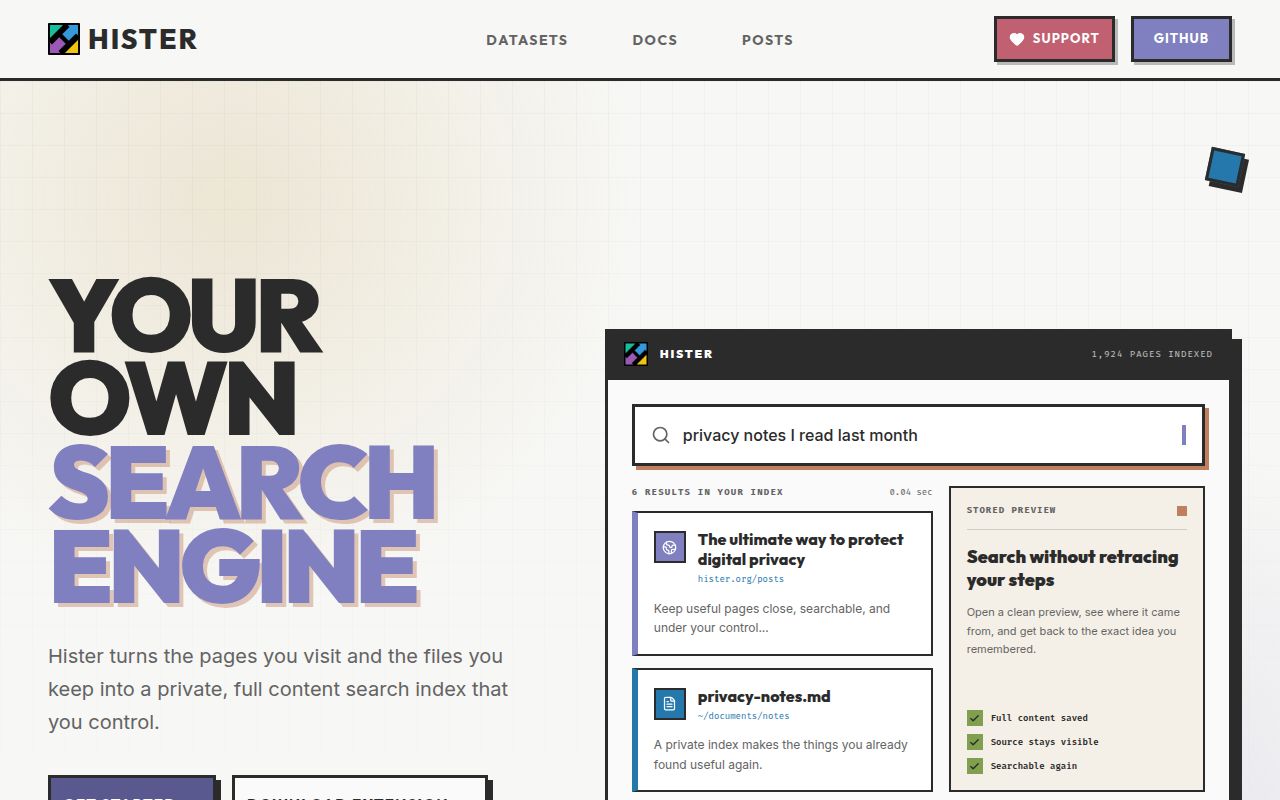
Browser history is poor memory. It usually gives you a URL, title, and visit time, which is little help when the phrase you remember was buried halfway down a page. Hister indexes extracted page text and can keep the rendered HTML too. Its search interface supports phrases, fields, wildcards, negation, aliases, priorities, and sorting. Results are available in a browser, terminal UI, command line, or MCP client.
The browser extension is central to the product. It captures a page after rendering, so it can index JavaScript applications and content visible only after you sign in. It also watches pages that update without a full navigation. That reaches material a normal crawler misses, but it may include account pages, internal tools, or private messages. Skip rules and sensitive-content patterns deserve attention before normal browsing begins.
Historical import works differently. Browser databases do not contain the old page body, so Hister reads their URLs and fetches whatever is available now. Changed pages, removed pages, and login walls will affect the result. The import does not borrow your active browser cookies unless you deliberately configure a suitable backend and provide them. This is recovery of reachable URLs, not a time machine for every past visit.
What happened when we ran it
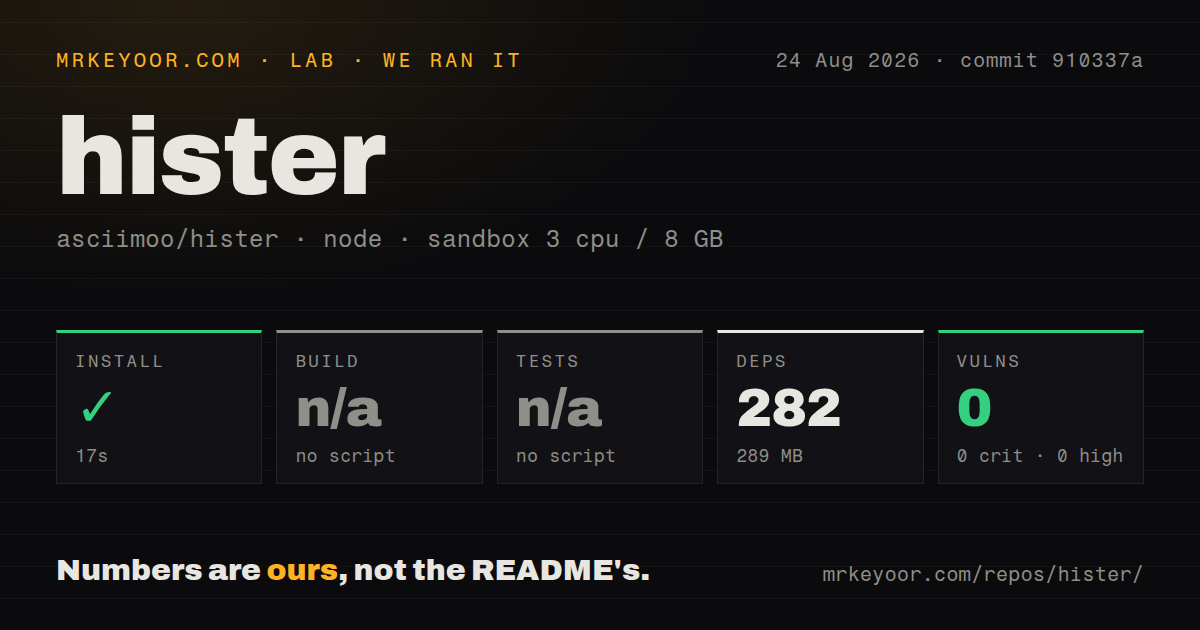
We checked commit 910337a in a fresh Debian container with 3 CPUs, 8 GB of RAM, Node 22, no secrets, and no elevated privileges. npm installation succeeded in 17 seconds. It added 282 packages and occupied 289 MB. The checkout contained 583 files and about 104,128 lines of source.
The root npm package manages several web workspaces and provides development, formatting, lint, and check commands. It has no standard build or test target, so our harness skipped both steps. The measured repository also had no tests directory. This means our run did not build the Go server or exercise Hister as a search engine.
npm audit found 0 known vulnerabilities. That clean result applies to the installed npm dependency tree, not every Go module, container layer, browser extension, or deployed configuration. The repository contains 9 CI workflow files, a Dockerfile, and a Compose file, which are useful maintenance signals but cannot substitute for a build or functional test result in our sandbox.
A genuinely easy local start
For personal use, the release binary is the right entry point. Download it, make it executable on Linux or macOS, run hister listen, and open the loopback address. The same binary contains the server and terminal client. Firefox and Chrome extensions then point at that instance. No account or configuration is required while it stays local.
Other installation choices are well covered. Official container images support common x86 and ARM machines, and the provided Compose service runs read-only, drops capabilities, uses a non-root user, and mounts persistent data. Nix modules and a community Proxmox installer are documented. Source builders need Go 1.26, npm, and a C compiler because some dependencies use CGO.
Remote hosting is a different class of setup. Hister listens on loopback by default and has no authentication by default. A network-facing server needs an access token or user handling, HTTPS, the correct base URL, persistent storage, and backup monitoring. Multi-user mode supports passwords, personal tokens, OAuth, scoped search, and document ownership. Existing anonymous documents become a shared baseline when user handling is enabled, so operators must deliberately reassign anything that should become private.
Storage policy belongs to the operator
Hister keeps searchable documents until they are replaced or deleted. It has no automatic expiry, document-count ceiling, or total disk quota. Full HTML previews are enabled by default, semantic vectors add another store, and optional versioning keeps differences without an age limit. Deleting a watched file does not remove its indexed document unless delete_on_remove is enabled.
The documentation is unusually frank about deletion. Removing a current document clears its active index record and current assets, but version records, crawl-job data, logs, exports, snapshots, and backups may remain. There is no single complete-erasure command. People indexing regulated or highly personal material need a written retention process, including backup expiration, rather than relying on the delete button. Users who only need text search can disable HTML previews and reindex to remove previously stored preview files.
MCP is useful and treated as a security boundary
The MCP endpoint lets an assistant search documents, retrieve a stored preview, and inspect indexed or opened history. Search results can include full text, while HTML must be requested explicitly. Hister marks titles, URLs, metadata, body text, and history fields as untrusted content, removes invisible control characters, and warns clients about prompt injection. That design recognizes that a saved web page may contain instructions aimed at the assistant reading it.
These controls reduce risk without solving it. The MCP guide tells clients to sanitize HTML and ask before taking actions with shell, file, browser, email, or network tools. Authentication follows the main API token or per-user token. Public mode can expose global search results, previews, file serving, and MCP search anonymously, so only content intended for public access belongs in that shared index.
Semantic search is optional and connects to an embeddings endpoint chosen by the operator. Keyword search works without it. Open issue #605 reports that changing the embedding model or dimensions does not invalidate stored vectors, requiring a full reindex to restore consistency. Another open request asks for semantic work to stop delaying keyword results. Use semantic mode after choosing a stable model and budgeting for reindexing.
Health and the decision
Hister was pushed on August 24, 2026, one day after the v0.18.0 release. GitHub showed 45 open issues and pull requests combined, with issue updates continuing that day. The release added search suggestions, file imports, service imports, structured MCP results, persistent sessions, and a long list of fixes. This is an active project, though the pre-1.0 version and current feature requests still suggest change.
The documentation covers installation, data lifecycle, authentication, Docker, browser capture, query syntax, MCP risks, and troubleshooting in practical detail. Hister is a good personal search tool for someone willing to own the archive it creates. Begin on loopback, configure exclusion rules, decide whether HTML previews are worth retaining, and test recovery from a backup before trusting it with years of browsing history.