English checking stays on the device
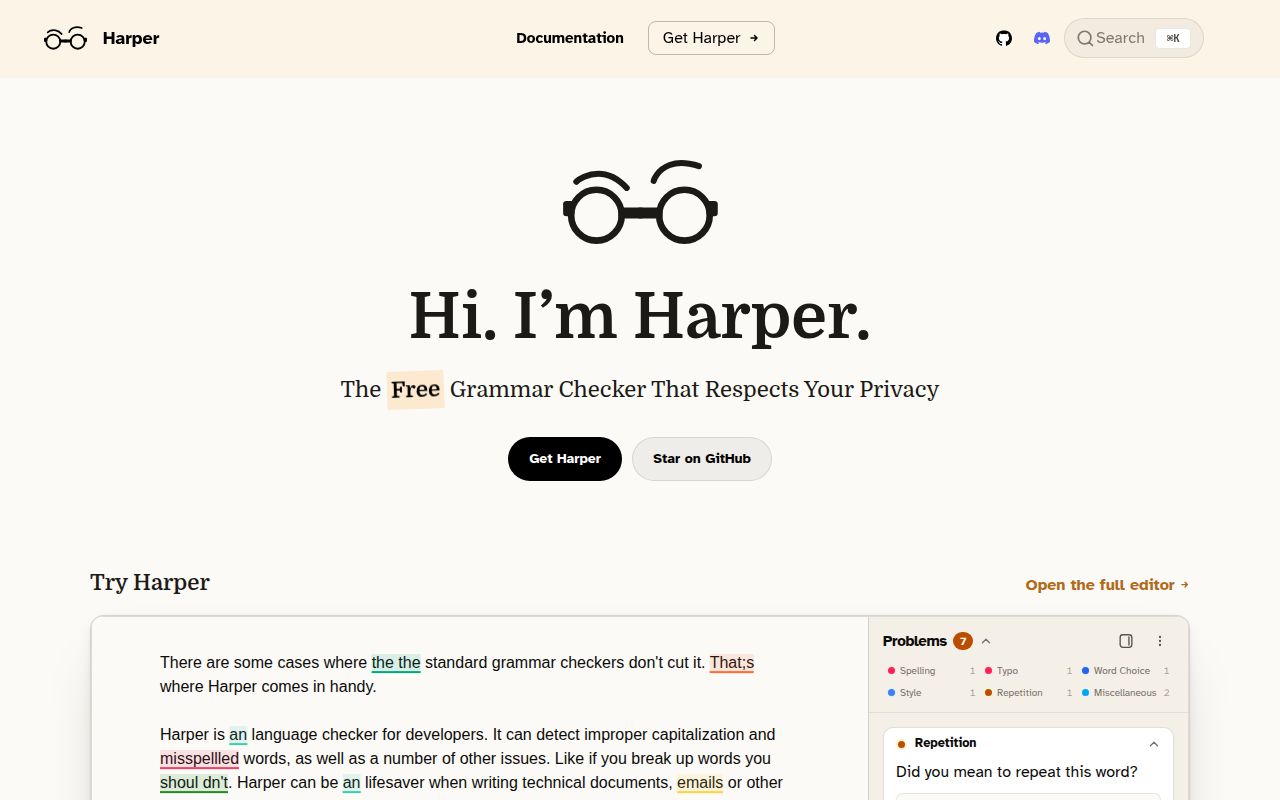
Harper finds grammar, spelling, and style problems without sending a draft to a hosted service. Its core is written in Rust and can run through WebAssembly, which makes local browser and JavaScript use practical. Finished integrations cover major code editors, Obsidian, browsers, and a desktop app. A language server gives editors a common protocol, while harper.js lets application developers embed the checker. The Apache 2.0 license permits commercial use and modification.
Privacy is the clearest reason to choose it. Text can remain inside the editor or browser rather than becoming a request to an outside grammar API. That helps with unpublished writing, client documents, source comments, and internal notes. Local execution also removes network delay from each correction. It does not settle accuracy, though. A private suggestion can still be wrong, and an omitted suggestion can still leave a visible error in the final copy.
English-only rules leave multilingual documents uncovered
The README says Harper currently supports English only. Its core can be extended for more languages and contributions are welcome, but that is an invitation rather than current product coverage. Documents that mix English with customer names, code, abbreviations, or another language will need dictionary changes and selective rule disabling. Teams publishing several languages should choose a multilingual checker or run separate tools instead of assuming Harper will grow into that requirement.
Rule coverage also needs a realistic trial. Issue 4224 reports 3 deliberately incorrect example sentences that drew no findings in both VS Code and Harper's website. The examples include homophone confusion, agreement errors, and an awkward phrase. One report does not measure the engine's overall recall, but it proves that installing a grammar checker cannot replace proofreading. Build a sample from your own recurring mistakes and compare the results before asking every writer to adopt it.
What happened when we ran it
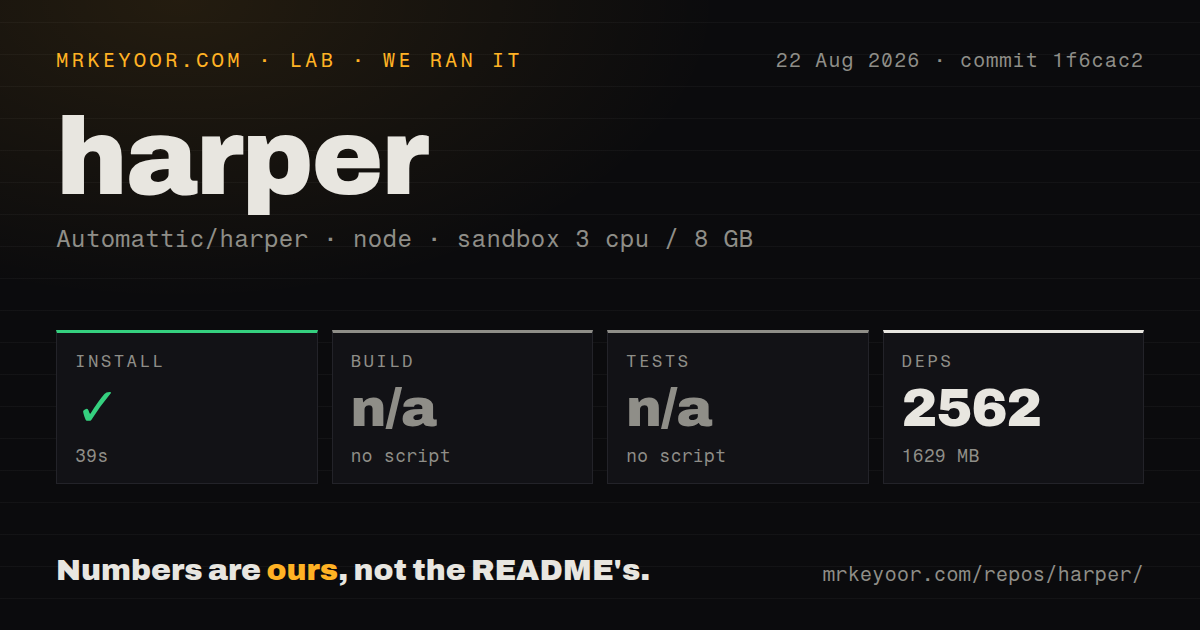
Our sandbox installed 2,562 pnpm packages in 39 seconds and consumed 1,629 MB on disk. The checkout at commit 1f6cac2 contained 1,777 files, about 159,968 source lines, and multiple pnpm workspaces. The root package had no build script or target, so we skipped the build. It also had no test script or target, so we skipped tests. Those steps did not fail, but neither produced a passing result.
The repository scan found 7 CI workflow files, a Dockerfile, and a compose file. It did not find a tests directory. That combination suggests product-specific automation exists outside the simple root npm path our lab exercises. It also means a contributor cannot infer the correct full verification command from pnpm install alone. The 1,629 MB dependency footprint is much larger than the lightweight end-user story and should be budgeted by anyone building the full monorepo.
Several clients make installation a product choice
Most users should not clone the repository. Harper is distributed as browser extensions, a desktop app, an Obsidian plugin, editor integrations, a language server, and a JavaScript package. The right setup depends on where text is written. An editor user can install the relevant extension, while a product team can embed the WebAssembly-backed library. None of those local checking paths needs a cloud grammar credential.
The number of clients creates release coordination work. Issue 3881 asks whether the Microsoft Edge version was discontinued because its store listing was months behind and Harper's download page no longer linked it. That may be a store or publishing problem, but the issue does not resolve which. Edge users should check the actual store version before basing a team rollout on it. A Chromium extension from another store may have different update and policy implications.
False positives still matter inside web forms
Browser extensions operate inside pages they do not control. Issue 4223 shows erroneous <mark> corrections appearing in a particular SpamCop feedback form with Firefox nightly and extension version 2.8.0. The report is narrow, yet it captures an important integration risk: contenteditable fields and site markup vary. People who work in specialized web applications should test those exact forms and keep an easy way to disable Harper per site.
Release 2.8.0 included a Chrome extension concurrency fix, a Slack editor fix, an Obsidian loading fix, and changes to several grammar rules. It also added pooling to reduce repeated linter construction cost and addressed a memory leak in JavaScript products. The range of fixes shows that Harper is more than a library, and every host surface has its own failure modes. Updates deserve the same staged rollout as other editor tooling.
August 2026 activity is high, and the queue is crowded
GitHub recorded 14,742 stars, 853 combined open issues and pull requests, and a last push on August 26, 2026. Version 2.8.0 was published on August 13. Same-day activity included extension work, desktop refactoring, dictionary curation, and rule changes. The large combined count is not a bug total, but it does show how much discussion and unfinished work surrounds the many integrations.
Harper is easiest to recommend as a private second set of eyes for English prose. It runs in the places technical writers already use and avoids a remote text service. The 39-second repository install does not translate into a clear one-command contributor check, and the 2,562-package tree is substantial. Try the packaged client first, feed it documents with known mistakes, and keep human review for anything costly or public.