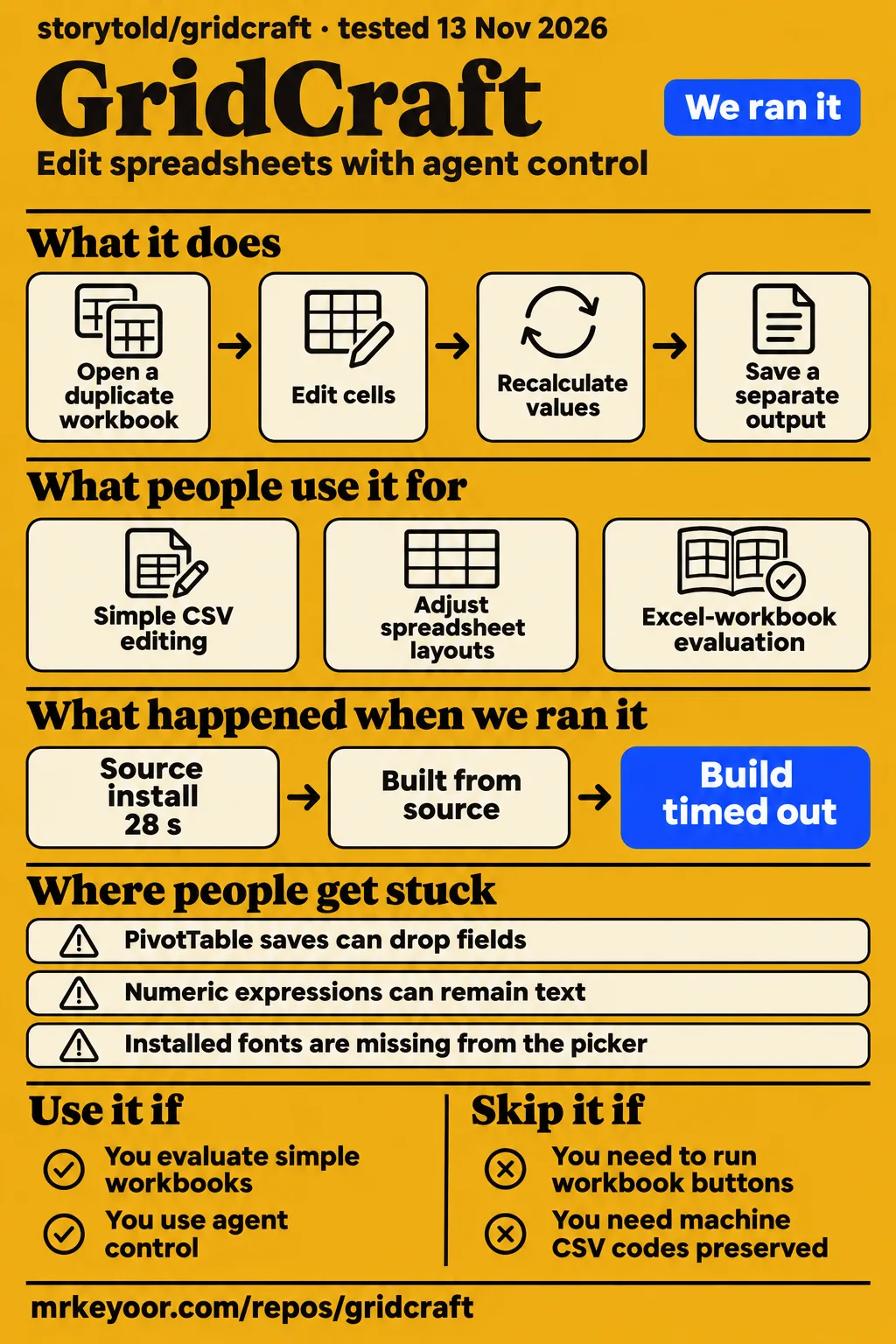
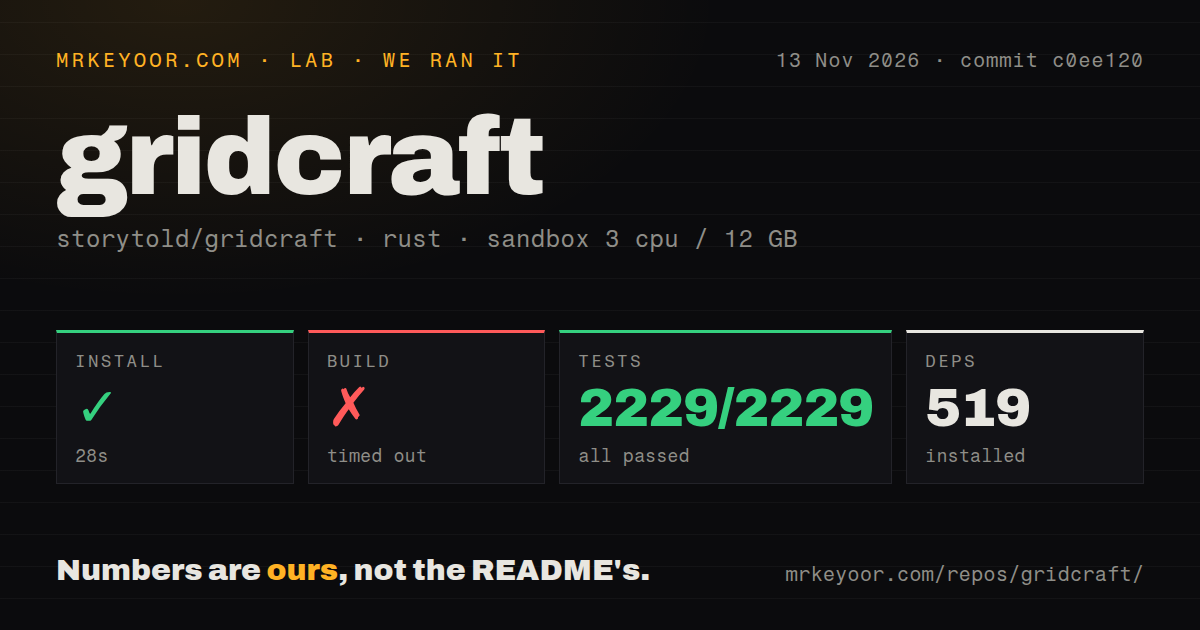
GridCraft is worth evaluating on disposable spreadsheets, especially if agent control is the attraction. Our GridCraft installation finished in 28 seconds, but both the build and test commands timed out at 900 seconds. A Windows workbook tester reports a different adoption obstacle: macros survived saving, but existing workbook buttons still sent them back to Excel. Those findings answer different questions: one concerns source-command completion, while the other concerns a working spreadsheet's business logic.
A useful evaluation follows the file through opening, calculation, editing, saving and reopening in the application its recipients use. The contributor reports distinguish three things that a feature list can blur: preserving workbook content, calculating the intended values and executing existing business logic. Keeping each result attached to its contributor, version or branch makes the reports useful when choosing an evaluation task and interpreting the resulting file.
What people use GridCraft for
Users report simple CSV editing, agent-assisted layout changes and Excel-workbook evaluation in GridCraft. The accounts range from a non-power user's layout work to business-workbook corpus checks. A small CSV, a layout adjustment and a macro-enabled workbook exercise different parts of the application. The table identifies whose experience supports each use case, so readers can choose a task that resembles their own work and follow the original account.
| Who used it | What they did | Reported outcome |
|---|---|---|
| Jack Wallen, ZDNET | Opened spreadsheets, including a 1,000-row file and an Excel workbook with a PivotTable | Reported responsive operation and a functioning pivot, while advising against production use. ZDNET workbook review |
| airesQ, Hacker News | Used an agent to inspect spreadsheet rendering and adjust layouts | Preferred the ArtCraft apps for installation size and agent control, while describing themselves as a non-power user. Agent-layout account |
| faizanullah99, r/ArtCraftAI | Used GridCraft for simple CSV and spreadsheet tasks | Reported faster operation than LibreCalc for that workload. Simple-task comparison |
| richard1912, Windows tester | Worked with macro-enabled files shared with Excel colleagues | Reported macro preservation on save and a return to Excel for workbook buttons. VBA workflow report |
The GridCraft README documents MCP tools for reading ranges, writing cells, evaluating formulas, formatting ranges and executing application commands. Its desktop control channel also provides pointer and keyboard input, dialogs and screenshots. For a developer, that gives a concrete evaluation task: ask an agent to inspect a duplicate workbook, make a bounded change and save a separate output. The attraction is an explicit command surface for spreadsheet work.
What happened when we ran it
Our November 14 interactive attempt failed its safety step because the harness required a Compose file and found none. The failed prerequisite record names compose.yaml, compose.yml, docker-compose.yaml and docker-compose.yml. Its unsafe label follows that harness rule. The run summary nevertheless describes deployment through the repository's own Docker Compose, with every port bound to 127.0.0.1. We classify the attempt as blocked because these records conflict.
The teardown record says teardown: ok. Separately, our source sandbox run used commit c0ee120 on November 13, 2026, with 3 CPUs, 12g RAM and image label lab-rust:1. Installation completed, while the build and test commands reached their time limits. The outcomes below preserve the command status alongside the reported test count; a passing count in partial output does not change a timeout into a completed command.
| Source sandbox step | Recorded outcome | What it means |
|---|---|---|
| Install | Succeeded in 28 seconds; 519 dependencies recorded | Dependency setup completed in this environment. |
| Build | Timed out in 900 seconds | The build command reached its time limit. |
| Tests | Timed out in 900 seconds; 2,229 passed, 0 failed of 2,229 reported | The output contains passing tests, while the command status remains a timeout. |
The visible test tail starts a group headed running 15 tests. It marks cases as successful for bringing a quit-question window forward, arranging native windows, closing workbook windows, keeping dialogs with their windows, preserving each window's selection and draft, showing workbook-opening feedback, following window focus, handling unsaved workbooks on quit and waiting for the macro editor to close. The excerpt stops before that group's final summary. These are log observations from our run.
The scan recorded 820 files, approximately 257,376 source lines and a 15.8 MB checkout. It found eight CI workflow files, no Dockerfile and no tests directory. Cargo's output contains tests, so the directory finding describes repository layout. Likewise, the workflow count describes configured files. The source-command run and the README's downloadable desktop builds are separate installation routes; choose the route appropriate to the machine being evaluated.
Where people get stuck: a saved workbook can still change
Issue #1447 reports PivotTable saves that dropped fields, changed filters and produced files Excel could not open. Its examples include a TRUE/FALSE source column, field names with surrounding spaces, date grouping, two value fields and PivotChart links. Opening a pivot and saving it for Excel are different tasks. The report tracks subsequent fixes, making branch identity part of the practical answer when investigating one of these failures.
| Problem and source | Reported fix or workaround | Status supported by the record |
|---|---|---|
| PivotTable export, #1447 | Items 1, 6 and 7 reached main; four additional PRs passed combined checks, with a spaced-field command regression in #1684 | Main-branch changes and additional PR checks are separate results. |
| Sign-prefixed numeric expressions, #2023 | Prefix the expression with an equals sign; contributor checks support #2029 | The latest supplied clarification says no release contains #2029. |
| CSV code conversion, #506 | #583 preserved the issue fixture byte for byte with conversions disabled | The result belongs to that PR build, fixture and setting. |
| Dynamic-array spill values, #2053 | #2130 passed renewed checks after a local merge into main | The checked build combined a PR with a specific main revision. |
The sign-input report distinguishes a numeric expression from ordinary formula entry. Its later clarification says +20+20 stays text without #2029, while the proposed change enters =+20+20 and displays 40. The documented workaround is to supply the equals sign. The spill discussion follows another path: the copied-sheet reproduction stopped exposing the problem, but a direct sequence still did. Contributors added a direct-sequence test and repeated their checks after the local merge.
On November 9, Possible_Answer_1187 reported CSV-to-XLSX Save As trouble, including a dropdown that left the extension unchanged. The same post complains about table selection, columns, drop behavior and creating a simple line graph. These are that user's reported outcomes. They identify tasks for an evaluation checklist, while the detailed issue fixtures above provide more specific reproduction and build information for investigating a failure.
Read the corpus scorecard before the feature inventory
Issue #891 separates formula-value agreement from preservation and Excel reopening. Udo Funk's property-management report attributes testing and writing to Claude on his behalf. Harrison-Booth contributes a financial-model run using a modified build. Reading the rows as distinct questions keeps their denominators meaningful: an Excel-open result measures file acceptance, a formula comparison measures values, and a preservation check measures whether workbook parts survive saving.
| Contributor run | Reported result | How to read it |
|---|---|---|
| Property-management corpus, 0.5.0 | 1,212,778 identical values among 1,382,512 comparable formula cells, or 87.7% | Recalculated values were compared with cached Excel values; external links and volatile formulas affected differences. |
| Same corpus, 0.6.1 preservation rerun | External-link losses fell from 163 workbooks to zero; VBA losses fell from 112 to zero | This measures preservation of workbook parts. |
| Financial models, main 84acf62 plus plugin host #1123 | All 240 saved outputs opened in Excel without repair; seven other inputs produced no saved output | The denominator covers saved outputs from the modified build. |
The initial property-management account reports 644 completed files with zero crashes or panics and 24 large .xlsm files skipped after exceeding 180 seconds per step. Its formula comparison covers 1,591,024 formula cells, including 1,382,512 with comparable cached values. It reports 169,734 different values in 165 files, of which 155 reference external workbooks. Those details help explain what the 87.7% figure measures and why an overall compatibility percentage would obscure the workbooks' different dependencies.
The corpus discussion says three files were added and three removed between two runs. A per-file comparison therefore needs a shared-file denominator. The private collection also explains the role of synthetic fixtures: removing cell values would leave identifying names, structures, embedded content and metadata. A small reproducer can expose an individual failure without publishing tenant or accounting workbooks, while the private collection supplies a broader set of examples.
Machine CSV files need exact codes, not prettier numbers
Issue #506 describes automatic conversion changing numeric-looking codes during an open-and-save cycle. The discussion includes wood-panel cutting machines and Croatian encoding. For this workflow, a code is an identifier consumed by another program; changing its spelling can matter even when a spreadsheet displays an apparently reasonable number. The practical comparison is between the input and saved output, including fields the operator intended to leave untouched.
The contributor check of #583 reports byte-for-byte preservation of the issue fixture with conversion options disabled, using PR head d5be8b2 and CLI commands on Windows 11. It also reports that defaults retain the previous behavior. Another participant describes using Notepad or Notepad++ because Excel changed machine codes too. That makes a text editor a relevant alternative for a small textual correction, and keeps the GridCraft result tied to the particular setting that produced it.
Fonts and printing can fail after the screen looks right
Issue #446 reports a Ukrainian form whose workbook displayed correctly but whose PDF labels became question marks. The initial reproduction names gridcraft-cli 0.5.0 on macOS, commit 9f896c1, and describes unembedded fonts with WinAnsi encoding. A subsequent finding says character data is no longer lost but no font is embedded. Screen rendering, stored PDF text and the fonts used to draw that text are separate checks.
Font selection has its own issue #793. Linux and Windows reports describe installed fonts missing from the picker and available selections failing to change the display. The discussion describes font-discovery PRs offered for testing and #3330 as open. On Reddit, Sokleang-K's Khmer-font request gives a concrete reason this matters: their Excel files use a Khmer Unicode font absent from the list.
Regional input adds another acceptance task. The README documents Spanish formula names, decimal commas and semicolon arguments through the interface-language choice, while programmatic APIs retain canonical English syntax. Separately, issue #361 reports day-first dates read month-first, including a report through v0.14.2. A cell's displayed date format and the date stored after typing are different observations, so an evaluation should compare the intended value as well as its appearance.
Agent control gives commands access to workbook data
The README's MCP tools include write_range, set_cell and execute_command, giving an agent ways to alter workbook content and invoke application behavior. A concrete evaluation should assign a separate output file and inspect the saved change before replacing a shared original. That connects the automation feature to an observable task: the intended cells change, required formulas retain their meaning and the output opens in the recipient's application.
The project README states that GridCraft has no telemetry or licence server. Connecting an external agent also requires a decision about the workbook content that service receives. Before connecting confidential sheets, decide which content the agent may read and which commands it may use. The documented interfaces make this a file-access decision as well as a convenience decision, particularly when the agent can write ranges or execute broader application commands.
GridCraft vs Excel, LibreOffice Calc and OnlyOffice
Excel remains part of the reported VBA-button workflow, while a simple-task commenter prefers GridCraft's speed to LibreCalc. Another professional commenter uses PlanMaker and OnlyOffice alongside an Excel VM. These accounts identify alternatives for particular tasks. The file's formulas, saved representation and required automation determine which comparison matters most, so the table connects each account to a selection criterion rather than assigning an overall winner.
| Alternative | Evidence behind the comparison | Practical selection criterion |
|---|---|---|
| Microsoft Excel | A Windows tester returns to Excel to execute existing workbook buttons. VBA workflow report | Keep Excel for the reported macro-dependent workflow. |
| LibreOffice Calc | One simple-task user reports faster GridCraft operation; the discussion recommends comparing actual files. Calc comparison | Compare formulas, calculations, formatting and saved results on the same files. |
| OnlyOffice or SoftMaker PlanMaker | A commenter says these cover about 80% of their work, with an Excel VM for certain tasks. Linux spreadsheet discussion | Include the applications already handling your required workbook tasks. |
| A text editor | A cutting-machine user describes manual CSV editing because spreadsheet conversion changes codes. Machine CSV discussion | Use a textual edit when exact code spelling is the requirement. |
Repeatable data preparation is another concrete comparison. Issue #431 describes users relying on Excel Power Query, custom scripts or manual steps to combine and clean external data. A contributor describes an experimental fork with refreshable queries and explicitly calls it a fork, not yet a PR. That account concerns the contributor's implementation; its fork status is the relevant distinction when choosing between that workflow and the official installer.
What the other reviews get wrong
ZDNET's template-focused takeaway misses the additional workflow obstacles documented in #1143 and #431. Its successful PivotTable example remains useful as an account of one workbook, alongside the targeted failures in #1447. The official page's broad round-trip language also needs the issue history beside it: partial fixes on main and checks of additional PRs identify progress more precisely than a blanket statement about clean saves.
Early coverage saying there was no published real-world-file testing is dated by the contributor reports in #891. Thurrott's earlier account of removed website download links is also dated by the official page, which lists standalone installers and a recommended launcher. Readers choosing an installation route can use that download description, while readers assessing workbook behavior can turn to the versioned corpus and issue reports for the relevant task.
The property-management report describes a formula-heavy 1.1 MB workbook taking 42 seconds to open, versus about two seconds in Excel. Those are contributor timings, separate from our command measurements. They supply a concrete counterexample to broad speed praise while leaving the responsive simple-file accounts intact. Workbook structure matters to the comparison, so a small successful sheet and a slow formula-heavy file should retain their own identities in the review.
Questions people ask
The reported Windows workflow still needs Excel for existing VBA buttons, and the query implementation described in #431 is an experimental fork. These distinctions answer replacement questions more directly than comparing ribbons. The questions below also separate ArtCraft's spreadsheet from unrelated products named GridCraft and point readers to the repository's documented download routes, keeping product identity and workflow requirements attached to each answer.
How does GridCraft compare with Excel?
The Windows tester in #1143 reports that GridCraft preserves macros on save but sends them back to Excel to run workbook buttons. For their shared files, executing those buttons decides whether they can switch. The corpus reports address other aspects of exchange with Excel, including recalculated values and saved-file acceptance. A reader whose workflow involves different features can use the corresponding report rather than treating the macro account as a result for every spreadsheet.
Is GridCraft better than LibreOffice Calc for my spreadsheets?
One r/ArtCraftAI commenter reports faster GridCraft operation for simple CSV and spreadsheet work. The same discussion recommends opening the same files in both applications and comparing formulas, calculations, formatting and results. This is a task-specific account: the commenter describes a simple workload, and the comparison advice directs readers toward their actual files. It gives a practical way to choose between the applications without turning one user's speed preference into a general ranking.
Is ArtCraft's GridCraft spreadsheet the same product as the Illustrator plugin or the Minecraft-style game?
ArtCraft's spreadsheet is the storytold/gridcraft repository. Anish Lal Shrestha's GridCraft plugin generates layout and typographic grids inside Illustrator, Photoshop and InDesign. A separate GridCraft gameplay discussion concerns a game. Including ArtCraft, spreadsheet or the repository name makes the intended entity clear when following search results or comparing descriptions that share the GridCraft name.
Where can I find GridCraft's GitHub repository and official downloads?
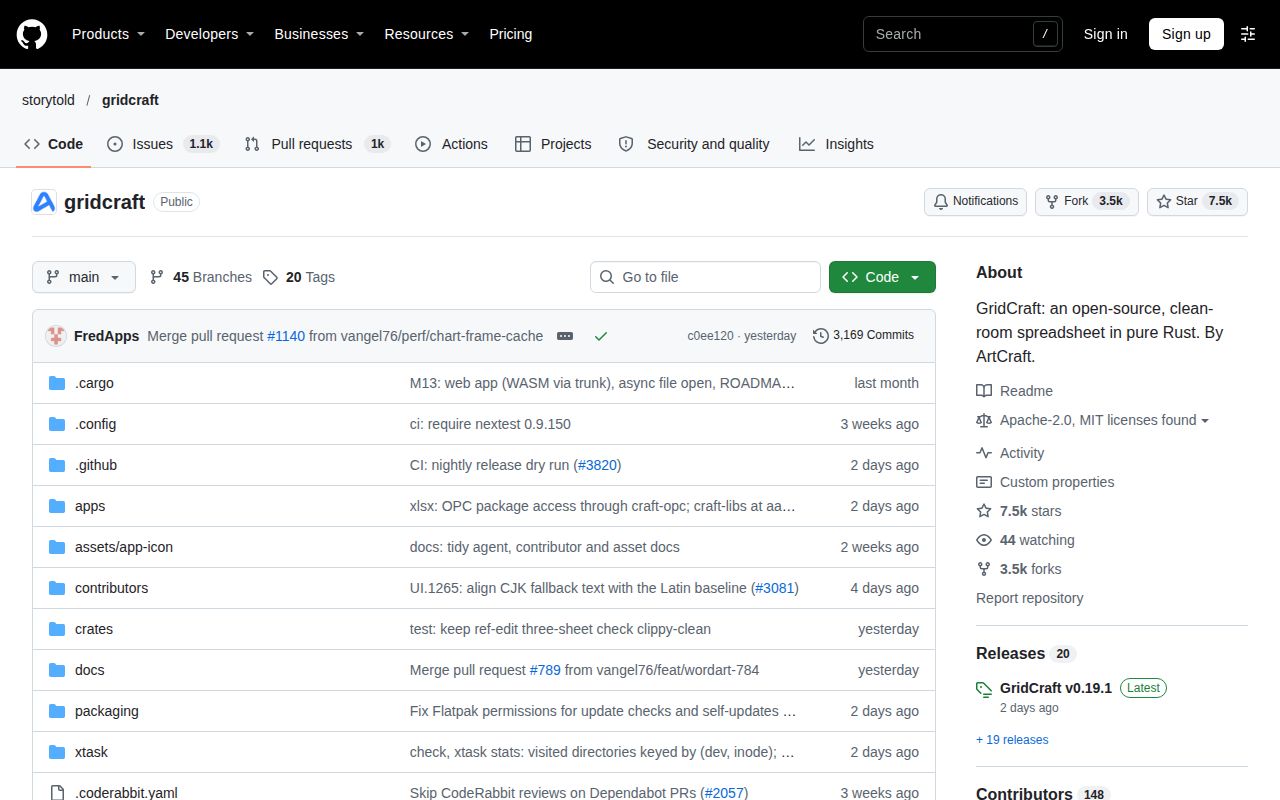
The repository is storytold/gridcraft on GitHub. The official GridCraft product page lists the launcher and standalone installers, and the README links GitHub releases with platform-specific packages. The recorded latest-release metadata identifies v0.19.1, dated November 12, 2026. Our source-command measurements belong to commit c0ee120; the release tag and measured commit identify the respective evidence used here.
What we have not tested yet
Our November 14 interactive attempt contains no successful desktop session, known-answer tasks, screenshots, application-memory measurements or responsiveness results. Its deployment summary conflicts with the failed Compose prerequisite. Our c0ee120 source run provides incomplete build and test commands; raw toolchain logs would be needed to identify actual runtime and operating-system versions or diagnose the timeouts. The image label lab-rust:1 supplies neither a runtime version nor an operating-system version.
We have not independently reproduced the contributor corpora, PR checks, printing reports or forum complaints. Their releases, main commits, local merges and forks do not certify v0.19.1 or another installed build. The evidence does not settle comprehensive multilingual printing, full system-font selection, official integration of the query fork, existing Excel add-in compatibility or native execution of the required VBA workflows. The CSV PR check used the CLI and did not inspect its Options page in a window.
The November Save As complaint lacks a versioned reproduction. Original corpus completion and skip totals need reconciliation before calculating an overall success rate. The supplied extracts establish additions and removals between corpus runs but do not establish the versions or shared-file counts needed for a numerical comparison. We have no common-corpus comparison of Excel, Calc and OnlyOffice, network audit, adoption measurement or support-response measurement. Numerical product ratings therefore remain unassessed. The evaluation procedure below describes suggested work, not a newly executed test.
For an acceptance check, retain an original and record the exact GridCraft build. Edit a duplicate, recalculate it, save it and reopen it in the recipient's application. Compare required totals and pivot filters, exercise required workbook buttons and inspect the delivered PDF's text and appearance. For machine CSV, compare saved bytes before importing. This procedure turns the reports into specific questions about the workbook being considered without treating someone else's successful file as the answer.