Goldie turns repeatable app flows into store artwork
Goldie is worth considering when the next app release means taking the same screenshots again. Its English README describes a CLI that drives an app through Argent, captures the result and adds device frames, headlines and backgrounds. The browser studio adjusts that presentation and saves the choices for another render. Your app remains the source of the pictures, so keeping its capture flows working is part of the job.
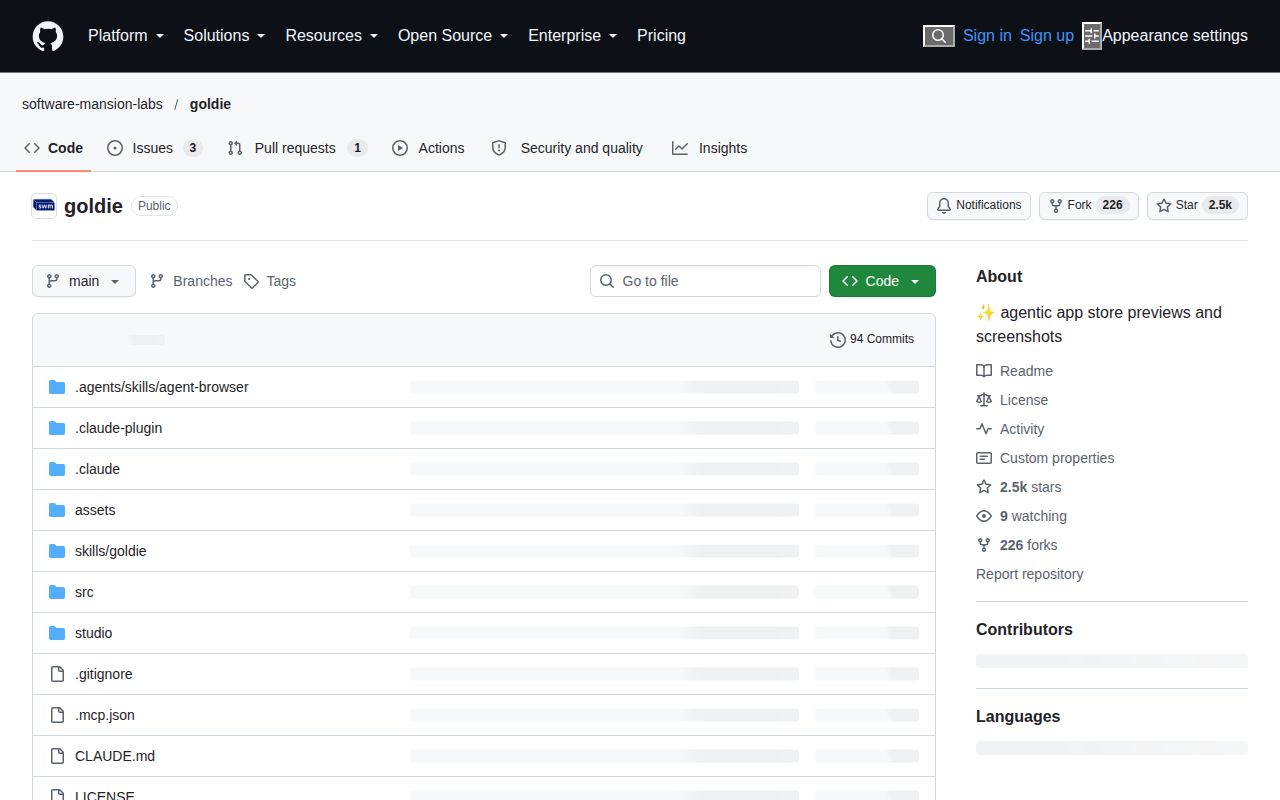
The September checkout contained 89 files and about 7,901 source lines, occupying 19.7 MB before installation. That's a modest project to inspect, though the installed environment was larger. The original kacperkapusciak/goldie address now redirects to software-mansion-labs/goldie. Its documented value is repeatable artwork from a real application, especially when you're tired of manually rebuilding the same screenshot compositions after every UI change.
What happened when we ran it
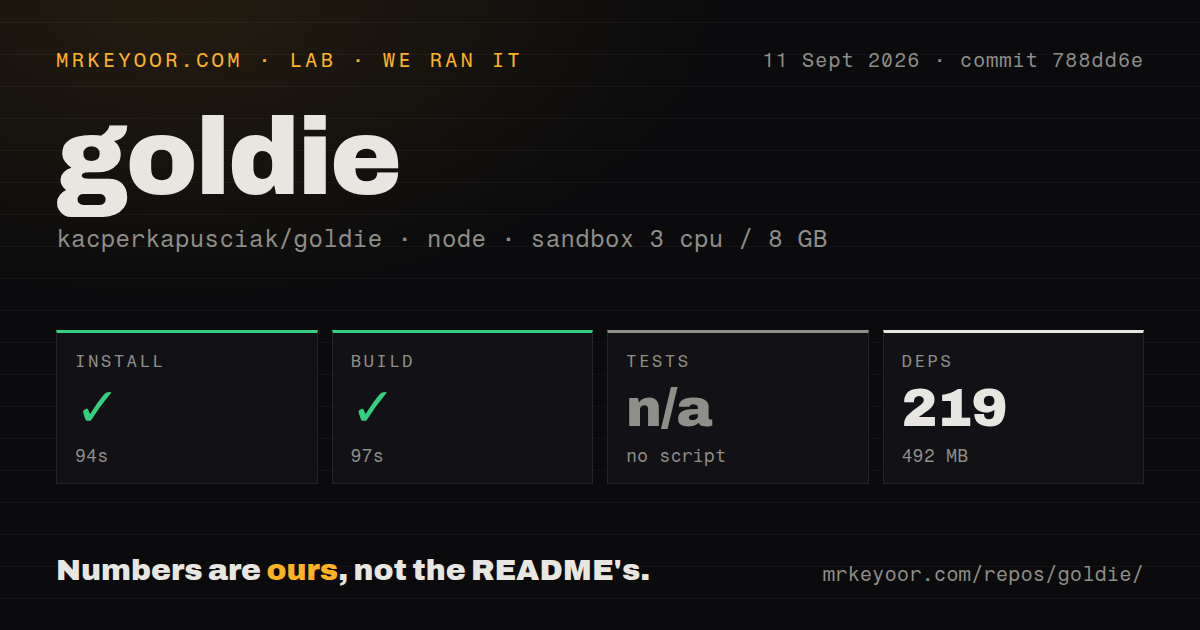
Our Goldie run installed 219 packages in 94 seconds and occupied 492 MB on disk. The build succeeded in 97 seconds. We cloned commit 788dd6e on September 11, 2026, into a fresh Debian sandbox with 3 CPUs and 8 GB of RAM, using image lab-node:22. The container was unprivileged and held no secrets. These results establish that the measured checkout installed and built successfully.
The lab skipped tests because that checkout exposed no test script or target. Its scan also found no CI workflow files, Dockerfile or tests directory. A successful build gives us a usable starting point for evaluating the code, but it doesn't demonstrate simulator control or finished store assets. The supplied measurements include no capture run, rendered preview inspection or store submission, so none of those outcomes belongs on its scorecard.
iOS capture needs a Mac, even if the package builds on Linux
The 97-second build on Debian doesn't make Debian an iOS screenshot workstation. Goldie's documented iOS path requires macOS, Xcode and simulators. Android uses an emulator and can run on macOS, Linux or Windows, with extra Linux prerequisites delegated to Argent's instructions. Configure only Android devices on a host that can't run iOS simulators, then use goldie doctor to check the tools and flows.
Your configuration points to an app build, its identifier and Argent flows under .argent/flows. FFmpeg must be available on the command path. The README recommends a Release app build because debug banners can appear in captures. Goldie doesn't document a mandatory hosted rendering credential for this workflow, although an optional coding agent has its own account requirements. An app that needs login still needs suitable capture data and an account you can safely show.
Saved design choices make repeated exports less manual
The 492 MB installed footprint buys more than a capture wrapper: Goldie also has a studio and an image-rendering path. goldie.design.json records studio choices so subsequent CLI renders can reuse the presentation. You can change device art or background color without starting the design again. That is the strongest reason to adopt it if you already have a working app and predictable navigation through its important screens.
Preview videos join clips captured from scene flows, while screenshots combine app pixels with text and device art. The example configuration makes those inputs explicit. This also exposes the maintenance cost: a changed selector can break a flow before rendering begins. The README tells you to repair or rerecord flows after app changes. Put that work beside the UI change, rather than discovering it during store submission.
Translated headlines can hide an untranslated app
Goldie's default locale behavior reuses captures taken in the first locale. Our 219-package install didn't exercise language switching, and a passing build can't tell you whether a German headline surrounds an English app screen. That's a real risk for multilingual listings because the composed image can look finished while presenting the wrong language inside the phone. Review the app pixels separately from the marketing text.
The current README documents localizedCaptures: true for separate iOS captures in each configured language. Android still shares a capture. Font handling also needs care: Goldie draws copy with Skia, and the README warns that an unregistered font can produce missing-character boxes. Register your brand font files and inspect exported text, particularly for scripts outside the bundled coverage. The browser's appearance alone doesn't settle whether the image contains the intended glyphs.
Asset verification checks files, not the sales story
Goldie's verification implementation checks screenshot dimensions and transparency, then uses FFprobe to inspect preview properties. The 94-second install and 97-second build never exercised those checks against captured assets in our sandbox. A green repository build therefore can't establish whether a headline fits, the correct screen was captured or a clip explains your app clearly. Open the exported files before approving them.
This distinction also matters for distribution. The README says Google Play preview output is a video you post to YouTube yourself. Goldie doesn't finish that publishing step. And if you only want to upload existing phone screenshots into a standalone browser designer, issue 14 requests that workflow. It's an open proposal, so don't choose Goldie assuming the studio already replaces a general screenshot-design service.
October activity supports a trial, not an unattended launch
GitHub recorded the last push on October 6, 2026. The latest-release endpoint returned no published release, but merged work on locale capture and Argent integration, followed by October issue activity, shows ongoing maintenance. An open simulator-pinning proposal also matters to teams sharing leased devices: don't assume that proposed override is available in the current package.
Budget the 492 MB we measured, plus the separate simulator or emulator environment, and try one representative flow before automating a release. Fastlane is the better comparison if screenshots belong inside broader signing and delivery automation. Maestro is another route when maintaining reusable UI flows is the main problem and you can handle artwork separately. Choose Goldie when saved compositions justify maintaining its capture flows, then inspect the files it produces.