Go2TV casts one file without asking you to run a media catalog
Go2TV is for the moment when a video is on your laptop and the screen you want is across the room. It discovers Chromecast and DLNA/UPnP receivers, serves the selected media over the local network, and sends playback commands. The same program has a desktop interface, a command line, and a web control mode. That narrower job distinguishes it from Jellyfin-style systems that organize a permanent library and expect clients, users, metadata, and ongoing administration.
The supported input list covers 16 familiar video, audio, and image extensions in the graphical app, while the CLI accepts any file type. Remote URLs and piped input are also valid, so a yt-dlp stream can flow into Go2TV without first becoming a saved file. External SRT or VTT subtitles and embedded MKV subtitles are documented. Compatibility still belongs to the receiver; FFmpeg is the escape route when a television cannot decode the original media.
Version 2.5.0 added browser control, not remote hosting
Release v2.5.0, published August 4, 2026, added an optional web interface with a media-root browser and live playback controls. A headless instance starts with -server plus at least one -media-root; repeated roots expose more folders. The desktop app can start a separate remote web session from its settings. Those controls make an old laptop or small home box useful, without turning Go2TV into a public streaming service.
The boundary matters because LAN mode uses plain HTTP. The README tells users to bind a non-loopback address, list each allowed browser origin, and use the feature only on trusted networks. There is no documented account system or TLS termination in this mode. Exposed roots are therefore a local convenience, not something to forward through a router. If access from outside the house is a requirement, a server designed around authentication is the safer choice.
What happened when we ran it
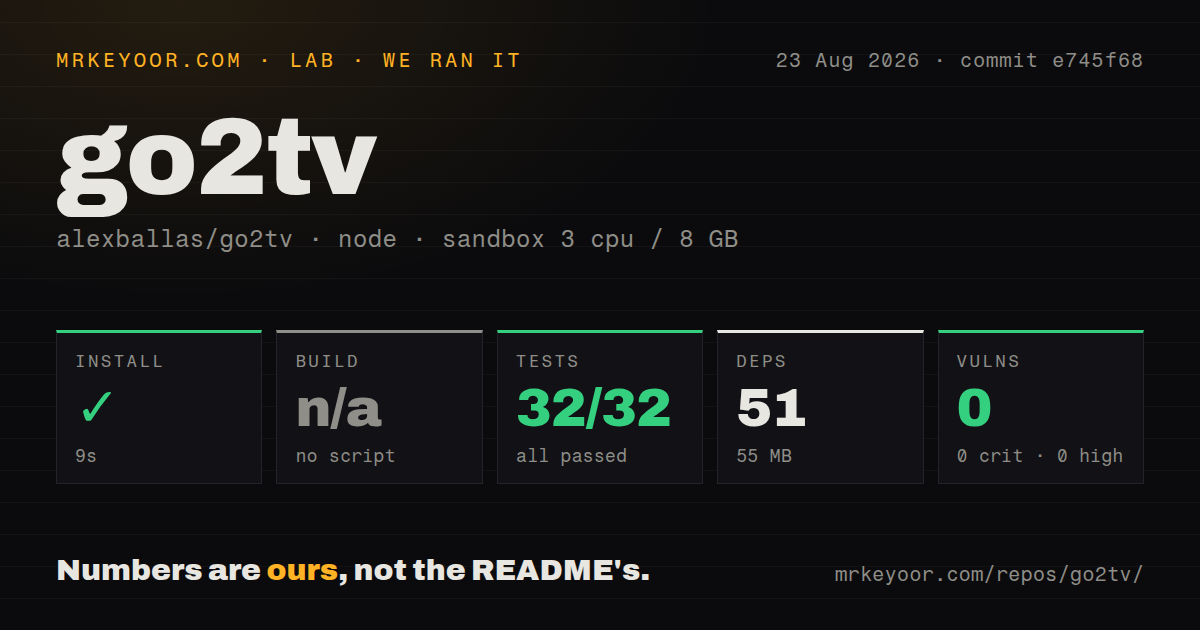
Our sandbox installed commit e745f68 in 9 seconds, adding 51 npm packages and consuming 55 MB on disk. The measurement classified the checkout as a Node/npm project even though GitHub lists Go as the primary language and the README documents Go 1.26 for source builds. There was no build script or target in the measured npm path, so the harness skipped that step. The checkout contained 296 files and about 61,244 lines of source.
The available test command finished in 10 seconds with 32 passed and 0 failed. Npm audit reported 0 known vulnerabilities across critical, high, moderate, and low severities. Those results cover only the command found by our harness in a fresh Debian container with 3 CPUs and 8 GB of RAM. They do not prove that a particular television discovers correctly, that FFmpeg selects a working encoder, or that playback stays synchronized on a home network.
FFmpeg decides whether awkward media plays
Compatible files can go straight to a receiver, but transcoding requires FFmpeg. Go2TV probes available hardware H.264 encoders and falls back to libx264 if the hardware path is absent or fails at startup. FFmpeg is also required for the RTMP server and experimental desktop casting. Flatpak and the default Android APK bundle it; desktop release users may need to install it separately or point Go2TV at a specific binary.
Firewall rules are unusually concrete: device discovery uses UDP ports 3339 through 3438, while the local HTTP media server uses TCP ports 3500 through 4499. Network segmentation, guest Wi-Fi isolation, or a strict host firewall can stop discovery or playback even when the app itself launches. Android has another firm limit: the bundled FFmpeg APK is arm64-only and requires Android 9.0 or newer. These are setup facts worth checking before blaming a receiver.
One receiver and uneven DLNA behavior set the ceiling
Go2TV controls one device at a time. Issue 134 asks for detaching from an active cast or running several sessions, which confirms that multi-room playback is outside the current behavior. Issue 122 reports that auto-play next file disconnects after a video ends on a LeBao Cast receiver, even though manually choosing Next resumes playback. DLNA products interpret the same protocol with enough variation that a successful cast to one television is not proof for another.
The project also draws a source-availability line around Chromecast. Its custom receiver lives at cast-receiver.go2tv.app, and the README says that receiver is not part of the repository or currently published. Functionality is described as matching the default receiver apart from branding. That may be acceptable for a home utility, but organizations that require every executed component to be inspectable should include the hosted receiver in their decision.
August 2026 activity supports a trial, not every receiver
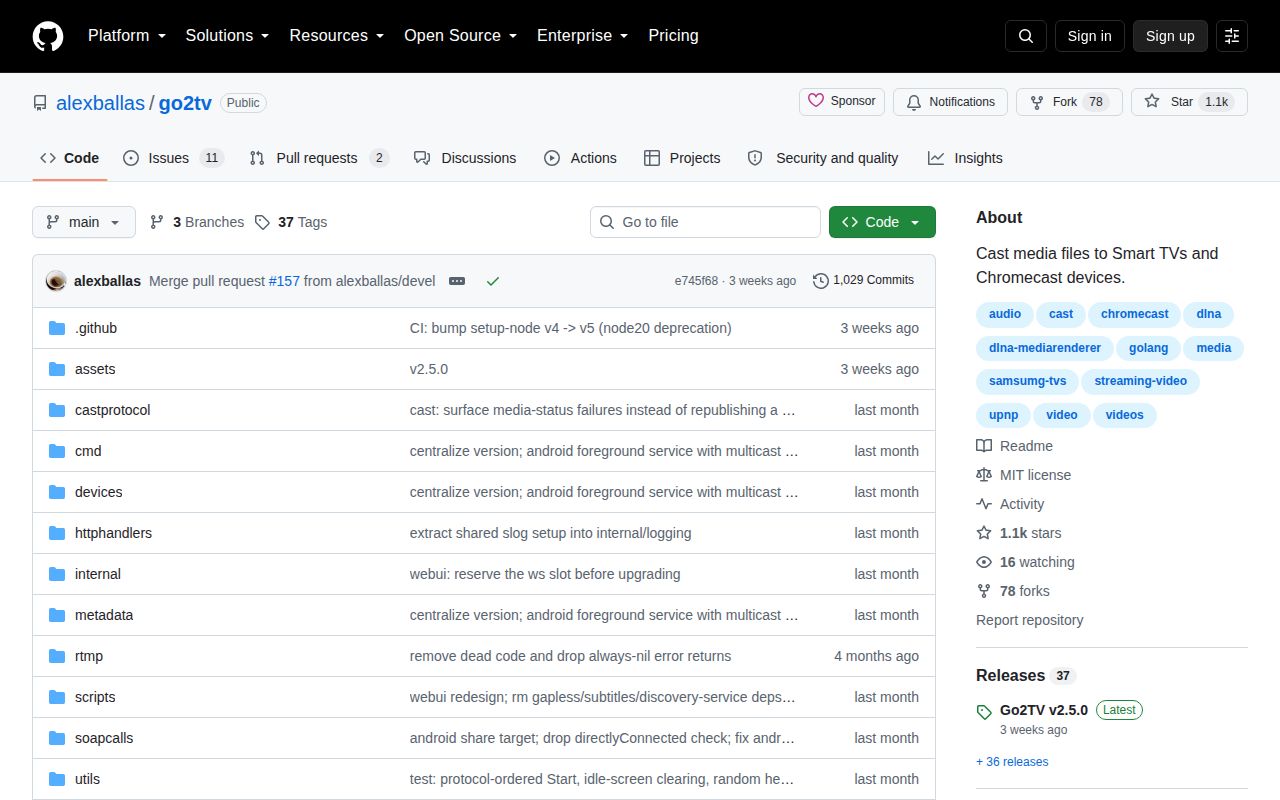
GitHub showed 1,077 stars, 13 open issues and pull requests combined, and a last push on August 17, 2026. The latest release landed 13 days earlier with Android background casting, stable APK signing, web controls, and fixes to Chromecast autoplay and screencast synchronization. An issue updated August 23 describes an intermittent Flatpak file-picker error on one Wayland and KDE setup, with detailed D-Bus evidence. The recent maintainer activity and specific reports are healthier signals than the star count alone.
Go2TV earns its place when the alternative is copying a file to USB or installing a much larger server for occasional casting. The 9-second install and 32 passing tests make experimentation cheap, and release binaries remove most source work. Keep the web UI on a trusted LAN, install FFmpeg only when the media path needs it, and test the exact receiver you own. A family library with profiles and remote access belongs in Jellyfin or another full server.