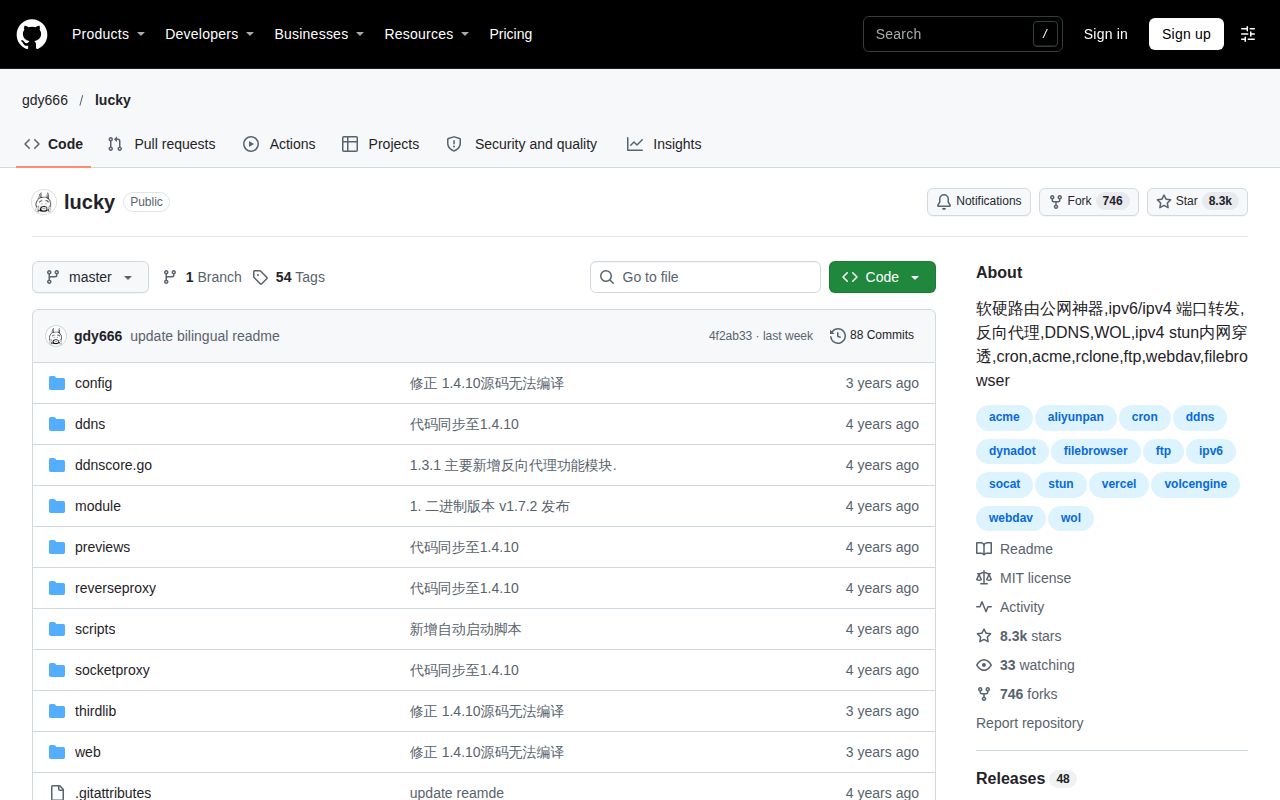
Lucky's public source stops at version 1.4.10. Upstream says current software releases differ from that historical source and should not be described as open source. If public source for the deployed version is mandatory, current Lucky releases do not meet that requirement.
What the source boundary means
Lucky (Wanji) is a personal and home-network tool. Its README describes a web management interface for dynamic DNS, access to local services, certificates, file services and device automation. A shared interface may suit someone maintaining several network services on a router or NAS.
The README also says there are currently no plans to open-source versions after 1.4.10. Building this repository therefore does not validate a current downloaded package or establish which advertised modules it contains. Evaluate the historical source and a current package as separate artifacts.
What happened when we ran it
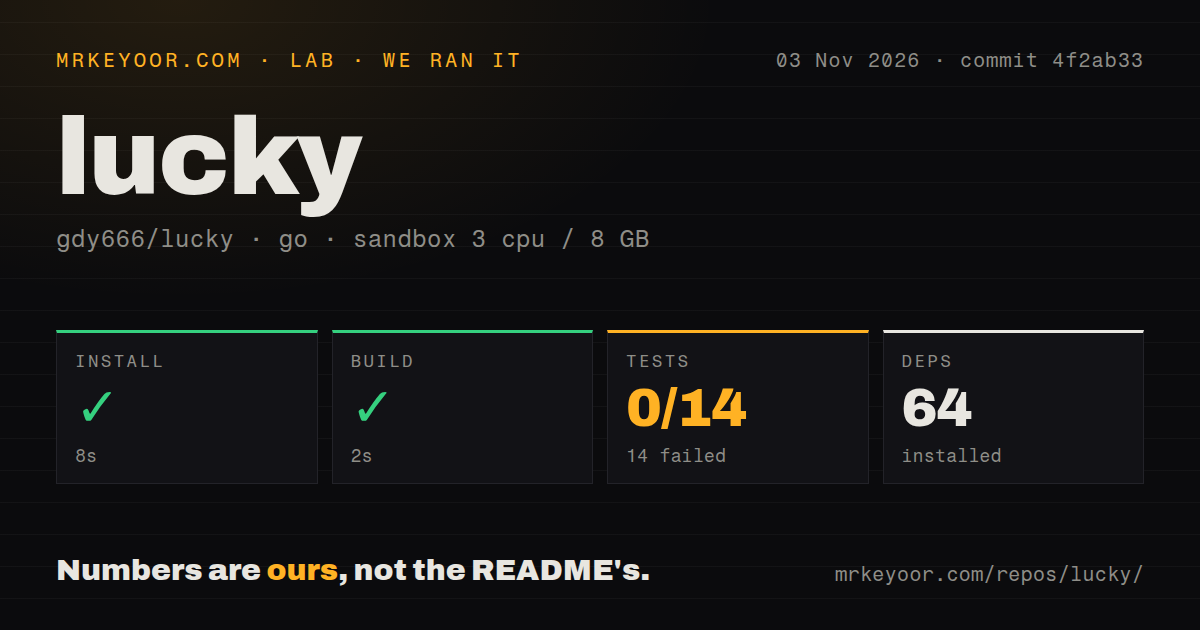
Our November 3, 2026 sandbox run at commit 4f2ab33 recorded installation success in 8 seconds and build success in 2 seconds. The record lists 64 dependencies. These results do not establish that a proxy accepted traffic or a DNS provider received an update. The supplied record contains no installed disk-footprint measurement.
Tests exited 1 after 38 seconds. The summary records 0 passed and 14 failed out of 14. The shown Go output labels packages as build failed, including DDNS, port forwarding, reverse proxying and Wake-on-LAN packages. These are package build failures during the test step, not evidence that fourteen application behaviors executed and returned incorrect results.
The log tail omits the underlying compiler diagnostic. Complete command invocations are also absent, so the successful build and failed test step do not establish a cause. A compiler mismatch or missing dependency would be a guess.
The recorded sandbox configuration specified 3 CPUs, 8 GB RAM and image golang:1.24-bookworm. The image label does not establish actual runtime or operating-system versions. The scan found a Dockerfile, 0 CI workflow files and no tests directory. Those observations do not establish that upstream has no other checks. No live network service was validated.
Check the package against the required task
The current README lists dynamic DNS, reverse proxying, certificates, file services and NAT traversal options. It qualifies that list: availability depends on the build, platform and runtime environment, and some features may require additional configuration.
Before choosing a package, identify the required service and check its availability for that package. For external access, the README also calls out the public address, router and firewall configuration. Those requirements remain part of the deployment even when configuration happens through a web interface.
The README's Docker example uses Linux host networking and a mounted configuration directory. Its v3 tag follows Beta updates, so features and configuration may change. Back up configuration before upgrading and check compatibility before restoring across versions. The sandbox run did not exercise that container or backup restoration.
Management access and reporting
The README tells users to change default credentials and restrict access to the management interface. It explicitly says a security entry path does not replace authentication or a firewall. Apply those controls before relying on remote administration.
The README also says Lucky reports its version, operating system type, architecture and a randomly generated device identifier. This is upstream's description, not a traffic capture from the sandbox. If device reporting conflicts with your requirements, review that behavior before choosing a package.
The supplied release page identifies v3.5.0 and includes October 2026 notes. It does not establish support responsiveness or production reliability. Both remain unassessed here.
Alternatives for narrower requirements
ddns-go obtains a public IPv4 or IPv6 address and updates the corresponding domain service. Evaluate it when dynamic DNS covers the requirement.
Nginx Proxy Manager packages web forwarding and SSL management in a Docker-based interface. Evaluate it when publishing web services with certificates covers the requirement. Neither alternative was measured against Lucky here, so this review establishes no comparative setup or performance winner.
All four rating dimensions remain unassessed because the record does not verify a supported deployment, documentation accuracy in use, support responsiveness or operational reliability. If current public source is mandatory, exclude current Lucky releases. Otherwise, select one package and verify the required network path before moving existing services.