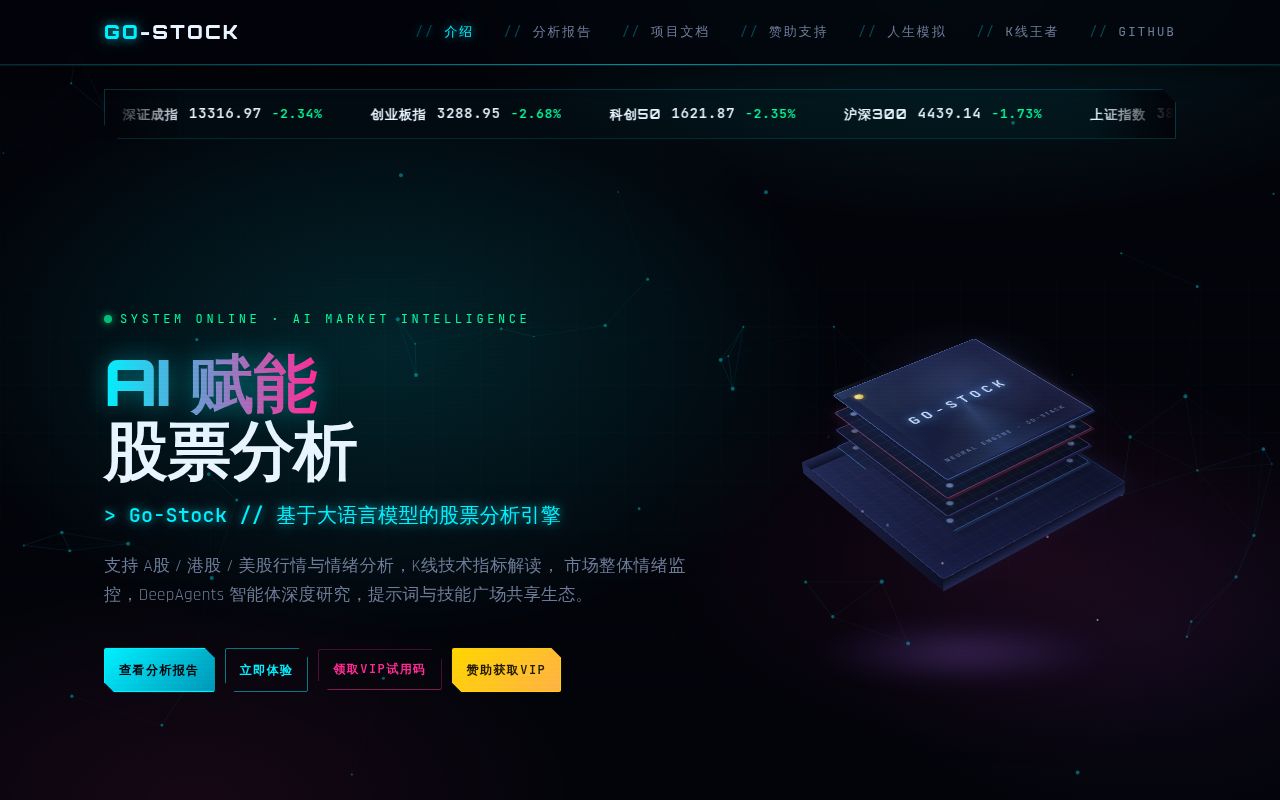
go-stock covers 3 markets in a Chinese desktop interface
go-stock brings A-shares, Hong Kong stocks, US stocks, and exchange-traded funds into one Wails application. The default README and user guides are Chinese, and the repository has no English README. For its intended reader, the scope is unusually practical: watchlists, candlestick and intraday charts, capital flows, policy news, alerts, trading journals, and AI-assisted research live beside each other rather than across several browser tabs.
The project stores its application database locally and supports hosted or local language models. The README names OpenAI-compatible endpoints, DeepSeek, Gemini, Claude, Ollama, LM Studio, and several Chinese platforms. You bring the account or local model. go-stock adds prompts, tools, market context, conversation history, and the desktop workflow around it.
Its 150-plus AI tools make it a research cockpit
The built-in agent has fast, planning, and DeepAgents modes. It can call more than 150 documented data tools, use installable skills, query a knowledge base, remember information across conversations, and connect to MCP servers. Market features include screeners, news aggregation, fund flows, technical drawings, daily reviews, pre-market plans, recommendation tracking, and prompt-template backtests. That is far more than a chart viewer.
Breadth creates a verification problem. A model can combine price data, news, and a tool result into a convincing answer even when one input is missing or stale. The README calls the AI output suitable only for learning and research and warns about investment risk. That disclaimer matches the product's present evidence: the repository documents features and backtests, but it does not establish that an AI recommendation will outperform a benchmark in your conditions.
What happened when we ran it
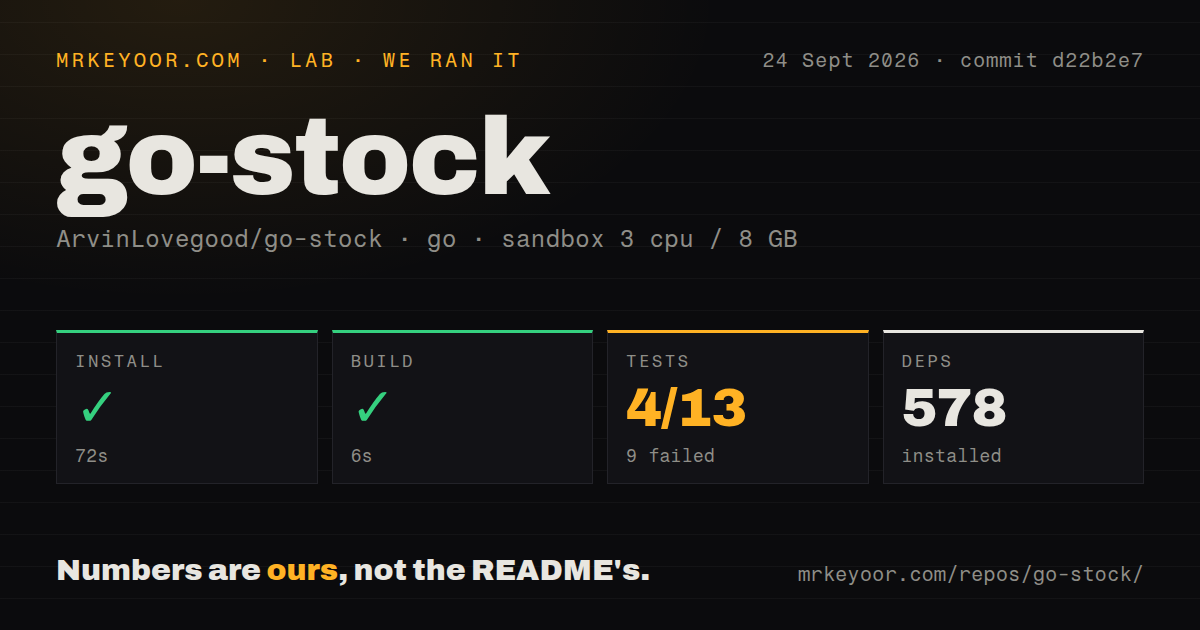
Our sandbox installed 578 packages in 72 seconds and completed the build in 6 seconds. We cloned commit d22b2e7 into a fresh unprivileged Debian container with 3 CPUs, 8 GB of RAM, the golang:1.24-bookworm image, and no secrets. The checkout contained 519 files, about 166,496 source lines, and 69.6 MB before installation.
The Go test step failed with exit code 1 after 230 seconds. It passed 4 groups and failed 9 out of 13. The summary included a setup failure in the root go-stock package and failures under backend/agent, backend/agent/tools, and backend/data. Named failures included TestLLMSummarizeTimeoutBeyondBound, which ran for 30.03 seconds, and TestValidateGeneratedProfileKeepsOnlyKnownFields. The supplied log does not show enough to assign causes, so we will not guess.
AI setup starts with your endpoint and credentials
The quick-start guide sends new users through 4 steps: basic settings, a model configuration, a reference prompt, and the AI assistant. A hosted provider needs its base URL, model name, and API key. Ollama and LM Studio cover local models. The app also has provider-specific adapters and an OpenAI-compatible route, which gives buyers more choice than a tool locked to one model company.
Market data has its own moving pieces. The settings include a browser path for collecting news, with Edge used when that field is empty. Feishu and DingTalk alerts need webhook details, and MCP servers may need headers or OAuth 2.1. A successful 6-second compile says nothing about whether those external endpoints, credentials, and data sources work from your network. Test each route you plan to depend on.
Local records do not make vision requests private
SQLite stores stock data, configuration, groups, and other application records on the machine. That is a useful default. The vision feature has a separate path: its guide says uploaded or pasted local images go to a free public image host before the model receives an external URL. If that upload fails, the app falls back to base64 delivery.
The documentation explicitly warns against uploading account details, holding costs, identification, or other sensitive screenshots. Take that literally. A screenshot of a brokerage screen can reveal more than the stock chart you want analyzed. Use a model path you understand, redact the image first, or skip vision. Conversation history also keeps text rather than resending earlier images, so later questions may require another upload.
macOS still has a current-directory failure
Windows 10 is the main development environment named in the README. Linux source builds require Go, Node, Wails, GTK 3, and WebKitGTK. The repository's Linux guide says Go 1.21 or newer, while go.mod declares Go 1.27.0, an inconsistency worth resolving before preparing a contributor image. Our measured build succeeded, but it does not settle which documented minimum is correct.
macOS requires more care. The run guide explains that data and logs are relative to the directory where the binary starts and recommends launching from a fixed writable folder. Open issue 188 reproduces the current v2026.09.23.4 app bundle exiting when Finder starts it with / as the working directory. The reporter traced the failure to attempts to create data and logs on a read-only volume.
A September release does not cancel 9 failed test groups
The project was pushed on September 23, 2026, and v2026.09.23.4 was published the same day. GitHub showed 7,693 stars, 20 open issues, and 3 open pull requests. Recent release notes describe fixes to signal-return calculations and notification delivery, including errors that had previously been reported as success. The pace is high, and the combined queue remains manageable.
go-stock is most useful as a personal research desk for someone comfortable reading Chinese and checking sources. Our 6-second build makes the code approachable, while the 9 failed groups keep it outside the category of software you should trust with automatic financial decisions. Use the charts, alerts, and agents to generate questions. Verify the answers somewhere independent before money moves.