Use the release ZIP unless you need to change Ghidra itself
Ghidra's source build stopped after 2 seconds in our sandbox because the JVM rejected an option before compilation began. If your job is to inspect a compiled program, start with the official release ZIP. Building the framework adds a toolchain problem to an analysis problem. The README explicitly warns that GitHub's automatically generated source archives are the wrong downloads for ordinary users.
The payoff is a workspace for understanding software when its source isn't available. Ghidra shows machine instructions, turns functions into readable decompiled code, and draws the connections between them. You can rename discoveries and automate repetitive analysis with scripts. That suits firmware inspection and malware research, where the useful result is an explanation of what a binary does. Decompiled output still needs an analyst's judgment.
What happened when we ran it
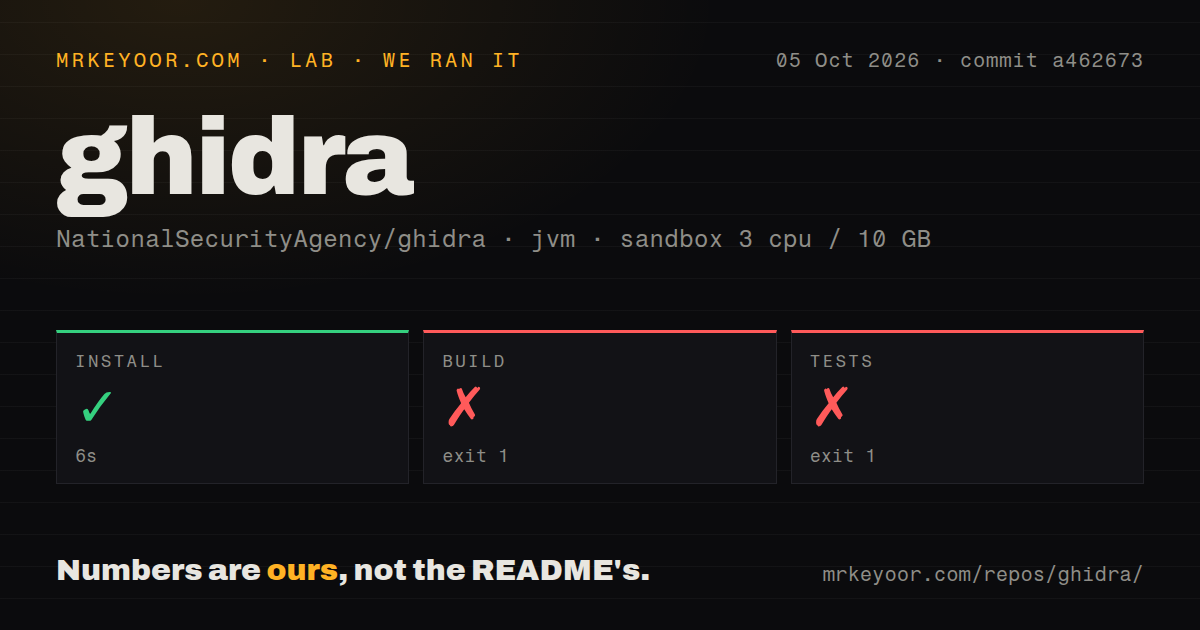
Our run installed Ghidra commit a462673 in 6 seconds, then failed both the build and test steps after 2 seconds each. We cloned it on October 5, 2026, into a fresh Debian container with 3 CPUs, 10 GB of RAM, and the lab-jvm:21 image. The container was unprivileged and held no secrets. Installation completed, but those later failures leave compilation and test correctness unverified.
Both log tails show the same startup obstacle. Java picked up JAVA_TOOL_OPTIONS with -Xmx6g, rejected UseCompactObjectHeaders, and could not create the virtual machine. Gradle then reported that it could not parse the daemon handshake response. Each step exited with code 1. The evidence identifies a JVM startup failure, without showing a compiler defect, a failing assertion, or a completed test suite.
The checkout contained 18,589 files, approximately 3,202,555 source lines, and occupied 314.7 MB. Our scan found 3 CI workflow files, no Dockerfile, and no tests directory. Those directory signals describe this scan, not the full extent of upstream checks. The failed test command provides no passing-test count to report. Nor does the supplied run establish how quickly Ghidra analyzes binaries or how accurately it decompiles them.
The tested source asks for JDK 25, while the release uses JDK 21
The README at the tested commit requires JDK 25, whereas our image supplied Java 21. That documented mismatch matters before you retry the source route. The log establishes that this JVM rejected the option. We haven't rerun the commit with the required JDK, so a successful rebuild remains unverified. Adding memory would not address the rejection shown in that log.
Ghidra 12.1.4's release guide instead specifies JDK 21. Follow the documentation shipped with the artifact you download. Extract into a fresh directory and launch ghidraRun, or use the Windows launcher. The documented desktop route needs no hosted model account or API credential. Python becomes relevant for PyGhidra and debugger integration, rather than every ordinary static-analysis session.
Contributing to the 314.7 MB checkout is a different commitment. The source instructions require Gradle, Python with pip, and native compiler tools. Windows adds Microsoft C++ build components. The developer guide explains how to carry downloaded dependencies into an offline environment. A disconnected workstation therefore needs preparation before it loses network access. The README is fairly candid about this effort, even though the final build command looks short.
Server archives and GUI behavior have explicit limits
The release guide says project archives exclude server-based repositories. That is a concrete reason to pause if your team expects a portable archive to capture its shared analysis server. The same guide requires working forward and reverse DNS for server clients. Decide how shared projects will be maintained before treating a desktop export as your team handoff or recovery procedure.
Our 3-CPU container run never reached an interactive session. Upstream documentation supplies the relevant desktop cautions: some long operations can block GUI updates, and certain Linux remote-desktop configurations can display incorrectly. The developer guide also calls for Xvfb when running headless Linux checks involving Java's windowing system. These are documented boundaries, not additional failures observed in our run. A desktop application needs more environment planning than a command-line parser.
October activity shows maintenance without settling every defect
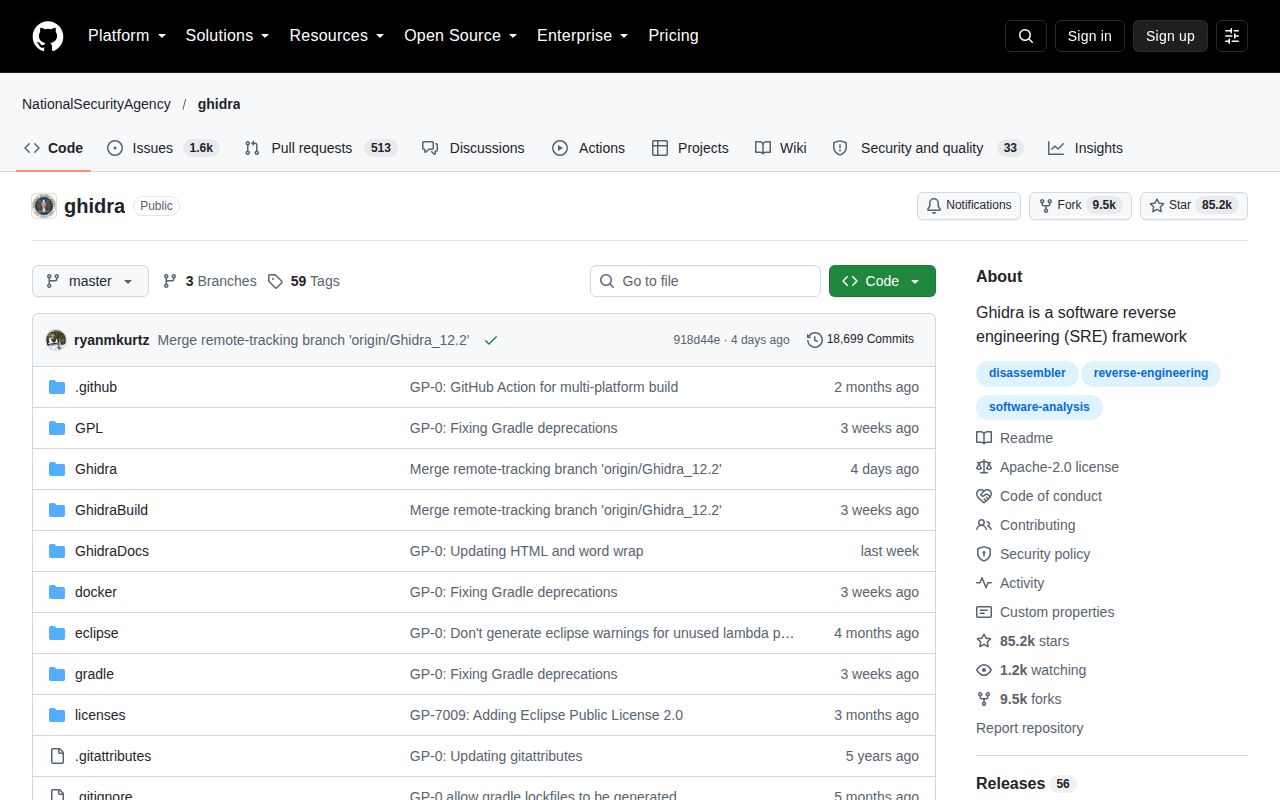
GitHub reported a last push of October 9, 2026, alongside 85,215 stars and 2,080 open issues and PRs. The latest release, Ghidra 12.1.4, shipped on September 21. Issue and pull-request activity continued on October 12. Taken together, those dates show ongoing work. The combined queue is substantial, but GitHub's total includes proposed changes and cannot be read as a count of confirmed bugs.
Issue 9855 reports incorrect instruction reuse after a SLEIGH prototype-cache hash collision, with a reproduction involving a generated processor. That report matters to anyone writing processor definitions or relying on unusual instruction sets. It isn't a result from our sandbox, and it doesn't establish that ordinary binaries routinely misdecode. For that specialist workload, verify representative instructions before trusting a long analysis session.
Cutter and radare2 suit different analysis habits
Ghidra's 18,589-file checkout buys an extensible analysis environment, but you don't need to maintain that source tree to use its releases. Cutter is worth considering if you prefer a graphical workspace built around Rizin. radare2 suits analysts who want terminal commands and scripting to lead the workflow. Neither alternative has comparative performance measurements in this review.
I'd choose packaged Ghidra for an analyst who wants decompilation and repeatable investigation in the same workspace. I'd postpone the source route on a workstation restricted to the lab's Java runtime. Before you inspect your first important binary, check the downloaded release's requirements and keep the original input alongside your analysis project. If you're building instead, resolve the JVM startup failure before calling the checkout ready.