Flux targets the Omarchy desktop, with Android the supported phone
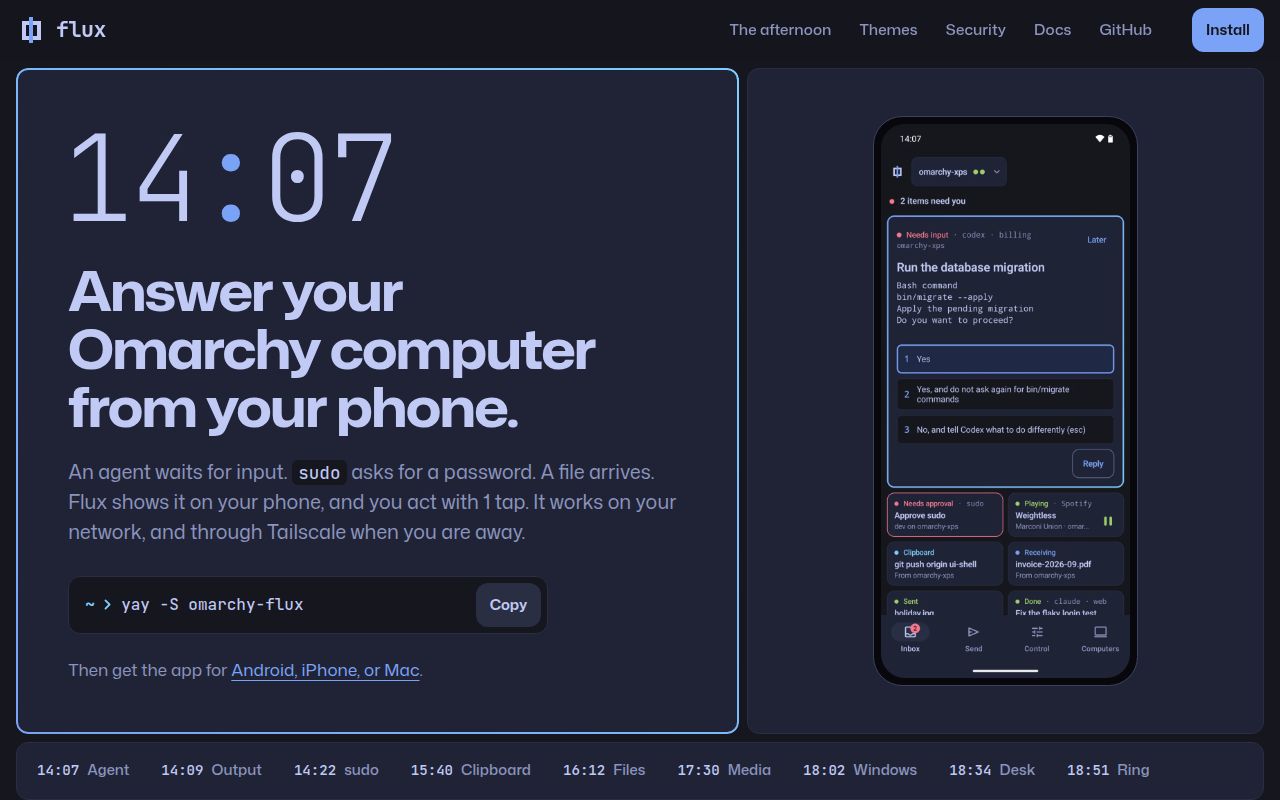
Flux links your desktop and phone so a file, clipboard entry, or notification can move between them without another cloud inbox. Its README names Android as the supported phone app, alongside native iPhone and Mac applications with their own limits. The desktop includes a Go daemon and CLI, a Qt window, and an Omarchy shell plugin. This is worth considering when phone integration should reach your desktop workflow rather than end at sending a photograph.
Our 28-second build makes the repository look approachable, but the intended desktop matters more than that timing. The installation guide targets Arch or Omarchy with Wayland and systemd user services. Qt, Avahi, and PipeWire are among the named dependencies. A developer on that stack gets a documented route with package ownership and user setup. Someone on a different Linux desktop should compare the effort of adapting those assumptions with an existing device-integration package.
What happened when we ran it
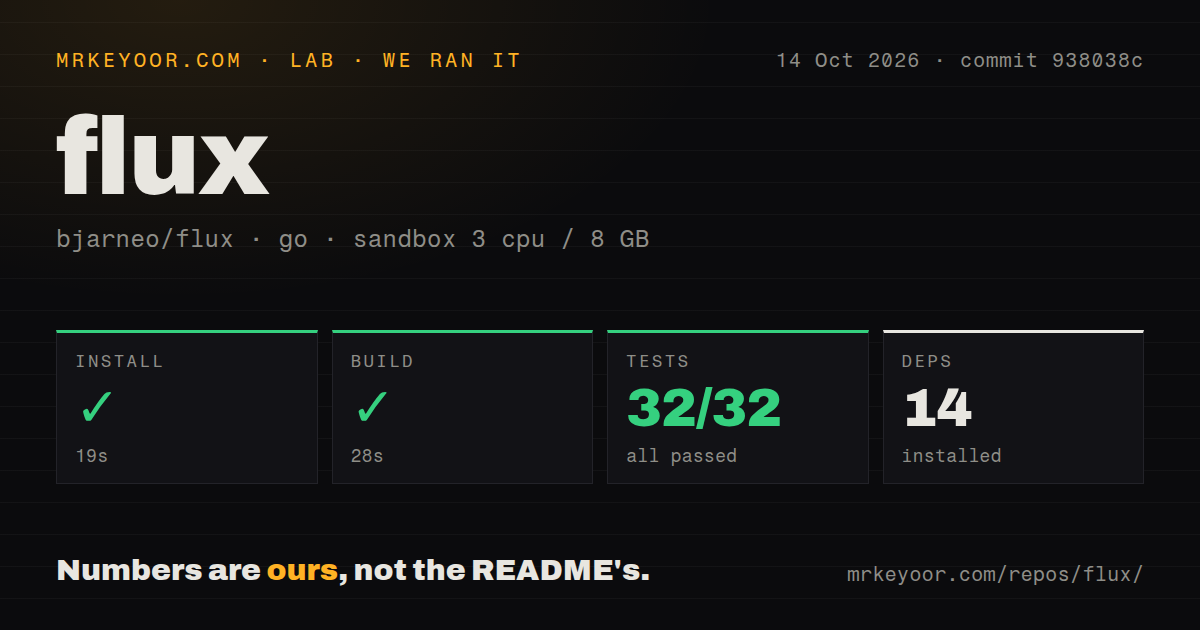
Our run of commit 938038c installed 14 packages in 19 seconds, built successfully in 28 seconds, and passed its Go test step in 66 seconds. The supplied summary reports 32 passed tests and 0 failed. We used the golang:1.24-bookworm image in an unprivileged Debian sandbox with 3 CPUs and 8 GB of RAM, without secrets. There was no failed step in the measured path, so there is no failure log to explain.
The checkout contained 1,165 files, approximately 173,557 source lines, and occupied 10.2 MB. The scan found four CI workflow files, no Dockerfile, and no tests directory. The absence of that directory does not cancel the passing Go tests. The measured result establishes that this repository path worked in our sandbox. It does not establish file-transfer speed, camera latency, phone battery use, or reliable behavior across desktop sessions and mobile operating systems.
The documented desktop requires services beyond the Go build
The source installation guide currently specifies Go 1.27.1 or newer, which is distinct from our lab image label. It also names Qt Quick, SVG, and Wayland support, native build tools, clipboard utilities, and desktop services. We have no toolchain-selection log that explains the version difference, so we will not guess. Read the current source requirements when preparing a complete desktop build rather than assuming the sandbox image describes every component.
The 19-second install also does not include configuring a phone. Each desktop user runs the setup command after installing the package, and the diagnostics command checks the environment. A user-only installation omits the root approval helper and webcam system setup. That is a useful choice if file sharing and ordinary desktop integration cover the job. The full feature list comes with additional system integration, and the install method determines which pieces are available.
Pairing grants access to more than file transfers
The security guide documents certificate pinning after a verified pairing. It also states that automatic clipboard sync and browsing home-folder content are enabled by default. Dot-prefixed names and Flux folders are hidden from browsing, but that still leaves ordinary documents visible. A paired phone should therefore be your trusted device. File exchange is only one part of the access relationship, even if it is the feature that first attracts you.
Our 32 passing Go tests do not independently verify those defaults on a live desktop. Remote input, remote desktop, agent control, and phone-based approvals are documented as disabled initially. The security page explains which settings change each capability and which limits apply to a paired device. Keep the distinction between reading agent output and controlling an agent clear: enabling control lets the device interact with software that can run commands as your desktop user.
iPhone support cannot deliver Android's background features
The iOS guide says suspension closes Flux's link after it leaves the screen. That affects notifications, approval requests, and clipboard changes, while microphone streaming has a background exception. Other apps' notifications, SMS, calls, and screen mirroring are unavailable. These restrictions directly change the value of a phone companion. An iPhone that must stay open for a particular function is a different proposition from an always-available desktop bridge.
The 66-second Go test result supplies no evidence about iPhone delivery. Installation adds friction too: the release IPA is unsigned, and the guide describes Xcode signing or a sideload tool. On Android, the workflow is the project's supported phone path, but it still deserves a real-device trial. Check the specific interaction you need, such as clipboard exchange or agent notifications, rather than treating the presence of a native app as feature parity.
v0.17.0 has current discovery and touchpad reports
Issue 146 reports that fluxd v0.17.0 stopped discovering a phone even though Avahi still saw its broadcast. The reporter says restarting the daemon restored discovery. This is a concrete user report about the current daemon, not a result from our sandbox. Issue 148 separately reports that rotating Android into landscape makes the touchpad area nearly unusable. Either defect can matter more than a passing repository build for its respective workflow.
The last push was October 12, 2026, following the v0.17.0 release on October 11. GitHub listed 578 stars and 24 open issues and PRs, with new device reports in October. That shows active maintenance alongside unresolved usability problems. Try Flux if Omarchy integration and its scriptable controls earn the operating effort. Compare KDE Connect for another desktop integration route, or LocalSend when files are all you need. Let a successful pairing and your actual daily interaction decide whether Flux stays installed.