The round 4-inch display is the product, not a skin
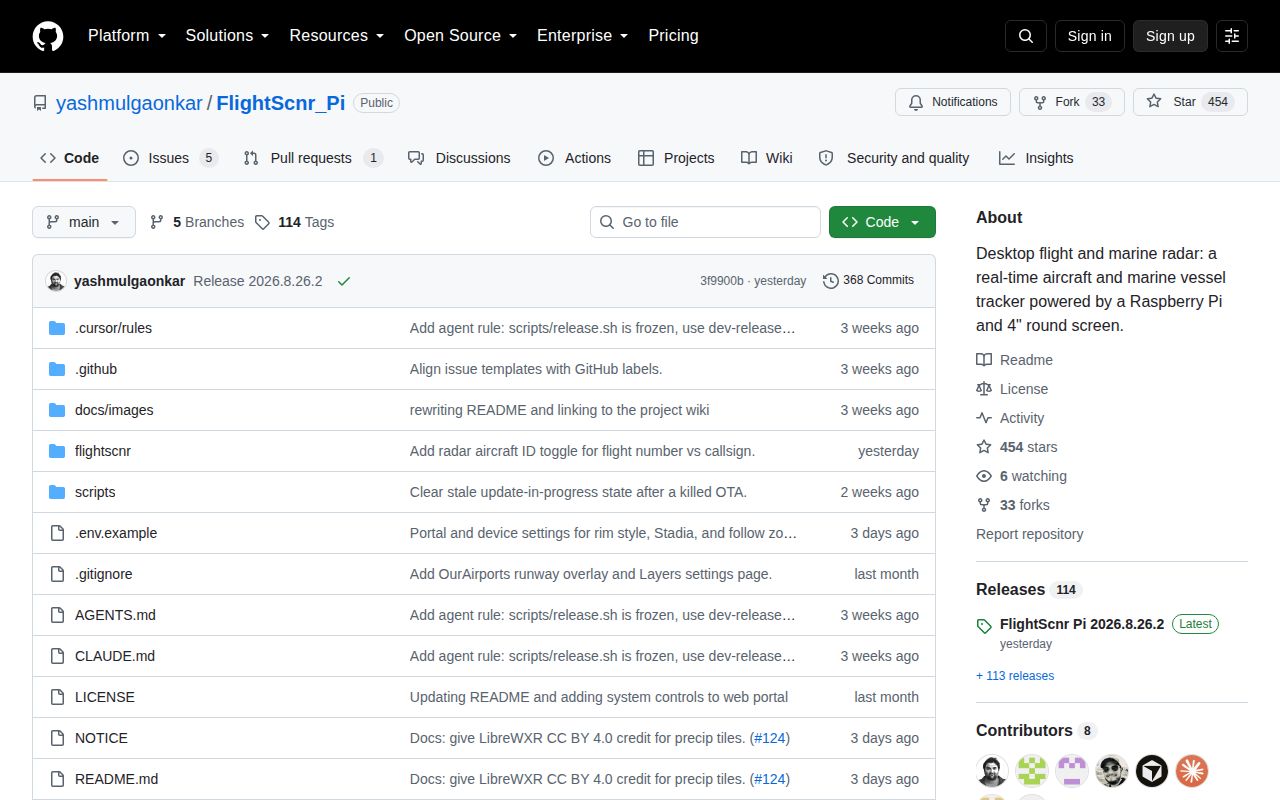
FlightScnr Pi is a dedicated desk appliance for watching aircraft around a chosen location. Its main view draws traffic on a circular radar, then opens flight details, a tracked-flight route, or a live follow map when you tap and swipe. Marine AIS vessels can share the display. A clock view, weather, alerts, wildfire and earthquake layers, aircraft photos, and optional LiveATC audio turn it into something closer to an aviation instrument panel than a receiver status page.
The physical format drives the software. The documented screen is Waveshare's 720x720, 4-inch DSI LCD, attached to a Raspberry Pi 4 with 2 GB or 4 GB of RAM. The bill of materials also calls for a 32 GB microSD card and a 5 V, 3 A supply. A printed enclosure and fan make sense for a device expected to sit on all day. If you only want a map in a laptop browser, much of this work buys a shape you do not need.
What happened when we ran it
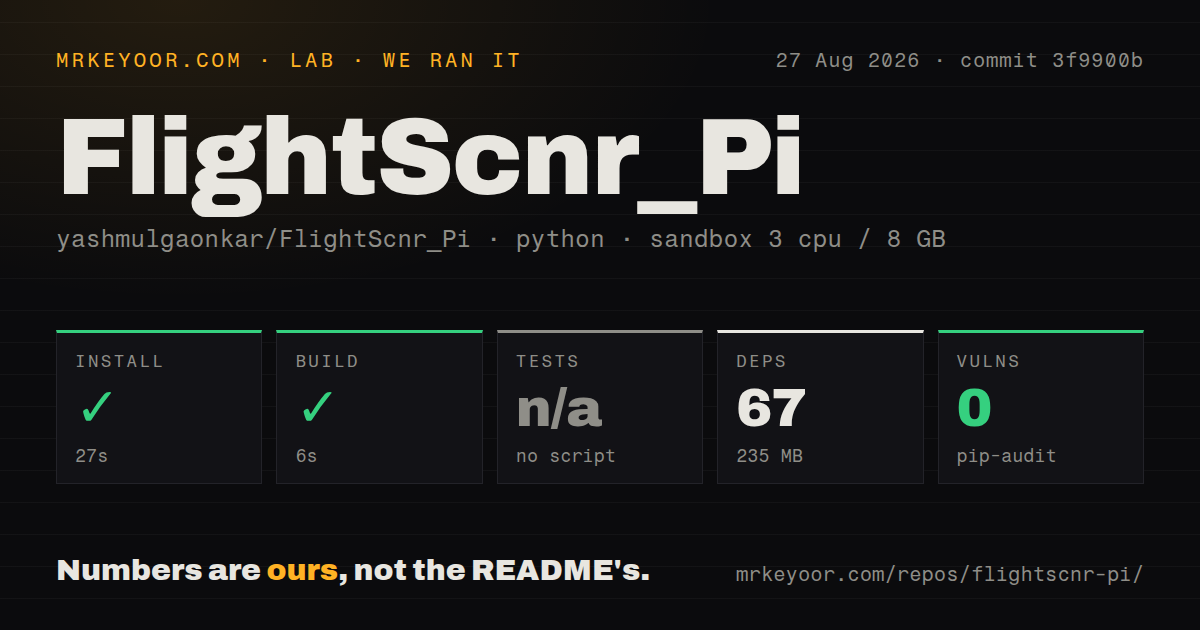
Our sandbox installed 67 Python packages in 27 seconds, using 235 MB on disk. The build completed in another 6 seconds. We ran commit 3f9900b inside an unprivileged Debian container with 3 CPUs and 8 GB of RAM, so those figures cover the software checkout rather than the Raspberry Pi imaging, display assembly, system packages, or first device boot.
There was no test script or test target for the lab to invoke, so tests were skipped. That leaves a meaningful gap for a project with 717 files and about 76,093 lines of source. The checkout itself occupied 77.2 MB, and our scan found one CI workflow but no test directory or Dockerfile. Pip-audit reported 0 known vulnerabilities in the installed Python environment. That audit result is useful, but it cannot tell us whether gestures, OTA updates, feed merging, or a 720x720 layout work on the real panel.
Installation takes over enough of the Pi to call it an appliance
The quick command is sudo bash install-pi.sh, but its effects go well beyond a virtual environment. The installer adds system packages and assets, creates /var/lib/flightscnr/ and /etc/flightscnr.env, registers a systemd service that runs the application as root, and configures the kiosk desktop. It also forces the panel resolution, disables Wi-Fi power saving, enables Bluetooth, and adds a GPIO 14 fan rule that turns cooling on at 60 C.
Pinch zoom requires X11, so current installation switches LightDM away from Wayland and can reboot automatically. Pi 4 uses the documented DSI1 overlay, while Pi 5 and Compute Module users may need the DSI0 form if the screen remains blank. Those are well-explained instructions, but they make FlightScnr Pi a poor roommate for another graphical workload. Use a separate SD card if you want an easy path back to the Pi's previous configuration.
Free aircraft positions work, while full details need paid services
The least demanding mode uses adsb.fi for live positions and basic labels. Full routes, airline data, tracked flights, and richer detail depend on an FR24 API key. Tomorrow.io supplies weather. Further options include aisstream.io for marine traffic, AirLabs and FlightAware for route fallback, NASA FIRMS for worldwide fire hotspots, Stadia for some map styles, and ADS-B Exchange for another position source. The portal keeps these settings in one place, although its downloadable backup includes the API keys and must be handled as a secret.
Local radio owners can point FlightScnr Pi at dump1090, readsb, or tar1090 aircraft.json; that source is disabled on a fresh install. Position and route fallbacks can be reordered, and missing credentials cause a source to be skipped. Caching limits repeated provider calls: the data-source guide cites about 90 seconds for FR24 feed data, 30 minutes for flight details, and 1 hour for weather. The tradeoff is dependence on a chain of outside services whose quotas and availability are outside this repository.
CARTO maps currently expose the cost of outside dependencies
Issue 136, opened August 26, reports an API KEY REQUIRED watermark across CARTO basemaps. Pull request 137 adds a CARTO key and portal toggle, but its device test boxes were still unchecked when we reviewed it. The project already warns that aisstream.io can be unreliable and directs users to upstream status checks when vessels vanish. Neither problem makes the radar unusable, since flat, OSM, Esri, VFR, and other choices exist. Both show why a multi-feed display needs fallback expectations.
The 2026.8.26.2 release added a choice between flight number, callsign, or alternating identifiers on radar tags. GitHub recorded a push on August 27, 2026, 454 stars, and 6 combined issues and pull requests. This is a young, fast-moving project rather than neglected software. Fast releases can still make appliance updates consequential, especially when the installer owns the desktop session, service, and network recovery behavior. The portal's Update Now, delayed update, finish, and repair paths are unusually practical for a hobby build.
The noncommercial license rules out product reuse
The firmware is CC BY-NC-SA 4.0. Sharing and adapting require attribution, commercial use needs separate permission, and adaptations inherit the same license. The enclosure files have separate MakerWorld terms that restrict redistribution and selling physical prints. Anyone planning kits, prebuilt displays, paid installations, or hosted derivatives should settle both licenses before using the design.
For a personal aviation display, the result is specific and appealing: ten basemap styles, touch navigation, local receiver input, weather, and audio are shaped around one round screen. The 33-second install-and-build result lowers the cost of inspecting the code, while the absent test target keeps us from treating that clean build as a full health check. Buy the hardware because you want this object on a desk. Choose tar1090 or an ADS-B receiver stack when the screen itself is incidental.