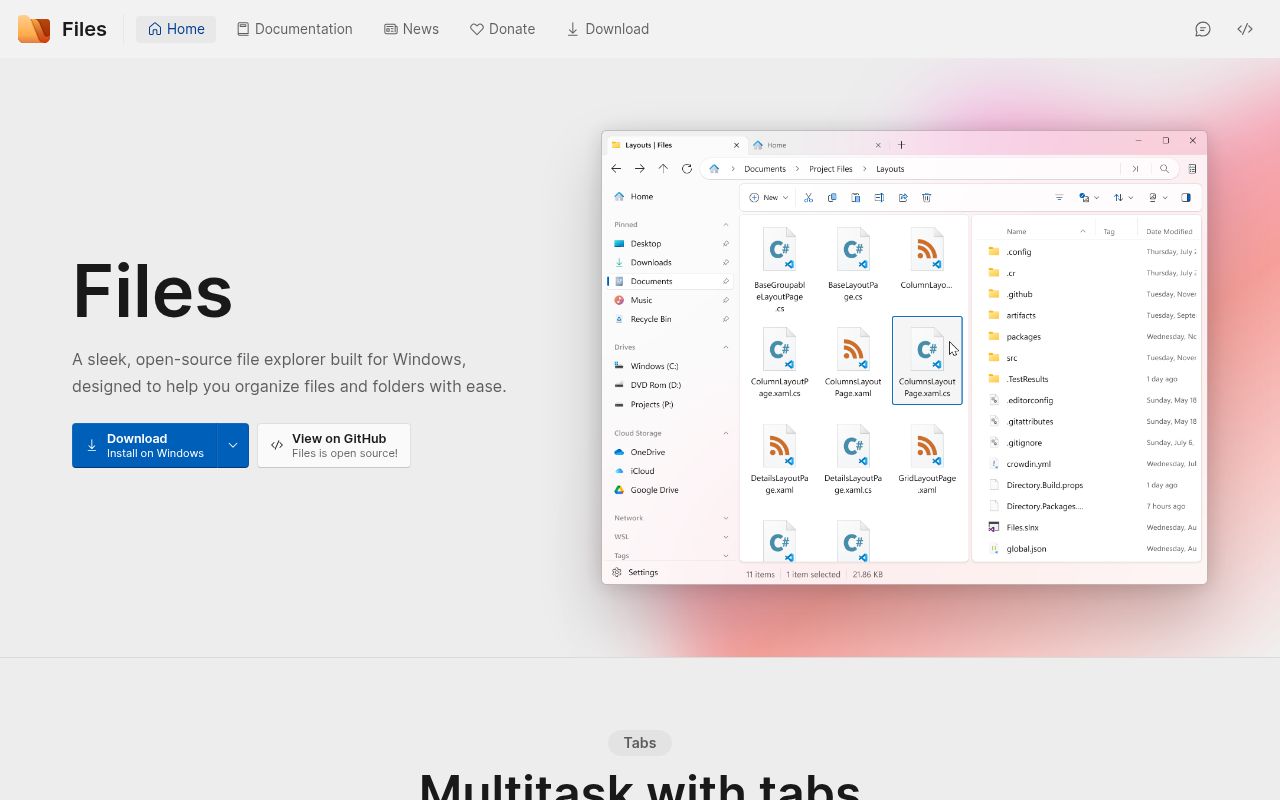
Files is a Windows-only replacement for File Explorer
Files takes ordinary folder navigation and adds the things Microsoft has introduced slowly or left to other tools. Tabs and dual panes reduce window sprawl. Tags add an organization layer that does not depend only on folder names. A command palette exposes actions without hunting through menus, while per-folder layouts, custom backgrounds, cloud drives, FTP, and Git integration extend the app beyond basic copy and move work. Its visual language still belongs on Windows rather than imitating a cross-platform utility.
The target is narrow by design. This repository does not ship a macOS or Linux file manager, and the build guide is entirely Windows-specific. The current stable release is 4.2.9, published August 19, 2026. Users can install the stable or preview branch through the Microsoft Store, a classic installer, PowerShell, or community-maintained package-manager entries. Keeping preview beside stable is useful for testing changes without making an early build the only route to your files.
What happened when we ran it
We did not run commit 8b98986. Our sandbox does not have a supported C# ecosystem for this project, and the repository contains no Dockerfile that could define one. There is no lab evidence here for installation, compilation, tests, dependency size, or known vulnerabilities. A green badge or contributor report elsewhere cannot replace a run under our stated conditions, so none of those results are presented as ours.
The reason matters more than a blank result. Files is a native Windows application that relies on WinUI and Windows SDK components, while our general sandbox does not provide a Windows desktop. Containerizing that environment is not a normal substitute for launching and exercising a file manager. A useful future test would need a supported Windows host or VM and should cover navigation, file operations, shell dialogs, packaged installation, updates, network paths, keyboard use, and recovery from interrupted copies.
Source builds require Visual Studio 2022 and .NET 10
The official build page calls for Visual Studio 2022 version 17.13 or later with the WinUI application workload. It also specifies Windows 11 SDK 10.0.26100.0, .NET 10 SDK 10.0.102, MSVC build tools, ATL, Git for Windows, and Windows App SDK 2.0.1. Contributors open Files.slnx, choose Files.App as the startup project, select the machine architecture, and launch a Debug build. That is clear documentation, though it is a large prerequisite set for a first patch.
No account or hosted service is listed for a basic local build. Some features naturally add credentials later, such as signing, cloud storage, or authenticated Git operations. The repository asks prospective contributors to link their intent to an issue and follow its coding conventions before opening a pull request. That process makes sense for a file manager where a small shell change can affect deletion, permissions, network paths, or the Recycle Bin.
Installation depends on Windows Update components
The Microsoft Store is the promoted route, while the project also provides a classic installer and direct app-installer commands. The documentation says Windows Update and Delivery Optimization services must be enabled. AtlasOS, ReviOS, systems with the Store removed, and other modified Windows installations are not officially supported. That caveat will exclude exactly the sort of power user who often looks for a replacement file manager, so check it before paying through the Store or moving settings.
Files can be installed without administrator privileges, but the documented path then installs both .NET 10 desktop and runtime components into the user profile and sets DOTNET_ROOT. Offline installation requires dependencies in a stated order. Updates restart the app, and the guide tells users to save work first. These details are better than a vague download button, yet they also show how much Files depends on the modern Windows packaging stack.
Network locations still expose visible gaps in version 4.2.9
Open issue 17751 reports that an SMB computer visible in File Explorer did not appear correctly on Files' Network page. The inaccessible, nameless share in that report is a meaningful compatibility problem for homes and offices built around Windows sharing. Issue 18933 reports a temporary UI freeze when Files reads audio metadata from a WebDAV-mounted drive. Both issues were active in September 2026 and concern current network behavior rather than an obsolete component with a similar name.
Local workflows have caveats too. The official FAQ says memory use rises with tabs and acknowledges leaks that can accumulate during extended sessions. Its suggested mitigation is to stop leaving Files running in the background, at the cost of slower launches. The same FAQ explains why File Explorer context menus cannot simply be dropped in: actions tied to Explorer, including layout and properties operations, may not function in Files unless the other product adds support.
A September 9 push and 465 open items show an active project
GitHub reported 44,950 stars, an MIT license, and 465 open issues and pull requests when fetched. The last push was September 9, 2026, one day after several new bug reports and code-quality pull requests. Release 4.2.9 was less than a month old. That combination points to active maintenance and an active bug queue. The combined open count includes pull requests, so it should not be read as 465 confirmed defects.
Files is easiest to recommend as an additional file manager first. Use it for tab-heavy local work, dual-pane moves, tagged folders, and Git repositories, then compare its behavior with File Explorer on network shares and shell extensions. The feature set is thoughtful and the project is moving quickly. Our missing lab run, documented memory leaks, and current network reports are enough reason to keep the Windows default nearby until Files has proved itself on your own folders.