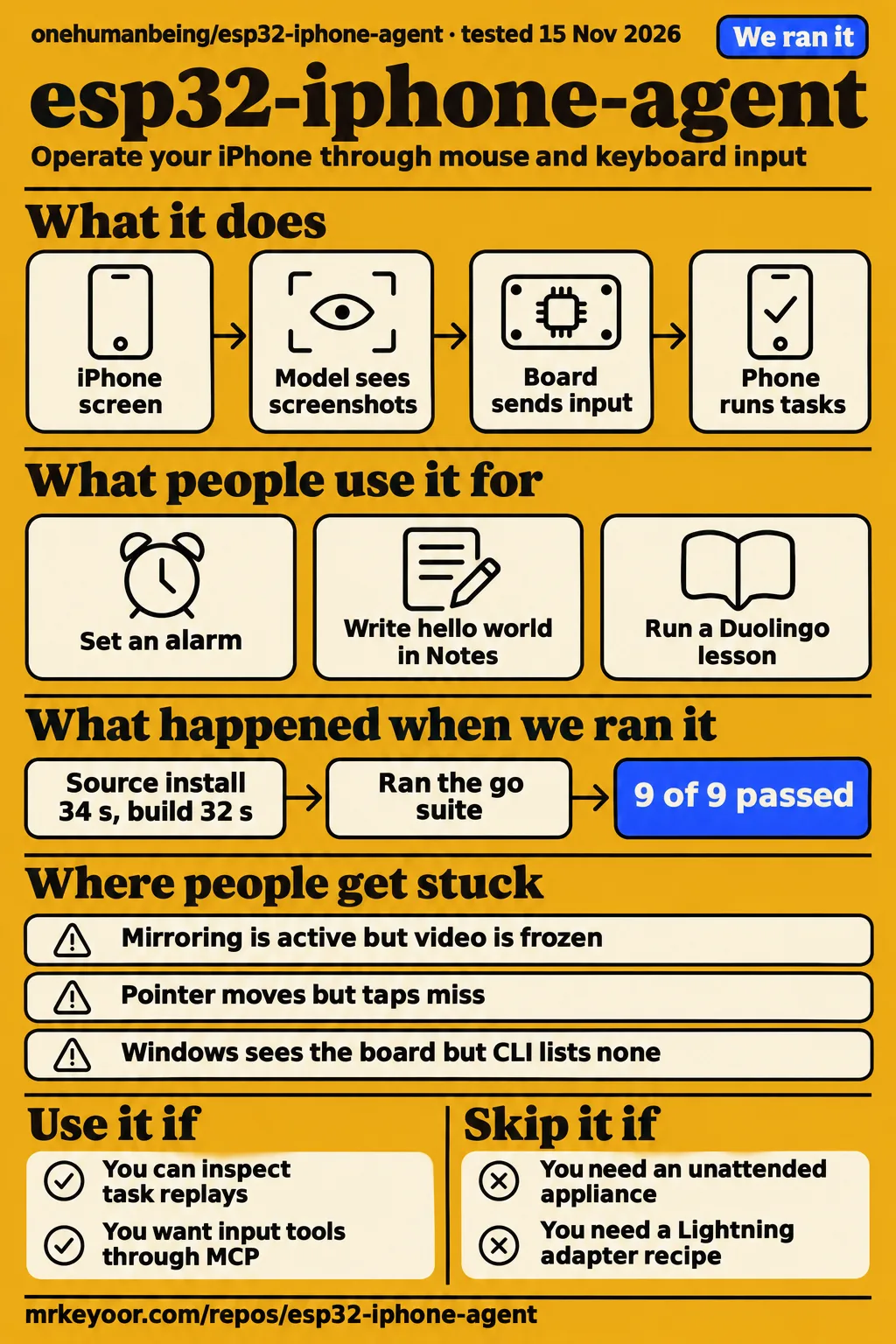
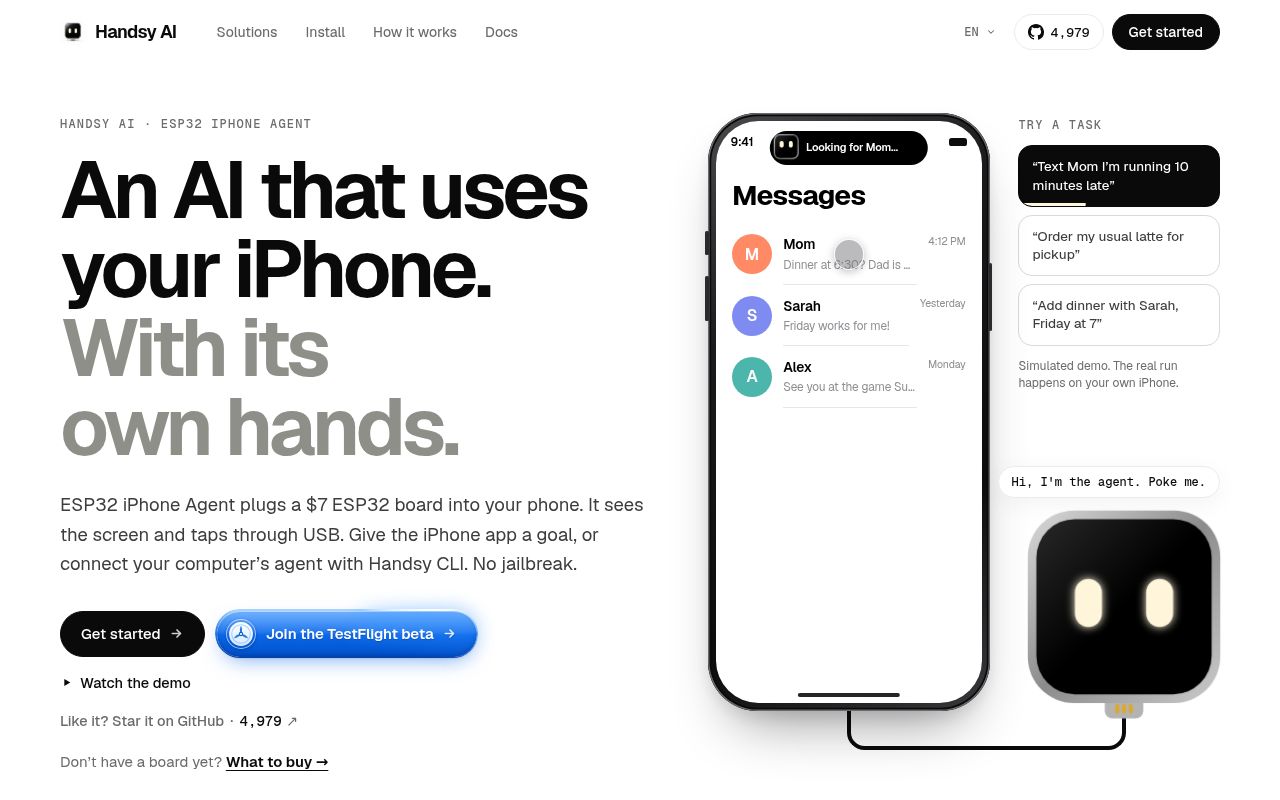
ESP32 iPhone Agent by Henry Yuan uses an ESP32-S3 board to receive an iPhone's screen and deliver mouse and keyboard input. Its standalone app runs the agent on the same phone; its independent CLI lets a computer or coding agent control the board. Use it for supervised experiments where you can inspect the screen and stop an unwanted action. The practical decision is which hardware and runtime path fits your phone, rather than whether a software build alone makes the setup ready for everyday tasks.
What people use esp32-iphone-agent for
Henry Yuan's documented Clock task sets an 8:00 AM alarm repeating on Mondays and Tuesdays, and the illustrated result comes from v0.1.0. Community reports cover different tasks and hardware paths, so their version and runtime labels belong beside the outcomes. The useful buying question is which reported setup resembles the one you intend to assemble. Upstream alarm description
| Who used it | Task and reported outcome | Evidence and runtime |
|---|---|---|
| Henry Yuan | Opened Clock, entered 8:00 AM, selected Monday and Tuesday and saved | README illustration from v0.1.0. Alarm demonstration |
| kiminbean | BLE mouse and keyboard worked alongside the app connection, followed by a complete agent run | Separately powered wireless prototype; reported more than nine steps. Issue #12 prototype |
| await-ovo | Reported some simple tasks working on a real device | Community fork combining BLE HID, on-device capture and Midscene. Issue #43 experiment |
| cy41 | Reported writing hello world in Notes, sending it to themselves in WeChat and posting through Bonjour | Experimental feature build using GPT6.1Sol. Issue #82 task report |
| cy41 | A 1.5-second hold opened WeChat Moments' plain-text composer | Real iPhone 15 Pro operation; the illustrated editor is empty. Issue #103 gesture report |
The WeChat example explains why task descriptions need an action and an outcome. A tap on the camera opens a photo or video menu; holding the same location opens the text composer. Identifying the right target is only part of the interaction. Henry Yuan's video similarly describes controlling his Clock app, while the README also presents a Duolingo lesson at 8× playback speed. These are attributed demonstrations with their own recording conditions. Clock video, README demonstration
What happened when we ran it
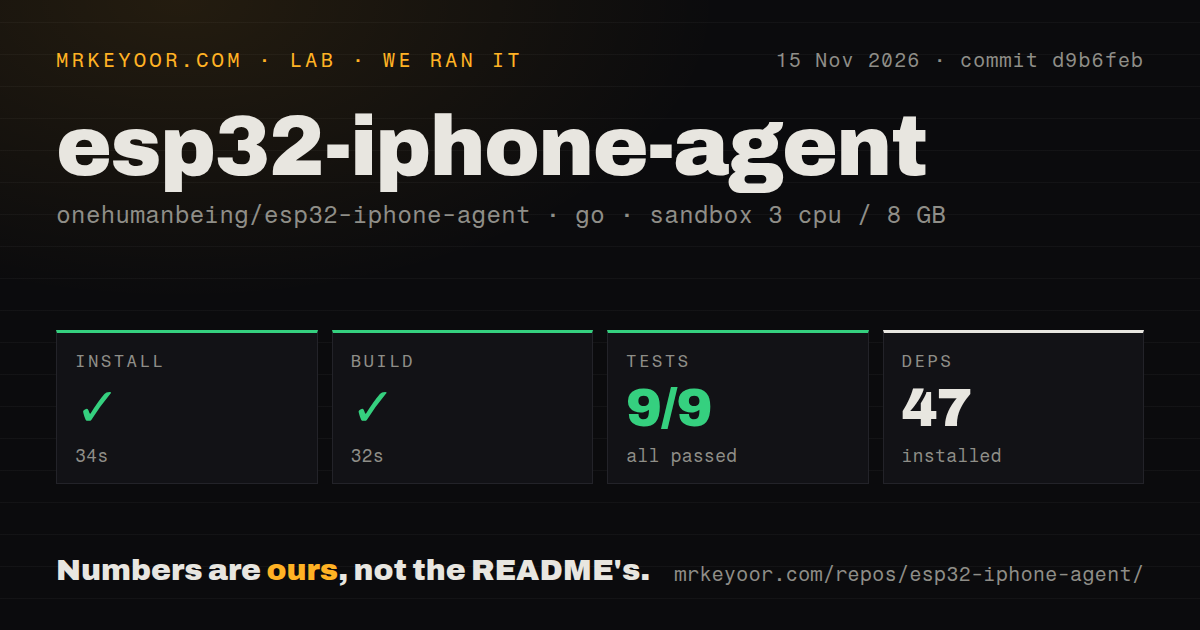
Our November 15, 2026 sandbox installed the Go CLI at d9b6feb in 34 seconds, with 47 dependencies recorded. Build succeeded in 32 seconds; the recorded go test result was 9 passed, 0 failed of 9 in 15 seconds. The project tested was in ./cli/. The following table preserves the recorded checks and the separate deployment attempt rather than combining their outcomes into a single success score.
| Our recorded check | Result |
|---|---|
| Dependency installation | Succeeded in 34 seconds; 47 dependencies recorded |
| Build | Succeeded in 32 seconds |
| Tests | Succeeded in 15 seconds; go test: 9 passed, 0 failed of 9 |
| Sandbox configuration | 3 CPUs, 8 GB RAM; image label golang:1.24-bookworm |
| Checkout | 578 files, approximately 60,372 source lines, 17.2 MB |
| Repository signals | 2 CI workflow files; no Dockerfile or tests directory detected |
The separate hands-on attempt failed its safety check because no Compose file existed. The exact error was unsafe repo: none of compose.yaml, compose.yml, docker-compose.yaml, docker-compose.yml exists (rule: a compose file is required). That requirement belongs to the lab deployment runner. The explicit failed step takes precedence over the companion record's generic statement about deployment using the project's own Docker Compose.
The teardown record reports teardown: ok. These records contain a failed deployment step and a cleanup result, alongside the separate successful Go checks. A scan finding no directory named tests and a passing Go test command describe different observations: one reports repository layout, the other reports command execution. Keep those findings separate when deciding what the sandbox result contributes to a hardware purchase.
Where people get stuck: connected does not mean seeing
Issue #29 reports repeated Settings failures across models, an eventual slow WeChat launch and an alarm unfinished after more than seven minutes. Settings was absent from the reporter's home screen. The maintainer linked the symptoms to stale previews and later reported that preview fixes and Spotlight launching reached release-1.0 and main. Record the installed revisions before comparing models against that report. Issue #29 discussion
| Symptom | What the records say | Useful next action |
|---|---|---|
| Mirroring is active but the preview stays on the home screen | Issue #25 describes a connection without usable frames | Change screens manually, watch the preview and collect Video diagnostics and a trace. Video troubleshooting |
| Preview works slowly | Denied Local Network permission can trigger BLE video fallback | Enable Local Network permission, reopen the app and restart mirroring. Permission instructions |
| Pointer moves but taps miss | Issue #115 records misses on v0.2.4; the troubleshooting site describes a later 1.0.4 calibration rejection threshold of more than 6% | Set tracking speed to the middle, disable Pointer Animations and recalibrate. Troubleshooting site's account |
| Windows sees the board but the CLI lists none | Issue #114 records empty BLE discovery | Pair through the CLI and collect versions and scan output. Windows issue #114 |
| Mac AirPlay handshake succeeds without video | Issue #46 compares a failing Mac source with a working iPhone source | Use the iPhone as the mirroring source. AirPlay issue #46 |
| Shared free model line stalls | README warns of busy responses and HTTP 503 | Retry later or configure your own image-capable endpoint and key. Provider warning |
Issue #25 distinguishes a streaming indicator from an image the app can decode. The troubleshooting material names err waiting for keyframe, err no video and err video frozen as distinct diagnostics. Read the reported error and inspect whether the preview changes before changing models. Issue #29's maintainer also asks for exported traces when the newer version still runs slowly or fails. Issue #25 video report, versioned troubleshooting
Two other failures need different remedies. The troubleshooting account describes repeated-launch crashes in a MetricKit logging callback and advises updating and rebuilding the app; it says this fix does not require reflashing the board. Issue #103 describes a requested 30-second hold releasing after 5.014 seconds and interrupted dragging; the maintainer later reports timed holds and dragging in firmware v0.2.5 through press_for MS. Crash guidance, long-press resolution
Choose the runtime before choosing the instructions
The CLI works without the iPhone app or TestFlight. The standalone app instead runs the agent on the same iPhone, while v0.1.0 used a Mac or Linux computer with UxPlay and a Python server. Select one route before following installation instructions: app signing, legacy server setup and computer-side MCP configuration solve different setup problems. Upstream runtime descriptions
| Version or route | What belongs to it | What to keep separate |
|---|---|---|
| v0.1.0 / legacy | Computer capture and Python server; illustrated alarm result | Standalone app setup |
| Standalone TestFlight app | Browser-flashed board, app setup, AssistiveTouch and model configuration | Optional Xcode source build |
| Go CLI / MCP | Independent computer-to-board control without the iPhone app or TestFlight | The app's own agent loop |
| Published v0.2.4 firmware | Firmware named in the TestFlight setup | Later diagnostic and calibration descriptions |
| Firmware v0.2.5 | Maintainer-reported timed holds and dragging through press_for MS | Earlier requests for those actions |
| Later main / 1.0.4 source | Troubleshooting site's description of diagnostics and calibration changes | Published-beta installation instructions |
The README offers TestFlight and browser flashing alongside source-build instructions. Its source-build route allows free Apple ID signing with re-signing every 7 days; joining the hotspot by hand replaces the paid-account capability for one-tap joining. Save the app build, firmware tag and model ID with each replay so a later result can be compared with the same route. Installation and runtime reference
The $7 board is only one part of the cost
The README's $7 figure describes the board, while its default hotspot arrangement uses cellular data for model access. Upstream names the plain Seeed XIAO ESP32S3 as the tested board and distinguishes directly connected USB-C phones from Lightning phones needing a camera adapter. The board, cabling, phone connection and model endpoint are separate parts of the setup decision. Hardware and connectivity requirements
The app records token totals when the endpoint returns usage and marks totals partial when any call omits it. Read that completeness flag before treating a saved run as a spending record. For a paid endpoint, use its billing information alongside the run log when estimating a recurring task. Counting model calls and recording complete usage serve different purposes: a run can retain its actions even when a provider omits token accounting. Upstream usage accounting
Issue #35 asks about 24-hour operation on an iPhone without wireless charging. The maintainer explains that the board draws power through the occupied phone port and discusses separate hardware directions. Issue #4 asks for an actually working Lightning adapter and complete wiring arrangement; the maintainer advises waiting before buying an adapter while that route is being tested. Those replies are more useful purchase guidance than a generic camera-adapter listing. Charging discussion, Lightning buying guidance
Screen images go to the selected model endpoint
The app sends screenshots to the selected vision endpoint. Upstream supports a cloud API or your own server and stores the model key in Keychain. Choosing the endpoint therefore also chooses where visible screen content goes during model requests. Select accounts and tasks suitable for that destination, then inspect the saved replay before sharing it with another person or service. Documented app data path
The CLI report export masks typed text and the top 7% of screenshots, while other screen text stays readable. With screenshots enabled, the export also shrinks images to 480 pixels wide and removes IP addresses. The command requires interactive confirmation before opening a mail draft; the user attaches and sends the file. A message or contact lower on the screen can remain visible, so read the actual export before sending it. CLI report behavior
English docs exist; Pinyin input needs a readback
The troubleshooting site describes Chinese input in the 1.0 app as Pinyin converted to ASCII keystrokes and candidate selection. It also describes wrong Chinese app matches in Spotlight and incorrect candidates. For a message task, inspect both the opened app and the final text before saving or sending. A successful pointer action and the intended written result are separate outcomes. Language troubleshooting
English and Simplified Chinese documentation are available in the repository. Several relevant issue threads contain Chinese reports and maintainer replies, including the Settings, charging and long-press discussions. Follow the issue number through its later replies when looking for a resolution: the early report describes the failure, while the closing message may name a different branch or firmware revision. Repository documentation, Settings resolution
esp32-iphone-agent vs alternatives
Upstream says WebDriverAgent/XCUITest-based tools such as mobile-mcp and Midscene need a Mac and code signing. Its comparison frames the choice around computer tooling versus an external input board. For a developer who already keeps a Mac beside the phone, that setup may fit the workflow; the standalone app instead puts the agent loop on the iPhone. Upstream related projects
| Alternative | Why consider it | Why choose upstream ESP32 iPhone Agent |
|---|---|---|
| WebDriverAgent/XCUITest-based mobile-mcp or Midscene | You accept upstream's documented Mac and signing requirements | You prefer the board and ordinary pointer/keyboard input. Upstream comparison |
| boboabw/phone-agent | You want to examine a related app-plus-BLE-HID design | Upstream identifies its board-hosted AirPlay receiver as the distinction. Related-project entry |
| await-ovo's Midscene fork | You want its on-device capture experiment | The contributor reports iOS 27+, Xcode 27+ and approval of each new capture session. Fork requirements |
Await-ovo describes replacing the AirPlay and hotspot capture path with on-device capture. The upstream discussion favors an optional backend that preserves iOS 18 support. That makes the fork a distinct software choice rather than an interchangeable installation recipe. Compare its capture requirements with your phone and development environment before following its README or using its task replay as a reference. Capture-backend discussion
What the other reviews get wrong
OpenSourceForU describes computer-based UxPlay capture and a Python server, while upstream places that architecture under v0.1.0 and legacy. Its article is useful with that runtime label attached. The standalone app runs on the iPhone; the independent CLI supplies another computer-controlled route. Likewise, AIIndigo's visible statement that nothing needs installing on the phone conflicts with the standalone workflow's ESP32 Agent installation. OpenSourceForU excerpt, AIIndigo excerpt, upstream routes
The ToolsDepth excerpt correctly distinguishes legacy computer capture from the app runtime. For the transport description, use upstream's explicit architecture: app video travels over Wi-Fi TCP port 7201, with BLE carrying commands and status. For licensing, OpenSourceForU's MIT description needs the component exception: upstream identifies the AirPlay receiver and firmware linking it as GPL-3.0, and files under skills as MIT-0. ToolsDepth excerpt, upstream architecture and licences
AIIndigo's visible comparison lists the project as open-source while also claiming it works in any app, including games. Read that compatibility language against the documented exclusions collected below. The Reddit record contains no comments. Argusic's X summary reports computer-side package installation, 28 unit tests, lint, HTTP responses and firmware host tests at commit 680d227; its score belongs to those reported checks. AIIndigo comparison, Reddit record, Argusic summary
FAQ
ESP32 iPhone Agent's official repository is onehumanbeing/esp32-iphone-agent, and the standalone installation route offers TestFlight and browser firmware flashing. Start there for the app-and-board setup, or use the CLI instructions for computer control. The answers below distinguish app installation, capture, input and independent CLI control because those routes use different instructions and place the agent loop in different locations. Official repository and setup
What is esp32-iphone-agent, and where is its official GitHub repository?
ESP32 iPhone Agent is Henry Yuan's project for operating a real iPhone through an ESP32-S3 board and a vision model. The official repository is onehumanbeing/esp32-iphone-agent. Use that owner and repository name when selecting instructions: community forks contain different capture and runtime arrangements. Upstream documents both the standalone app and independent computer CLI.
Can I use ESP32 iPhone Agent without Xcode, a developer account or jailbreaking?
The documented TestFlight and browser-flashing route avoids personal Xcode app signing and jailbreaking. Building the app yourself is a separate option with its own signing instructions. Start with the installation route you intend to use, then follow its board and app setup steps rather than combining the source-build commands with the guided TestFlight route. Upstream installation choices
How can AI actually see and control a real iPhone?
AirPlay supplies the screen view, and USB HID supplies mouse and keyboard input back to the phone. The board receives the mirrored video, the app decodes it and sends screenshots to the model, and AssistiveTouch turns pointer actions into phone interactions. The app observes the resulting screen before choosing subsequent actions. Upstream control loop
Why does the agent report no video when Screen Mirroring is already enabled?
Issue #25 records an active mirroring connection without usable video. Change the phone screen manually and watch whether the preview updates, then collect the Video diagnostics and exported trace. Connection status, frame delivery and decoding are separate checks, so include the exact error and installed app and firmware versions in a report. Video troubleshooting
Can I control the board over Wi-Fi instead of Bluetooth?
The maintainer reports Wi-Fi control on TCP port 7202 since CLI 0.1.2 with firmware v0.2.3+, with BLE fallback. This control channel is separate from app video on port 7201. The issue describes the Mac joining the board's network and names the CLI's network commands for switching between a joined network and the board hotspot. Issue #49 resolution
What we have not tested yet
Our run covers Go CLI installation, build and tests at d9b6feb; the separate deployment attempt stopped at the Compose safety check. It produced no completed physical-phone task or screenshot records. The configured image label supplies neither the actual Go version nor the operating-system version; those require raw toolchain logs. We have no measured task-success rate, recovery benchmark, per-task model bill or continuous-power result, and have not tested app signing, firmware operation, wireless prototypes or the Midscene fork.
The 1.0.4 calibration threshold is the troubleshooting site's unverified description, not an implementation finding from inspected primary code. Its account also leaves the Windows discovery cause unconfirmed and separates later diagnostics from published v0.2.4 firmware. Published-beta resolution of calibration misses and proposed Chinese lookup and candidate changes is unsupported here. Direct Unicode and Japanese input, pairing security, cloud requests, stored traces and export redaction also lack our device tests or audit. Troubleshooting evidence boundaries
Protected screens such as passcode entry, Apple Pay and DRM video are excluded from mirroring; locking stops it, and landscape apps are unsupported. Universal app or game compatibility therefore exceeds the documented scope. The records contain no validated Lightning adapter matrix, concurrent-charging solution for phones without wireless charging, or independent benchmark of the newer Wi-Fi video path. Use this project for supervised experiments; choose another route if those requirements determine whether your setup can work. Upstream exclusions, Lightning discussion, charging discussion