Element Plus 2.14.5 gives Vue 3 a finished visual system
Version 2.14.5 is a TypeScript component library for Vue 3 applications. It covers forms, tables, date pickers, dialogs, navigation, and overlays. A team can assemble a substantial admin screen from documented components and shared configuration instead of solving focus behavior, popper positioning, validation messages, and visual states for each control.
Theme Chalk, the bundled style system, uses BEM classes, Sass variables, and CSS custom properties. Our commit 28e8af9 checkout contained 2,704 files and about 228,316 source lines, so this is a design system with its own tooling rather than a small component folder. It fits teams that want a house style quickly. A wholly original interface may require extensive overrides.
Full import is easy; selective Vue 3.3.7 imports need tooling
With Vue 3.3.7 or newer, a consumer can install element-plus, register the plugin, and import one CSS file. The guide also documents direct browser use through unpkg or jsDelivr. Full import is the shortest route for teams less concerned about bundle size. CDN users are told to pin a version because markup and styling can change together.
Selective use asks for more configuration. Automatic components and API imports rely on unplugin-vue-components and unplugin-auto-import; manual imports use unplugin-element-plus for styles. The package declares Vue 3.3.7 or newer as a peer. Contributors need Node 22.13.0 or newer and pnpm 12.4.2 across the workspaces. Those plugins then become part of the application's build setup.
What happened when we ran it
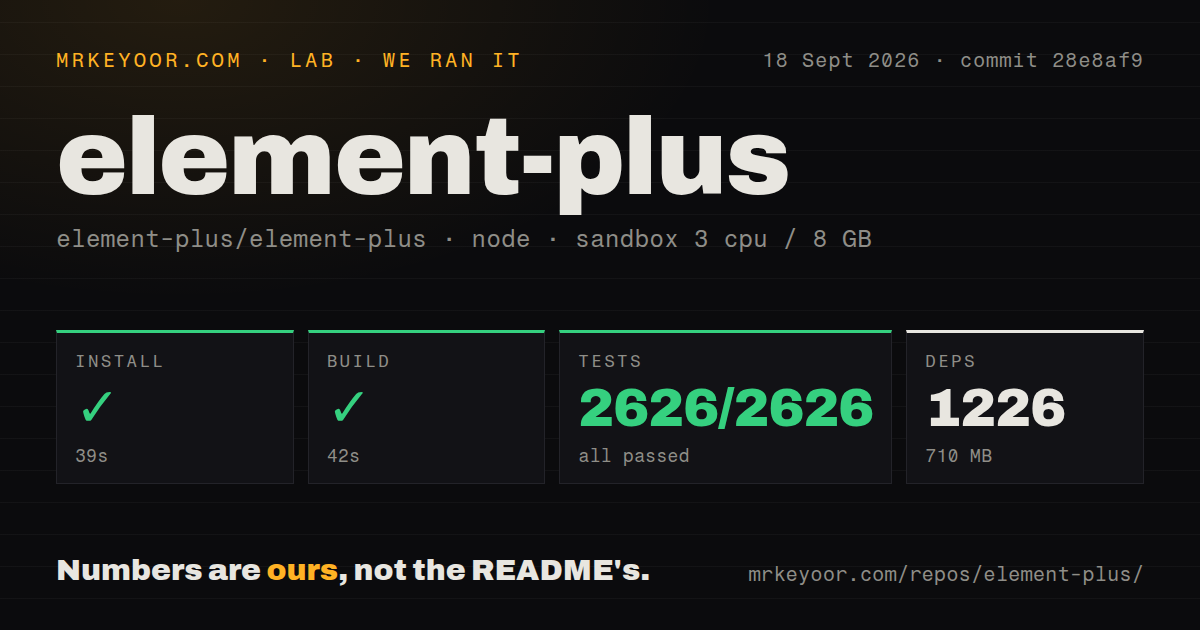
Our sandbox installed the monorepo in 39 seconds. We measured 1,226 packages and 710 MB on disk, followed by a 42-second build. We ran commit 28e8af9 in an unprivileged container with 3 CPUs, 8 GB of RAM, Node 22, and no secrets. The dependency count and disk use make the checkout a material addition to a small CI image.
Vitest passed all 2,626 tests in 120 seconds, with 0 failures. Our test method covered the default Vitest command in fresh Debian, not every browser, screen reader, or Nuxt route. It shows that the checked-out unit and component tests work in the stated environment without pretending they form a browser matrix or end-to-end run.
The repository had 26 CI workflow files, monorepo workspaces, no Dockerfile, and no top-level tests directory. The passing Vitest run matters more than the directory name. There is no service to launch or credential to configure. Element Plus is a dependency your application builds and serves with the rest of its front end.
Browser support starts at Safari 14.1 and Chrome 85
Since Element Plus 2.5.0, the documented minimums are Chrome 85, Edge 85, Firefox 79, and Safari 14.1. Internet Explorer is unsupported because Vue 3 dropped it. Applications needing older browsers must supply their own Babel and polyfills, but that does not restore IE compatibility. Settle any older-browser requirement before building screens around the library.
CSS variables can change a color at runtime or within one component scope. Sass replaces broader Theme Chalk variables during compilation, with Sass 1.79.0 as the minimum for Element Plus 2.8.5 and later. The guide warns that mixing project and Element Plus variables can make hot updates compile many files. A branded product should prototype its hardest component before committing.
Element Plus 2.14.5 still needs explicit SSR handling
Element Plus 2.14.5 is not a zero-configuration SSR library. Its guide requires stable ID and z-index values on server and client, and dialogs, tooltips, selects, and date pickers use Vue teleports. Nuxt users get an official module. Custom SSR stacks must conditionally mount teleports or inject their markup into the final HTML, while pnpm users may need dependency hoisting or a direct Day.js install.
Release 2.14.5 fixed a tab flicker caused by an SSR environment default. Open issue 24712 describes an el-table disappearing briefly after refresh in a Nuxt 4 application using Element Plus 2.14.4. The report includes a reproduction, but it does not establish that every Nuxt table or the current release is affected. Test routes that combine data, hydration, and overlays.
Passing 2,626 tests does not replace product-level interaction tests
Version 2.14.5 has an open date-picker report with a concrete interaction: choose a time before choosing dates in a date-time range, and a disabled default date can enter the model. The same release fixed screen-reader access to input counts, form validation roles, Firefox textarea sizing, loading animation, and tree selection state. High-value forms still belong in your own browser and accessibility test plan.
GitHub recorded a push on September 18, 2026, while release 2.14.5 arrived on August 21. The repository had 27,767 stars and 1,156 combined open issues and pull requests when fetched. That queue is not a defect count; recent entries include fixes, features, documentation, and dependency work. Search by component name and deployed version before dismissing an odd UI behavior as application code.
All 2,626 passing tests support adoption, with one condition
Element Plus is a sensible default for Vue 3.3.7 or newer when the team accepts its visual vocabulary. Our passing suite shows the monorepo can build and test cleanly, even though 710 MB is a real contributor cost. Before standardizing, build one representative form with validation, a table, a date control, and an SSR route. If those pieces survive branding and browser tests, the library can repay its setup cost.