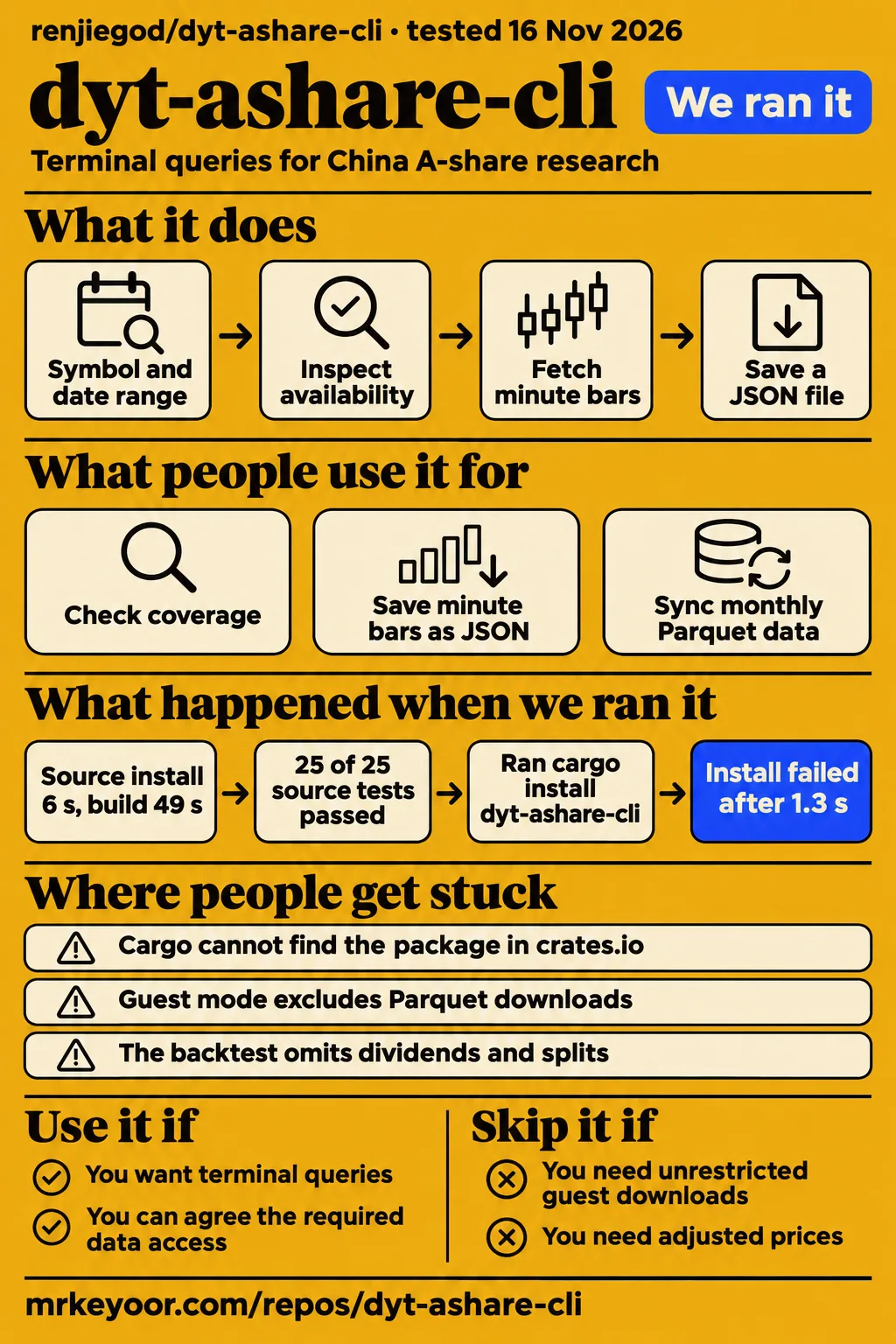
Our sandbox build passed, and all 25 recorded tests passed. Use dyt-ashare-cli if you want a terminal workflow for China A-share research and can work within a separately operated data service. Skip it if you need an unrestricted historical archive or a backtester that models corporate actions and trading constraints. The distinction matters before you spend time integrating the commands: the client is open source, while access to the underlying data depends on guest limits or purchased account rights.
What people use dyt-ashare-cli for
GitNova describes coverage checks, JSON downloads and monthly Parquet syncing as uses for dytcn, rather than reporting a named researcher's completed project. Its summary is useful for finding the commands, but it is not a customer case study. The current upstream README gives more precise access rules and adds a local daily backtest. Read these as documented workflows, with the lab results below supplying a separate account of source checks.
| Workflow | Who describes it | What the source actually supplies |
|---|---|---|
| Check a symbol and date range before downloading | GitNova's project summary | A suggested coverage-check workflow, without a reported result |
| Save minute bars as JSON, then inspect duplicates and anomalies | GitNova's project summary | A suggested download-and-analysis sequence, without an executed example |
| Sync a monthly Parquet dataset into a local research store | GitNova's project summary | A suggested use, with account requirements clarified by upstream |
GitNova's project summary explicitly says it was generated from the README and may contain inaccuracies. That attribution is worth retaining. There are no named users or measured research outcomes in those three descriptions, and turning them into success stories would give them more weight than the source earns.
The upstream README documents a sensible order: use coverage to inspect availability, fetch minute bars with minutes, and run analyze on the saved file. The local analysis checks duplicates, unusual prices, trading sessions and daily record counts. That order appeals to me because it puts the question of whether the data exists ahead of the download. A researcher can also keep the raw response alongside later analysis rather than treating a chart as the only artifact.
The daily backtest is a different workflow. Upstream describes fetching a fixed daily window through the remote API, then replaying it locally with buy-and-hold or an SMA crossover. Reports include JSON and an offline HTML chart. If your immediate job is inspecting a small historical window and keeping the inputs with the result, that is a clearer reason to try this CLI than its position on a trending-project list.
What happened when we ran it
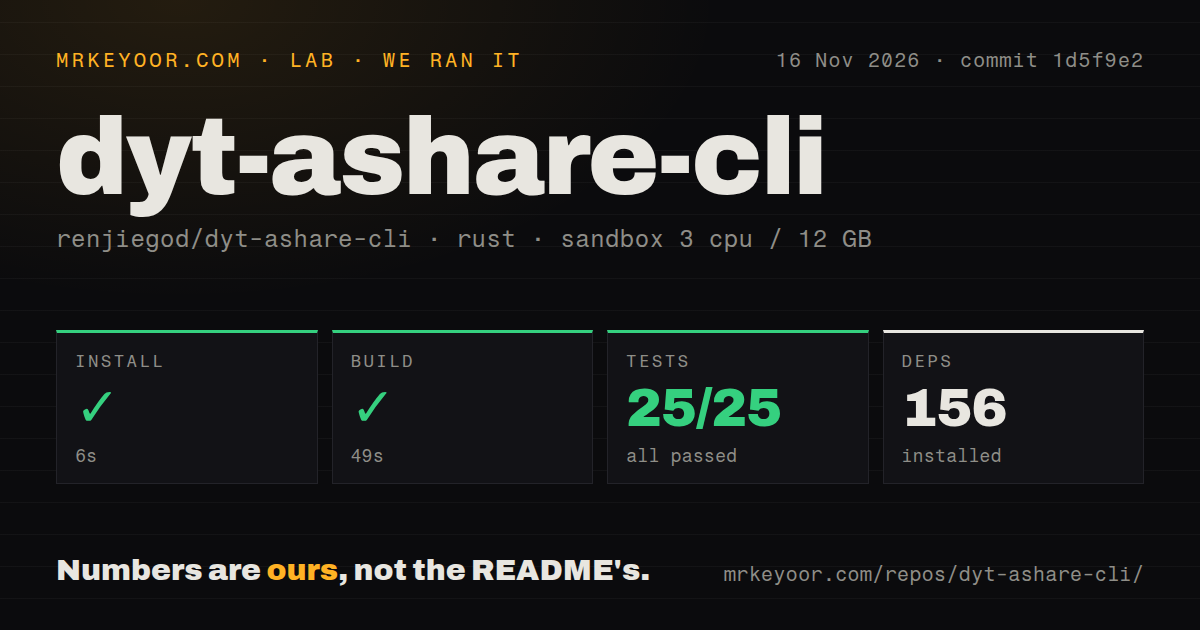
In our November 16, 2026 sandbox run at commit 1d5f9e2, installation succeeded in 6 seconds, the build succeeded in 49 seconds, and cargo test passed all 25 tests in 5 seconds. These are the supplied source-harness results. They give a developer a concrete reason to inspect the project: the recorded checkout completed all three steps without a failed test.
| Source-harness step | Recorded outcome | Duration |
|---|---|---|
| Install | Succeeded; 156 dependencies recorded | 6 seconds |
| Build | Succeeded | 49 seconds |
| Tests | 25 passed, 0 failed of 25 | 5 seconds |
The recorded sandbox configuration was 3 CPUs, 12 GB RAM and image label lab-rust:1. The label identifies the configured image, not the actual Rust toolchain or operating-system version. Those versions require the raw toolchain logs. Treat these durations as observations from that environment, rather than a promise about your laptop or a recommended hardware minimum.
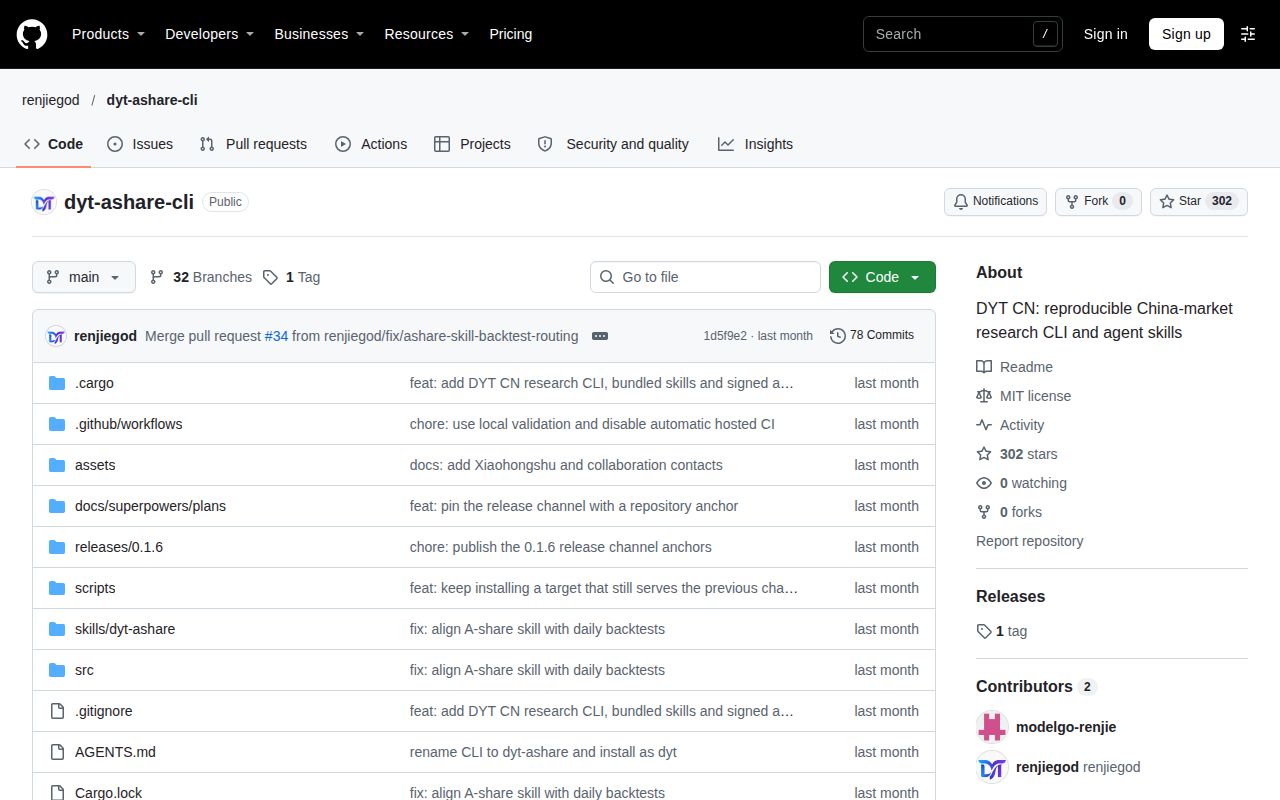
The checkout contained 31 files, approximately 3,647 lines of source and 0.3 MB. The scan found one CI workflow, no Dockerfile and no tests directory. A missing tests directory is especially easy to misread here: the cargo test result still records 25 passing tests. Directory layout and executed checks answer different questions. Likewise, the small checkout size describes the source tree, not the storage required for historical market data.
For someone deciding whether to work on the client, the successful build is useful evidence. It clears the initial source-check hurdle in this recorded environment. For someone choosing a data supplier, the important next result is a returned dataset for the required symbols and dates. The untested section collects the service and workload boundaries so these source timings keep their proper meaning.
Where people get stuck: the package name and account rights
The pack's separate quickstart attempt ended with a crates.io lookup error, while the current README directs users to hosted platform installers. The quickstart record says its recipe selected cargo install dyt-ashare-cli from the manifest, then stopped because Cargo could not find that package in the registry. This is a finding about that recipe's selected distribution route. It does not overturn the successful source-harness record above.
The quickstart failure record reports: could not find dyt-ashare-cli in registry crates-io with version *. The underlying record includes Cargo's backtick formatting around the names. There is no supported basis for diagnosing a Rust compiler defect from this message. The useful correction is to start with upstream's documented distribution route, rather than assuming every Rust repository is published under its repository name on crates.io.
| Obstacle | Evidence | Practical next step |
|---|---|---|
| Cargo cannot find the package in crates.io | Separate quickstart recipe's registry lookup failed | Use the current README's platform instructions or its developer documentation |
| Terminal cannot find dytcn | README tells users to reopen the terminal after installation | Reopen it and use the documented version and doctor commands |
| Guest request reaches a limit or historical boundary | README says the server controls guest quotas and permitted dates | Read the returned message, narrow the request or discuss account rights |
| Parquet download needs an account | README excludes dataset downloads from guest mode | Confirm the required symbols and dates before purchasing access |
The source of an error matters. A package lookup, a shell PATH problem and a service entitlement refusal happen at different stages. Keep the error text and the command that produced it, then redact sensitive information before reporting it. Upstream recommends dytcn doctor for local checks and directs account and quota questions to email. It asks users to submit sanitized client errors in GitHub issues.
Guest access is a trial, not an unlimited archive
The README permits guest coverage, minute-bar and daily-bar queries without an API key, but excludes Parquet dataset downloads from guest mode. It also says the allowed historical window, request rate and daily quota are controlled by the service. This makes guest mode useful for learning the request shape before discussing a paid account. It is a poor foundation for a job whose completion depends on an unspecified daily allowance.
Account access is arranged by email. Upstream asks buyers to state symbols, historical periods, expected query volume and whether they need batch downloads or agent access. Price, expiry, coverage and quotas are agreed there. My advice is to put those requirements into a short acceptance checklist before paying: the exact symbol suffix, inclusive date range, dataset format and permitted use should be clear enough that a returned file can settle the question.
An API key is entered through dytcn auth login, and dytcn usage shows account rights and remaining allowances. The MIT licence applies to the client; the data API is a separate service. Keep those permissions separate when assessing whether the tool belongs in a research pipeline, especially if the pipeline will distribute downloaded data to other people.
Daily backtests leave out trading conditions that matter
Upstream says its backtest uses unadjusted prices and omits price limits, suspensions, order queues, partial fills, dividends and splits. That is a concrete reason to pass if your task requires an execution simulator or returns adjusted for corporate actions. The convenient HTML report does not remove these modelling choices. Read the assumptions before comparing a reported return with another engine's output.
The documented execution convention generates a signal at the close and fills at the next daily open. Buys round down to whole lots, and the final position closes at the last bar's close. Fees and slippage appear in the example configuration. These choices make the replay interpretable, but they also define what the result means: a daily rule applied under stated assumptions, rather than a reconstruction of every trade that could have happened.
The provenance fields are a useful design detail. Upstream says the output retains the remote dataset ID, version SHA, processor version, requested interval and response hash. For a research notebook, saving those identifiers beside the JSON is a better habit than keeping a screenshot of the equity curve. If the service later revises a dataset, that saved context gives you something specific to compare.
Security depends on both the installer and the account
The README describes an update check anchored to version-tagged repository hashes, rather than a signed channel manifest. It says the client compares the channel bytes against an anchor published with the version tag and refuses an update if the anchor is missing or differs. That is the documented trust design. The repository anchor and the release host are both relevant when reviewing what an update is allowed to install.
The macOS and Linux instructions pipe a downloaded shell script into sh. If your organisation requires reviewing installation scripts, save and inspect that script through your normal process before running it. That recommendation follows directly from the documented command's execution behavior, rather than from a discovered exploit. Windows has a separate PowerShell installer and architecture selection described in the README.
The companion skill uses the same service quotas as the CLI. Upstream asks users to enter keys in their own terminal and keep them out of public issues, chats and repositories. I would keep account login as a human step when connecting an agent: the convenience of asking for a dataset in natural language does not create a reason to place a service credential in a prompt.
English readers need the Chinese README close by
The README we reviewed is in Chinese and does not link to an English counterpart. Command names and examples are readable without translating every paragraph, but the purchasing terms, backtest exclusions and update notes carry information that the short English directory summary leaves out. An English-speaking developer should translate those sections before treating the examples as a complete operating guide.
The README lists Windows x64 and ARM64, macOS Apple Silicon and Linux x86_64 as supported platforms. It describes prebuilt installation without configuring Python. That platform list is more useful than a generic cross-platform label: choose the instructions for the actual machine, especially on Windows ARM64. Our sandbox's configured image is a separate record and supplies no desktop-platform result.
The companion dyt-ashare skill is documented for Claude Code, Codex, Cursor and other agents. It routes data requests through the same service rather than granting extra access. For an English workflow, keep the symbol, date window and desired output explicit in the request. The agent's phrasing should not become the only record of which dataset you intended to retrieve.
dyt-ashare-cli vs AKShare, yfinance and search-page comparisons
AKShare is the closer alternative for someone who wants a Python financial-data library; yfinance fits a Yahoo Finance data workflow. Those are choices about interface and data source, rather than winners established by our run. The supplied comparison pages instead pair dyt-ashare-cli with projects such as geo-sdk and trading_chart using popularity and opinion scores. Their tables supply no shared A-share workload.
| Option | Documented interface or evidence | Pick it when |
|---|---|---|
| dyt-ashare-cli | Terminal commands, coverage checks and an account-gated Parquet workflow | You specifically want to evaluate this service through a CLI |
| AKShare | Python financial-data library with an A-share history example | You want to work inside Python and inspect the available source-specific interfaces |
| yfinance | Python access to Yahoo Finance data | Your project calls for Yahoo Finance data and its usage terms fit |
| Mid or Real's geo-sdk and trading_chart pairings | Opinion scores and public repository counts | Use them to inspect that site's scoring, not to choose a historical-data supplier |
AKShare's README calls it a Python financial-data library and demonstrates A-share history. yfinance's README describes a Python interface to Yahoo Finance and directs readers to Yahoo's terms for rights to downloaded data. Neither source establishes an interchangeable archive with dytcn's symbols, depth and entitlements. Choose the candidate that matches the required source and interface, then compare the exact window you need.
Mid or Real's geo-sdk comparison says its verdict is opinion and declares neither project a winner. The trading_chart comparison uses the same approach. A larger Reality score is therefore no reason to expect more complete minute bars or better data rights. A useful comparison would inspect matching symbols and dates, output fields, missing intervals and permitted use.
What the other reviews get wrong
GitNova's interest score measures star growth, and its own page explicitly separates that assessment from safety. Treating its score as an installation recommendation would misread the source. Its English summary also compresses the access story into a limited guest mode, whereas upstream spells out that guests cannot download Parquet datasets. The README is the better source for that operational decision.
The supplied Mid or Real pages label dyt-ashare-cli REAL, but they describe their verdict as opinion. They do not report a researcher's completed download or an A-share dataset comparison. The correction is to how those labels should be used, rather than an accusation that the sites claimed to run the software. Our successful source checks add a specific observation that a popularity label cannot supply.
There is also irrelevant material in the research results: dypt's task-management CLI, unrelated video transcripts and general CLI pages. A similar package name does not make their commands applicable to dytcn. None provides a project-specific user story worth repeating here. The right next evidence is a real coverage response and saved data from this project, not a tutorial about another terminal tool.
Questions people ask
Yes, the README says you can query coverage, minute bars and daily bars as a guest without an API key. Its FAQ supplies the practical questions below; the research synthesis contains no additional project-specific audience questions.
Can I try it before buying access?
Guest mode supports limited coverage, minute-bar and daily-bar requests, according to the README FAQ. Longer history, higher usage and Parquet downloads require discussing account rights. Start with a small allowed date window and a symbol you understand, then use the returned coverage to decide whether it is worth asking about a larger dataset.
How do I check whether the data I need exists?
Upstream tells users to run dytcn coverage or send the symbol and date range to its contact email. The README FAQ says symbols need exchange suffixes such as 600000.SH. Minute queries cover at most 31 calendar days per request, interpret dates in Beijing time and include the end date. Those details belong in any script that splits a larger research window.
Are the prices adjusted for corporate actions?
The README FAQ says minute prices are unadjusted, volume is in shares and turnover is in renminbi. It uses 240 bars as the reference for a normal complete trading day. That reference helps frame a quality check, but raw price changes and drawdowns should not be read directly as a strategy's investment return.
What we have not tested yet
Our evidence establishes successful source-harness steps, not a completed market-data research workload. We have not tested live coverage queries, guest quota exhaustion, account login, JSON retrieval, local quality checks against known defects, or monthly Parquet syncing. No paid dataset or account entitlement was exercised. The separate quickstart recipe stopped at its registry lookup and produced no service result.
We have not tested the daily backtest against a known-answer fixture, the offline HTML output, provenance retention or agent-driven requests. Those are documented capabilities and modelling conventions. The source tests alone cannot establish the correctness of a particular strategy result or the completeness of a downloaded archive.
Platform installers, repository-anchor enforcement, credential storage and update rollback also remain outside our run. We have no security audit, download throughput measurement, peak runtime-memory measurement or study of repeated requests at volume. The configured 12 GB allocation is not measured consumption. The actual Rust and operating-system versions require the raw toolchain logs.
Finally, the sampled directory pages and comparison scores supply no named production adoption or support history. The repository's public issue listing contains development activity, but that alone cannot establish how account disputes or missing-data reports are handled. Before committing a research pipeline to this service, the useful acceptance result is a saved dataset for your intended symbols and dates, accompanied by agreed usage rights.