The plugin fixes one Windows-only DSH preset failure
DeepSeek Harness's minimal mode expects a persistent bash process through a PTY backend. The README says the local subprocess package rejects terminal inspection on Win32, while the normal bash tool also expects a bash executable on PATH. dsh-gitbash-preset avoids those two assumptions by installing a separate minimal-gitbash preset. Its executor launches Git for Windows Bash for each command rather than trying to preserve the original PTY session.
The result keeps the minimal persona and str_replace_editor tool while swapping the shell service. That is a narrow change, which is good for auditability. The repository has 10 files and about 562 lines of source. Package metadata identifies version 0.1.2, requires Node.js 20 or newer, and declares no runtime dependencies. It is a preset adapter, not a general terminal emulator or a patch to DSH's Win32 process support.
Full-access approval is a design requirement
Git Bash uses the MSYS runtime. According to the README, it cannot create its signal pipe inside DSH's restricted Windows token sandbox. The executor therefore checks the session policy and runs only under danger-full-access or a deployment with no sandbox. With workspace-write or a narrower policy, it returns an error that directs the model to request a one-time permission escalation through the normal approval mechanism.
That boundary is honest, but it removes the containment many teams expect from an agent shell. A command approved for full access can reach more than the workspace. The plugin does not claim to bypass the sandbox; it refuses to run until the policy permits it. Administrators should preserve the approval prompt, review the exact command, and avoid setting every session to full access merely to make the preset feel automatic.
What happened when we ran it
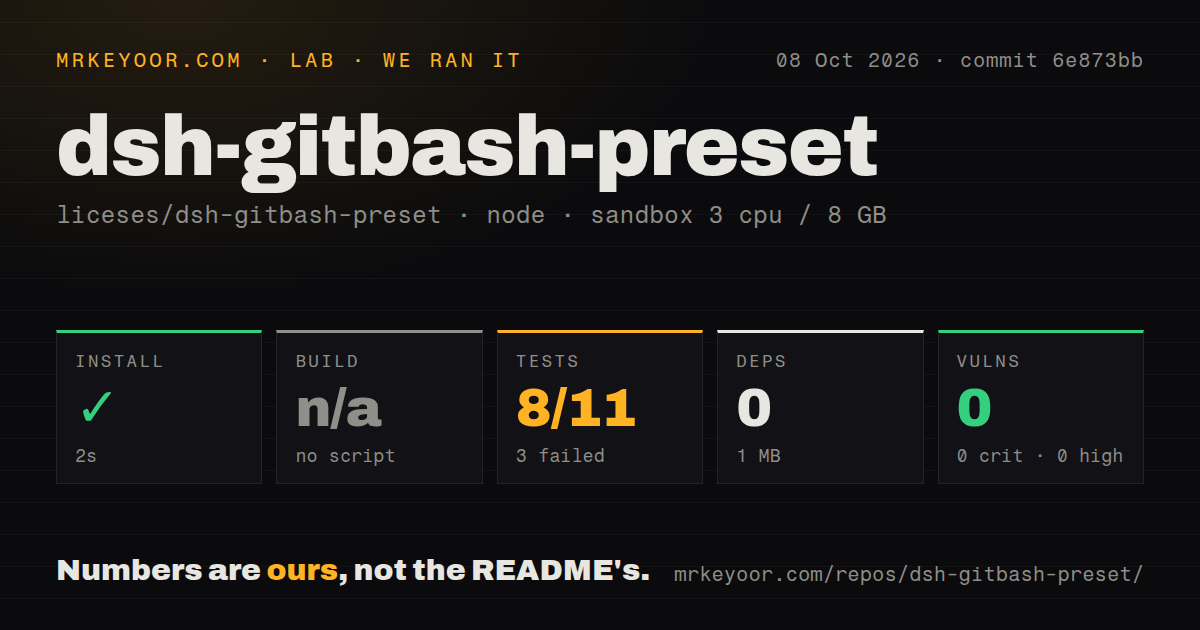
Our sandbox install finished in 5 seconds, added 0 packages, and occupied 1 MB. There was no build script or target, so the build step was skipped. Npm audit found 0 known vulnerabilities across the installed dependency set. The checkout had no CI workflow file, Dockerfile, or root tests directory, although the source tree includes one test file under the bundled preset.
The test command failed with exit code 1 after 4 seconds. The supplied node:test summary counts 8 passed and 3 failed out of 11. Its tail prints 12 total entries because it also lists 1 skipped test. The final excerpt contains only aggregate counts and durations, not the names or error messages for the three failures. We therefore cannot say whether they concern path discovery, configuration validation, or another behavior.
This run used commit db21575 in a fresh Node 22 Debian container with 3 CPUs, 8 GB of RAM, and no secrets. It did not run on Windows, start Git Bash, or attach to DeepSeek Harness. A Linux syntax and unit-test run cannot prove the core Win32 integration. The 3 failures make a Windows smoke test more important, especially around paths containing spaces, permission escalation, timeouts, and process termination.
Shell discovery is flexible, while state never carries over
The executor checks an explicit shellPath first. Automatic discovery considers the GIT_BASH environment variable, common locations under Program Files and LocalAppData, bash.exe on PATH, and finally bash. This covers standard Git for Windows installations without forcing one hard-coded directory. Users with a portable or unusual install can point directly to the executable in the preset configuration.
Each tool call runs a new bash -c process. The README is clear that cd, exported variables, functions, and other shell state do not survive into the next call. Commands should use absolute paths, combine dependent steps in one invocation, or set required environment values each time. The default timeout is 120,000 milliseconds, capped at 600,000, and each output stream retains 64,000 bytes before overflow goes to a spill file.
Fresh processes are less convenient than DSH's intended persistent minimal shell. They also make individual executions easier to reason about because one command cannot silently inherit a directory or alias from an earlier exchange. Whether that trade suits the workflow depends on how often the agent runs multi-step build commands. A session that repeatedly relies on changing directories will be awkward unless its instructions account for stateless calls.
Installation copies a preset and will not overwrite it by default
The documented command adds @icelily/dsh-gitbash-preset to the DSH web profile. After DSH restarts, the plugin copies its bundled preset into ${DSH_HOME:-~/.dsh}/.agent-presets/minimal-gitbash/. If that directory already exists, installation skips it. Setting force: true permits replacement, while the default protects local additions from an automatic overwrite. Manual installation is also possible by copying the preset directory.
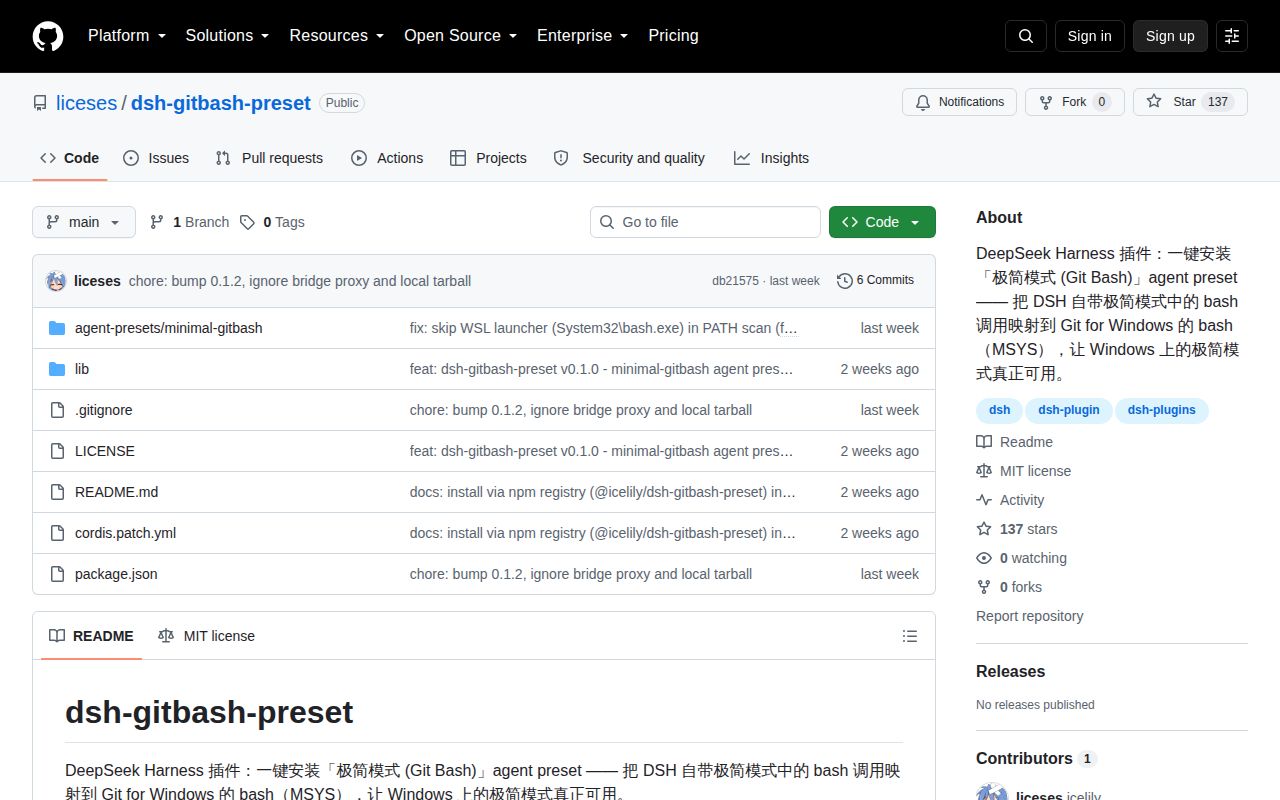
The main README is primarily Simplified Chinese. It explains the PTY failure, shell discovery order, sandbox check, configuration limits, and state behavior in useful detail, but there is no linked English guide. That narrows the audience for a plugin already tied to one Windows and DSH combination. GitHub showed 137 stars, 0 combined open issues and pull requests, a last push on August 16, 2026, and no latest release record.
The recent push suggests current work, while the absence of issues gives little evidence about real-world support volume. With 0 installed dependencies, reviewing the code is feasible. Do that, rerun the three failing cases with full output, and test one harmless command under both workspace-write and approved full access. If those checks pass, the preset solves its small problem without pretending to make MSYS compatible with DSH's restricted sandbox.