The author's finished ad reportedly used 482 Renoise credits for 27 seconds of video. Digital Human Koubo suits creators who already use a shell-capable agent and want a recurring presenter with captions and an assembled edit. Its documented workflow asks for a credit approval and a first-segment review before generating the remaining clips. Those checkpoints are the practical starting point for deciding whether to adopt it. Author's ad and approval workflow
What people use digital-human-koubo for
Digital Human Koubo supports recurring product introductions, tutorials and explainers built around a reusable AI presenter. Opuskill describes these uses explicitly, while the author's demos show how presenter footage can share the screen with product material, steps, charts and emphasized words. The useful decision is whether you need that complete production workflow: a recurring identity, generated speech and video, captions, supporting visuals and a finished edit. Recurring production uses
| Who made it | Reported production | What it helps you decide |
|---|---|---|
| Project author andyhuo520 | A 27-second vertical WorkBuddy ad with an AI face, voice, studio, captions and price animation, costing 482 credits. Ad record | Whether you need a complete sales-video edit. |
| Project author andyhuo520 | A digital twin made from his own photograph and used in the demos. Presenter record | Whether a reusable presenter fits your publishing work. |
| Project author | A 4-minute-36-second horizontal tutorial, with approximately 3,250 credits reported. Tutorial record | Whether your project resembles a tutorial rather than a short ad. |
| Project author | A demonstration with two presenters, six languages, four scenes and animal characters. Multilingual demo | Whether presenter and scene changes are part of your brief. |
The author also lists product recommendations, a launch breakdown and a finance or technology explainer. These examples put the editing machinery into context: product images can accompany a recommendation, code footage can support a launch explanation, and charts or chapter cards can organize a longer argument. Choose the format around the material you need viewers to understand, then decide how much of the frame the presenter should occupy. Author's demo list
What happened when we ran it
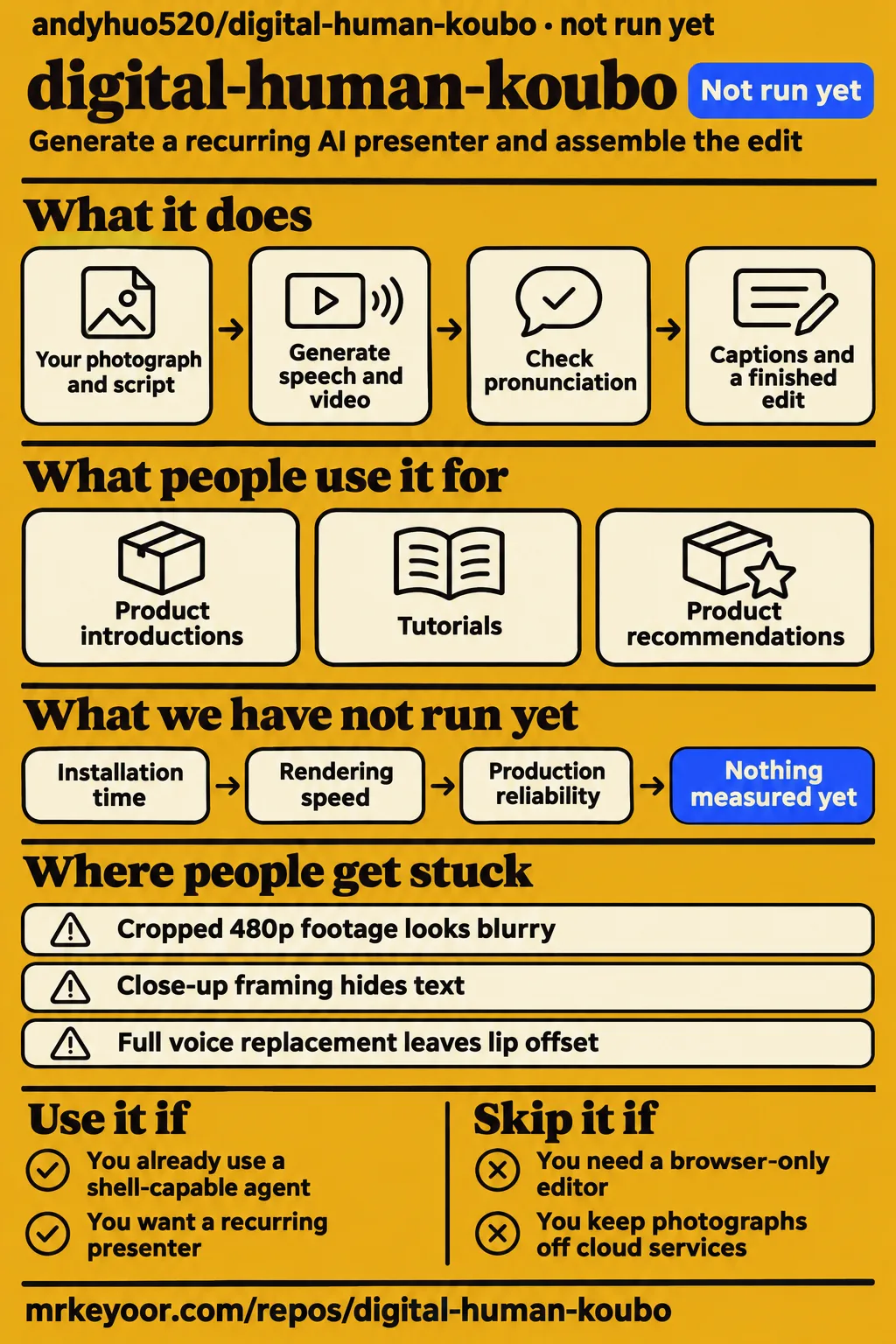
Our run at commit f661a6c on November 17, 2026 stopped before repository execution. The harness recorded no supported ecosystem for TypeScript and no Dockerfile. Its assigned sandbox configuration was 3 CPUs, 8 GB RAM and image n/a. The separate safety record failed because the lab required a Compose file and found none of its four accepted filenames.
| Question | Answer | Verdict | Why |
|---|---|---|---|
| Did the harness execute the repository? | NOT RUN: no supported ecosystem; TypeScript; no Dockerfile. | Stopped | The harness recorded no installation, build or test result. |
| What sandbox was assigned? | 3 CPUs, 8 GB RAM; image n/a. | Configuration recorded | These fields describe assigned resources. |
| Did the safety step pass? | FAILED: compose.yaml, compose.yml, docker-compose.yaml and docker-compose.yml were absent. | Stopped | The lab's rule required a Compose file. |
| What did the generic run entry say? | Deployed with its own Docker Compose on the lab server on 2026-11-17, with every port bound to 127.0.0.1. | Conflicting record | Its deployment wording conflicts with the specific failed safety step. |
| What did teardown report? | teardown: ok | Cleanup recorded | The teardown entry records cleanup status. |
The safety record uses the label "unsafe repo" for failing its Compose-file admission rule. That is the lab's classification, rather than a reported security defect in the project. The generic deployment entry and the failed step disagree; the specific failure and the harness's explicit NOT RUN status govern this account. Koubo's documentation describes an agent skill and local scripts, which also explains why container-oriented admission is a poor fit for its documented route. workflow documentation
GitHub attention and maintenance records
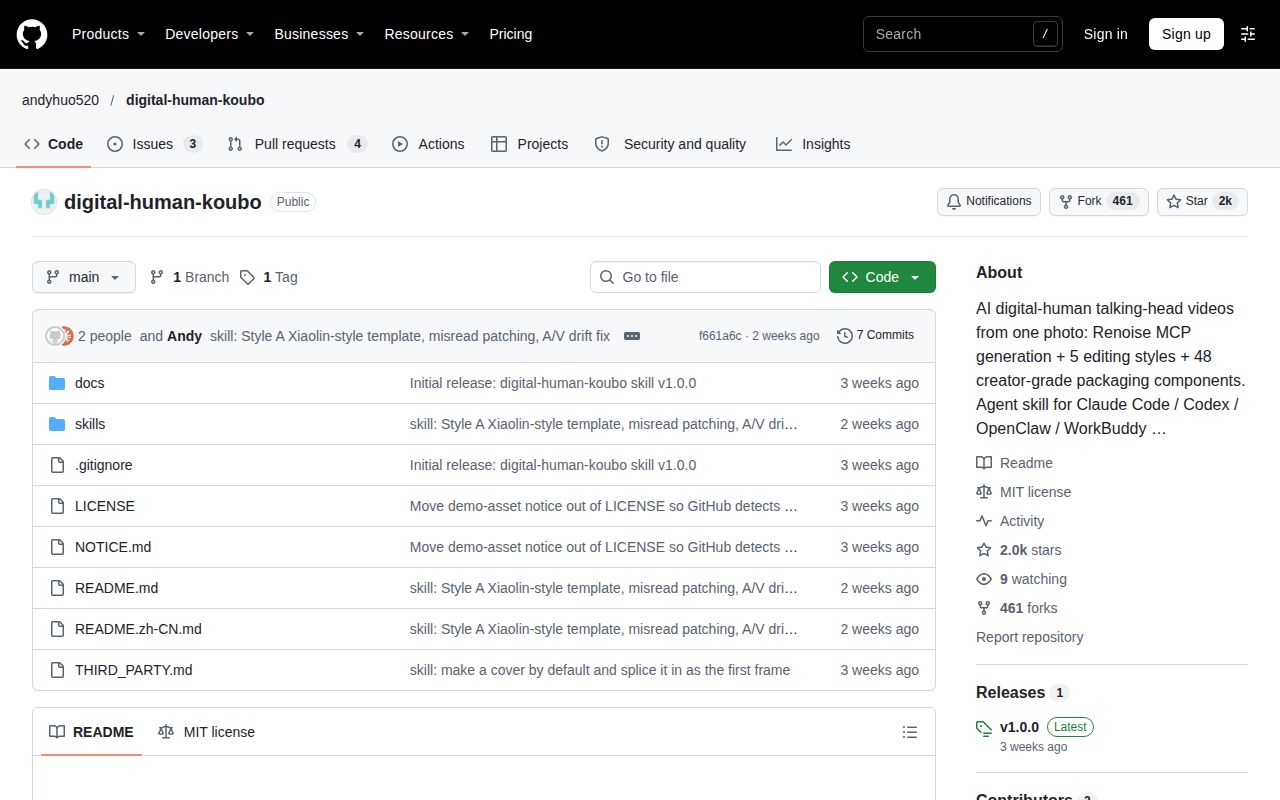
GitHub metadata recorded 2,024 stars and seven open issues and pull requests combined on November 17, 2026. The last push was October 31, and the supplied latest-release record names v1.0.0, published October 26. These are dated repository observations. The checkout used by our harness was f661a6c; the release tag and that checkout are separate identifiers. Repository metadata, latest-release endpoint
Issue #1 supplies a concrete maintenance example: DF-Guan reported eight broken README video links, and the maintainer attributed them to an unpublished release. The maintainer then reported publishing v1.0.0 with all eight assets and checking the links. Issue #2 is an inclusion notice that explicitly mentions paid credits. Issues #4 and #5 are duplicate WaveWeaver promotional notices, so their packaging praise represents one self-reported evaluation. Demo-link report, inclusion notice, WaveWeaver notice, duplicate notice
Where people get stuck: presenter setup, speech and framing
The sample presenter material IDs belong to the author's Renoise account. Your setup needs an authorized reference uploaded to your own account and its material ID entered in persona.json. Establish that presenter before approving a batch: the photograph, voice strategy and intended crop affect the generated clips, while caption colors and card positions belong to the later edit. Presenter setup, first-clip decisions
| Documented problem | Documented response | First-production decision |
|---|---|---|
| Sample material IDs are account-specific | Upload your own authorized reference and replace the ID in persona.json | Establish the recurring presenter first. |
| A transcript conceals a pronunciation error | Transcribe pause-separated clauses without supplying the script, then listen to suspicious results | Include product names and technical terms in the first segment. |
| Full voice replacement leaves about 100 milliseconds of lip offset | Keep native speech, patch a faulty clause, or select an audio-driven model for a recording | Choose the voice strategy before batching. |
| Enlarged or cropped 480p footage looks blurry | Generate substantial presenter footage at 720p | Decide the final crop before generation. |
| Close-up framing hides text behind the presenter | Request medium shots with headroom; the script warns above 60% frame occupancy | Plan space for the effect in the generation brief. |
The pronunciation warning explains a specific failure: a recognizer supplied with the original script can correct a spoken mistake in its transcript. The main skill instead calls for transcription without that script and listening to suspicious clauses. For full voice replacement, the README describes an approximately 100-millisecond lip offset; its alternatives include native speech or an audio-driven model. These instructions address different problems, so choosing a voice and checking pronunciation are separate production decisions. Pronunciation instructions, voice instructions
Longer videos add retakes and synchronization work
The main skill reports four resolution-related retakes costing an additional 680 credits. Its example concerns 480p presenter footage enlarged into a substantial card, which became visibly blurry. The documented response is 720p for presenter segments that will be cropped or enlarged. That makes the final composition an early budget decision: establish the presenter's delivery size before choosing the generation resolution. Resolution and retake record
The README reports audio arriving 0.38 seconds late by 4:43 across 44 clips. Its assembly response pads each clip's audio to the video's duration and checks matching assembled durations. This treats accumulated segment-length drift, while changing a model's native voice introduces a separate alignment problem. The same documentation describes range downloads with resume support and FFmpeg decode checks for Renoise CDN transfers, putting download integrity ahead of assembly. Upstream assembly and download instructions
The author's cost table gives 482 credits for the 27-second ad and approximately 3,250 credits for the 4-minute-36-second tutorial. Use those as attributed production examples when judging the scale of your brief. The workflow itself quotes segments, seconds, credits and account balance before spending, then generates the first segment for review. Ask that segment to demonstrate the actual framing and difficult words your finished production needs. Cost table and approval sequence
Your reference material follows the generation route
The original workflow uses Renoise for generation and local tools for downloading, speech checks and editing. Browser login connects the account without requiring a pasted Renoise API key. The project requires an owned or explicitly authorized face and voice, and its main skill defaults to AI labels on presenter and generated supporting footage. The skill permits removing visible labels at the user's request while reminding them to declare AI generation on the publishing platform. Account and consent instructions, disclosure instructions
The ComfyUI fork documents local generation of photographs, recordings and video, alongside a separate agent data path. Its warning says a cloud-backed agent still receives the script and the frames it inspects. Assess both routes when deciding where your material may travel: changing the generator changes the generation service, while the agent's model determines where its own inputs are processed. Fork's generation and agent data flow
Editing styles require different amounts of adaptation
Style A uses templates/lin-169 in the supplied current upstream README and main skill. The current README describes finance-explainer as an optional engine for chart-only finance long-form videos. Style B uses the data-driven huazi-916 template. Opuskill describes Styles C, D and E as reference implementations whose scenes need adapting to a new script, so choosing a launch breakdown or tutorial also assigns scene work to the agent. Current upstream README, scene-adaptation explanation
English and Simplified Chinese READMEs are supplied, and the detailed main skill is Chinese. Read the selected style's instructions alongside the overview before starting an edit. The workflow also distinguishes planning and generation from local editing: Claude desktop and claude.ai can perform the former, while the documented local editing route requires a shell-capable agent or manual commands. That division determines which environment should own the complete project. Agent support and local editing
digital-human-koubo vs alternatives
The separate ComfyUI fork exchanges Renoise credit billing for local GPU generation. Its maintainer specifies a 24 GB NVIDIA GPU and ComfyUI 0.44 or newer, and reports roughly 40 to 70 minutes on an RTX 3090 for a 40-second video. The fork also reports examples of all five styles, including a 44-second vertical video. These figures describe the fork maintainer's route. ComfyUI fork requirements and examples
| Choice | Suitable task | Documented tradeoff |
|---|---|---|
| Original Digital Human Koubo | Generate a recurring AI presenter and assemble the edit | Renoise account and credits, plus local editing tools. Original workflow |
| Digital Human Koubo ComfyUI fork | Generate locally on the documented GPU | 24 GB NVIDIA GPU and generation time. Fork documentation |
| ghost-editor | Edit a presenter you already filmed | Viral Agent describes short talking-head edits on a Mac. Directory description |
| ffmpeg-skill | Cut, caption or reframe existing footage | Viral Agent describes local FFmpeg tools without presenter generation. Directory description |
The local fork documents a MiniMax H3 memory failure without Lightning LoRA on 24 GB hardware, with its workflow using four-step LoRA for presenter clips and eight-step LoRA for B-roll. Within the original project, the presenter instructions instead recommend comparing Grok Video 1.5 and Wan 3.0 using the same image and line, eight seconds each. Choose the generation route first, then compare its short presenter samples before approving the production. Fork memory workaround, original model comparison
What the other reviews get wrong
Older captured English README text and derivative tutorials identify finance-explainer as the Style A engine. The supplied current upstream README already specifies templates/lin-169 for normal Style A presenter videos and makes finance-explainer optional for chart-only work. Use that distinction when following a copied tutorial: the template selected for the project determines its editing instructions. The captured disagreement concerns documentation versions, with no supplied date for the change. Captured description, current README
The project's support table labels Claude Code tested, Codex expected to work, and OpenClaw and WorkBuddy conditional. That wording is more useful than a broad compatibility list. Likewise, the fully automated pitch contains two explicit human decisions: credit approval and first-segment review. Viral Agent's cost summary conflicts with its own 482-credit example, while AI Founder's October 26 release date and November 15 tracking date place its observation 20 days after release. Support and approval table, cost discussion, dated profile
The repository's MIT license covers its code and documentation; the supplied README separately states Remotion's company licensing terms and Google Noto animated-emoji attribution. ForkFree's broad commercial-use answer needs those dependency terms alongside it. Big Prompt Hub's disclosure description also needs the main skill's distinction between default visible labels and removal with a platform-disclosure reminder. The supplied YouTube transcript discusses facial deformation; it provides no reproducible Koubo quality result. Commercial-use answer, upstream third-party terms, disclosure description, main skill, video transcript
Questions people ask
Digital Human Koubo costs Renoise credits for generation; the author's 27-second ad reportedly used 482 credits. Getting started also requires skill loading, a Renoise connection and local command execution for editing. The documented sequence asks you to approve the estimated credits and then review the first segment before the remaining batch. Prepare the authorized presenter, product facts and delivery format before those decisions. Requirements and production sequence
What does digital-human-koubo cost to run?
The author reports 482 credits for a 27-second ad and approximately 3,250 credits for a 4-minute-36-second tutorial. These examples describe different productions, including their documented images and generated segments. The workflow's purchasing mechanism is a live quote for the planned production, followed by first-segment approval. Include the final presenter crop in your brief so the quote reflects the intended resolution. Cost examples
How do I install and start using digital-human-koubo?
The README instructs users to clone the repository, install its skill folders, connect Renoise through browser login and check local tools with doctor.sh. Its local requirements include FFmpeg, Python, Node.js 18+, whisper.cpp and a speech model, with Playwright and Chromium for cover layout. Configure an authorized presenter reference, request a short production and follow the credit and first-segment approval sequence. Upstream installation instructions
Which agents does digital-human-koubo work with?
Claude Code is documented as tested; Codex is listed as expected to work, and OpenClaw and WorkBuddy have conditional support. The complete workflow requires loading skills, connecting to a remote MCP server and running local commands. For an agent limited to chat and MCP, the README describes planning and generation followed by editing in a shell-capable environment. Agent support table
Can I use digital-human-koubo commercially?
The code and documentation use MIT, while the README states separate terms for rendering and assets. It describes Remotion as free for individuals and companies of up to three people, with larger companies requiring a company license. Animated Google Noto emoji require attribution in the video. Read the project's third-party notice against the dependencies and assets selected for your production. Upstream licensing section
Why do the README demo video links return 404, and are the release assets available?
Issue #1 attributes the original eight broken links to the unpublished v1.0.0 release. The maintainer reported publishing that release with all eight videos, checking both READMEs' links and retaining GIF previews as fallbacks. The thread was closed as completed on October 26, 2026. This record concerns release assets and their links, rather than a failure to render the videos. Maintainer's demo-link resolution
What we have not tested yet
Our lab completed no installation or video at f661a6c. Installation time, runtime versions, rendering speed, application memory use, test outcomes and production reliability have no measured result here. The image n/a field establishes no operating-system version. The conflicting generic deployment entry supplies no completed workflow evidence beyond the specific failed step. The documented workarounds, author credit totals and local fork's GPU figures have not been independently reproduced in this attempt.
The supplied evidence leaves Renoise retention, training and deletion practices unresolved. It supplies no cash conversion for the credits or complete buyer budget including presenter setup, failed generations and retakes. Controlled likeness, lip-sync, pronunciation and multilingual quality comparisons are also absent, as are complete independent workflow results across the advertised agents and platforms. The captured documentation's update date and comparative quality of the listed editors remain unknown. Use one authorized presenter, actual product names and the final crop for your first production decision.