One client covers more than 90 database and service types
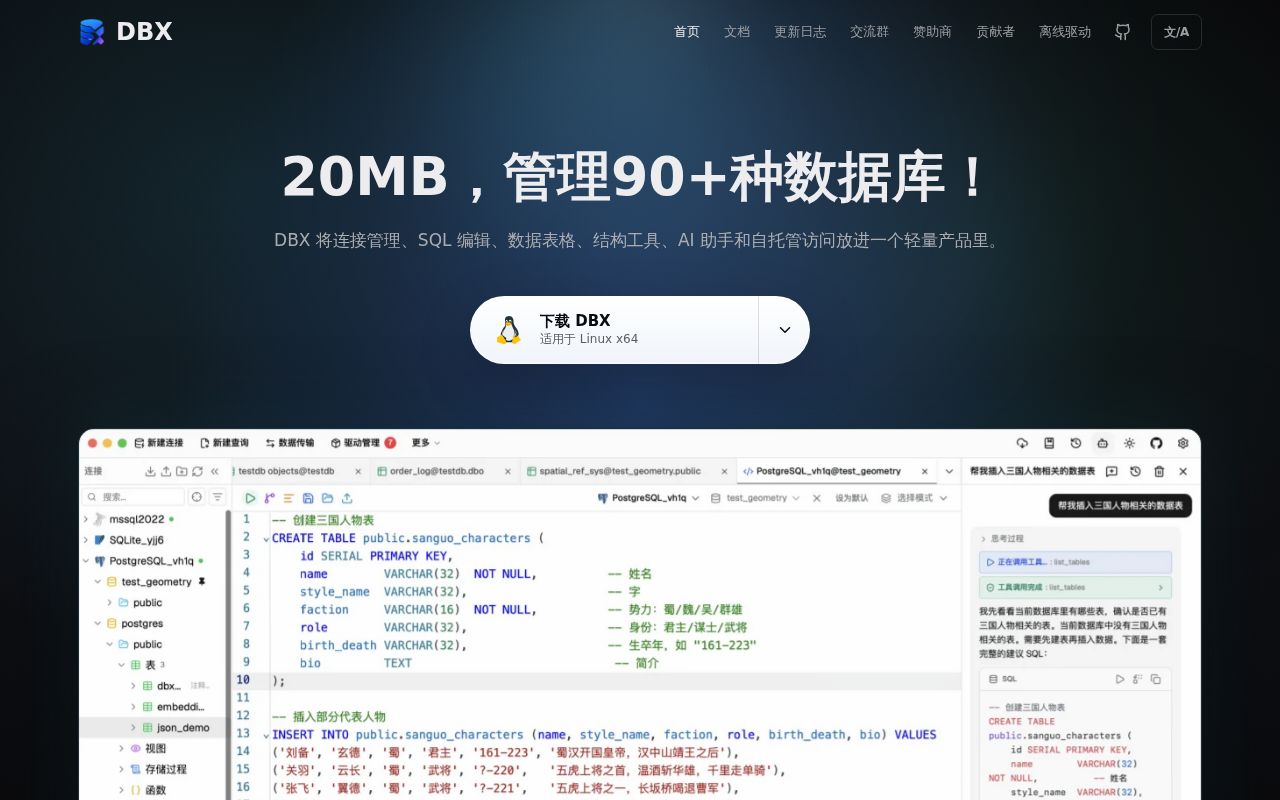
DBX tries to replace several categories of database tool at once. The native application handles familiar SQL editing and table browsing, but its advertised range extends through Redis, MongoDB, DuckDB, ClickHouse, Elasticsearch, vector stores, Chinese enterprise databases, Kafka, RocketMQ, Nacos, ZooKeeper, and more. The same project offers a browser interface in Docker, a scripting CLI, a built-in AI SQL assistant, and an MCP server for coding agents.
The breadth would be less interesting if the interface were only a connection list. DBX includes metadata-aware completion, selected-query execution, history, snippets, explain plans, schema diagrams and diffs, editable grids, data comparison, import, transfer, full dumps, and exports to CSV, JSON, Markdown, XLSX, or insert statements. Specialized Redis and MongoDB browsers cover operations that a generic SQL grid cannot. Dragging Parquet, CSV, or JSON into a DuckDB-powered preview is a practical extra.
Its physical footprint is part of the appeal. The README describes a roughly 20 MB app with no bundled Chromium, Java, or Python runtime for native features. Tauri and a shared Rust core provide desktop behavior without Electron-sized packaging. The project says there is no telemetry; its updater checks GitHub Releases and can be disabled. Desktop use can be fully offline, with driver packages transferred separately and AI pointed at a local Ollama endpoint if required.
Ninety-plus connections do not share one implementation
The list of more than 90 systems needs careful reading. PostgreSQL, MySQL, SQLite, Redis, MongoDB, and other common paths are handled natively. Some enterprise targets run through DBX agents and JDBC. Those connections may need a JRE, the matching agent, and a vendor driver installed through Driver Manager. Their licenses and platform behavior are outside the 20 MB core claim.
Setup is easy when a package exists. Homebrew, Scoop, WinGet, and Flatpak commands are provided, and Docker starts a multi-architecture web image with a named data volume. A first web visit sets up password protection. Exposing port 4224 beyond a private machine still requires the usual TLS, reverse proxy, backup, and access-control work. Source contributors face a different experience: Node.js, pnpm, Rust, Tauri, and several Linux GUI development packages are required.
Three MCP permission modes limit agent access
DBX's separate Rust MCP server reuses connections saved in the application. Ten tools can list connections, inspect schemas, create compact context, execute SQL or supported MongoDB commands, run Redis commands, and open results in the desktop UI. An npm launcher downloads the platform binary, while signed-checksum native archives remove the Node.js requirement. Linux binaries require glibc, so Alpine is excluded.
The permission design is the strongest part. DBX stores an authoritative connection allowlist and one of three modes: read only, data read/write, or full access. Data read/write accepts inserts and effectively filtered changes, while broad updates, destructive DDL, truncation, MongoDB destructive operations, and Redis flush commands require full access. Trivial predicates such as WHERE TRUE stay high risk, unknown Redis commands fail closed, and database credentials plus connection-level protections remain upper bounds. The CLI is also read-only by default and requires separate flags for ordinary and dangerous writes.
These controls reduce accidental authority; they cannot make generated operations correct. Production credentials should still be read-only whenever possible, with an explicit allowlist and a separate human-reviewed migration path. The server can add or remove stored connections, so scoped sessions hide those tools as well as desktop actions.
What happened when we ran it
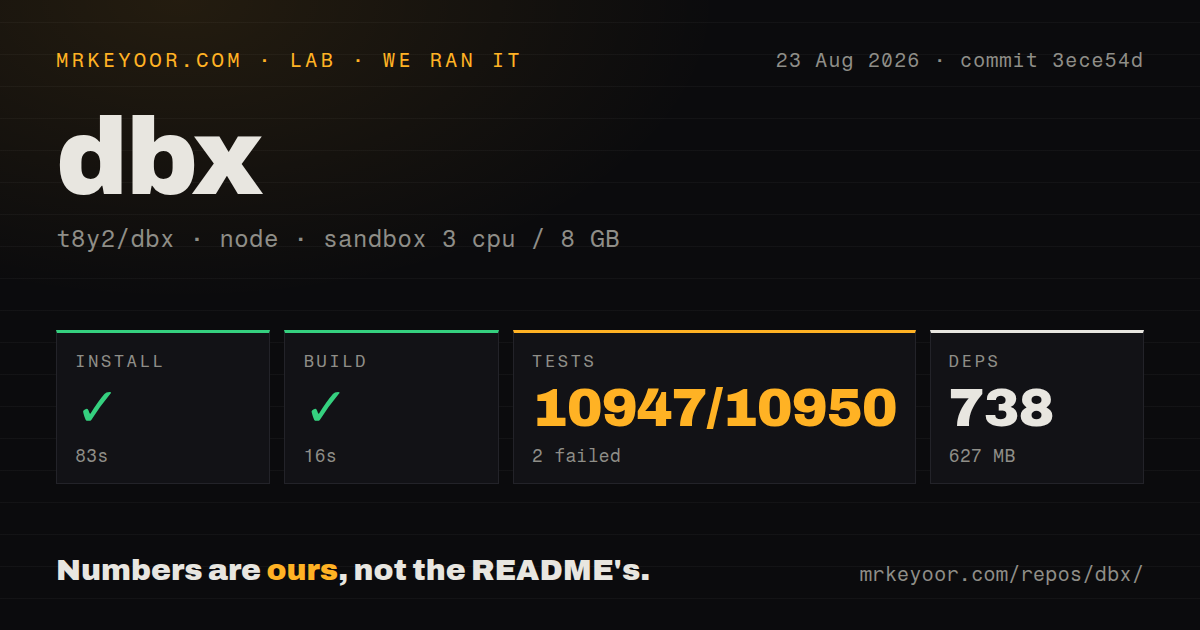
Our sandbox installed 738 pnpm packages in 83 seconds and occupied 627 MB on disk. The build succeeded in 16 seconds. That is a credible source setup for a repository containing 4,259 files, about 1,154,614 source lines, and 96.1 MB before dependencies.
The test step ran for 746 seconds and exited 1. Vitest reported 10,947 passed, 2 failed, and 1 skipped out of 10,950. Both failures were assertion checks in test files, and the log tail shows one expected pattern around paste and refresh failure counters did not match. The supplied lines do not establish why the source differed from the assertion.
Our run used commit 3ece54d in an unprivileged container with 3 CPUs, 8 GB of RAM, Node 22, and no secrets. It did not connect to any real database, invoke an AI provider, or exercise MCP permissions. The 99.98 percent passing test result is encouraging, while the nonzero exit still deserves investigation before changing a supported engine.
Current reports make read-only adoption the safer start
Issue 7312 reports that a structure-only PostgreSQL transfer in v0.5.96 copied the table but lost some indexes other than the primary key. Issue 7114 describes search over schemas larger than 1,000 tables filtering only the preloaded first 1,000 until a manual refresh. These are specific reports rather than measured failure rates, but both touch workflows where incomplete output can mislead an operator.
DBX's MCP modes help constrain the blast radius. Use read-only credentials and the read-only policy for exploration. Keep schema changes and transfers in an established migration path until you have compared DBX's generated result with a trusted client on a disposable database.
An August 2026 release and push show extreme activity
DBX was created on April 29, 2026 and pushed on August 12. Versions 0.5.78, 0.5.79, 0.5.80, 0.5.81, and 0.5.82 arrived between August 9 and August 12, alongside agent and package releases. GitHub's open count of 1,187 includes pull requests; a separate issue search found 1,163 true open issues. The project is clearly alive and responding quickly, but that velocity and backlog are not maturity.
DBX is easy to recommend for read-only exploration, cross-database development, and a carefully scoped agent connection. It is hard to recommend as the authority for destructive schema work today. Install it for its speed and range, set production profiles read-only, pin rather than auto-follow every rapid release, and keep DBeaver or vendor tools nearby for operations where correctness matters more than convenience.