One database client for mixed stacks
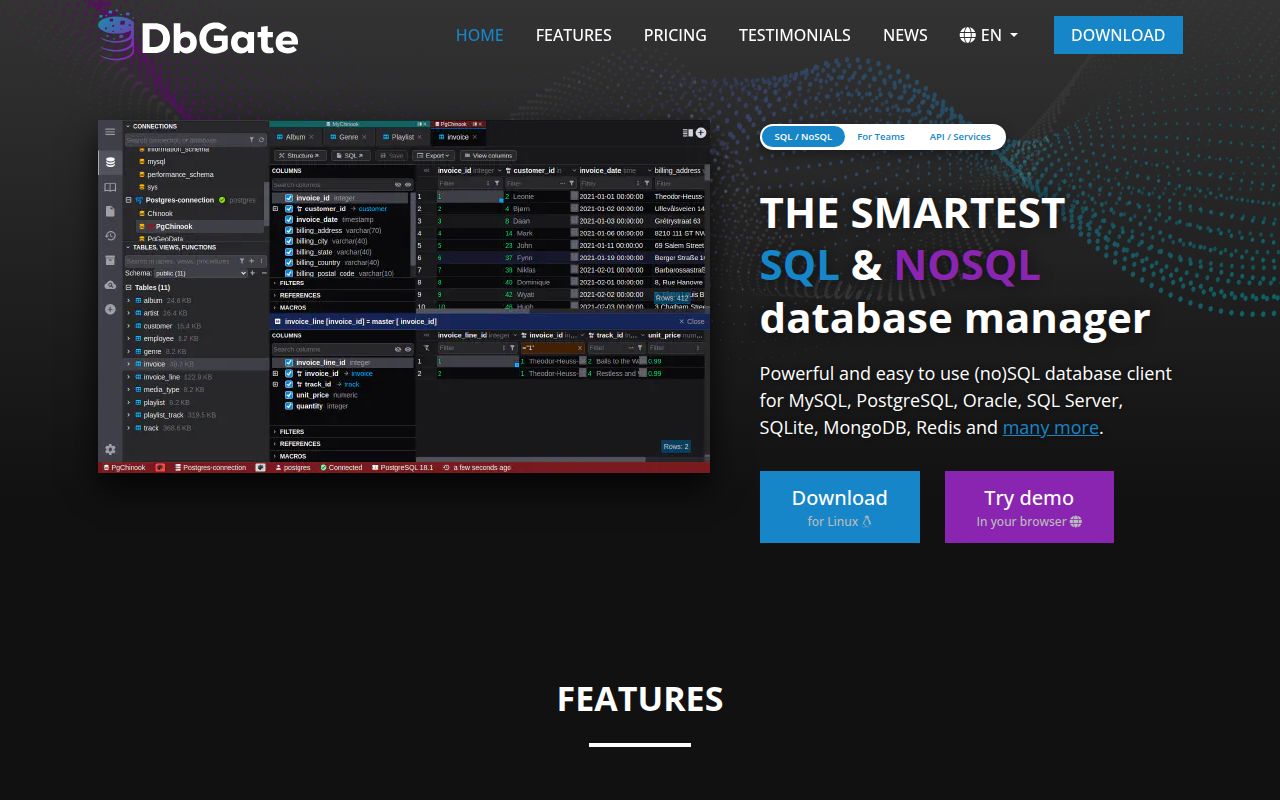
DbGate suits developers whose day does not stay inside one database engine. Its connection list spans PostgreSQL, MySQL, SQL Server, Oracle, SQLite, MongoDB, Redis, ClickHouse, Cassandra, DuckDB, Firebird, and more. The interface combines a SQL editor with table browsing, schema editing, relationship views, imports, exports, charts, and an ER diagram.
A team can keep one set of habits while moving between an application database, an analytics store, and a cache. DbGate runs as an Electron desktop app or a web application. The browser option works for a small team that wants a shared tool without installing a client on every machine.
The free and paid boundaries need reading. The README labels Redshift, CosmosDB, Firestore, and libSQL or Turso as Premium. Server Chat and a ChatGPT account connection were added to Premium in release 7.2.5. DbGate remains GPL-3.0 and free to use, but the matrix is wider than the free connector list. Check the edition against your actual databases.
Daily work is visual and practical
The table browser goes beyond a plain grid. It has Excel-style and multi-value filters, form views for wide records, foreign-key lookups, master-detail navigation, and expandable related columns. Edits can be previewed as a SQL change script. DbGate can edit indexes and relationships, then compare and synchronize structures. Those tools cover jobs that otherwise bounce between a query editor, an admin console, and exporters.
Imports and exports cover CSV, Excel, JSON, NDJSON, XML, and DBF. An archive feature stores data as NDJSON, and the application can browse large NDJSON files directly. Charts and geographic views can be exported to HTML. This does not prove DbGate can replace an engine-specific administration tool, but it makes the application useful for inspection and ordinary data changes across a mixed stack.
The concern is correctness at the edge of the grid. Open issue #1537 reports a filtered and sorted PostgreSQL table view that duplicates some rows while hiding the same number of other rows. The total count remains correct, which makes the failure easy to miss. Until that report is resolved and verified, teams doing sensitive review work should compare suspect results with an explicit query or another client.
What happened when we ran it
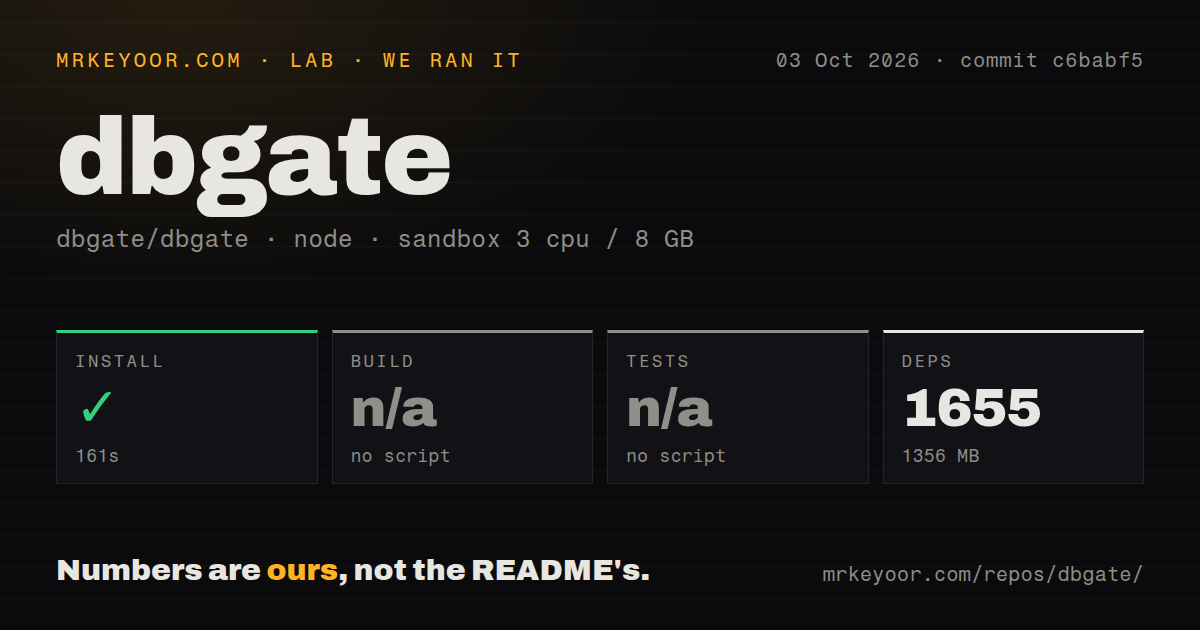
We cloned commit ecf82e6 into an unprivileged Debian container with 3 CPUs, 8 GB of RAM, no secrets, and the node:22-bookworm image. The repository had 1,508 files, roughly 155,477 lines of source, and a 21.6 MB checkout. Yarn installation completed in 611 seconds, bringing in 1,583 packages and leaving 1,352 MB on disk. That is a successful install with a large dependency footprint.
Our harness looked for standard root build and test targets. It found neither, so it skipped both steps. The README documents workspace unit tests, Docker-backed integration tests, and Cypress end-to-end tests. The root package also exposes named build commands for libraries, the API, web client, plugins, and Electron. Generic automation cannot verify the project through build and test without project-specific instructions.
The checkout had a tests directory, monorepo workspaces, and 15 CI workflow files. It had no Dockerfile in the measured tree. The published product offers a Docker image, but contributors should follow the repository's own multi-command paths instead of expecting a conventional single-package Node project.
Source development takes several moving parts
The README's shortest development path is yarn followed by yarn start, which launches the API and web client concurrently. The controlled route uses three terminals: API on port 3000, web development on port 5001, and watchers for TypeScript libraries and plugins. Electron development adds another install inside app, then its own start command.
Tests are split by purpose. A workspace command runs a package's unit tests. Integration tests live in their own directory and require Docker. Cypress opens the end-to-end suite. This layout is reasonable for a project shipping a web server, desktop application, plugins, and database drivers, but contributors must know which slice they changed. A root verification command would make first contributions safer.
Self-hosting brings normal database-client risk. The server needs credentials for every configured connection and network access to those databases. Release 7.2.5 fixed SSRF, local file reads, unsafe plugin operations, path escapes, and script injection. Those fixes are a reason to stay current. They also show why a shared instance belongs behind authentication and controlled network boundaries.
Project health and the decision
The repository was pushed on August 21, 2026, and release 7.2.5 arrived on August 13. Recent issues and pull requests were moving on August 20 and 21. GitHub reported 447 open issues and PRs combined, which is a sizable queue, but the dates show active maintenance. The repository had about 7,269 stars when checked.
Current bug reports matter more than the star count. Issue #1544 says MySQL cleartext authentication cannot be enabled after a driver change, breaking the reporter's AWS RDS IAM path. Issue #1538 reports the hosted web app hanging while it waits for structure on the first session, then working after a reload. Along with the table paging report, these are specific cases to reproduce during evaluation.
DbGate earns a trial when database variety is the problem and a browser option has real value. Start with the packaged desktop app or official image, connect non-production databases, and test sorting, exports, authentication, and schema changes against your normal workload. Teams centered on one SQL engine may prefer a narrower client. Mixed-database teams can get more from DbGate if they validate the exact paths they plan to trust.