Recipes turn browser operations into repeatable analyst work
CyberChef puts input, output, an operation catalog, and a recipe editor on one screen. An analyst can decode Base64, decompress the result, parse its structure, calculate a hash, and save the whole chain. Breakpoints expose intermediate data, while Auto Bake reruns the recipe after an input or setting changes. That is faster than writing and checking a disposable script during an investigation.
The breadth has a cost visible before the app opens. Our checkout held 978 files and about 136,306 lines of source in 8.5 MB. The operation list spans everyday conversions, ciphers, archive formats, certificate parsing, disassembly, image work, and data-format tools. Search makes that catalog manageable, though a new user still needs to understand what each operation does and which representation its input expects.
CyberChef is especially good at exploratory work. You can stop before an operation, inspect the dish, change one argument, and continue. Highlighting links corresponding ranges between input and output. Recipes can be saved locally or encoded with their input in a URL fragment. The latter is convenient for reproducible examples, but copying a link can also copy data that was meant to stay private.
A static app needs no account, while source work needs 1,385 packages
The easiest local route is the published container on port 8080. You can also download a complete static build and host it inside a disconnected or closed network. All recipe processing runs in the browser, according to the README, so the web server does not receive the input or recipe. No service account, database, or hosted API credential is part of that path.
Source development is heavier. Our npm install added 1,385 packages and used 560 MB, even though the checkout itself was 8.5 MB. The current README asks for Node 24, and package.json accepts Node 24 through 26. Our lab image used Node 22 and still completed the measured build and tests, but that result does not turn Node 22 into an upstream-supported version.
The package scripts cover development, a production build, Node-oriented output, linting, browser UI tests, and operation tests. A Dockerfile and a tests directory are present, alongside 5 CI workflow files. The README also points people with memory errors to a larger Node heap. For contributors, this feels like a mature application repository rather than a single bundled HTML file.
What happened when we ran it
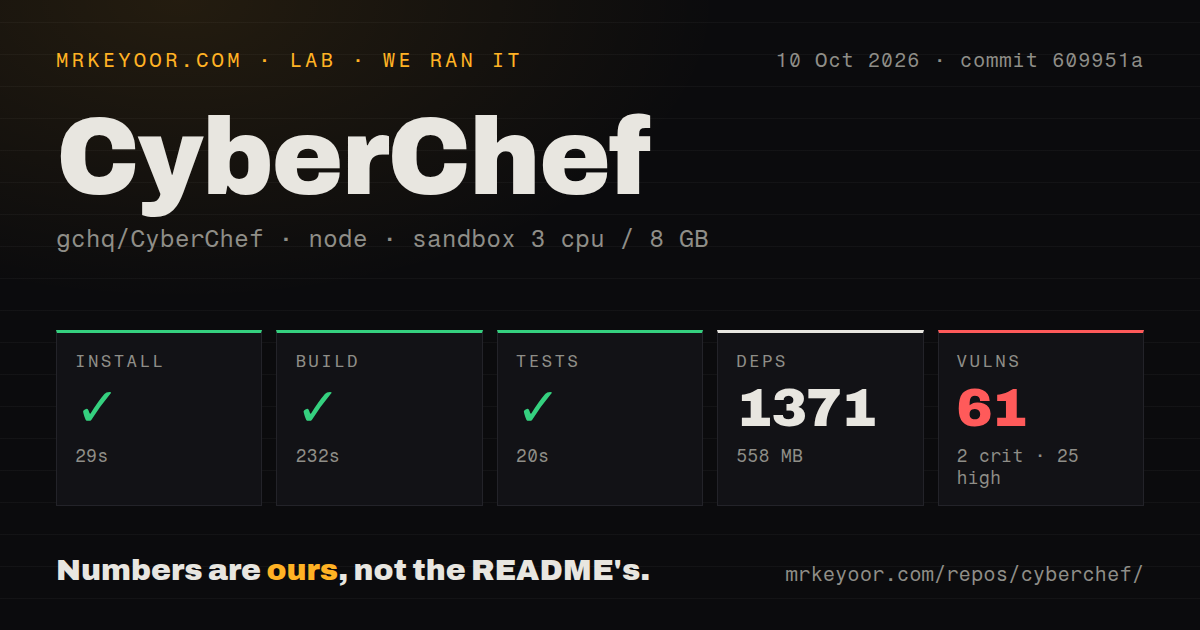
Our fresh unprivileged sandbox, with 3 CPUs and 8 GB of RAM, installed CyberChef in 31 seconds. The install added 1,385 packages and occupied 560 MB. Building the production target then succeeded in 198 seconds. That is a slow build for a utility, but it completed without a compiler or bundler error in the supplied lab run.
The test command passed in 19 seconds. We did not receive a failing assertion or a test count, so the defensible finding is simply that the available suite finished successfully at commit 0647e32. The run did not include the separate browser UI command, exercise a 2 GB file, or judge whether a cryptographic operation produced the right answer for a specialist workload.
Npm audit reported 42 known vulnerabilities across the installed dependency tree: 0 critical, 9 high, 29 moderate, and 4 low. Those findings need triage against the production bundle and reachable code paths before deployment. A passing 19-second test run does not cancel them, and an audit total alone does not prove that all 42 are exploitable through CyberChef.
The maintainers say cryptographic security should not be relied upon
CyberChef's security policy offers support on a best-efforts basis, applies patches to the latest version rather than old versions, and gives no correctness or security guarantee. It specifically says users should not rely on the security of cryptographic operations. That makes the product suitable for analysis, conversion, demonstrations, and inspecting known material. It is a poor authority for approving encryption used to protect live data.
Version 11.4.0 included an XSS fix in the regular-expression module, following other security fixes in recent minor releases. Our audit still found 9 high-severity and 29 moderate advisories. Run the latest pinned release, keep the deployment isolated where appropriate, and review the browser bundle's reachable dependencies. Teams with a zero-advisory policy will have a concrete reason to wait or do their own remediation.
Open issues also document operation-level edge cases. Issue 2590 says the Node API treats numeric zero as an empty input. Issue 2697 reports that PGP Sign creates encrypted output instead of expected signed cleartext. These reports do not make the whole catalog unreliable, but they support writing regression recipes for any operation that enters a repeatable production or evidence-handling workflow.
September activity is current, and the issue queue is large
GitHub recorded the last push on September 4, 2026. Release v11.4.0 arrived on August 18, 2026, and the repository had 35,741 stars plus 567 combined issues and pull requests when fetched. A search limited to open issues returned 427. Recent discussions include Node API behavior, Magic recursion, package upgrades, and several small defects found against master.
That activity is healthier than judging the project by its queue size alone. The repository has 5 CI workflow files, a Dockerfile, tests, frequent dependency updates, and security fixes in several 2026 releases. At the same time, 42 audit findings and the official cryptography disclaimer set a ceiling on trust. CyberChef earns a place in an analyst's toolbox, while every security-sensitive result still needs independent validation.