One extension covers more than 16 configuration types
Confetti gives VS Code syntax highlighting and content-aware detection for more than 16 configuration types. The list spans .env, .npmrc, TOML, and YAML, plus Nginx, SSH, hosts, fstab, and crontab. A repository with deployment files, dotfiles, and service configuration can use one extension instead of assembling several narrow ones. All processing stays inside the editor, with no account, telemetry client, or hosted service.
Our checkout contained 127 files, about 4,652 lines of source, and occupied 0.5 MB before dependencies. Its code is split into detectors, TextMate grammars, tokenizers, formatters, and a VS Code integration layer. Confetti checks documents when they open, become active, are saved, or receive an explicit detection command. It does not scan every keystroke, a sensible boundary for configuration files that may contain secrets.
Version 1.2.0 leaves uncertain files alone
Confetti 1.2.0 combines filenames, paths, extensions, and document contents when choosing a language. An obvious nginx.conf can be classified by name, while an ambiguous production.conf gets a content check. Detection must reach the built-in confidence threshold before the extension changes the language mode. If the evidence is weak, the file stays as it was. Applying the wrong grammar or formatter to a configuration file can be worse than leaving it as plain text.
For YAML, INI, and Java Properties, Confetti keeps VS Code's canonical language mode when one is already active. A dedicated extension can continue supplying validation or completion while Confetti handles detection and highlighting. This defines the product's limit: it is not a schema engine, linter, or language server. Teams expecting errors for invalid Kubernetes YAML or completions from a JSON Schema still need a specialist extension.
Formatting covers 14 listed formats, with three explicit omissions
The README's support table marks formatting for 14 of its 17 rows. Nginx, dotenv, INI, Java Properties, TOML, Git Config, npmrc, classic Yarn config, Git Attributes, Browserslist, SSH, hosts, fstab, and crontab have dedicated formatters. The changelog says their tokenizer and state-aware rules preserve comments, quoted content, escaped spaces, continuation lines, and TOML multiline strings. A second formatting run should produce no further edit.
YAML is left to formatters such as Prettier. Ignore files retain their original bytes and ordering because both can affect meaning, while tool-version files gain little from structural rewriting. Confetti still detects and highlights all three. Users can invoke Format Document, select Confetti when several formatters are registered, or call its direct formatting command.
What happened when we ran it
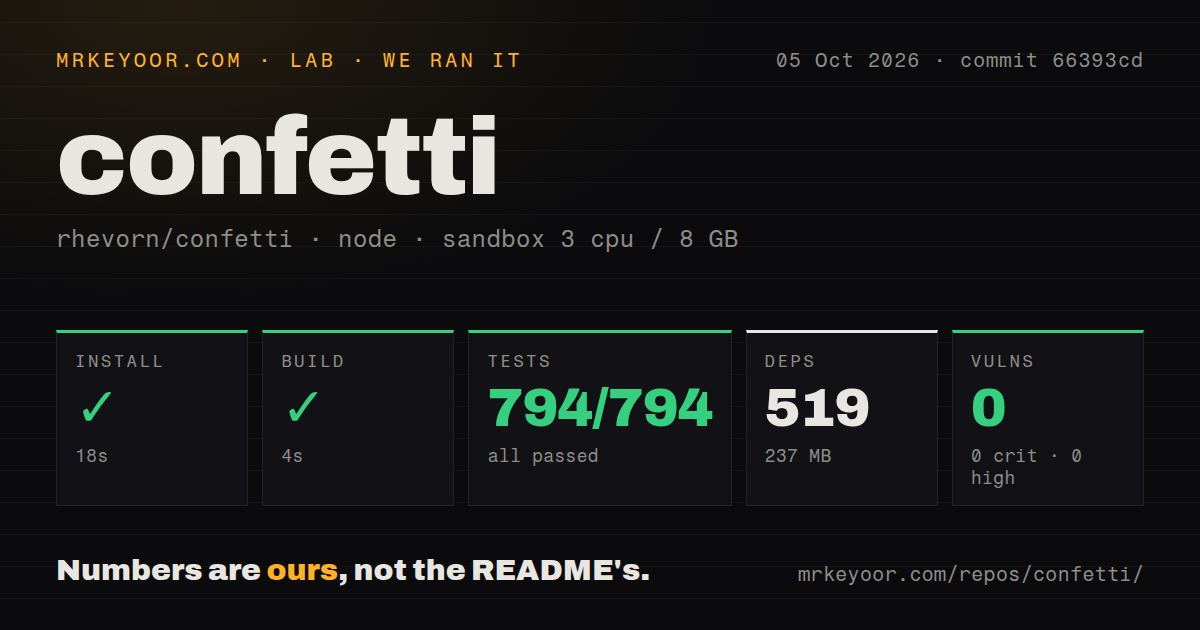
Our sandbox installed 496 npm packages in 28 seconds, consuming 233 MB on disk. The build completed successfully in 14 seconds. Those numbers describe the development checkout at commit 12dc517, not the published extension alone. The repository itself was 0.5 MB, so nearly all of the source setup footprint came from development tooling used for TypeScript, linting, coverage, packaging, and tests.
Vitest passed all 299 tests in 11 seconds, with 0 failures. Npm audit found 0 known vulnerabilities: 0 critical, 0 high, 0 moderate, and 0 low. The checkout had a tests directory, but our scan found 0 CI workflow files and no Dockerfile. Without visible CI configuration, a contributor cannot confirm that the same checks automatically guard every pull request.
A 233 MB source install is separate from everyday editor use
The package manifest declares development dependencies but no runtime npm dependencies. The README describes a local VS Code extension without a language server, background index, Webview, or network client. Marketplace installation requires VS Code 1.90 or newer. There are no API keys, databases, containers, or external services to configure, even though building from source pulls a sizable toolchain.
Four commands cover detection, direct formatting, detection details, and formatter output. The output records which trigger ran, which format was detected, whether an edit was produced, elapsed time, and the file path. When Format Document appears to do nothing, that log can distinguish a disabled Confetti formatter from another extension winning VS Code's formatter selection.
Three days of public history cannot prove maintenance
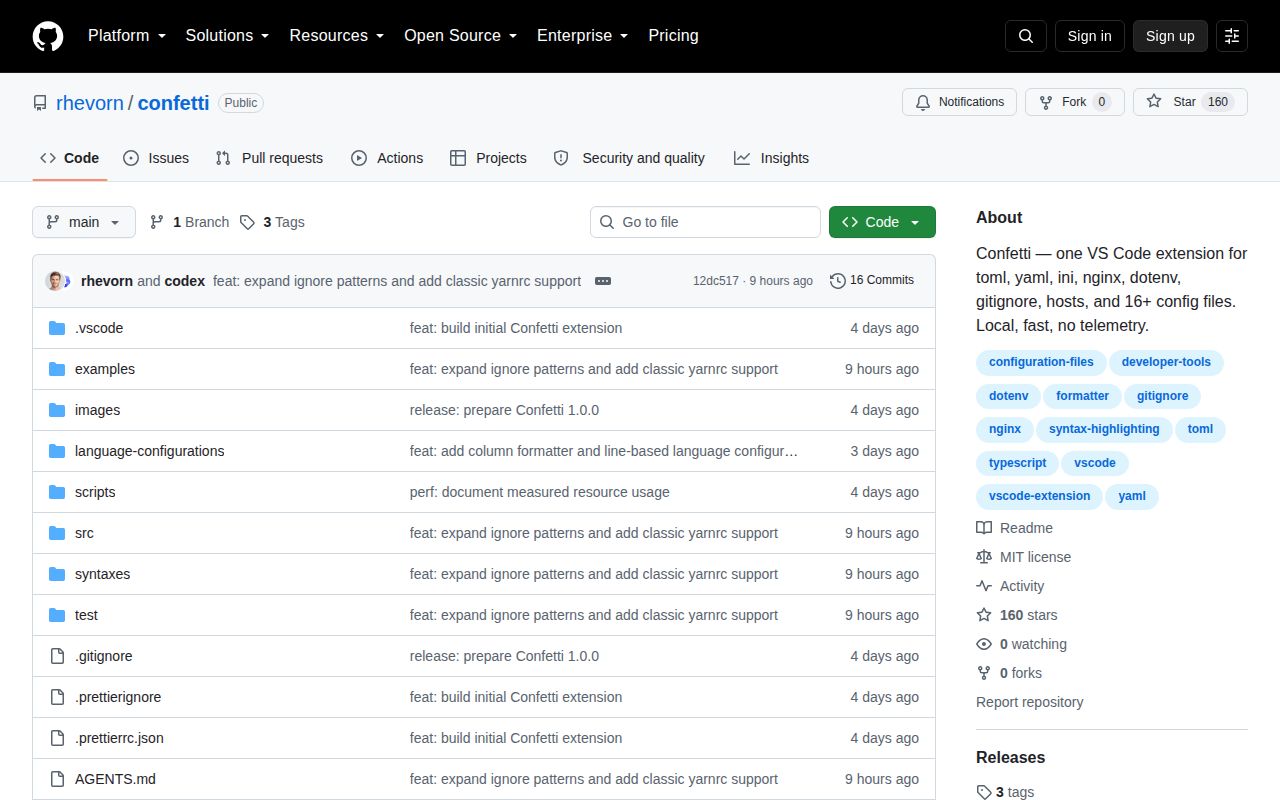
GitHub says the repository was created on August 27, 2026, and pushed again on August 30. It had 160 stars and 0 open issues or pull requests when fetched. Three days is too short to show how the maintainer handles bug reports, formatter conflicts, VS Code API changes, or unusual syntax. A zero-item queue provides no response-time evidence.
GitHub's latest-release endpoint has no entry. The repository does have v1.0.0, v1.1.0, and v1.2.0 tags, all documented on August 27, plus unreleased work for broader ignore-file detection and classic .yarnrc support. Teams with strict extension approval rules should wait for issue history, automated CI, and a few routine releases before treating Confetti as established infrastructure.
The 299-test pass earns a trial while maintenance remains unproven
Confetti suits developers who touch Nginx, dotfiles, and service configuration in the same VS Code workspace. Our 299 passing tests and clean audit make version 1.2.0 reasonable to try, and low-confidence detection reduces the chance of taking over an unrelated .conf file. Choose Red Hat's YAML extension or Taplo when one format needs schema-aware depth, and keep the young public history in mind before making Confetti a team default.