mrkeyoor.com_
Tue 01 Sept 17:45 UTC
AI Toolsevaluationupdated 26 Aug 2026

ComfyUI-ALLinONE-MinimaxH3 review

ComfyUI ALL-in-ONE MiniMax H3 is a custom ComfyUI node that hides a large MiniMax H3 image and video workflow behind one tabbed control. It covers text-to-video, image-to-video, references, audio-driven clips, keyframes, extension, chained clips, masking, upscaling, image generation, previews, history, and side-by-side stitching without asking the user to wire each graph by hand.

+21stars / 7d
Verdict

Our 6-second build succeeded, but Pytest executed 0 tests because collection stopped on a missing folder_paths import, so the only meaningful acceptance test is inside a matched ComfyUI installation. This beta node is worth trying for H3 users tired of rebuilding graphs, especially for comparing several modes through one interface. Pin the documented stack and add modes gradually; a one-node screen does not remove the model, GPU, pack, and compatibility work underneath.

We ran it

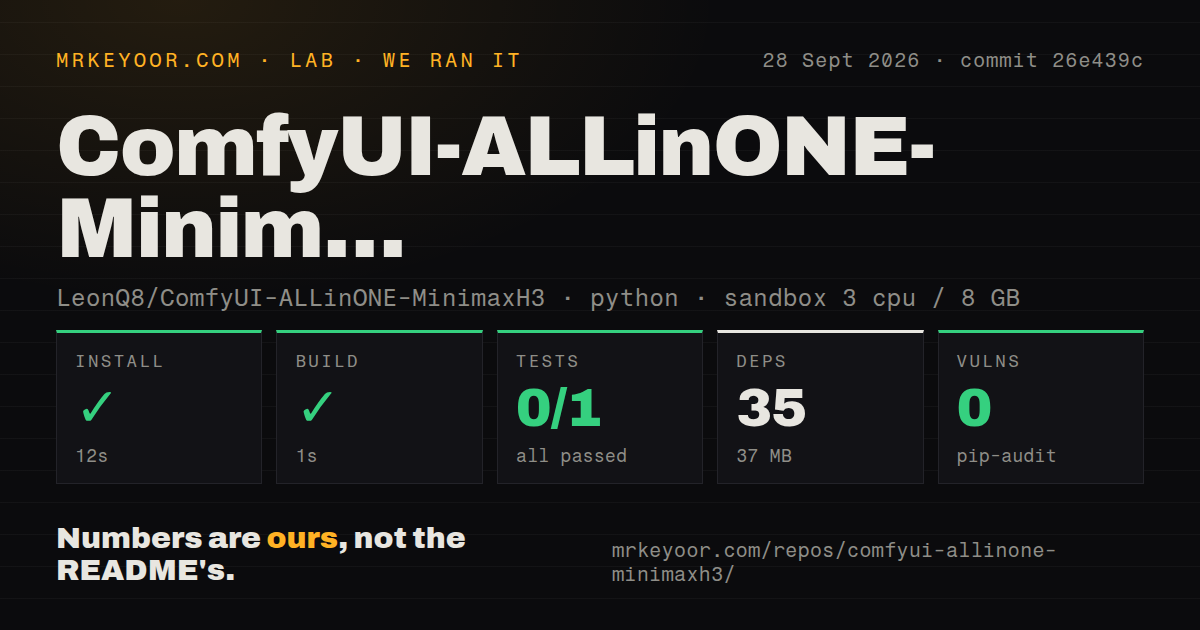
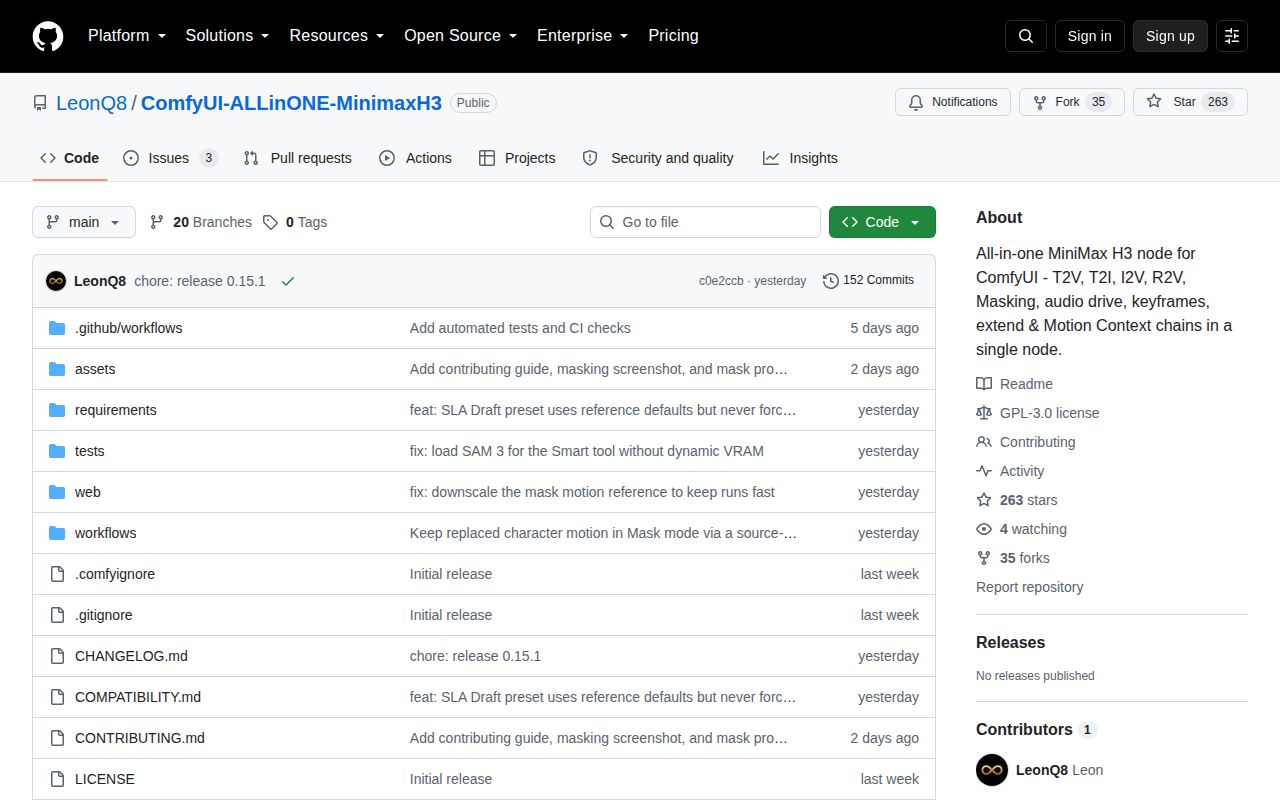
Lab card: what happened when we ran ComfyUI-ALLinONE-MinimaxH3Screenshot of ComfyUI-ALLinONE-MinimaxH3 (github.com/LeonQ8/ComfyUI-ALLinONE-MinimaxH3)
Install✓ · 17s33 packages · 36 MB
Build✓ · 6s
Tests✗ · 5s0 passed · 0 failed · 1 errors of 1 (pytest)
Known vulns0(pip-audit)
Repo41 files~15,144 lines of source · 29.2 MB · 2 CI workflows · tests dir

Answers from our run

Does ComfyUI-ALLinONE-MinimaxH3 build from source?

Dependencies installed in 17 seconds (33 packages), and the build succeeded in 6 seconds. We cloned commit c0e2ccb into a clean Debian container with 3 CPUs and no project-specific setup.

Do ComfyUI-ALLinONE-MinimaxH3's tests pass?

Yes: 0 of 1 passed when we ran the project's own test command (pytest), with 1 collection error. Some failures need services or credentials a bare container does not have.

Does ComfyUI-ALLinONE-MinimaxH3 have known vulnerabilities in its dependencies?

pip-audit found none in the dependency tree at the time of our run.

Who should not use ComfyUI-ALLinONE-MinimaxH3?

People who do not already operate ComfyUI and local generation models: this is a custom node, not a standalone video application.

What are the alternatives to ComfyUI-ALLinONE-MinimaxH3?

ComfyUI, H3 Motion Context MultiRef, MiniMax H3 Studio. Our 6-second build succeeded, but Pytest executed 0 tests because collection stopped on a missing folder_paths import, so the only meaningful acceptance test is inside a matched ComfyUI installation.

Setup2/517-second install hides a large ComfyUI model and pack stack
Docs4/5Modes, models, packs, pins, conflicts, and fallbacks are listed
Community3/5280 stars and 3 open issues with same-week activity
Maturity2/5Beta, no GitHub release, and tests require the host application

Who it’s for

Existing ComfyUI users running MiniMax H3 who want one repeatable control instead of several saved graphs.
Video creators prepared to download the official H3 models and install only the custom packs used by their chosen modes.
Windows GPU operators willing to match the documented ComfyUI 0.33.0 test stack when updates break a workflow.
Users who value built-in output history, comparison, stitching, and prompt reuse around H3 generation.

Who it’s NOT for

People who do not already operate ComfyUI and local generation models: this is a custom node, not a standalone video application.
Buyers wanting a stable release channel: the repository labels itself beta and GitHub returned no latest release.
Anyone expecting every mode from one clone: image, mask, audio, chain, preview, and upscale paths each need additional packs or checkpoints.
Masking jobs that require repeatable output today: the README warns against combining manual masks with text prompts, and issue 27 reports inconsistent results.
Teams requiring isolated unit tests outside ComfyUI: our Pytest run stopped during collection because folder_paths was missing.
Operators who update every custom node automatically: the compatibility guide documents a global cache patch that breaks Chain and Extend on ComfyUI 0.33.

Setup reality

Our sandbox installed 33 Python packages in 17 seconds and used 36 MB, then built successfully in 6 seconds. Pip-audit found 0 known vulnerabilities. Pytest exited 1 after 5 seconds with 1 collection error and no executed tests: importing nodes.py raised ModuleNotFoundError: No module named 'folder_paths'.

The working install belongs under ComfyUI/custom_nodes/ and needs ComfyUI plus official MiniMax H3 diffusion, text-encoder, video-VAE, and audio-VAE files. T2V, I2V, and R2V use core ComfyUI nodes; other modes add specific node packs, checkpoints, LoRAs, or preview models. No hosted API key is documented.

The pinned test stack is ComfyUI 0.33.0, Python 3.12.10, PyTorch 2.9.1 with CUDA 13.0, and Windows 10 or 11. Optional RTX upscaling needs NVIDIA hardware, while accelerator combinations have compatibility rules. A ComfyUI update can require matching the listed node commits or disabling a conflicting pack.

One node wraps more than 10 MiniMax H3 workflows

ALL-in-ONE MiniMax H3 replaces a large visible ComfyUI graph with a tabbed node. Its modes cover still images, text-to-video, image-to-video, reference-driven video, audio-driven lip movement, keyframes, extension, chained continuation, regional masking, and upscaling. A history and library panel keeps outputs searchable, while Compare and Stitch can play 2 to 4 clips together and export a side-by-side video at 24 fps.

The simplification is at the interface, not the runtime. Our checkout had 41 files and about 15,144 lines of source, and the repository's requirements name separate diffusion models, a 32-billion-parameter-class text encoder file, video and audio VAEs, optional checkpoints, LoRAs, and community node packs. The single node constructs those workflows for you. It does not make their model files, GPU memory needs, or version relationships disappear.

Three video modes stay closest to ComfyUI core

Text-to-video, image-to-video, and reference-to-video need no extra custom node pack beyond a recent ComfyUI, according to the requirements guide. They still need the official MiniMax H3 model files in the expected folders. Starting with one of these modes is the least fragile way to decide whether the panel, prompt controls, output handling, and model quality fit your work.

Everything beyond that expands the stack. Chain, Keyframes, and Extend use ComfyUI-H3-Motion-Context-MultiRef. Audio Drive has another pack. Mask mode needs MaskVidExperiments plus a SAM 3.1 checkpoint. Image mode uses H3 Studio and 2 additional Qwen3.5 text encoders. Compare and Stitch needs VideoHelperSuite, and live preview adds KJNodes plus another decoder file. Install one mode at a time and keep a record of each commit.

What happened when we ran it

Our sandbox installed 33 Python packages in 17 seconds and occupied 36 MB. Building commit c0e2ccb succeeded in 6 seconds. Pip-audit reported 0 known vulnerabilities. The unprivileged Python 3.12 Debian container had 3 CPUs, 8 GB of RAM, and no secrets. The small checkout had 2 CI workflow files, no Dockerfile, and a tests directory.

Pytest failed during collection after 5 seconds, before it could execute a test. The single error came from tests/test_backend.py: importing the package loaded nodes.py, which attempted import folder_paths and raised ModuleNotFoundError. The harness therefore recorded 0 passed, 0 failed, and 1 collection or setup error out of 1. The log supports only that missing import finding; it does not tell us whether tests pass inside the documented ComfyUI host.

The pinned Windows stack is the recovery map

The author develops against ComfyUI 0.33.0, Python 3.12.10, PyTorch 2.9.1 with CUDA 13.0, and portable ComfyUI on Windows 10 or 11. The compatibility file also pins commits for 10 community packs and versions for others. You do not need every pack, but those pins matter when a mode stops working after an update.

One conflict is documented in enough detail to act on. A MiniMax H3 cache pack globally replaces a model method and drops arguments needed by Motion Context. On ComfyUI 0.33, that breaks Chain and Extend even when the cache node is absent from the graph. The suggested recovery is to disable that pack while using those modes. A separate R2V shape mismatch affected ComfyUI builds from August 6 through August 13, 2026 and was fixed upstream.

Masking and speed presets trade convenience for more variables

Mask mode supports either painting a region or describing a target for SAM 3, then supplying a replacement reference. The README says manual inpainting combined with a text prompt did not work well in the author's testing. Open issue 27 adds a user's report that the supplied Mask workflow was convenient but not consistently successful. That is enough reason to keep source video, masks, seeds, model choices, and output review in the acceptance process.

Quality presets can add Turbo LoRAs, SolAttn, SageAttention, Comfy Kitchen, or an SLA draft path. The guide states that SLA uses 6 default steps and recommends an 8-step Turbo LoRA, while warning that prompt adherence is weaker and multishot actions can change order. Accelerator chips are mutually exclusive in some combinations. Presets save graph work, but they also create more installed-code and driver combinations to reproduce.

Active beta work has no tagged release yet

GitHub recorded the last push on August 25, 2026, with issue activity continuing on August 26. The repository had 280 stars and 3 open issues and pull requests when fetched. GitHub's latest-release endpoint returned no release, and the README labels the node beta. That is a small, active project with direct user contact, not a versioned component ready for unattended updates.

For an experienced ComfyUI user, this node can save real graph maintenance. The 17-second package install is the easy part; matching ComfyUI, CUDA, models, packs, and optional accelerators is the job. Clone it into a separate ComfyUI test setup, prove one core mode, record the exact stack, then add Chain, Mask, Image, preview, and upscale only when each one earns its place.

Alternatives

ProjectWhat it isPick it when
ComfyUI gh↗The base graph interface and execution engine with official MiniMax H3 nodes.pick this instead when you want full graph visibility and only the official nodes, without another abstraction layer.
H3 Motion Context MultiRefA focused H3 motion-context pack for references, timeline audio, extension, and chained workflows.pick this instead when timeline and continuation graphs are the main job and you want to see their individual nodes.
MiniMax H3 StudioA reference-aware MiniMax H3 setup aimed specifically at still-image work in ComfyUI.pick this instead when still images and reference mixing matter more than an all-mode video panel.

What people are saying

  1. [velocity-scout] LeonQ8/ComfyUI-ALLinONE-MinimaxH3

Sources

  1. ALL-in-ONE MiniMax H3 repository and README
  2. Model and custom-node requirements
  3. Pinned compatibility guide
  4. Mask workflow consistency report

More ai tools reviews

claudian · SkillSpector · robin · mjlab · MoGe · awesome-design-md · the whole board →