cliamp combines local audio with remote music services
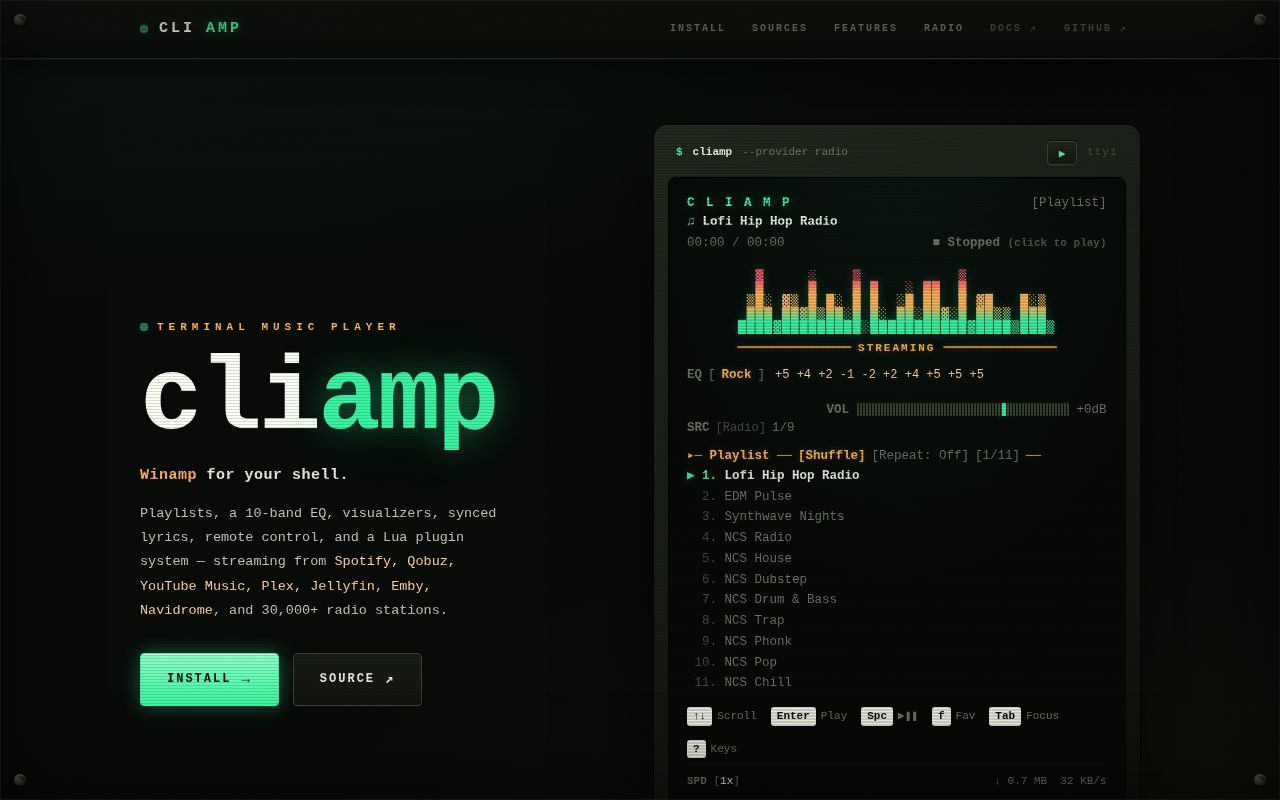
cliamp is a terminal player modeled after Winamp rather than a thin client for one service. It opens local directories and files, direct streams, podcasts, and libraries from Navidrome, Lyrion, Plex, Jellyfin, and Audiobookshelf. The README also names Spotify, YouTube Music, SoundCloud, Mixcloud, Bilibili, NetEase Cloud Music, and Xiaoyuzhou. A spectrum visualizer, parametric equalizer, and playlist manager make it a full player rather than a text-only launcher.
commit 2ac3f9e contained 486 files, about 86,793 lines of source, and occupied 2.9 MB before dependencies. GitHub identifies Go as the primary language. The repository had 4 CI workflow files, no root Dockerfile, and no tests directory in our scan. The dependency footprint was much larger than the checkout itself, which makes sense for a program spanning terminal UI, audio decoding, streaming protocols, and many provider APIs.
A one-line install does not remove audio dependencies
The README leads with an install script, Homebrew formula, AUR package, Nix flake, Go install command, and release binaries. Those choices make a first launch approachable. Platform details decide whether sound actually reaches the speakers. Linux source builds need ALSA development headers and codec libraries, while PipeWire and PulseAudio systems may need an ALSA bridge when playback is silent without an error.
macOS release binaries link dynamically to 4 Homebrew codec libraries: FLAC, Vorbis, Ogg, and mpg123. The Homebrew formula installs them, but a downloaded release binary or install-script result does not. Windows release archives include codec DLLs. Building Spotify support on Windows is more involved, requiring MSYS2, a MinGW64 terminal, CGO, codec libraries, and the runtime DLLs reported by ldd.
What happened when we ran it
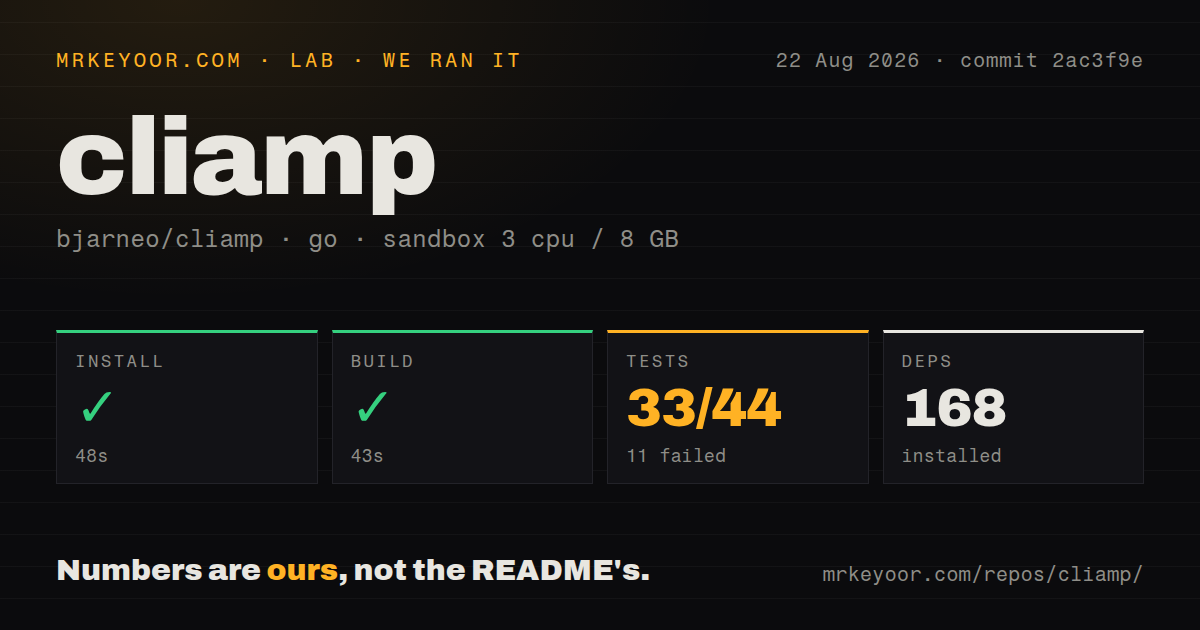
Our sandbox installed 168 Go packages in 48 seconds and built commit 2ac3f9e in 43 seconds. The run used an unprivileged Debian container with 3 CPUs and 8 GB of RAM. It did not have a physical audio device, provider credentials, or user library, so a successful compile does not demonstrate playback quality or service compatibility.
Tests failed with exit code 1 after 26 seconds. The measured result was 33 passed and 11 failed out of 44. The log tail showed build failures for player, resolve, tracksave, and ui/model; other packages such as mediactl, playlist, pluginmgr, theme, ui, and upgrade passed. The supplied tail omitted compiler messages, so we cannot state whether the failures came from code, generated files, build tags, or environment.
Remote providers turn configuration into account access
cliamp setup writes provider blocks to a TOML file under the user's configuration directory. It can validate supported server connections and check some Mixcloud browser-session or OAuth credentials. Navidrome, Plex, Jellyfin, Audiobookshelf, Spotify, and other sources each bring a separate trust boundary. The terminal interface is local, but the resulting configuration can still hold access to personal listening accounts and private media servers.
Optional helpers widen coverage. ffmpeg handles AAC, ALAC, Opus, and WMA, while yt-dlp supports YouTube, SoundCloud, Mixcloud, Bandcamp, Bilibili, and NetEase Cloud Music. Both executables must stay on PATH. A provider can break even when cliamp itself has not changed because authentication, media URLs, helper behavior, or a service API changed elsewhere. Version and failure logging matter for unattended use.
30,000 radio entries are useful without another account
Pressing R opens browse and search over more than 30,000 stations from the Radio Browser directory, according to the README. Users can also store custom stations in radios.toml. This is cliamp's lowest-friction online feature because it does not require a personal subscription or media-server login. It still depends on station URLs and codecs remaining available, so a listed station is not a guarantee of playable audio.
Hosting a radio station is outside this repository; the README points to a separate cliamp-server project. That boundary is sensible. cliamp consumes streams and manages playback, while broadcasting adds ingestion, encoding, public networking, and service operations. Buyers seeking a streaming server should not infer one from the player's long provider list.
v1.63.2 addressed security and radio buffering
Release v1.63.2 was published August 13, 2026. Its notes list a gRPC security-dependency update, a larger radio playback buffer, and a documentation-link change. The release includes SHA256 checksums for 5 platform binaries covering macOS, Linux, and Windows architectures. Checksums help verify downloads, while the platform instructions remain necessary for external codecs and sound-server bridges.
GitHub showed 3,737 stars, 55 combined open issues and pull requests, and a last push on August 26, 2026. Same-day activity included Spotify lyrics and client-ID work, Audiobookshelf podcast browsing, an optional MPV backend, a Plex parsing issue, and a USB DAC report about silently discarded audio errors. That is active maintenance, but it also shows how many independent edges a multi-provider audio player must keep working.
The breadth is worthwhile only if you use it
cliamp's main advantage is consolidation. One terminal interface can cover local music, internet radio, self-hosted servers, and several commercial or public sources. A user who needs 2 or 3 of those categories may accept the native libraries and provider setup. Someone who only uses Spotify or MPD will get a smaller failure surface from a dedicated client.
Our 33-of-44 package result blocks an unqualified recommendation for commit 2ac3f9e. Start with a prebuilt binary or Homebrew formula, configure one source, and verify audio through the actual sound server and DAC. Source contributors should recover the missing compiler details and make all 44 packages build before trusting changes across playback, resolution, track saving, and the UI model.