Claurst v0.1.7 is a beta coding agent, not a Claude Code plugin
Claurst is a terminal coding agent built in Rust. It began from a clean-room specification of Claude Code behavior, then grew its own multi-provider routing, terminal interface, plugin system, chat branches, memory consolidation, subagents, background tasks, MCP client, and companion called Rustle. It runs independently rather than extending an installed Claude Code. Version 0.1.7 is explicitly beta, and the README labels chat sharing, free mode, sustained goals, and its highest-effort ultracode workflow experimental.
The provider freedom is the practical reason to try it. Claurst can use an Anthropic API key and lets users configure other routes through /connect. Its release notes mention OpenAI-compatible services, Bedrock framing, Ollama base URLs, and a provider catalog. Different model APIs do not describe tool calls identically, so provider breadth increases compatibility work. Open issue 395 demonstrates the cost: DeepSeek V4's DSML envelopes are rendered as assistant text and no tool runs.
The Rust workspace spans 12 crates
Our measured checkout contained 370 files, about 149,741 source lines, and occupied 14.2 MB. The Rust workspace is divided into 12 crates covering the core, providers, tools, query loop, TUI, commands, MCP, bridges, CLI, companion features, plugins, and ACP. It statically combines Rustls and BoringSSL paths, bundled SQLite, syntax rendering, and image codecs. Thin link-time optimization and symbol stripping are configured for release binaries. This is a substantial agent runtime despite the small source checkout.
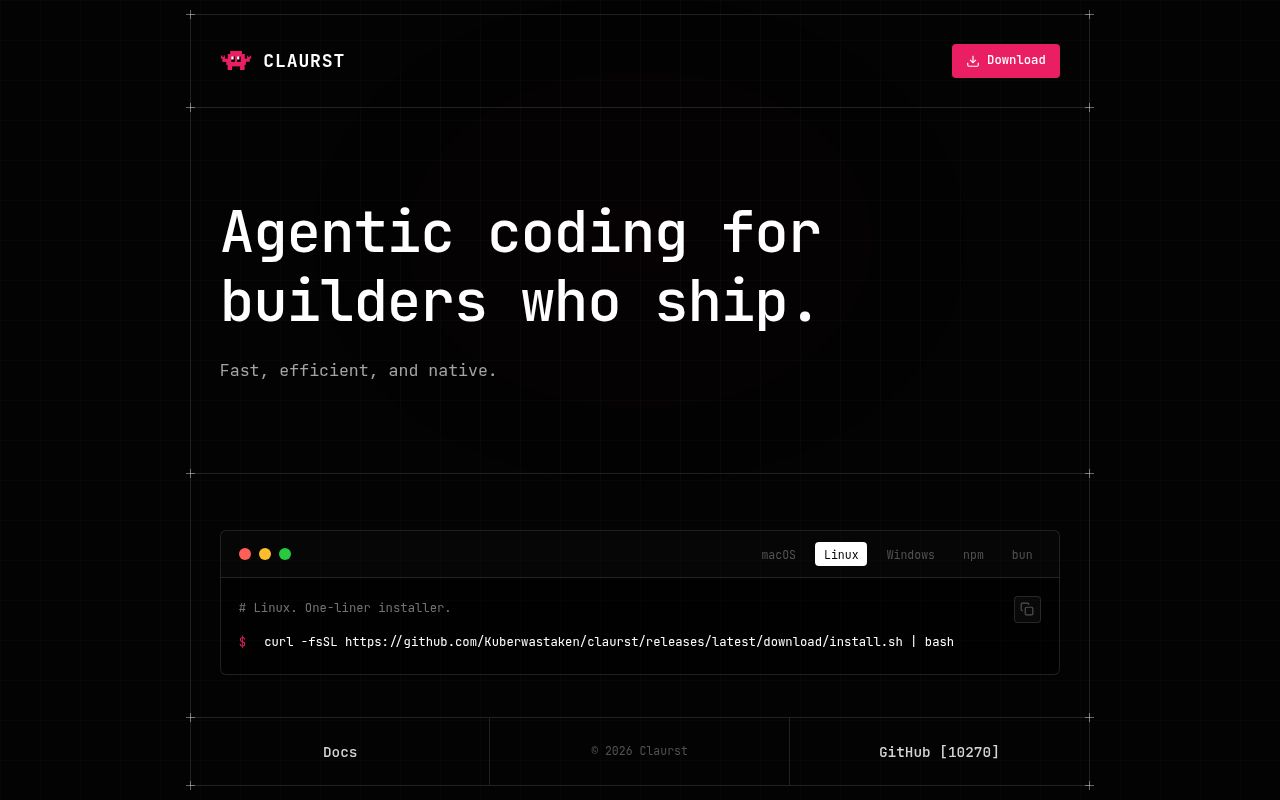
Source builders enter src-rust and run Cargo for the Claurst package. Voice and microphone support can require ALSA development libraries on Linux. Raspberry Pi and headless users can build without default features to avoid that dependency. The dev container uses Rust on Debian Bullseye and preinstalls ALSA, desktop automation, GPG, and pkg-config dependencies. Prebuilt archives cover Windows x86_64, Linux x86_64 and aarch64, plus Intel and Apple Silicon macOS.
What happened when we ran it
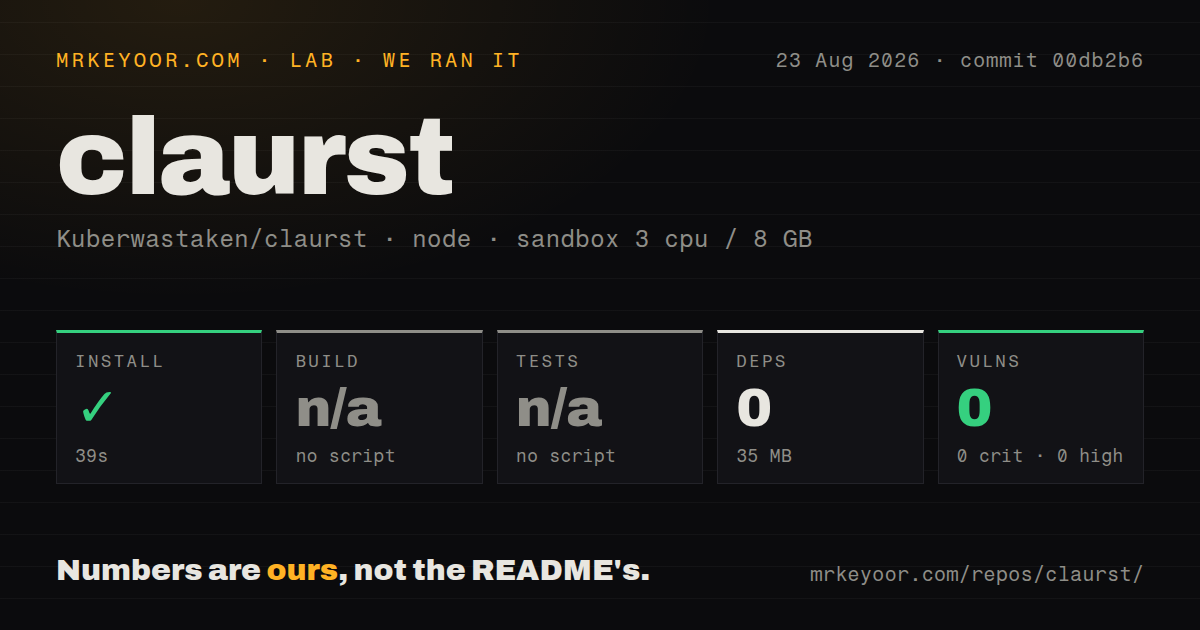
Our harness followed the project's npm/ package because the measured ecosystem was Node there. The install completed in 39 seconds, added 0 npm dependencies, and occupied 35 MB. npm audit found 0 known vulnerabilities across critical, high, moderate, and low severities. The package exposes a claurst binary shim and uses a postinstall script to obtain the platform binary. These results describe that distribution wrapper rather than Cargo dependency health.
The npm package had no build script or target, so the build step was skipped. It also had no test script or target, so tests were skipped. Our scan still found 6 CI workflow files and a tests directory elsewhere in the repository. The lab did not compile the Rust workspace or execute those tests. A 39-second wrapper installation proves that the package path completed in our sandbox; it does not validate file edits, shell execution, provider streaming, MCP calls, or terminal rendering.
A serious evaluation should use a disposable repository. Connect the intended provider, inspect every requested permission, ask Claurst to edit a file, run a bounded command, cancel a background task, revert a session branch, and resume after context compaction. If MCP is needed, add one harmless server first and confirm that project-level servers require approval. The v0.1.7 release specifically includes permission backstops, atomic writes, cancellation fixes, and process cleanup, which identifies the areas worth regression testing.
ACP puts the same agent inside compatible editors
Claurst implements Agent Client Protocol over JSON-RPC 2.0 on standard input and output. An ACP editor launches claurst acp, creates a session, sends prompts, receives streaming updates, and displays native permission requests. The README provides a Zed configuration and says the same provider credentials apply in TUI and ACP modes. Debug logs go to standard error so they do not corrupt the protocol stream.
This integration is useful for developers who like Claurst's agent loop but prefer editor-native chat. It is also early. The README still instructs contributors how to submit Claurst's prepared manifest to the ACP registry, which indicates that discovery may depend on registry work rather than being universally available. Editor compatibility should be checked against the four implemented session methods and permission flow, not inferred from the broad statement that any ACP editor can launch a subprocess.
MCP and terminal tools make permissions a central decision
Version 0.1.7 added approval before launching project-level MCP servers and a central permission check around tool execution. The same release gated REPL, cron creation, and worktree post-create commands, changed credential and session files to mode 0600, and routed several writes through atomic replacement. These are sensible responses to a terminal agent that can run shells, edit notebooks, create scheduled work, and connect external tools.
They do not remove the need for user judgment. An approved MCP server can have its own network and filesystem powers, while a shell command can exceed the apparent scope of a coding request. The project claims no telemetry, but /share deliberately uploads a session as an unlisted GitHub Gist and is marked experimental. Review what leaves the machine, which token performs the upload, and whether the conversation contains source or secrets before trying that feature.
August source activity is newer than the July release
GitHub showed 10,270 stars, 30 open issues and pull requests, and a last push on August 22, 2026. The latest tagged release remains v0.1.7 from July 6, so main contains newer work. Issue 395 was opened against a later main commit and says the same DSML problem is also present in v0.1.7. That is current issue activity combined with a month-old release, not evidence of abandonment.
OpenCode is the closer alternative for a multi-provider terminal agent with a larger integration history. Claude Code is the safer reference when official Anthropic behavior and support outweigh provider flexibility. Claurst earns a trial for its Rust binary, ACP mode, session branching, and provider choices. Its beta label should control the rollout: use a test repository, pin the version, verify installer checksums, and keep ordinary Git recovery available.