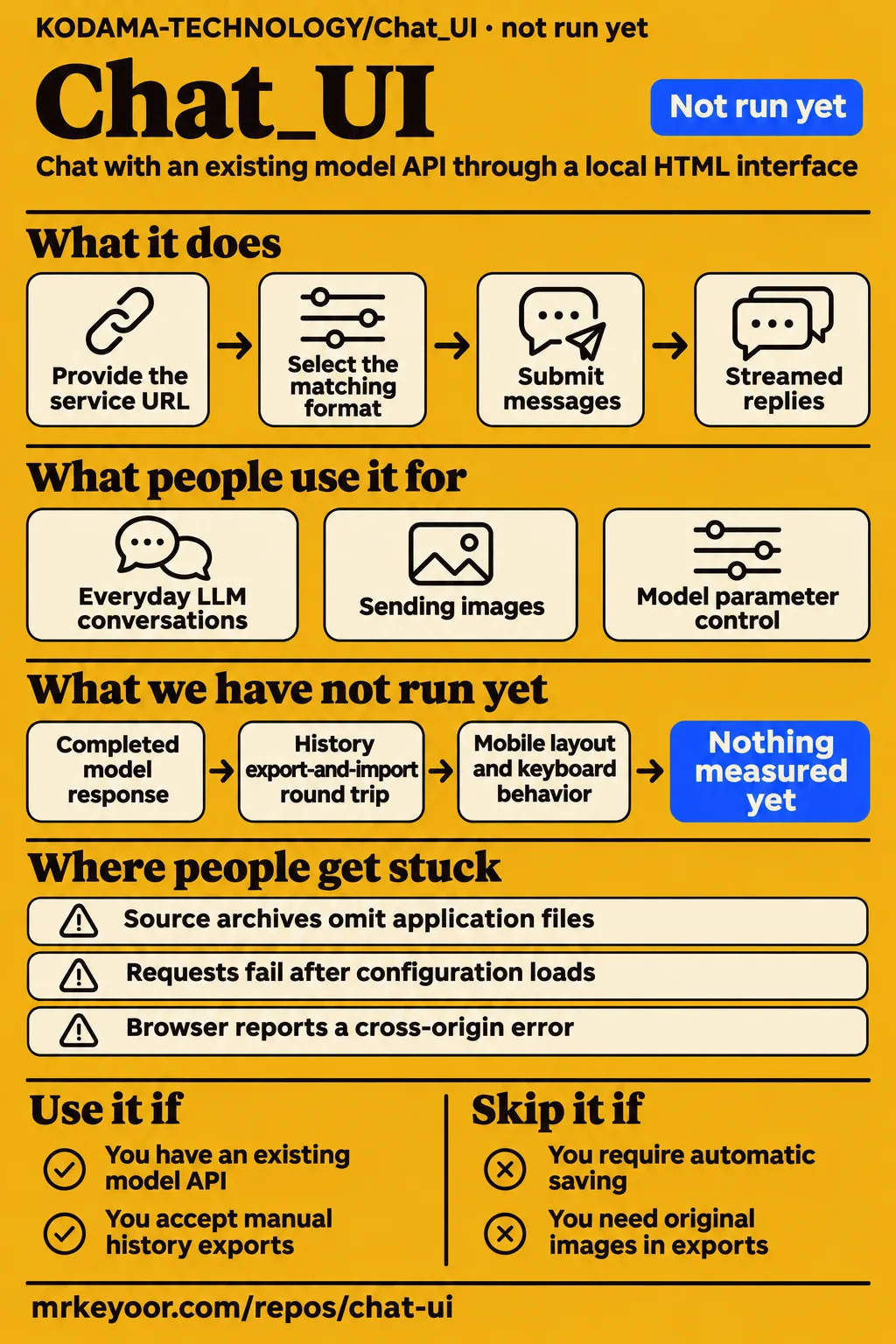
KODAMA-TECHNOLOGY/Chat_UI is a browser client for people who already have a model API and want to control its requests through a local configuration file. Its README describes manual conversation exports, three API formats and separate language editions. That makes it a candidate for personal evaluation if those choices suit your work. People who require automatic saving or an export containing original attachments should choose another workflow. Our recorded execution outcome is NOT RUN at commit 162896b.
What you can do with Chat_UI
The README describes three API formats: OpenAI Chat Completions, Anthropic Messages and Gemini streaming content generation. You provide the service URL, API key and model ID, then select the matching format in the configuration. This gives someone with an existing endpoint a concrete starting point: identify the endpoint's request format before choosing model settings. The Chat_UI English README describes the client and configuration together.
The same documentation describes multiple conversations, concurrent requests within a conversation and streamed replies. Returned thinking text appears separately from the answer. Model controls include the system prompt, output length, sampling, thinking effort and thinking budget, with EXTRA_BODY available for additional request fields. The README makes support conditional on the service and model, so selecting a setting means choosing a request option rather than adding a capability to the model.
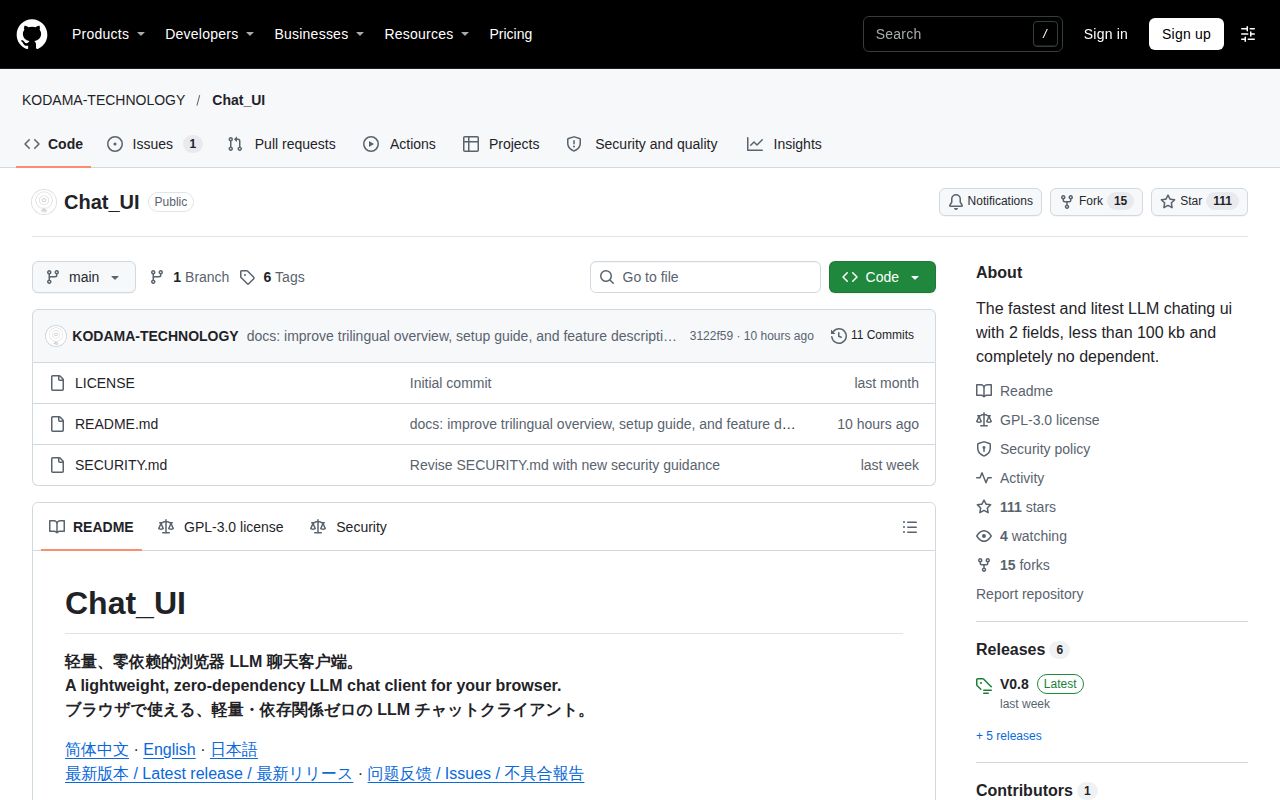
The interface has separate Chinese, English and Japanese editions. The README describes each V0.8 edition as one HTML file and one config.txt, totaling about 100 KB unpacked. For an English-speaking reader, the practical entry point is the English release package and its English instructions. The Chinese-first repository presentation therefore does not require following the configuration guide in Chinese or using the Chinese edition of the interface.
What people use Chat_UI for
The README proposes everyday LLM conversations, multimodal input and model parameter control. These are documented uses of KODAMA-TECHNOLOGY/Chat_UI, rather than customer accounts. For personal conversations, the multiple-chat and streaming features describe switching topics and watching replies arrive. A developer comparing prompts can use that description to decide whether the client presents the controls needed for an initial evaluation with an existing service.
For work involving source material, the file-input documentation describes sending images, embedding text files and choosing native file blocks or extraction for other files. For parameter experiments, the model-control documentation names output length, sampling and thinking settings. These uses involve different configuration decisions: the file route determines how material is submitted, while model settings determine which optional request fields the client sends.
The captured repository issue has zero comments, so it supplies no troubleshooting answer. Issue #1, asking whether Chat_UI can be used, is the repository-specific community question in the pack. Its open status and unanswered question are useful context for someone seeking help: the captured thread contains neither a proposed configuration nor a maintainer response to follow. The README provides the actionable setup guidance in this evidence.
What happened when we ran it
Our November 13, 2026 sandbox check at commit 162896b recorded NOT RUN: no supported ecosystem was detected and no Dockerfile was found. The language field was null. The recorded sandbox configuration was 3 CPUs and 8 GB RAM, with image n/a. Those figures describe our run's configuration; they are not browser-client requirements. The harness produced no installation, build or test result.
| Check | Recorded outcome | Verdict | Why |
|---|---|---|---|
| Repository harness | NOT RUN; no supported ecosystem; language null | Execution skipped | The harness detected no supported ecosystem |
| Container entry point | No Dockerfile | Entry point absent | The recorded harness had no Dockerfile route |
| Hands-on safety step | FAILED; no Compose file existed | Prerequisite failed | The safety rule required a Compose file |
| Teardown | ok | Cleanup recorded | The teardown record reports successful cleanup |
The hands-on safety step lists all four missing candidates: compose.yaml, compose.yml, docker-compose.yaml and docker-compose.yml. Its wording includes “unsafe repo” because the harness requires a Compose file. That label records the prerequisite rule; it is not a security diagnosis of the HTML application. The failed step explains where this attempt stopped without assigning an application error to the client.
The generic hands-on run summary says the project was deployed with its own Docker Compose on November 13, 2026, with every port bound to 127.0.0.1. That conflicts with the missing-Compose safety stop. The specific failed prerequisite supports a stopped attempt, while the summary supplies no completed prompt or answer. The teardown record says cleanup was ok. Taken together, these records support reporting the stop and cleanup, without treating the generic deployment wording as a successful application result.
Where people get stuck
The README directs users to a release language package because GitHub's automatically generated source archives omit the application files. For the documented English V0.8 workflow, it names EN.zip, Chat_UI_v0.8_EN.html and config.txt. Download selection therefore comes before connection troubleshooting: the release package is the documented route to the files the quick start tells you to open. The English quick start gives that sequence explicitly.
Configuration changes require another Load config action after saving config.txt. The README first asks for BASE_URL, API_KEY, MODEL and a matching API_FORMAT, then tells users to open the HTML file and select the saved configuration. When switching services, its instructions also call for adjusting thinking fields and other parameters as required. Keeping those actions separate helps explain why editing the text file alone is not the complete documented configuration workflow.
| Situation described in the README | Documented action | Relevant setting or service |
|---|---|---|
| Requests fail after configuration loads | Check the URL, key, model ID and API format, then read the error | Provider connection details |
| Browser reports a cross-origin error | The service must permit browser access through CORS | Model service |
| An optional request parameter is unsupported | Leave the optional setting blank to omit it | Request parameters |
| Thinking text is absent or an attachment is rejected | Check thinking style, model capabilities and file mode | Model and endpoint |
The README troubleshooting answers distinguish connection details, unsupported optional parameters and browser cross-origin errors. Those distinctions give the reader an order for inspecting a failed request. Start with the configured destination and credentials, read the reported error, then change the setting relevant to that error. A CORS message calls for browser access at the service; changing sampling parameters addresses a different part of the request.
History requires an explicit save
The README says history is not saved automatically, and importing history replaces the conversations currently on the page. Its save-and-resume sequence is explicit: wait for replies to finish, export history, then load configuration before importing the saved file next time. Someone considering this client should decide whether that routine fits their work before relying on it for conversations they want to retain. The history instructions describe the required actions.
History exports store conversation text without bundling images or original binary attachments. The README tells users to attach original files again when the model needs to see them. For a conversation about an image or document, keep the original material alongside the exported text if you intend to resume the work. The export and the original attachment serve different purposes in the documented workflow, even when they belong to the same conversation.
The documented MAX_HISTORY_BYTES default is 1048576 bytes, or 1 MiB, and the oldest records are trimmed first when the limit is exceeded. The history format uses one JSON record per line. The editing instructions tell users to back up an export, edit content values and preserve valid JSON and other fields, including session identifiers. These details make the export inspectable while also giving the user specific responsibilities when changing it manually.
Your API key and files leave different traces
The README says the configuration file contains the API key and chat requests go to the configured service. Opening an HTML file locally therefore still involves submitting messages to the chosen model endpoint. Keep the configuration private, as the README instructs, and identify that endpoint before sending conversation material. Sharing a history export and sharing the working folder are different decisions when the folder contains config.txt and its access key.
FILE_MODE selects among inline text, native file blocks and extraction. In extract mode, the README says files are uploaded to the configured extraction service; it also names EXTRACT_API and EXTRACT_BASE_URL as required settings for that mode. A person working with documents should identify both the model service and the extraction service in their chosen configuration. The configuration and data-path instructions explain why those destinations may differ.
Chat_UI vs Hugging Face Chat UI and shinychat
Hugging Face Chat UI is documented as a SvelteKit application powering HuggingChat, while Posit's shinychat inserts a chat element into Shiny. These roles answer different integration needs. KODAMA-TECHNOLOGY/Chat_UI describes opening an HTML file with a configuration file; the alternatives describe an application architecture and an application component respectively. Choose the kind of integration you need before comparing similarly named projects.
| Project | Documented role | Consider it when |
|---|---|---|
| KODAMA-TECHNOLOGY/Chat_UI | HTML browser client with config.txt | You want personal evaluation with an existing model endpoint and explicit exports |
| Hugging Face Chat UI | SvelteKit application powering HuggingChat | You want to evaluate that application architecture and its OpenAI-compatible API approach |
| Posit's shinychat | Message display and input inside Shiny | You are adding conversation to a Shiny application |
The Hugging Face repository extract says its Chat UI supports OpenAI-compatible APIs and identifies the SvelteKit architecture. The Posit reference extract describes a scrollable message area and a user input field. These primary descriptions support comparing the projects by their role. A developer building inside Shiny has a different starting requirement from someone choosing a local browser client or a SvelteKit application.
Which search results concern other projects
The supplied search results include HuggingChat, shinychat, a Next.js Chat_Ui project and Agent Chat UI. Their names overlap with the target query, but their sources identify different projects. The captured X post describes Traves_Theberge's Next.js project with Supabase. The Reddit discussion appears in r/JanitorAI_Refuges and discusses the My Chats interface. Neither record identifies KODAMA-TECHNOLOGY/Chat_UI.
The Agent Chat UI transcript introduces a separate interface for connecting to LangGraph or a LangGraph deployment. The supplied segment ends during that introduction. Its useful contribution here is product identification: a reader following generic chat UI results can distinguish that interface from KODAMA's HTML client. The repository owner, framework and integration target provide clearer identifiers than the shared words in the project names.
FAQ
Chat_UI requires a reachable model API to generate replies, according to its README. The local HTML file supplies the client interface, while the user supplies the service URL, key and model. That distinction answers the offline question before setup: downloading the release does not itself supply a model service. The English README FAQ also addresses failed requests, thinking text, attachments and incomplete exports.
Does KODAMA-TECHNOLOGY/Chat_UI actually work?
The captured issue asks whether it can be used and has zero comments. Our harness recorded NOT RUN, while the README describes a release-based browser workflow. Those are the available outcomes behind this question: an unanswered repository thread and a stopped execution attempt. Use the captured issue #1 to follow the question, and the release instructions to understand the workflow the project asks users to try.
Can I chat offline?
The README says the client opens locally but needs a reachable model API to generate replies. You provide the service address, key and model rather than receiving them with the HTML package. For a first-time user, that means arranging model access is part of preparation, alongside downloading the appropriate language edition and editing its complete config.txt. The offline FAQ answer states this requirement directly.
Why is my exported history incomplete?
The README tells users to wait for replies to finish and check MAX_HISTORY_BYTES. It separately explains that exports contain conversation text and omit original images and binary attachments. First identify whether the missing material is conversation text or an original attachment. The history and export guidance assigns different actions to those cases: inspect the text export settings, or attach the original file again when resuming the conversation.
What we have not tested yet
The supplied records contain no browser session, completed model response or history export-and-import round trip for the English release. The execution record identifies commit 162896b; the supplied README describes V0.8 packages. No application run reconciles that documentation with the recorded checkout. The sandbox settings supply neither actual runtime versions nor an operating-system version, and the records contain no installation timings, passing-test counts or application performance benchmarks.
Provider compatibility, CORS behavior, attachment modes, concurrent requests, long conversations, trimming and history restoration still need direct application checks. Mobile layout, keyboard behavior and accessibility also lack results. The supplied text provides no security audit, provider traffic inspection, rendered-page review or validation of related links, recommendation modules and template content. A useful next session would open the English release with a selected endpoint, submit a known-answer prompt and check an export-and-reload cycle with nonsensitive attachments.
Setup ease, documentation, community support and maturity receive N/A because the evidence does not support numerical judgments for those dimensions. The README provides specific instructions, but the full downloaded configuration and its execution were not assessed. The unanswered issue supplies no support response to judge, and the stopped attempts provide no completed workload or production result. These gaps define the next evidence to collect rather than a numerical rating to assign.