4,673 packages are a high price for personal scheduling
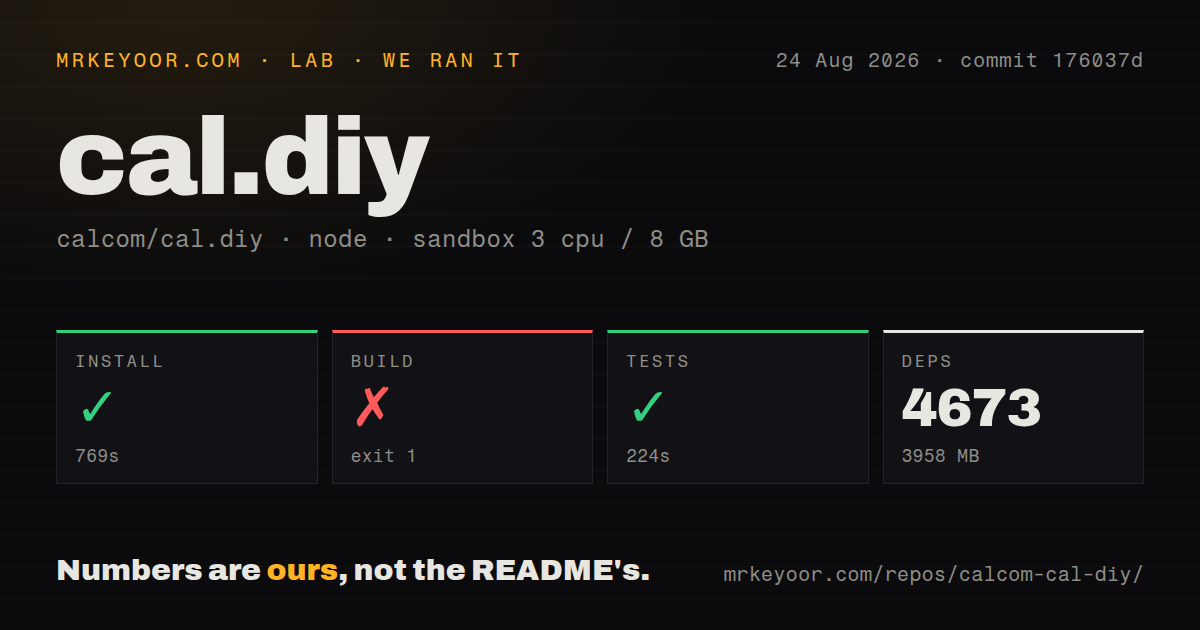
Our yarn install added 4,673 packages, occupied 3,958 MB, and took 769 seconds. Cal.diy is not a small calendar form: it is a 7,695-file monorepo with about 555,499 lines of source, built from the community edition of Cal.com. The fork's appeal is straightforward. An individual gets self-hosted booking pages and integrations under one MIT license, without a Cal.com account or commercial license key. The operational cost looks much closer to a company web application than a personal utility.
The fork removes the parts that would justify that cost for many organizations. Its README names teams, organizations, insights, workflows, SSO/SAML, and other enterprise-only features as intentionally absent. There is no managed Cal.diy service. That leaves a sensible niche: a capable personal scheduling page for a self-hoster who already runs databases and web apps. A small company may initially fit the feature set, but the maintainers explicitly tell commercial and enterprise users to choose Cal.com.
What happened when we ran it
In our 3 CPU, 8 GB sandbox, dependency installation succeeded in 769 seconds and placed 4,673 packages on disk, consuming 3,958 MB. The test target then completed successfully in 224 seconds. The lab block does not contain a test count, so we cannot state how many cases ran. The repository had 50 CI workflow files, Docker and Compose files, and monorepo workspaces. Our repository signal found no top-level tests directory, despite the declared test command completing.
The build ran for 140 seconds and failed with exit code 1. Twelve of 13 tasks had succeeded when @calcom/web stopped with Error: Please set NEXTAUTH_SECRET. The log also warned that no output files were found for the @calcom/ui build task, but it identifies the missing secret as the failed command's error. We did not guess a second cause. This is a useful setup finding because the README requires that secret at both build time and runtime.
Two secrets and PostgreSQL are the minimum
Cal.diy requires a PostgreSQL database, NEXTAUTH_SECRET, and a 32-byte CALENDSO_ENCRYPTION_KEY. The public application URL and authentication URL must agree with the deployed route. Database migrations run through Prisma, and production needs backups plus a migration plan for upgrades. The README's Docker Compose stack can launch PostgreSQL, the web app, and Prisma Studio, which is convenient for a trial. It still uses placeholder credentials that must be replaced before exposing the service.
Email and calendar access add more moving parts. Google Calendar needs a cloud project, OAuth consent configuration, scopes, redirect URLs, and downloaded credentials. Microsoft, Zoom, Daily, Basecamp, HubSpot, Webex, Zoho, and Pipedrive each bring their own keys or OAuth setup. Push notifications require VAPID keys. The 3,958 MB dependency tree is therefore only the local code cost; the useful scheduling service depends on correct callbacks, secret rotation, outbound mail, and public TLS.
Docker does not remove build-time configuration
The Docker instructions can run a full local stack or point the web app at a remote PostgreSQL database. Building the image from source currently requires an available database plus environment values at build time. The documented command also disables Docker BuildKit so the build can use a network bridge, and the README says that requirement may be removed later. Operators should decide which settings are baked into static output and which can safely change at container startup.
Resource use deserves attention on a small server. Our 769-second install used nearly 4 GB on disk, and the development notes suggest a Node heap setting as high as 16,384 MB when needed. That recommendation is not a minimum RAM requirement, but it warns that the monorepo can stress modest machines. Prebuilt images avoid local compilation, while PostgreSQL, the Next.js server, Prisma Studio, and integration jobs still compete for memory and storage at runtime.
Personal-only is an honest maintenance boundary
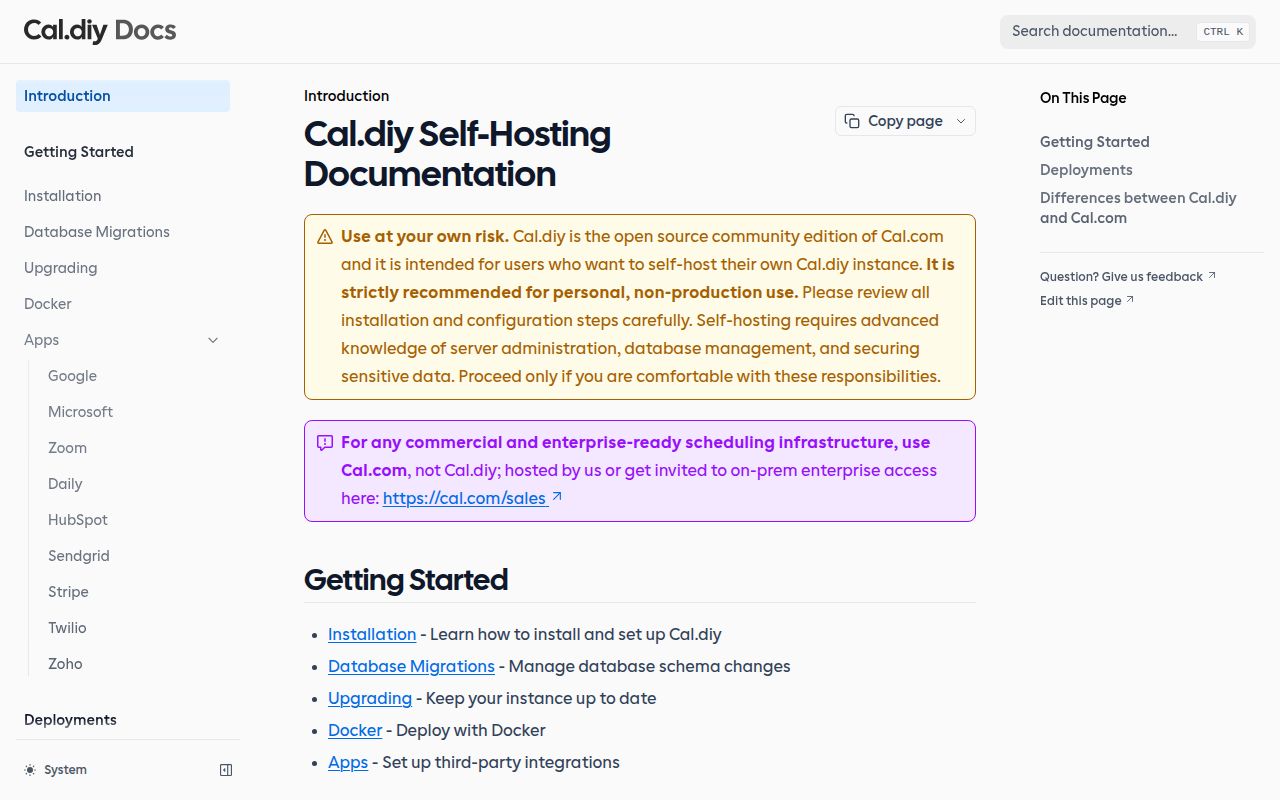
Cal.diy's opening warning says to use it at your own risk and strictly recommends personal, non-production use. It calls out server administration, database management, and sensitive-data security as prerequisites. That wording matters more than the 47,926 GitHub stars. If missed bookings, broken OAuth, or a failed migration can cost money, the project does not promise the support boundary a business needs. MIT licensing grants code freedom; it does not create an operations team.
Health is mixed rather than stale. GitHub showed a last push on August 8, 2026, while an issue was updated on August 25. The latest release, v6.2.0, was published on March 1. There were 1,426 open issues and pull requests combined, a figure that includes contribution work and should not be called a bug count. Recent issue activity shows people are still working in the queue, but the older release and less recent push support conservative upgrade testing.
Cal.diy is for one self-hoster, not a company
A personal scheduling server can justify Cal.diy when the owner wants Cal-style booking pages, accepts the removed team features, and already knows how to protect PostgreSQL and OAuth secrets. The successful 224-second test target is encouraging. The 140-second build failure also proves the configuration is enforced early. Add both required secrets, use a disposable database first, verify email and one calendar provider, then test upgrades and restores before publishing a booking link.
Businesses should stop at the README's warning. Cal.com is the direct choice when teams, workflows, SSO, or vendor support matter. Easy!Appointments fits service-business appointments, while Rallly handles group availability polls with less product scope. Cal.diy provides substantial scheduling code under MIT, but 4,673 packages, a database, public OAuth callbacks, and personal-only maintenance guidance make it a poor place to save money on a revenue-bearing calendar.