A catalog for Claude Code extensions
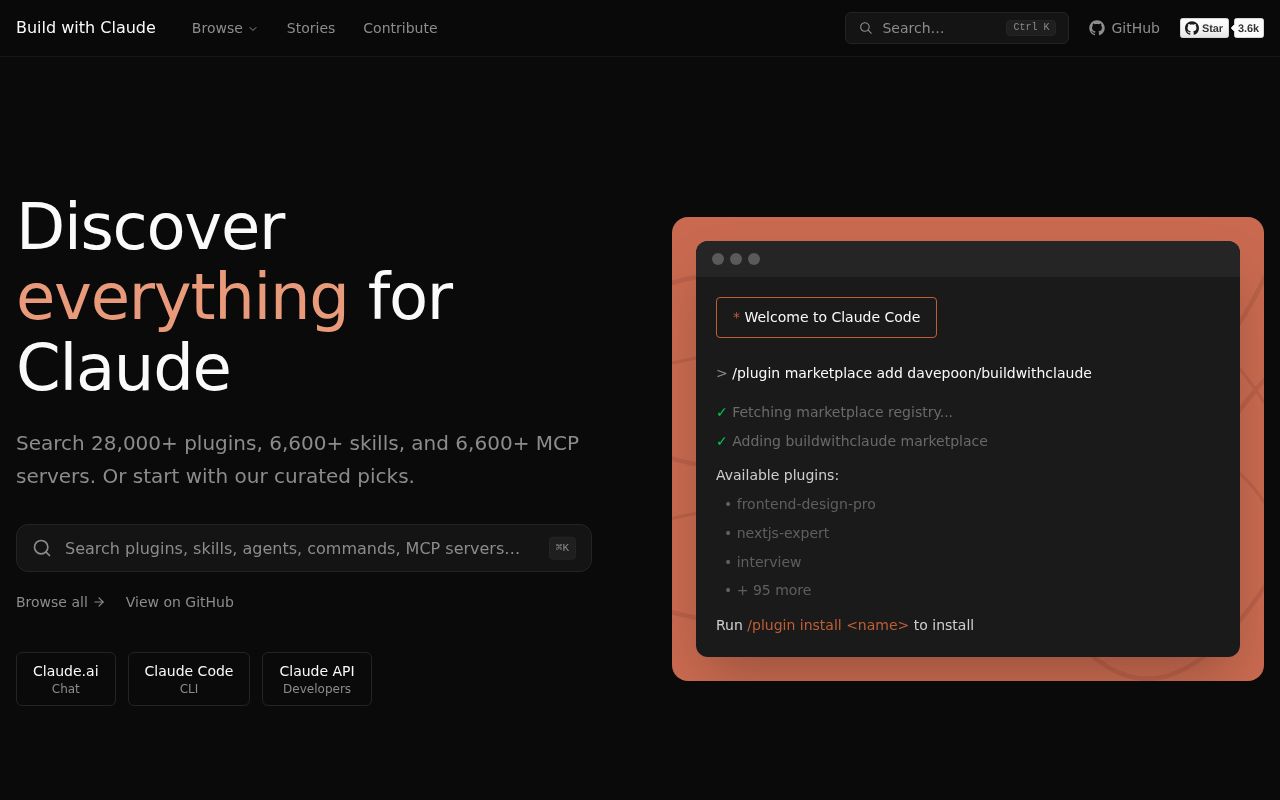
Claude Code has several extension types, and finding them is messy. Agents, slash commands, hooks, skills, full plugins, and MCP integrations often live in separate repositories with different installation notes. Build with Claude gathers those pieces into one marketplace and backs it with a searchable website. You can browse by type, inspect documentation, copy an install command, or add the whole repository as a Claude Code marketplace.
The repository also maintains its own bundled collections. The README lists 117 agents, 175 commands, 28 hooks, 26 skills, and 51 plugin packages. Its web index reaches beyond those bundled files to community plugins, MCP servers, and other marketplaces. Those catalog counts come from the project documentation; they are discovery inventory, not proof that every entry has received the same review.
That distinction matters. Build with Claude is most useful as a map. It cuts down search time and gives contributors a consistent place to submit work. It does not remove the need to inspect what an extension can read, write, execute, or send elsewhere.
Installing from the marketplace
The normal path is short. Add davepoon/buildwithclaude with Claude Code's marketplace command, search the marketplace, then install a named plugin. Bundles exist for all agents, all commands, and all hooks. Manual installation is also documented: clone the repository and copy selected Markdown definitions into the matching Claude directory.
Selective installation is the sensible default. An agent file can declare access to tools such as file writing or Bash. A hook may run before or after tool calls, when a session starts, or when it ends. Some entries are simple instruction files, while others connect to external services or ship executable code. The marketplace format records metadata and source locations, but that record is not a permission prompt or an independent audit.
Teams should treat each plugin like a development dependency. Read its source, confirm its tool list, check any network destinations, and pin the version you approved. The all-in bundles are convenient for exploration, but they widen the review surface immediately.
What happened when we ran it
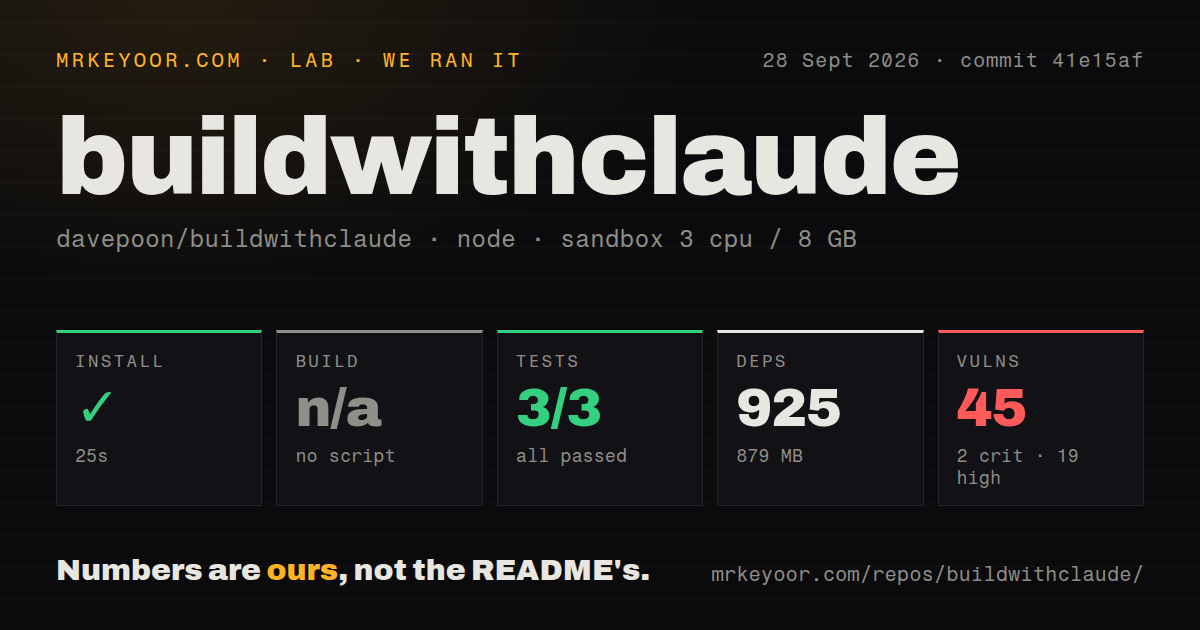
We cloned commit d16bece into a fresh Debian container with Node 22, 3 CPUs, 8 GB of RAM, no secrets, and an unprivileged user. The checkout contained 2,173 files, about 73,385 lines of source, and used 23 MB before installation.
npm installed 925 packages in 34 seconds. The installed workspace occupied 879 MB, a surprisingly large result for a repository whose visible product is mostly a catalog and web interface. There was no build script or target, so we skipped the build rather than inventing one. The available node:test run completed in 15 seconds: 3 tests passed and none failed.
The uncomfortable result was npm audit. It reported 42 known vulnerabilities: 1 critical, 19 high, 20 moderate, and 2 low. That does not prove an exploitable path in every use of the catalog, but it is too much debt to wave through. If you run the local web interface or automation scripts, review the dependency paths and decide which findings touch your deployment before exposing it.
The contribution model is clear
The contributor guide is more specific than the front page. Agents have required names, descriptions, categories, and a prescribed opening. Commands document arguments and allowed tools. Hooks name their lifecycle event, matcher, implementation language, and requirements. Contributors are told to check for overlap, keep one purpose per component, run validation, and submit a pull request.
That structure helps maintain a repository with many small text-based extensions. The root package includes validation scripts, registry generation, plugin fetching, unit tests, and an integration harness. There are also two CI workflow files, a Dockerfile, a tests directory, and an npm workspace for the web interface. The project is doing more than collecting links in a README.
Still, the public submission queue shows the editorial challenge. Open items include requests to add MCP servers, community plugins, and adjacent tools. A maintainer can verify shape and placement more easily than it can verify every prompt's judgment or every hook's behavior. Competent developers should expect uneven quality across a collection this broad.
Health and release signals
The repository was pushed on 2026-08-23, the day of our review, and its open count was 12 issues and pull requests. Recent issue updates include new MCP server and plugin submissions, so the queue reflects ongoing catalog work rather than a silent project. The MIT license is straightforward for the repository's own code and content, though an indexed external plugin can have its own license and terms.
The latest GitHub release tells a less tidy story. It is bwc-cli@1.2.4, published on 2025-10-24, rather than a current release for the whole marketplace. The root package also reports version 1.0.0 while the marketplace metadata has its own version. Current pushes show active work, so the old release tag is not evidence of abandonment. It does mean teams should pin a commit or plugin version instead of assuming the GitHub releases page describes the present catalog.
Who should use it
Use Build with Claude when your team already uses Claude Code and wants one place to compare extensions or publish an internal selection. Its install path is easy, its contributor documentation is concrete, and the website makes a large ecosystem easier to search.
Walk away if your policy requires every dependency and automation hook to arrive pre-vetted. The project cannot make that promise, and our audit result raises a separate concern in its own Node workspace. For most teams, the right approach is to use the site as a directory, install only a few reviewed plugins, and keep an approved list in your own repository.