Pop-ups give the collection a purpose beyond prettier buttons
Bubble Card puts common Home Assistant controls and navigation into one rounded visual family. The distinctive piece is its pop-up card. A dashboard link or entity state can open a panel containing other cards, and version 3.2.0 introduced a standalone format with those cards nested directly in the pop-up configuration. A phone dashboard can stay compact without hiding whole rooms behind separate views.
This is a large frontend project, not a theme file. Our measured checkout contained 410 files and about 77,714 lines of source across 26.3 MB. Bubble Card handles actions, conditions, editing, localization, templates, responsive layouts, and state updates inside the browser. Reproducing a polished screenshot can take real configuration work.
HACS removes the ten-step manual resource setup
The README recommends HACS, where Bubble Card appears as a downloadable frontend package and then in Home Assistant's card picker. The manual route has 10 numbered steps: copy bubble-card.js into the configuration's www directory, register /local/bubble-card.js?v=1 as a JavaScript module, refresh the dashboard, and change the query version after later file updates. Home Assistant 2023.9.0 is the documented minimum.
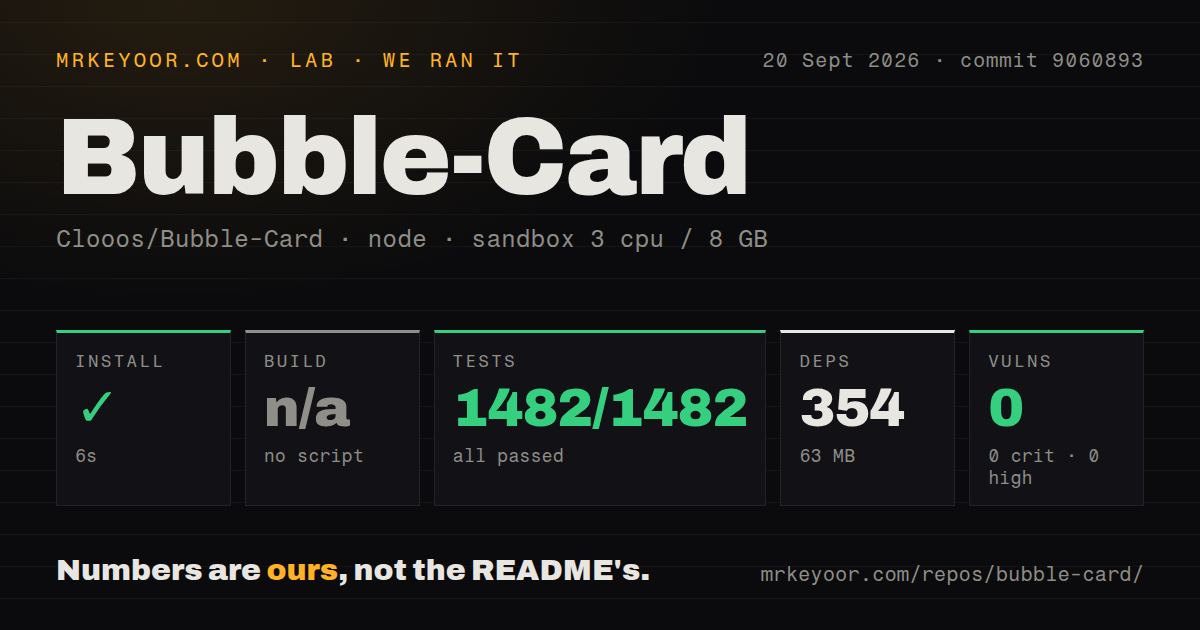
Our npm install took 6 seconds and added 354 packages, but HACS users do not run that developer install. The lab result tells contributors and auditors that the checked commit's dependency setup is modest. It does not replace a Home Assistant trial. Test updates, the companion app, desktop browsers, wall tablets, and cache behavior on the devices that control the home.
What happened when we ran it
Our unprivileged Node 22 sandbox installed commit 9060893 in 6 seconds with 3 CPUs and 8 GB of RAM. The 354 installed packages occupied 63 MB. Npm audit found 0 known vulnerabilities: 0 critical, 0 high, 0 moderate, and 0 low. The repository had 2 CI workflow files, no Dockerfile, and no tests directory despite exposing a working Jest target.
There was no build script or target, so the lab skipped the build. The test command completed in 10 seconds: Jest reported 1,482 passed and 0 failed out of 1,482. That is unusually strong evidence for a Home Assistant dashboard extension. It covers commit 9060893, not every phone layout, community module, Home Assistant release, or user-written template.
The editor covers common cards, while templates expose sharp edges
Every documented card can be configured in Home Assistant's editor, with YAML available for precise control. Conditions follow Home Assistant's card syntax, including state, time, user, location, and template checks. Since Home Assistant 2026.6, the entity picker can suggest recipes based on an entity's capabilities. A dimmable light can receive slider variants, while a cover without tilt support will not be offered a tilt control.
Advanced styling goes far beyond the 1,482 passing tests because users can supply their own code. Bubble Card accepts CSS, server-rendered Jinja, and JavaScript template expressions. The README tells users to inspect the browser console for JavaScript-template errors and notes that some CSS rules may need !important. In a shared home, a copied snippet can make an important control unreadable or unclickable after an update.
Community modules run CSS and JavaScript in the dashboard
The integrated Module Store advertises more than 100 community-made modules. From v3.1.0, Bubble Card Tools is the recommended storage backend, with modules saved as separate YAML files. A module can change styles, run JavaScript templates, add editor fields, generate entity suggestions, or apply itself globally across every Bubble Card. Unsupported modules can be enabled manually for testing.
Store publication is quick: a creator pastes an exported module into a GitHub Discussion, includes a screenshot, and the module becomes available after a store refresh. That is a distribution mechanism, not a security review. Our npm audit found 0 advisories in the 354 installed project packages, but it says nothing about code obtained later. Read the module, export backups, and trial it on one card before granting global status.
Version 3.4.0 is active, with an iPhone footer report still open
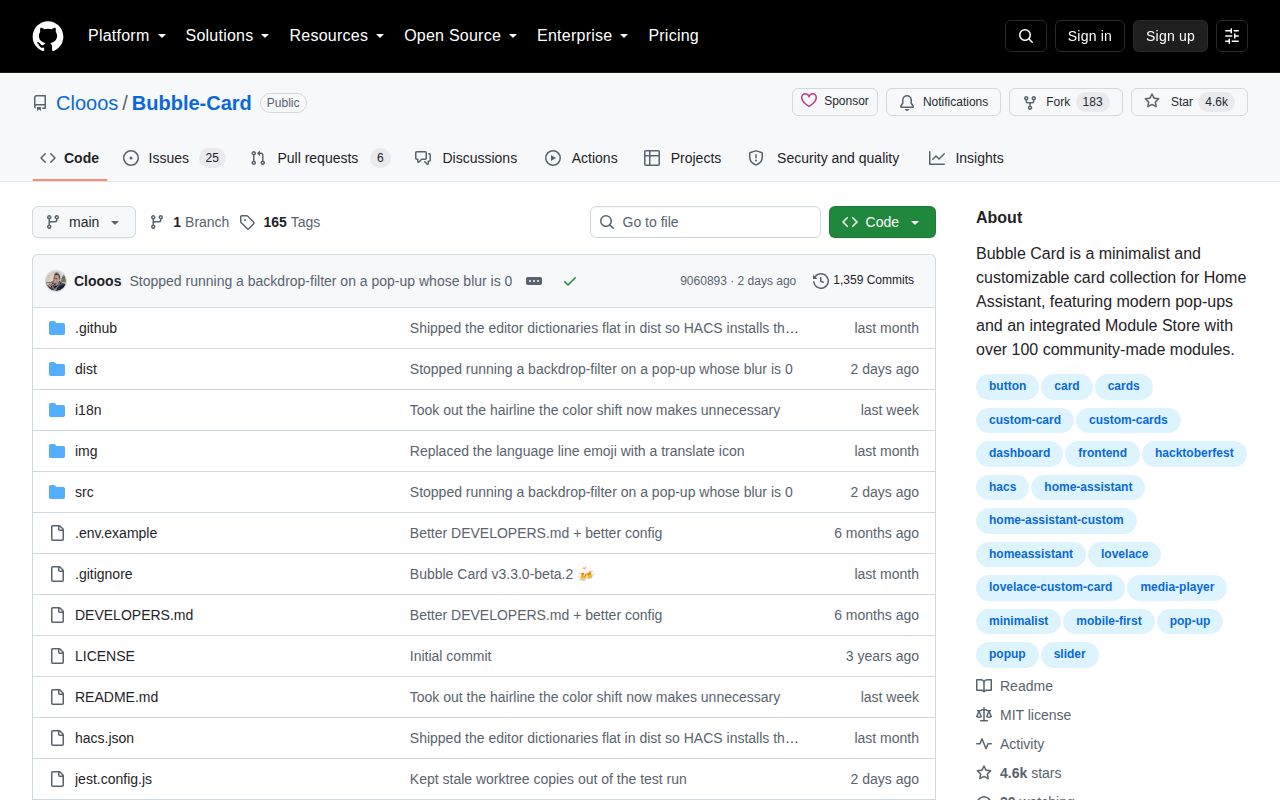
GitHub recorded 4,579 stars, 31 combined open issues and pull requests, and a last push on September 18, 2026. Release 3.4.0 shipped the same day with Jinja templates, entity suggestions, performance work, new climate-device support, and many fixes. Recent reports include maintainer responses and submitted tests. The open count includes pull requests as well as bugs.
One current report is concrete enough to test. Issue 2620 says footer_width: 300 is ignored by a Sub-Buttons Only card on an iPhone held in portrait, while horizontal orientation works. The report names Bubble Card 3.4.0 and Home Assistant 2026.9.3. A 1,482-test pass does not contradict it, because browser geometry and device orientation need separate checks.
Mushroom is easier, while Button Card starts from a blanker canvas
Mushroom is the calmer choice for entity-specific cards, visual editors, and light and dark themes. Its README says deep customization is not the goal. Button Card goes the other direction with a single entity card that exposes extensive actions, layouts, CSS, and JavaScript templates. Bubble Card sits between them by supplying a coherent collection while leaving deep customization available.
Our 10-second test run and 0 reported advisories make the core package a credible choice. Install through HACS, build one room, and check every action on the smallest phone and oldest wall tablet in use. Keep community modules out until the basic cards are stable. A smart-home control that looks excellent but misses taps in portrait mode is worse than a plain one everyone can operate.