ZapFast's source build stopped before we could open a chat. Cargo dependencies installed, but the sandbox couldn't find PipeWire's development metadata. That's a concrete setup obstacle for a Linux contributor, and a limit on this review: we can explain the failure and assess the documented tradeoffs, while messaging and desktop performance remain untested.
Native rendering comes with an unofficial-client warning
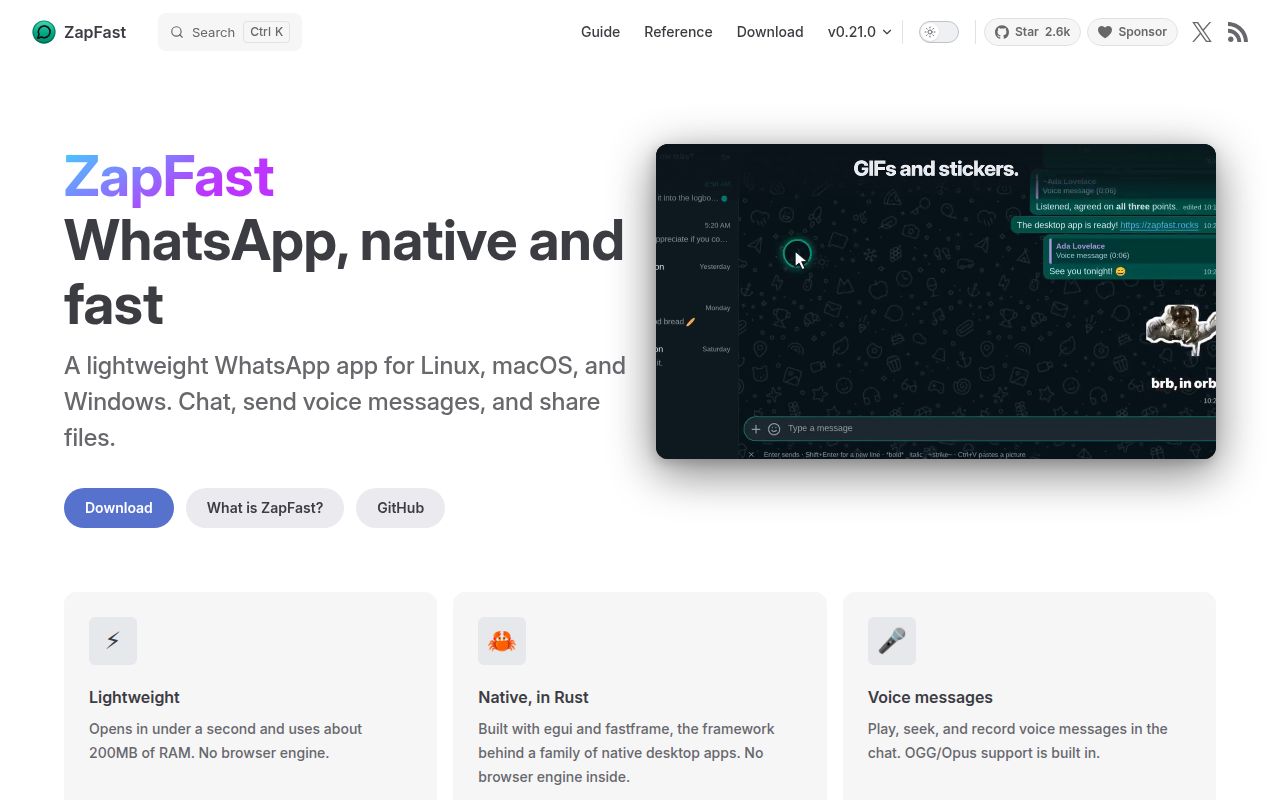
The ZapFast README describes a Rust application using egui and fastframe, with no browser engine. It connects through whatsapp-rust as a companion device. Linking uses the phone's Linked devices flow, either by scanning a QR code or entering a phone-number pairing code.
For someone wanting a separate desktop client, the documented feature set is attractive. It includes several numbers in one window, an encrypted local chat archive and message export. The README also describes voice messages, reactions and inline media. These are upstream capabilities, not features we exercised. Our run never reached a linked account.
The project explicitly warns that using an unofficial client could get an account suspended. That is enough reason to decline it for a number you cannot afford to lose access to. We have no evidence of a suspension rate or a way to remove that risk. Treat the warning as part of the product decision before weighing its interface or rendering architecture.
What happened when we ran it
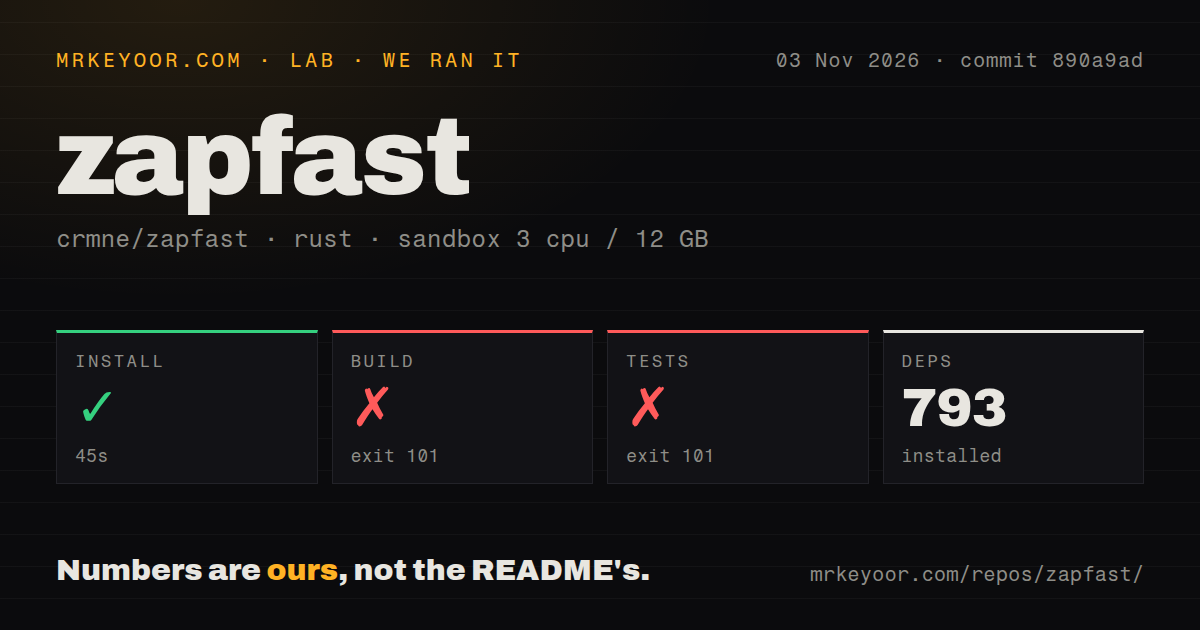
Our sandbox installed ZapFast's recorded dependencies in 45 seconds, then failed the build after 707 seconds at commit 890a9ad on November 3, 2026. The build exited 101. Tests also exited 101 after 2 seconds. The record lists 793 dependencies, without an installed disk-footprint measurement.
Both failing log tails name the same missing system library: libpipewire-0.3, required by the libspa-sys crate. The log says pkg-config could not find libpipewire-0.3.pc and PKG_CONFIG_PATH was not set. That identifies the failed lookup. It does not establish whether a library existed elsewhere on the filesystem, and changing a search path alone is not a verified fix.
The test command encountered that compilation blocker too. Its failure supplies no evidence that messaging assertions failed, or that the application's ordinary use is broken. We cannot report passing tests or a completed test suite from this run. A successful dependency step is also distinct from a usable installed desktop application.
The checkout contained 408 files, approximately 213,731 source lines and occupied 30.4 MB. The scan found 8 CI workflow files and a tests directory, with no Dockerfile. Our recorded configuration had 3 CPUs, 12 GB RAM and image lab-rust:1. The image label does not establish the actual compiler or operating-system version.
Linux source builds need native development libraries
The getting-started guide requires a C/C++ toolchain, CMake and Perl. On Linux it additionally lists egui's development libraries, ALSA, and PipeWire with clang. Our blocker concerns an explicitly documented prerequisite, rather than an unexplained Rust package failure. The source route needs more preparation than fetching Cargo dependencies.
Check the guide's native prerequisites against your target distribution before another build attempt. Installing PipeWire development metadata and ensuring pkg-config can find it is the next relevant investigation, but no successful rerun accompanies this review. We cannot promise that resolving this first blocker would complete the build.
Upstream provides packaged downloads as another route. Those packages weren't part of the sandbox run, so our failed source build should not become a claim that packaged ZapFast cannot launch. The source guide also distinguishes a binary from launcher integration: its user-install script is Linux-only, and source builds on macOS and Windows have no launcher integration. Choose the route you actually intend to maintain.
Calling remains qualified in the current release
Release v0.21.1, published November 3, 2026, calls video support alpha and says group-call video stops briefly at intervals. If regular group video is central to your WhatsApp use, that stated limitation outweighs interest in a different desktop frontend. We did not make calls or assess audio quality.
The same release describes fixes for the disappearing-messages menu and video playback. GitHub records a last push on November 4, and recent issue activity includes interface requests and a COSMIC notification-focus report. These show ongoing development alongside reported desktop problems. Neither a fresh release nor an active issue list establishes reliability on your own desktop.
ZapFast advertises memory and startup advantages in its README, but we did not reproduce those workloads. There is no measured startup or idle-memory comparison in our evidence. A browser-free architecture explains why the client is interesting, while actual resource savings on your machine remain a separate question.
Official Web and Desktop clients avoid this particular tradeoff
WhatsApp's download page offers official desktop access and directs users to WhatsApp Web in a browser. Start with Web when you need the official browser route. Check the desktop download for your supported device when you want an application without adopting ZapFast's unofficial-client relationship. These are workflow alternatives, without a comparative benchmark here.
The ratings remain unassessed because we didn't complete a supported installation or reach interactive use. If the account-risk warning is acceptable, evaluate the exact package and desktop you intend to keep, then use your Message yourself chat to check delivery and attachments before relying on it for conversations you need to preserve.