Keep control of the records, including their storage
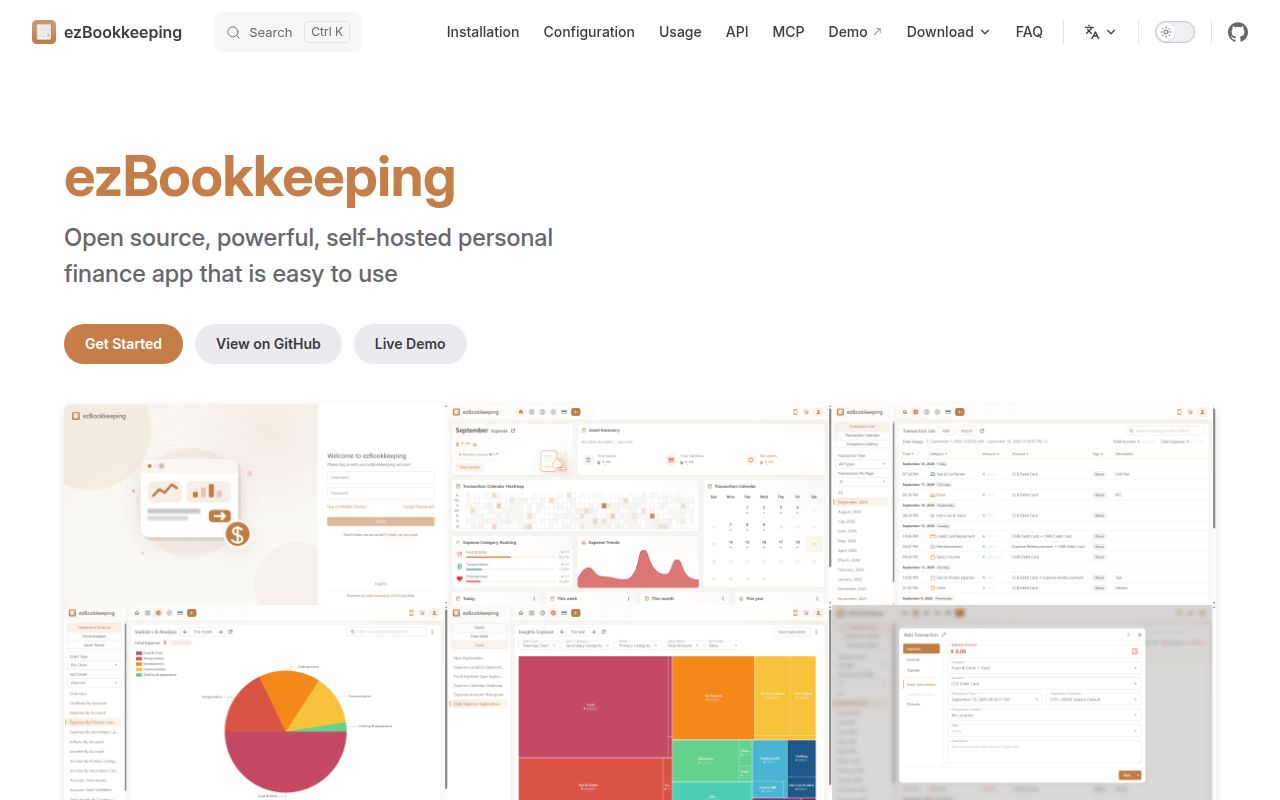
ezBookkeeping records daily transactions, imports financial files and turns your history into charts you can query. It has separate mobile and desktop interfaces, plus PWA support so you can add it to a phone's home screen. The appeal is a browser-based spending record on infrastructure you control. The work begins when those records become something you can't afford to lose.
The README lists scheduled transactions, image attachments, multiple currencies and configurable import mapping. Those are useful capabilities for someone moving beyond a spreadsheet. I'd evaluate it with a small, familiar set of transactions first. You need to recognize an incorrect account mapping or currency total before importing the rest of your history.
English documentation is available. The project also documents OIDC sign-in, two-factor authentication and an application lock. These are upstream features, separate from our measurements. We didn't check login behavior, receipt handling or a complete personal-finance workflow, and a passing source check cannot establish that your financial records are correct.
What happened when we ran it
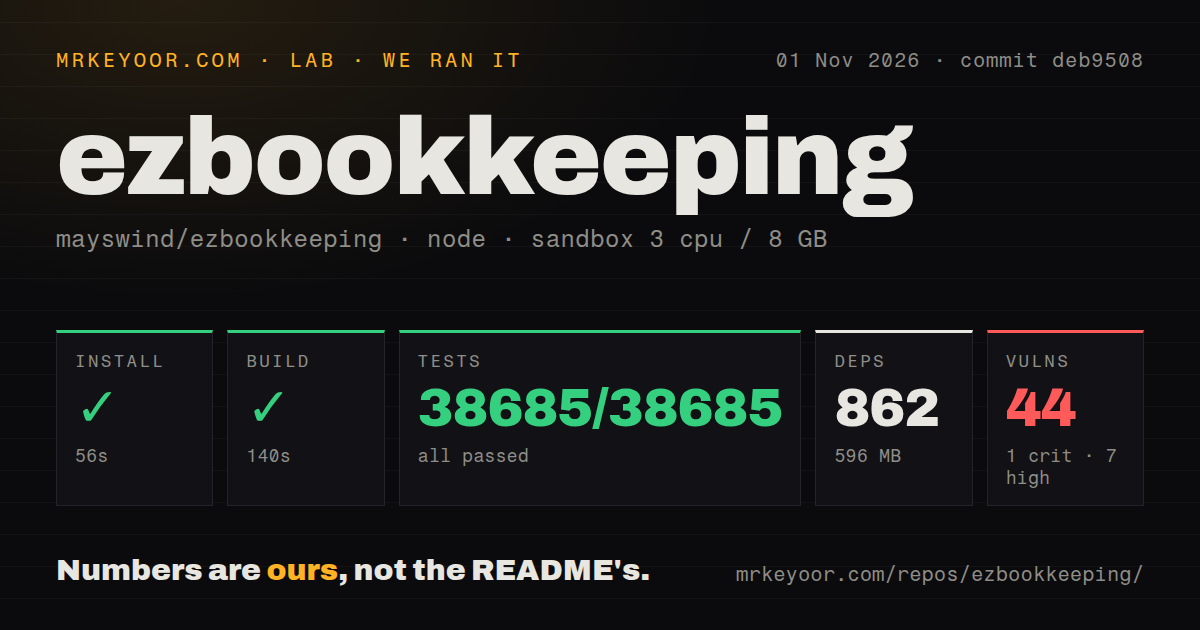
Our ezBookkeeping npm run installed successfully in 56 seconds, built in 140 seconds and completed Vitest in 6 seconds with 38,685 passed and 0 failed out of 38,685 tests. We ran commit deb9508 on 2026-11-01. Installation recorded 862 dependencies and 596 MB on disk. Those are developer-environment measurements, not the storage or memory requirements of a deployed server.
Npm audit reported 44 known vulnerabilities: 1 critical, 7 high, 32 moderate and 4 low. Successful checks and dependency advisories answer different questions. The record doesn't identify dependency paths, fixes or whether affected code is reachable in a deployed application. The critical advisory needs investigation before choosing a deployment, but this summary alone cannot establish an exploitable server vulnerability.
The configured sandbox had 3 CPUs, 8 GB RAM and image label lab-node:22. Actual runtime versions require the raw toolchain logs. The checkout contained 1,126 files, approximately 227,702 source lines and 16.2 MB. The scan found 4 CI workflow files and a Dockerfile, with no tests directory. The Vitest result shows why that last directory observation shouldn't be read as an absence of tests.
This was the npm workflow. It doesn't establish a Go server check, a working container, successful database migration or a restore from backup. Nor does the passing total tell us whether all the cases cover different user behavior. Keep the measured result useful by limiting it to what the run actually exercised.
The short Docker command omits production storage
The README's starter command runs a container, but the Docker guide says data will be lost when an unpersisted container is recreated or removed. Database records and uploaded pictures have separate storage paths. Persisting the database while forgetting attachment storage would leave an incomplete deployment.
SQLite is the default database, but the guide recommends it only for testing. It recommends MySQL or PostgreSQL for ongoing use. That's a meaningful qualification for someone seeking the smallest possible household service: the recommended deployment includes operating a separate database. We didn't measure either database option, so we can't tell you how their resource use or behavior compares.
Before production, the guide also requires a random secret key and the correct domain. When the access protocol or port differs from the application's configuration, the root URL needs changing too. That affects generated links, including transaction pictures. Treat reaching the login page as the start of configuration, then check the records, attachments and links through the address you'll actually use.
Import failures no longer undo the entire import
The v2.1.0 release notes list a breaking change: an import no longer rolls back in full when some transactions fail to be created. That's a reason to read the import result carefully. A failed row doesn't mean every other row was discarded, so repeating a file without checking what was accepted is a poor migration procedure.
The README lists formats including CSV, Excel, OFX, QIF, Firefly III and Beancount. Format support is an invitation to test your actual export, not proof that every account, category or attachment arrives as intended. Start with a copy of a familiar statement and compare the accepted records with the source. Decide how you'll recover before moving the only usable copy of your history.
AI features add configuration beyond bookkeeping
The configuration reference shows AI text recognition, image recognition and chart generation disabled by default. Enabling them requires a configured model provider and model ID. MCP access is also disabled by default. You can assess ordinary bookkeeping before deciding whether an AI integration belongs near these records.
That choice matters if you want a predictable service with few external connections. The configuration documents several provider choices and separate credentials. We haven't checked their data handling or reproduced the AI workflows. Don't interpret the npm result as evidence of receipt-recognition accuracy, MCP access control or the behavior of a chosen model service.
Choose Actual for local budgeting or Firefly III for rules
Actual Budget documents local-only desktop apps alongside server deployment and synchronization. Consider it when keeping a local working copy and using envelope budgeting are central requirements. Firefly III documents budgets, categories, tags and rule-based transaction handling. Consider it when those rules are the workflow you want to evaluate. Neither was compared in this run.
Documentation receives 4/5 on a coverage rubric where 1 means a basic description, 3 means task instructions with important gaps, and 5 requires verified instructions across the reviewed tasks. The Docker and configuration references justify 4. Setup, support quality and operating maturity remain unassessed. Before entrusting ezBookkeeping with your main records, investigate the audit findings and verify an import and a restore that includes attachments.