One repository contains an agent browser and a human browser
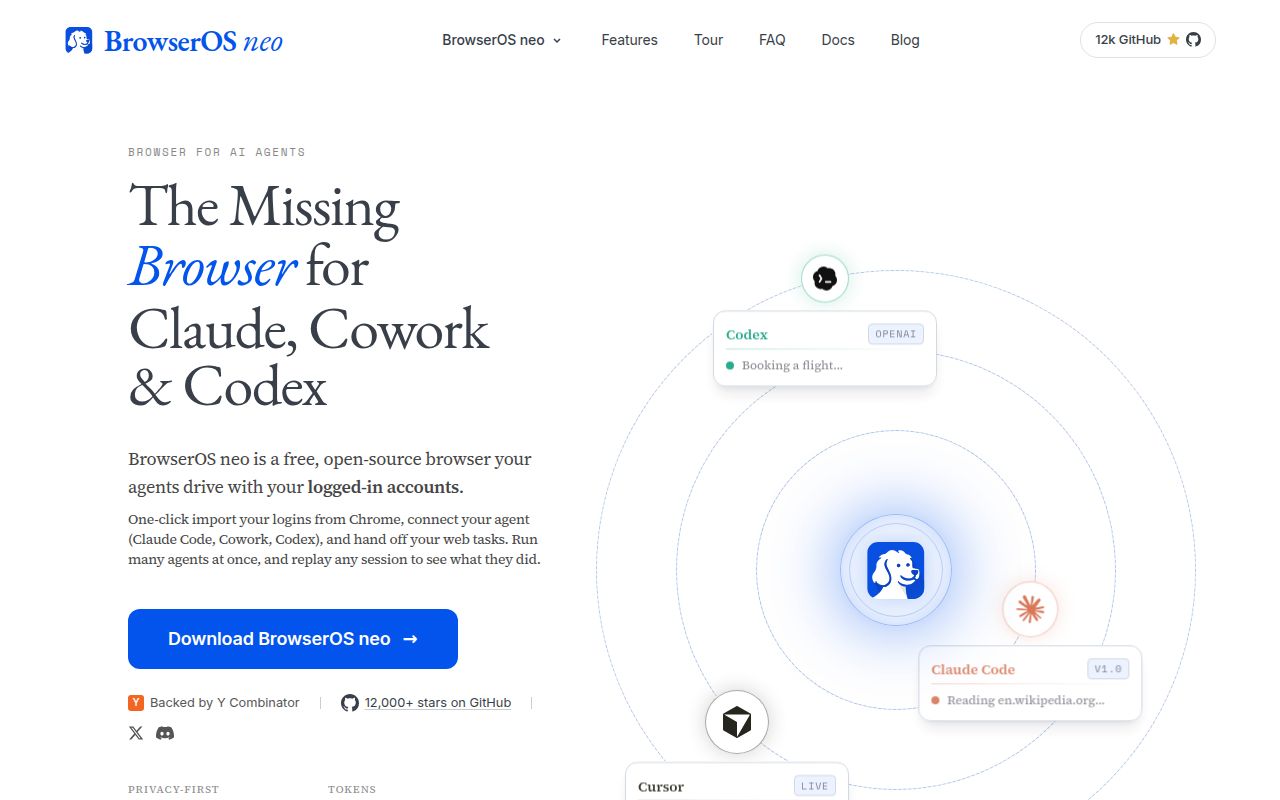
BrowserOS neo is a secondary browser meant for AI agents. It imports a Chrome profile, keeps logins between sessions, exposes browser tools over MCP, and shows parallel agent jobs in a dashboard. Each session can be replayed from locally saved screenshots and actions. The original BrowserOS is different: it is a daily Chromium fork with a built-in assistant, scheduled tasks, app integrations, and optional local models.
The distinction matters when choosing it. Neo lets Claude Code, Codex, Cursor, OpenClaw, and other MCP clients drive a dedicated browser while the person continues using Chrome. BrowserOS puts the agent in the browser a person uses. Both approaches carry more authority than a fresh Playwright profile because imported passwords, cookies, extensions, and authenticated sites become available to automation.
Persistent logins make BrowserOS useful and dangerous
Many web tasks only become useful after sign-in: clearing an inbox, updating a CRM, downloading reports, or posting to social accounts. Neo preserves that state on the local machine and avoids a cloud browser's datacenter IP. Its cockpit shows active sessions, and its replay provides an audit trail after an agent clicks through a site.
Replay helps investigate a mistake; it does not prevent one. Start with accounts created for the pilot, remove payment methods and administrator roles, and require confirmation before sending messages, deleting data, buying anything, or changing access. Keep the browser profile separate from the person's primary profile. A local service can still send data to the selected model provider when the model is hosted.
What happened when we ran it
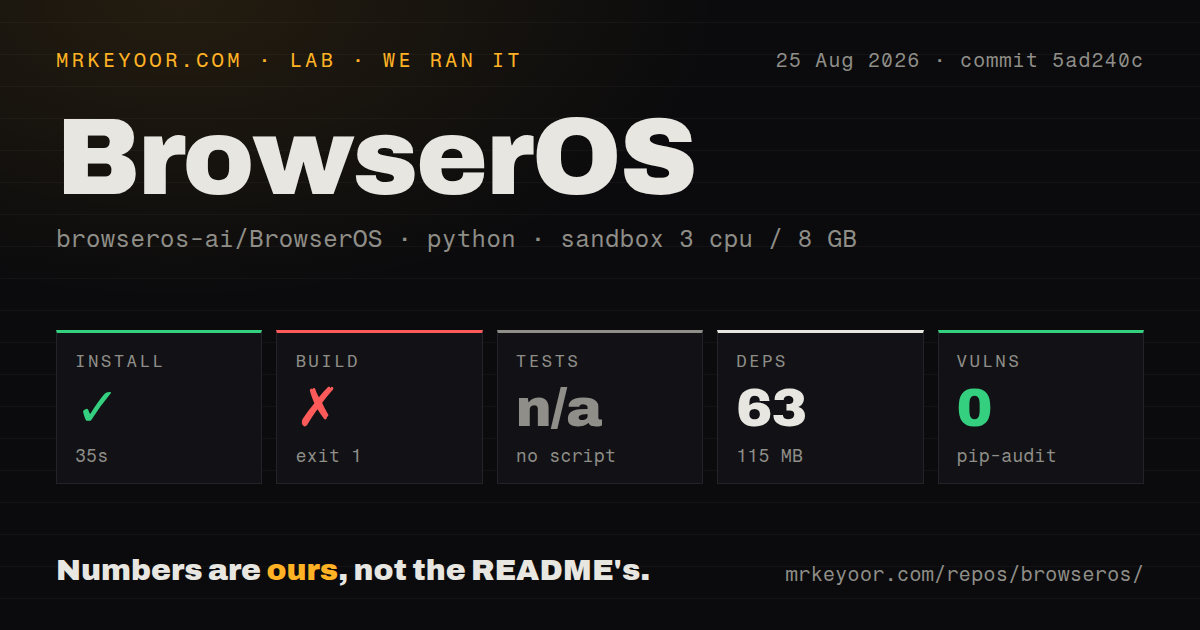
Our sandbox cloned commit 5ad240c and selected packages/browseros/, the Python build tooling for the Chromium fork. Installation completed in 35 seconds, adding 63 packages and using 115 MB. Pip-audit reported 0 known vulnerabilities in that installed Python dependency set. The full repository checkout contained 3,343 files, about 414,629 source lines, and 137 MB.
The build exited 1 after 6 seconds. The supplied measurement does not include the failing command's final lines, so the honest finding stops there: it failed quickly, and the log evidence available to this review does not identify why. We did not retry with extra system packages or change the environment.
No test script or target was available to the harness, so tests were skipped. The repository scan found 27 CI workflow files, no Dockerfile, and no tests directory. These facts do not say the published macOS or Windows installers fail. They say our source checkout did not produce a passing build or any local test result on Python 3.12 in a fresh unprivileged Debian container.
The 115 MB dependency result also understates full browser development. The README says work on the Chromium fork needs about 100 GB of disk. Our run did not fetch or compile Chromium, launch either browser, import a profile, connect an MCP client, run an agent task, or inspect session files. Binary evaluation remains a separate step.
Current MCP reports require platform-specific checks
Open issue 2424 reports that BrowserOS neo on Windows binds ports 9011 and 9012 to all interfaces even when remote MCP access is false. The reporter also tested the request filter and found that it rejected remote peers and spoofed host headers. This is a defense-in-depth gap rather than proof of remote tool access, and a loopback bind would better match the product's stated local-only design.
Issue 2423 concerns the MCP run tool. The report says successful code executes side effects, such as opening a tab, then returns error -32600 because structured output is missing. Granular tools continued to work in that setup. A caller may therefore retry an action that already happened. Automation should use idempotent steps where possible and verify browser state before repeating a failed call.
Platform behavior has other open edges. Issue 2436 says macOS builds can report no Touch ID platform authenticator because expected WebAuthn entitlements are absent. Issue 2408 reports a Windows 10 machine where neo only launched with the browser sandbox disabled. Do not use that workaround for authenticated browsing; wait for a sandboxed build that works on the target host.
August releases show speed, while compatibility is still settling
GitHub recorded 13,352 stars, 89 combined issues and pull requests, and a last push on August 26, 2026. The latest GitHub release was the neo extension v0.2.17.0 on August 22. Its notes contain dashboard, theme, and MCP interface work. That pace explains both the rapid feature coverage and the need to retest integrations after upgrades.
The code is AGPL-3.0. Teams distributing modified builds or providing a modified network service should review the license obligations. Binary users also need to decide which anonymous usage events are acceptable; the README says URLs, content, prompts, tool results, and screenshots are excluded and that usage telemetry can be disabled. Verify those controls on the version deployed.
Choose neo for supervised real-account work
BrowserOS neo offers a rare combination: persistent local login state, MCP access, parallel tabs, and session replay. That makes it more suitable than a blank CI browser for real administrative web tasks. The same combination gives an agent meaningful authority, so the first deployment should look like a controlled workstation rather than a general automation server.
For tests and scraping, Playwright MCP or Browser Use will often be easier to contain. For ordinary browsing without agent control, Brave is the simpler choice. Neo earns the extra trust only when logged-in work is the requirement and a person will review what happens until the platform-specific failures and retry behavior are understood.