BMAD runs inside your existing coding tool
Run BMAD-METHOD's bmad-build inside your AI coding tool to start a change with its delivery workflow. The method gives work named skills and written context, so product choices and technical constraints can survive the next chat. That matters when an assistant fills in decisions you haven't made. You'll still need to judge the decisions it records. That's the job this method is worth trying for.
The Python checkout we measured contained 605 files, roughly 28,933 lines of source, and occupied 5.2 MB. That is a substantial collection to maintain even though the installed environment was only 38 MB. The breadth includes planning and review workflows, plus optional modules listed separately in the project README. Start with a concrete change you understand well enough to review. Adding every available perspective would make it harder to tell which part helped.
What happened when we ran it
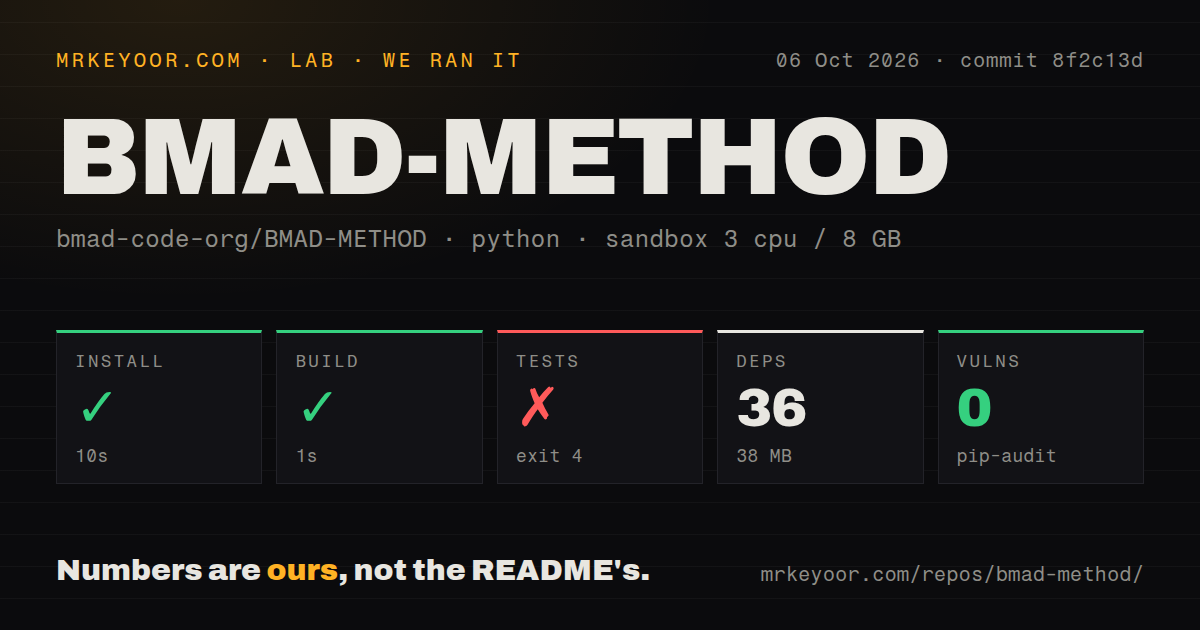
Our sandbox installed BMAD-METHOD commit 8f2c13d in 10 seconds on 2026-10-06, adding 36 packages and using 38 MB on disk. The build succeeded in 1 second. Our measurement setup was an unprivileged Debian container using ghcr.io/astral-sh/uv:python3.12-bookworm, with 3 CPUs, 8 GB of RAM, and no secrets. These results establish that the repository's install and build steps completed in that environment.
The test step failed in 1 second with exit code 4. Its log says python -m pytest: error: unrecognized arguments: -n and identifies /work/repo/pyproject.toml as the configuration file. Pytest rejected the command arguments. The supplied log contains no passing-test count or assertion failure, so there's no basis for describing this as a partially passing suite or assigning a cause beyond the rejected option. None of these measurements establishes how well an assistant follows BMAD's instructions or whether its generated application works.
Small changes can skip the planning documents
The planning guide lets a clear change go directly to Build and says an obvious, low-risk edit may not need BMAD at all. Larger work can use bmad-spec and bmad-ticket to define an outcome and divide it into stories. A PRD is useful when several people need to agree on the product. It isn't a mandatory entrance fee for changing a button.
With 36 packages and 38 MB in our installed environment, storage wasn't the main adoption burden. Reading and maintaining the resulting documents is the more consequential commitment. I'd use the planning path when separate sessions keep contradicting an agreed requirement, then check whether the written constraint actually reaches implementation. If a short issue already captures the change, adding a product brief needs a specific reason.
Setup needs uv and a skill-capable assistant
The README requires an AI coding tool that supports skills and uv for setup and Python scripts. Its skills-CLI route also uses Node.js, npm, and Git. Select the bmad hub and the module records alongside the skills you want, then run setup inside the project. Claude Code has a plugin route. Access to the assistant and any provider credentials remains your responsibility.
The 1-second successful build is reassuring about the repository step we ran, but it doesn't establish a completed coding workflow. The README's next action happens inside an assistant, with your project open and a change request supplied. Treat that as a separate acceptance check: can the selected tool find the installed skills, retain your constraint, and produce a diff you can explain?
The review prompt can report clean without reading content
Open issue 3066 concerns the current bmad-code-review verification-gap prompt. The reporter found the instruction by inspecting files and explicitly says they hadn't reproduced it in a live run. The prompt itself directs unreadable or absent input to the same response used for a clean review. Its sibling under bmad-build instead tells the reviewer to report missing content.
Pip-audit reported 0 known vulnerabilities in our run, which doesn't address that instruction-level defect. A dependency audit checks a different surface from an agent's decision to declare a review clean. Teams using review output to approve changes should require evidence that the target was read and run their own application checks. Until that boundary is dependable, I wouldn't give BMAD's clean-review response authority to approve a merge.
October activity shows maintenance across changing workflows
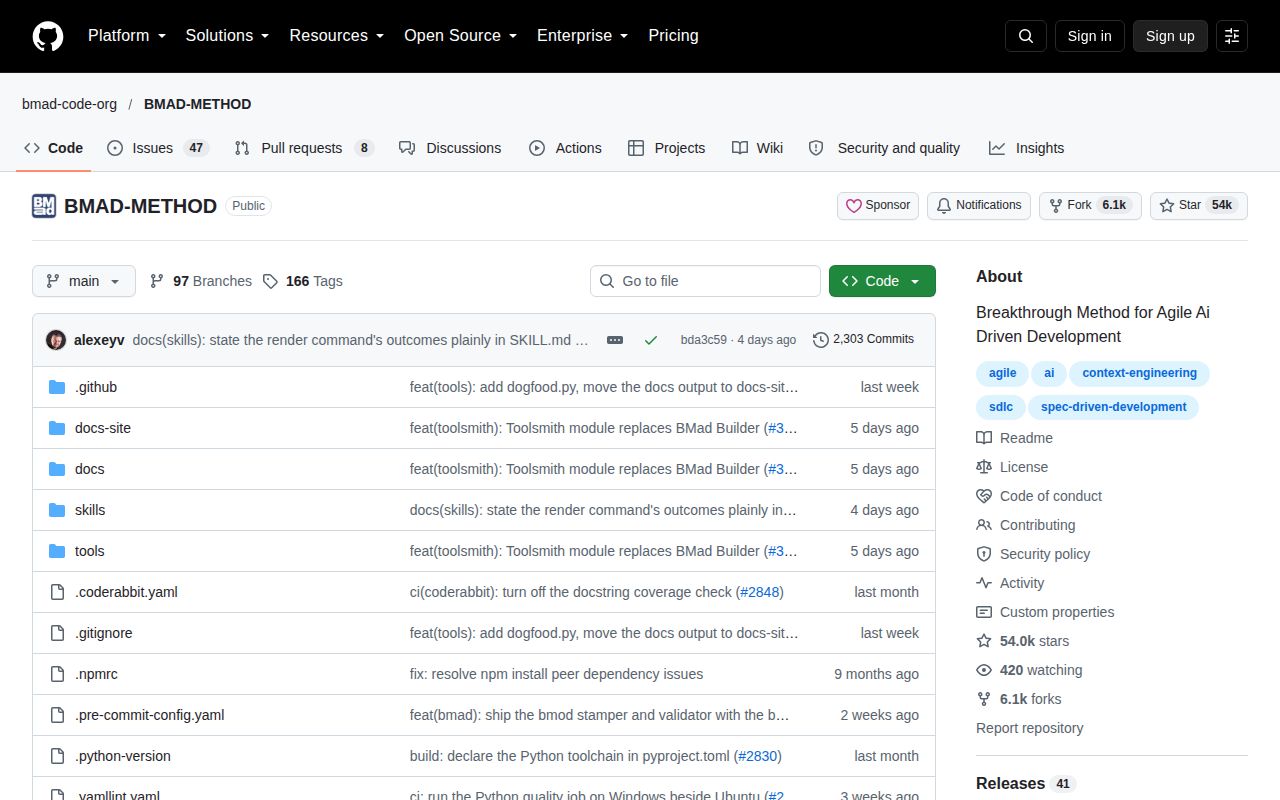
GitHub reported a last push on 2026-10-10, 54,016 stars, and 55 open issues and PRs combined. The latest release, v6.12.1, shipped on October 4 with fixes for merged configuration and draft status after failed document validation. Issue 3066 remained open and had October 10 activity. The project is being maintained, though that leaves a relevant review problem unresolved.
Our scan found 5 CI workflow files, no Dockerfile, and no tests directory. Inspect the checks those workflows run before treating them as evidence of reliability. The directory scan doesn't prove that checks are absent elsewhere. Also keep the release notes separate from the measured commit and current skills: a fix documented for v6.12.1 doesn't settle the later issue about a different review prompt.
Spec Kit and OpenSpec organize specification work differently
Spec Kit carries a specification through a prescribed planning, tasks, implementation, and convergence sequence. Choose it if that sequence matches the process you want. OpenSpec keeps proposals and requirements alongside design and tasks in individual change folders. That suits a team organizing decisions around each feature. Neither comparison establishes better output quality, which our sandbox didn't measure.
BMAD's 38 MB installed footprint makes storage a modest part of the trial we measured. The useful trial is a change whose acceptance criteria you already know, with a constraint the assistant must preserve across sessions. Read its diff against that constraint. Keep the documents that help you catch a wrong decision, and insist on readable evidence before accepting a clean review.