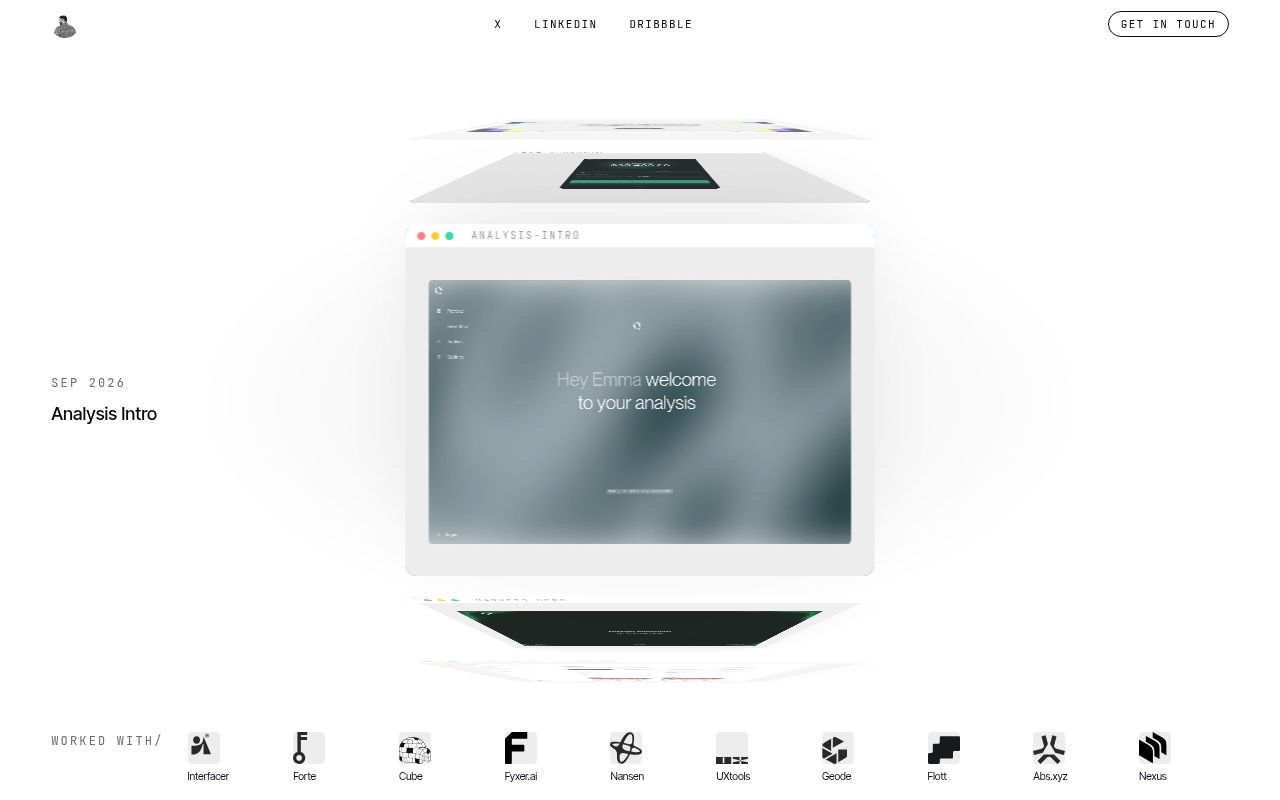
The animation explains a screen through individual UX decisions
A before-and-after image shows that a button moved. Blueprint Before/After asks you to explain why moving it helps, then gives that decision a place in the animation. The project README describes a continuous view of a screen that becomes a cyan drawing, changes the relevant components, and reveals the result. That format makes sense for a designer who already has a reasoned redesign and wants to present it clearly.
Version v1.3.1 includes a Claude Design skill and a sample JSX scene. Redesign mode needs the old and new screens, plus a short problem and fix for each change. Explain mode works from a finished screen and annotates its existing modules. Neither mode supplies evidence that a design improves usability. You still need defensible reasons for the changes, especially when a polished transition makes a weak argument look more convincing.
What happened when we ran it
We did not run Blueprint Animation commit 29aa30b. Our October 15, 2026 lab record says the repository had no ecosystem supported by the harness, identified its language as JavaScript, and found no Dockerfile. The allocated sandbox had 3 CPUs and 8 GB of RAM, with no secrets or elevated privileges. This result describes a harness coverage limit. It does not establish whether the skill succeeds or fails inside Claude Design.
There are consequently no measured installation, build, or test results to report. The documented ZIP upload is a setup instruction, and the included example is source material. Neither is a result from our sandbox. The source review can judge how clearly the workflow states its dependencies and checks, but it cannot certify rendered fidelity, playback quality, or successful exports. Those require an actual Claude Design session with the intended design assets.
The required animation engine is outside the repository
The v1.3.1 skill instructions explicitly require Claude Design's animations_v3 starter and say it is absent from the skill. The scene expects composition helpers supplied by that environment. That dependency is the main reason a developer shouldn't treat the sample JSX as a portable React animation package. You need the host workflow before the example becomes a useful starting point for a new project.
The README's installation path is to download the release ZIP and upload it under Skills on claude.ai, then use it in Claude Design. It documents no separate service credential. You do need access to that host, your design system, and the relevant design files. If you repackage the skill, preserve its enclosing directory: the instructions specify blueprint-animation/SKILL.md inside the archive. Copying only the scene into an existing application skips essential context.
Exact Figma reproduction requires the original assets
The skill requires values from the Figma source, including layer coordinates and text styles, followed by a static comparison against an exported frame before motion begins. Missing fonts are a stop condition. Icons and images should come from the file rather than substitutes. This is a sensible defense against a common problem with generated interface videos: the presentation looks plausible while the interface quietly changes beneath the explanation.
A screenshot-only brief therefore carries more work than the README's quick upload suggests. The instructions allow screenshots when no source file exists, but also require missing values to be identified and requested rather than guessed. That can interrupt the task. For a portfolio piece built from your own Figma file, the requirement is manageable. For a client screenshot with unavailable fonts or assets, exact reproduction remains an unresolved input problem.
The choreography protects labels while components move
The sample's blueprint layer covers the interface while old components switch to their new versions. That hides the swap instead of letting the screen visibly disappear. Moving wire labels fade away until their shapes settle, and explanatory text lives below the interface. These are useful, specific directions: they keep the viewer's attention on the change and reduce the chance that labels collide with the very objects they explain.
Version v1.3.1 also asks for static screen comparisons, a filmstrip across the animation phases, and performance checks before handoff. Those are author requirements, not measurements from this review. The skill even places exact visual fidelity above performance when they conflict. If your presentation needs both, check the resulting scene on its intended playback device. Reading a checklist cannot tell you whether a generated implementation followed it.
Commercial use needs permission under the published license
Release v1.3.1 added CC BY-NC 4.0 licensing. The README permits non-commercial sharing and adaptation with attribution, and requires written permission for commercial use. That restriction is a material adoption condition for agencies and paid products. This is publicly available source with non-commercial terms, so don't assume the repository grants the same permissions as an MIT-licensed animation library.
The last push was September 27, 2026, the same day as that release. GitHub showed 418 stars and no open issues or PRs, and the fetched issue history was empty. The recent push gives no reason to label it abandoned. The empty discussion history also provides little evidence about users completing different Figma projects. Documentation and a reference scene are the strongest evidence available here, with runtime behavior still unverified.
For a non-commercial design explanation inside Claude Design, the opinionated sequence is worth trying if you can supply the original assets. Choose Motion Canvas when you want a TypeScript animation library and editor you control, or Manim for programmatic explanatory drawings in Python. Both require you to author the presentation logic. Before choosing Blueprint Animation for paid client work, settle permission and confirm access to the missing starter.